Join Now
Skip to Main Content
Sam's Club
Sam's Club
All Departments
All Services
Customer reviews for Brother INKvestment Tank All-in-One Inkjet Printer, MFC-J4345DWXL for
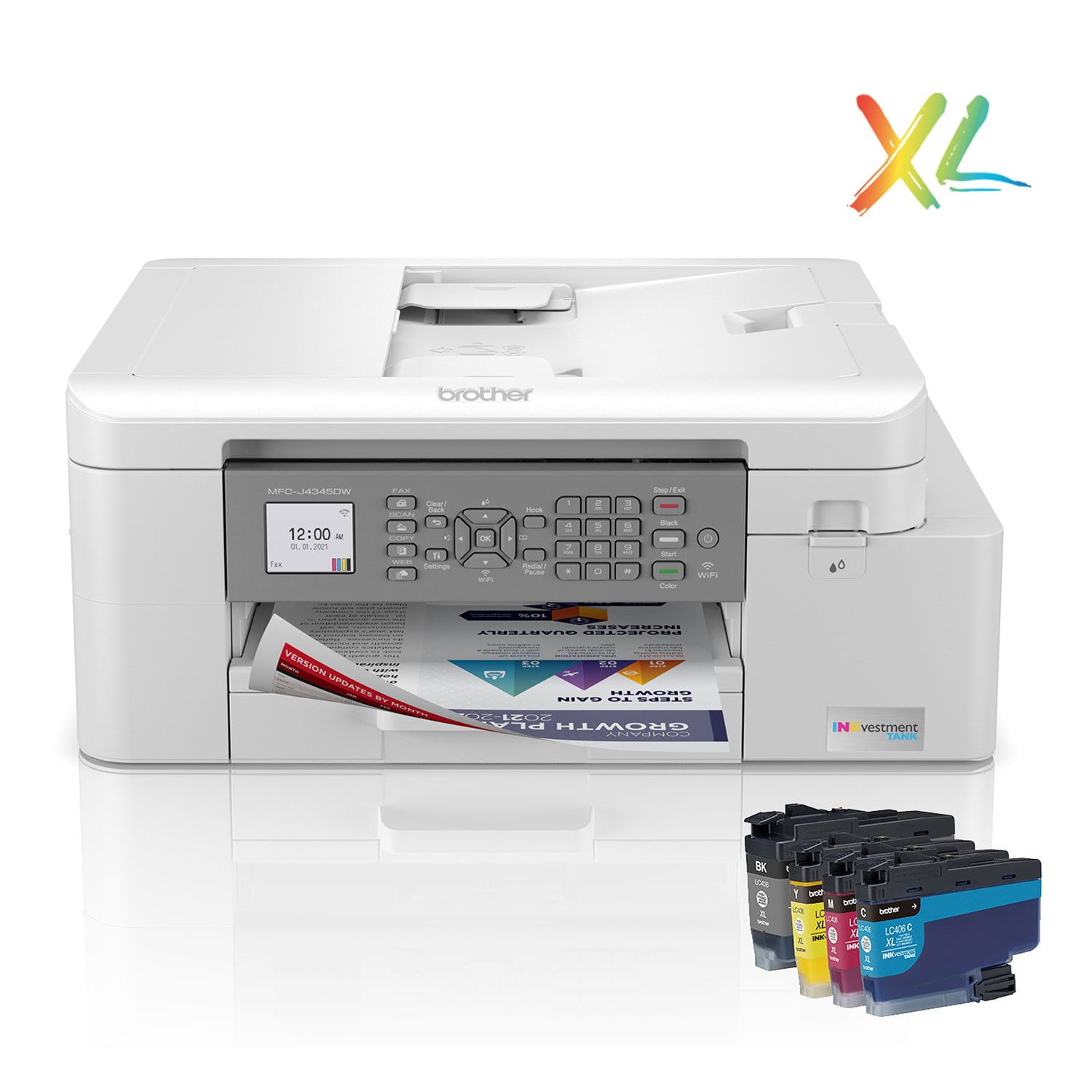
Brother INKvestment Tank All-in-One Inkjet Printer, MFC-J4345DWXL
4 out of 5 stars
stars
100 ratings79 reviews
  1. 5 stars53% (53)
  2. 4 stars23% (23)
  3. 3 stars6% (6)
  4. 2 stars7% (7)
  5. 1 star11% (11)
Sort by |
Showing 31-40 of 79 reviews
Mar 9, 2026
Reviewer name: Jonesie
5 out of 5 stars
5 out of 5 stars review

Brother product newbie

Works as intended; barely “scratched the surface” of product capabilities, however. Very pleased to escape HP & Canon products.

Review from brother-usa.com
Helpful?48O8Z5IUHIYP13603408433
Feb 26, 2025
Reviewer name: techadvisor
4 out of 5 stars
4 out of 5 stars review

A Basic Home Printer with Generous Ink Supply

A nice desktop printer for most use. The extra ink supply is a bonus. It does not handle card stock or heavier photo paper well with an occasional jam. I am using 68 lb card stock. It definitely will not handle duplex printing with this card stock.

Review from brother-usa.com
Helpful?48O8Z5IUHIYP13603408433
Jan 11, 2023
Reviewer name: Stephy
4 out of 5 stars
4 out of 5 stars review

Nice printer with a quirk

A compact printer that has some pluses: big paper tray, two sided printing. Good quality. We had a setup problem, with an immediate request that we “update the firmware”. This was really challenging, requiring that a very long wacky hidden password be entered on the tiny display on the printer itself. No actual keyboard to do so however. Just an antiquated matrix where you scroll up and down arrows to find the character, and change to upper case and a numerical display. No clear detailed instructions. I finally gave up and spent a couple of hours with tech support. What a hassle and time waster. I have not tried the scanner yet.

Review from brother-usa.com
Helpful?48O8Z5IUHIYP13603408433
Oct 8, 2023
Reviewer name: WPWampler
4 out of 5 stars
4 out of 5 stars review

Pretty Good Printer

Good printer so far. Scans and prints very fast. Quality is good. Only problem I have had is that one of rollers on the paper feeder on the scanner was off (out of place) when I set the printer up. Once I located it and got it out of the feeder mechanism and got it back in place it has stayed there so far. The paper feed works pretty well but the sheets that have been scanned don't stack well and get scrambled sometime. Ink seems to be reasonably priced and it appears that I will be able to use non-OEM ink if I want to.

Review from brother-usa.com
Helpful?48O8Z5IUHIYP13603408433
Apr 13, 2025
Reviewer name: Dennis
1 out of 5 stars
1 out of 5 stars review

Worst printer I ever owned.

This is the worst printer or electronic device I have ever owned. The screen is small, and the printer control panel is printed in such a way it is difficult to read. It sends scans to some AppData\Local\Temp\ folder buried in c drive , which I can't figure out how to change, instead of a folder in Pictures library like my old one did. It occasionally disconnects from the computer connected via USB. Sometimes the printer stops printing, and the print queue won’t delete unless I go into devices. Then I encountered print alignment issues that couldn't be corrected with MS Office documents but not with non-office documents, PDFs, pictures, etc. Unfortunately, all All-In-One printers, no matter what brand, seems to be overly complicated and have difficult to use.

Review from brother-usa.com
Helpful?48O8Z5IUHIYP13603408433
Apr 17, 2025
Reviewer name: Jojo
3 out of 5 stars
3 out of 5 stars review

Not a good match for Mac

Returned it after 2 months. AirPrint feature and wireless stuff stopped working with Mac desktop. Had to direct connect to Mac to be able to print. Couldn’t update firmware in any way we tried and the device’s screen is annoying to work with-very small

Review from brother-usa.com
Helpful?48O8Z5IUHIYP13603408433
Feb 3, 2023
Reviewer name: Mrs U
3 out of 5 stars
3 out of 5 stars review

Ink a plus. Not quite up to par in convenience.

Printing from Mobile Devices is limited to certain brands unless you use a 3rd party app even over Wi-Fi. The printer also sleeps and is not awakened by print request from mobile devices. Prior to ordering the printer I checked to see if it was compatible with Chromebook with an affirmation from Brother. However, when I tried to pair the 2, they were not compatible and there was no information from Brother online...I had to search for about 45 minutes to find a reviewer who revealed that the Mopria App would bridge the gap here. Very frustrating. It is also very frustrating to have to go from one room to another to "wake up" the printer in order to make it print.

Review from brother-usa.com
Helpful?48O8Z5IUHIYP13603408433
reply from Brother Customer Service

We would like to take this opportunity to thank you for your feedback. We are sorry to hear that you are not satisfied with your Brother MFCJ4345DWXL. At Brother, customer satisfaction is something we take seriously. Your feedback is important to us and will be reviewed to help us improve our future products. You are a valued customer to us. We would like to hear more details to be able to better assist you. Our Brother customer support team is available to assist you at www.brother-usa.com/support

Jan 16, 2025
Reviewer name: Anonymous
1 out of 5 stars
1 out of 5 stars review

Poor Quality

I had my first Brother printer for 9 months and then it completely stopped working. I was sent a refurbished replacement which lasted for a month before it to clogged its ink heads and stopped working. I've been able to resuscitate the refurbished unit for now, but have no faith that it will continue working.

Review from brother-usa.com
Helpful?48O8Z5IUHIYP13603408433
reply from Brother Customer Service

Thanks for taking the time to review your experience with the Brother MFCJ4345DWXL. We appreciate your feedback. If you still need assistance, we would like to help. Please contact the Brother USA support team at: https://www.brother-usa.com/support

May 23, 2023
Reviewer name: Rita Ihly
4 out of 5 stars
4 out of 5 stars review

WIFI Limitation

My one complaint is that the printer and my desk top do not share WIFI as my previous Brother printer did. I need to get WIFI from the printer before I can access on my computer. I live in a retirement facility with in house WIFI provided by Dual Path. A professional had to hook it up via USB which limits where I can move the printer. Extra cost for me.

Review from brother-usa.com
Helpful?48O8Z5IUHIYP13603408433
Dec 22, 2024
Reviewer name: Bobo4444
3 out of 5 stars
3 out of 5 stars review

Great print quality, but a VERY small LED screen.

The print quality, speed of print and paper handling are all excellent. The biggest problem comes not only with the very wee size of the control screen but also the fact that ii always has some kind of cryptic message on it. For example, it will be asking me something about if I want to change the paper size and if I do to press some button and if I don't to press another button. It never tells me how to turn off the messages . . .

Review from brother-usa.com
Helpful?48O8Z5IUHIYP13603408433
reply from Brother Customer Service

Thanks for taking the time to review your experience with the Brother MFCJ4345DWXL. We appreciate your feedback. I’m sorry to hear that you are having issues with the Brother MFCJ4345DWXL. I sincerely apologize for any inconvenience this issue may have caused you. We would love to hear from you with more details to be able to better assist you. Our Brother Customer Support Team is available to assist you direct: www.brother-usa.com/brother-support/MFCJ4345DWXL