Skip to Main Content
Sam's Club
Sam's Club
All Departments
All Services
Customer reviews for Brother INKvestment Tank All-in-One Inkjet Printer, MFC-J4345DWXL for
Brother INKvestment Tank All-in-One Inkjet Printer, MFC-J4345DWXL
4 out of 5 stars
stars
100 ratings79 reviews
  1. 5 stars53% (53)
  2. 4 stars23% (23)
  3. 3 stars6% (6)
  4. 2 stars7% (7)
  5. 1 star11% (11)
Sort by |
Showing 1-10 of 79 reviews
Feb 7, 2024
Reviewer name: JDL
5 out of 5 stars
5 out of 5 stars review

Verified Purchase

Good and well thought out hardware

So far so good. This printer is quite easy to set up compared to many. This printer/scanner has been quite easy to use so far as well. I recommend downloading and installing the WIA drivers for folks with older software that will not work with the new standard. I'm running both the WIA and new Windows drivers. The printer/scanner has so far been flawless and quite fast. I've not used the fax capabilities.

Helpful?48O8Z5IUHIYP13603408433
Feb 3, 2024
Reviewer name: delta dawn
5 out of 5 stars
5 out of 5 stars review

Verified Purchase

machine after my own heart

I had a brother printer for several years. I really liked it. I got this one because my old one finally died. I really enjoy it. Can't believe how so much of the options have changed & been updated. I recommend this machine 100%. Also, the people at Brother are very nice & helpful.

Helpful?48O8Z5IUHIYP13603408433
Mar 10, 2024
Reviewer name: Bbock
5 out of 5 stars
5 out of 5 stars review

Verified Purchase

Lots of pluses, just one minor complaint.

You can’t beat the low ink cost. Good WiFi connection, good sheet capacity. Just doesn’t do a good job with photos.

Helpful?48O8Z5IUHIYP13603408433
Feb 13, 2024
Reviewer name: LH_25
4 out of 5 stars
4 out of 5 stars review

Verified Purchase

Solid printer AFTER installation

I’m glad I didn’t review this printer right after installing it! If I had, I would have given it 2 stars at most. The installation has the type of user interface that I last saw over 30 years ago - it took me an hour to get it set up to print a single page! However, after that pathetic start, it is working like a charm.

Helpful?48O8Z5IUHIYP13603408433
Feb 7, 2024
Reviewer name: Royal Johnson
4 out of 5 stars
4 out of 5 stars review

Verified Purchase

Great Printer!

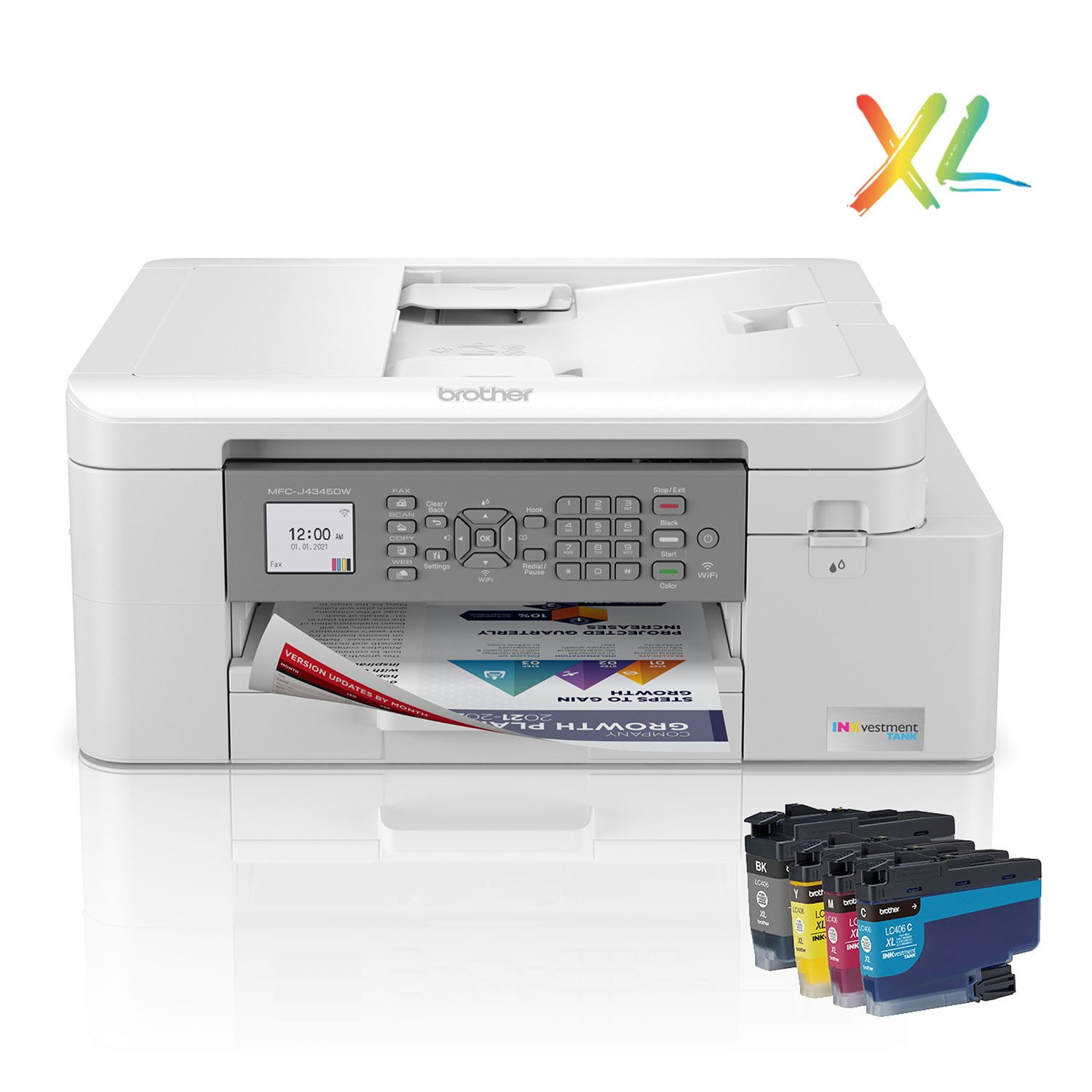
My previous printer finally died after 12 years of use. It was the best printer that I ever owned. Looking at all the different brands and models available in 2024, I was surprised to see that printer design seems to have taken a step back. Most have returned to the classic putty color of the 80s and incorporate display screens that are smaller than what were common a decade ago. There are a few Epson models, for example, that have a comically small screen that's about the size of a postage stamp. Why this Brother model? Compared to the competition, it does a lot of things right: -Functions: printer, scanner, copier and fax (plus it has an automatic document feeder) -Display/Controls: The display is small, but well lit and easy to read. The control buttons all have a grippy rubber texture. The control panel folds down flush with the printer or can be tilted up to use. -Print Speed: This is the fastest inkjet printer that I've ever used. Pages are done within a second or two. -Ink Cost: The Inkvestment system uses four individual color cartridges. The included XL cartridges are projected to yield over 5,000 pages before they need to be replaced, at a cost of $.01 for B&W and $.03 for color pages. For me, this offers years of printing before the replacement ink is required. A full set of replacement cartridges runs about $99. That may seem high, but that's years work of ink. -Footprint/Weight: Fits just about anywhere and isn't heavy to move. -Setup: A lot of people complain about the complicated setup process. I didn't find it to be that hard, though I didn't install the drivers on my computer. I'm only using the AirPrint capability with my MacBook and iPhones. -Phone App: The Mobile Connect app is super easy to use. You can scan directly from the printer to your phone, conduct maintenance and see print levels. Also, the app is ranked really high by users -> 4.7 stars out of 20,000 reviews. What I don't like: -Ink Subscription Service: All printer companies now offer an ink subscription service. You pay a monthly fee to print a certain number of pages. Whenever the ink runs out, replacement cartridges are sent as part of the subscription. When you start using the app, you'll get hit with popup promotions every time you open the app. Eventually, they'll go away, but it's a little annoying to have to keep closing the window. Also, the great thing about this printer is that the print cost is so low that it doesn't make sense to use the subscription service. The most popular plan is $4.49 per month to print 80 pages. Since the printer tells me that it can print 5,300 pages right out of the box, the economics of the subscription service don't make sense. I'd end up paying $297.46 for replacement ink that I could buy directly for only $99. -Duplex Scanning: My 12 year old printer had the ability to scan two-sided via the ADF. This printer only scans one sided. Not a deal-breaker, but I'm disappointed that this isn't a standard feature on all printers in 2024. Bottom line: Excellent printer for my family. It does everything well and is very economical to operate.

Helpful?48O8Z5IUHIYP13603408433
Jul 8, 2024
Reviewer name: Soccer dad
4 out of 5 stars
4 out of 5 stars review

Verified Purchase

Good printer

Had to return the first one because it didn't work. Brother sent me a new one and this one is working fine so far.

Helpful?48O8Z5IUHIYP13603408433
Jul 8, 2024
Reviewer name: Brenda
3 out of 5 stars
3 out of 5 stars review

Verified Purchase

Support is awful!

Brother support is awful! There is nothing helpful, enclosed with this printer, to get started with this new printer. Waited a long time on hold for support. I stopped holding on the line, so I used the Chat box. That person, or AI, was not useful all. They refused to call me when I asked for a call.

Helpful?48O8Z5IUHIYP13603408433
reply from Brother

I’m sorry to hear your experience with Brother Customer Service was poor. If you’ll give us another chance, we’d like to make things right. Please contact us directly at:https://www.brother-usa.com/support

Apr 11, 2026
Reviewer name: anonymous
1 out of 5 stars
1 out of 5 stars review

Verified Purchase

Defective printer

I had to return it because the printed lines had blank streaks running across the page plus the lines were wavy, apparently from the paper slipping while printing. The pro-seller did refund my purchase in a reasonable time.

Review from walmart.com
Helpful?48O8Z5IUHIYP13603408433
reply from Brother

We understand that you returned your Brother MFC-J4345DWXL due to issues with blank streaks and wavy lines appearing on the pages. We apologize for the inconvenience this has caused you. Thank you for sharing your feedback; we greatly appreciate it.

Jun 27, 2025
Reviewer name: AFG
1 out of 5 stars
1 out of 5 stars review

Terrible Printer

We do not recommend this printer. Issues with having to frequently reconnect to Wifi. Issues with print quality; the printheads have to be cleaned every few printouts. We barely had the machine a year when it acted up. We chose this printer because we loved our previous Brother MFC. It was great, and lasted for years. We've never been able to connect to the MobileConnect app. Would not recommend.

Helpful?48O8Z5IUHIYP13603408433
Mar 25, 2025
Reviewer name: canderson16
1 out of 5 stars
1 out of 5 stars review

Don't waste your time or money on this one

Lasted for about 1.5 years. Now can't hold an alignment or maintain print quality. Support said to upgrade firmware but the installation part of that refuses the machine's password which is clearly written on the printer. After spending hours and hours and hours in this futile endeavor, I'm done. To the Landfill it goes.

Helpful?48O8Z5IUHIYP13603408433