
 Customer reviews for Brother Monochrome All-in-One Laser Printer, MFC-L2717DW for
Member photos

You need to be a NASA engineer to make copies
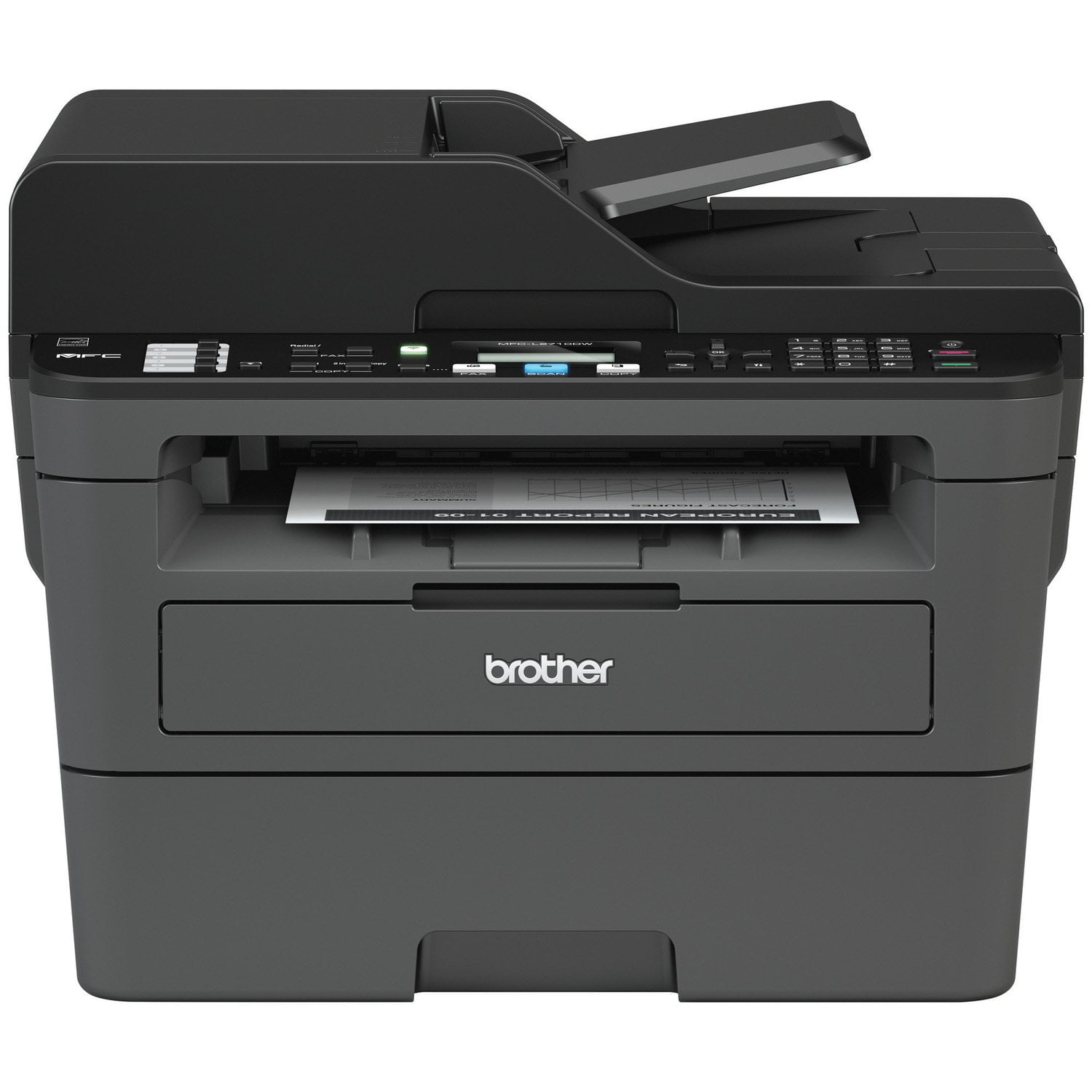
Pros: Fast printing, and easy to print from MS WORD, e-mail, etc. Prints double sided, which I like. Cons: You need to be a NASA ENGINEER to figure out how to make a copy off of the simple buttons on the front of the printer. You have to hit about a dozen buttons, after the printer asks you questions, and when you are done -- printer just "bonks" at you and doesn't copy. And, WHO MAKES a printer now a days without a touch LCD screen? Doesn't seem to "scan double sided" into a PDF file for computer, and IF it does, NASA has not taught me how. Prints decent, and fast start up. VERY LOUD PRINTER from what I am used to. HORRIBLE INSTRUCTIONS both in book and online on HOW to operate this printer! Disgruntled, possibly lost customer!
Hi John, We are glad to hear you like that your printer prints fast and double sided. However, there is an issue with copying and scanning. Automatic 2 sided scanning is not a feature of this machine. If the copy button has to be pressed that many time, it may be and issue the button on the machine. Please contact our support for warranty options, click here: https://www.brother-usa.com/support/mfcl2717dw
SIMPLE setup! Great medium volume multiuse prin...
[This review was collected as part of a promotion.] I received this product for free from Brother in exchange for my honest opinion/review of the product. This new printer made by Brother is exactly what I`m looking for with my current needs. I`m a full time student, full time employed and I run a small business on the side - which in all 3 cases, I definitely need a workhorse printer that prints, scans, copies and can do all that wirelessly. After testing this printer out for the past couple weeks, I`ve definitely found a winner here. The Brother MFC-L2717 All in One printer delivers on all my needs. I`ll continue with a breakdown of my experience with this printer:Setup: Super simple. The quick start guide gets you going fast, and at first I noticed there was no usb cable to hookup to my computer, but after installing the software on my primary computer, I found out setting up the printer did not require that cable. The only small issue I had while setting up was getting the printer to connect to the wifi. The instructions did not dictate this, but when you start installing the software/printer to your computer or laptop, press the "Wifi" button on the printer to make sure the computer recognizes your printer during setup. This was not listed on the steps, but a quick look over the printer made me connect the dots and I was on my way. (Install and wifi setup - approx. 2 min)Daily Usage: After setting up the printer, it was pretty much good to go! I found out it could do Airprint, so I quickly tested that feature out, which blew me away with the fact that I did not need to install an app, or get some software patch to make sure the printer would work, but all I had to do was click print - which took me to a options menu to select my printer - and it printed out my document rather quickly. Copying and 2-Sided Copying/Printing was easy as well. The copied documents had great contrast, and no loss of visibility. The copier can even enlarge or reduce the size of your intended copy, such as an ID card you need enlarged for that Passport application you need to submit. Scanning was even easier - with your primary computer, all you have to do is scan your document, and the printer will ask you if you want it sent to a folder on your primary computer (the one you setup the printer with) and it will quickly send a high resolution scan to your computer. I was very impressed with this feature. Physical Attributes/Durability: Overall, I am very confident in this printer and its durability. It is a bit large, but for what it can do, this printer is worth the tiny footprint in your home/office. The build of the printer is durable, it is encased in a hard plastic shell. The buttons are firm and will definitely hold up to years of use. It is easy to stock paper and replace the toner, as both ports are easy to access and pull out. No flimsy trays here - it fits in perfectly every time. For the price and the features you get, this is a great printer. My only issue, which is really just a desire, is that there is no touchscreen display on the printer - there is an LCD black and white screen with only two (2) lines of print that display your options. A larger touchscreen option instead would make this the PERFECT printer, but for what it is currently, you will not go wrong buying this printer.
Poor Installation instructions
The printer itself works very well. My chief complaint is the inaccuracy of the installation instructions.. Nothing worked and even though I called support, the info they gave was also inaccurate. After several hours and attempts, I was finally able to figure it out.
We are sorry that you were experiencing installation issues with your Brother MFCL2717DW machine and we understand your disappointment. If you continue to have issues, our Brother Customer Support Team is available to assist you direct: www.brother-usa.com/brother-support
Great printer
This is my second Brother printer. I got it because I was tired of replacing liquid ink cartridges every other week. The toner cartridge generally lasts me for several months, so no maintenance. I switched out my old printer because I wanted some of the newer tech. It's a little easier to connect to internet and works better with my wife's chromebook. So I gave my old printer to my son and his wife who is an english teacher. So the old one still works fine.
Satisfied Customer
A compact printer, fax, and copier, I have used all three with no problem. Great wireless capability or coax. No need to travel to Off Max or FED Express, sam capability as their equipment. Love the program options plans for toner cartridge and copy.
Absolutely Perfect for my husband's office
[This review was collected as part of a promotion.] We were retiring our workhorse Savin and wanted something lighter, smaller and easier to set up. I ordered this for my husband and it was so easy to set up. The wi-fi let's us print from phones and any computer in the house. This model is lighter in structure than my commercial units, but he is retired and was sick of fighting withe bulky technology. He loves this unit. Scans and copies easily. Bypass feeder works well. Very happy. Great price.
Happy but occasionally frustrated.
It's good. It prints well and quickly. Happy to have it. Even for a tech-literate setup for wifi was trouble, also figuring out which app to use, still not sure why my phone hides the app though I suspect that's a Pixel problem. With no computer directly attached, there are a number of print to email and scanning issues that are still unresolved. It's good and good value. But far from free from frustration.
Great printer for a home office
Quick easy setup and use! This all-in-one is great for a home office. I recommend that you buy the TN-760. This printer didn't inform me that my toner was low and I had to run out to grab toner while I was working on a project. Also use the Brother printer app it's a lifesaver!
Essential product for any small business!
[This review was collected as part of a promotion.] I received this product for free from Brother in exchange for my honest opinion/review of the product. Brother has been a trusted brand in my business, as I use a Brother sewing machine as well. Like my sewing machine, I experienced the quality, efficiency, and ease-of-use in this All-In-One Laser Printer.I like that the packaging was mostly earth-friendly, with recyclable cardboard, and recyclable plastic.The styrofoam isn`t eco-friendly, but, it secured the printer very well for shipment. The ease of unpacking and setting-up was very user-friendly. The only problem I had was getting the Wifi connected, but I eventually solved it. Once that was set-up, I was impressed by how easy it was to print from my phone and computer, throughout the house.My favorite feature on this printer is that I will spend less money on toner than I would on ink by using my inkjet printer. This is my first laser printer, and I must say I prefer it to inkjet printers now. The printer is fairly compact in size considering how much it can do. I have a small online business, so I primarily use my printer for printing shipping labels. I mostly print black ink, so the fact that it doesn`t print color was not a set-back for me. I can always plug-in my inkjet printer for the occasional need of color ink. I printed paper patterns for cut-and-sew projects on the laser printer, and I was happy with the results. I`ve enjoyed using the scanner for my business, especially for scanning in my screen print designs to print on transparency paper. I had to trouble-shoot with using transparency paper, but eventually worked out the problems. I also could see the quality on transparency paper was higher than when I print on transparency paper on my inkjet printer. I would recommend reading the detailed manual for specialty printing, as the quick-start guide doesn`t instruct how to do so. I don`t have a big need for the fax feature, but on the occasion I do send faxes, it will be more convenient than going to the library. My overall impression is that this printer is not only high-quality and efficient, but it is, most of all, versatile. This printer can meet a variety of business printing needs, from printing shipping labels, business labels, printing high-efficiency paperwork/documents, to scanning and printing on various types of paper. I look forward to continued use of this printer for my own business printing needs, and I would recommend this laser printer to other small businesses as well.
Printer not connecting even though WIFI is fine
Printer keeps not connecting to our laps even though wifi is fine and has never changed name or password. I cannot reinstall using Brothers software it to make it work either. The printer itself looks like it is connected (WIFI light is on steady, etc.). Maybe their recent Windows 11 version is messed up???
We are sorry that you are experiencing connection issues with your Brother MFCL2717DW machine and we understand your disappointment. Our Brother Customer Support Team is on stand-by to provide quality products and service to our customers via online, email or live chat: www.brother-usa.com/brother-support