
Verified Purchase
great!
Works great. Everything I expected. I'm a Crane operator and use it for getting great shots at work. Walmarts 2 day shipping was actually one week.
The Camera That Sees Everything
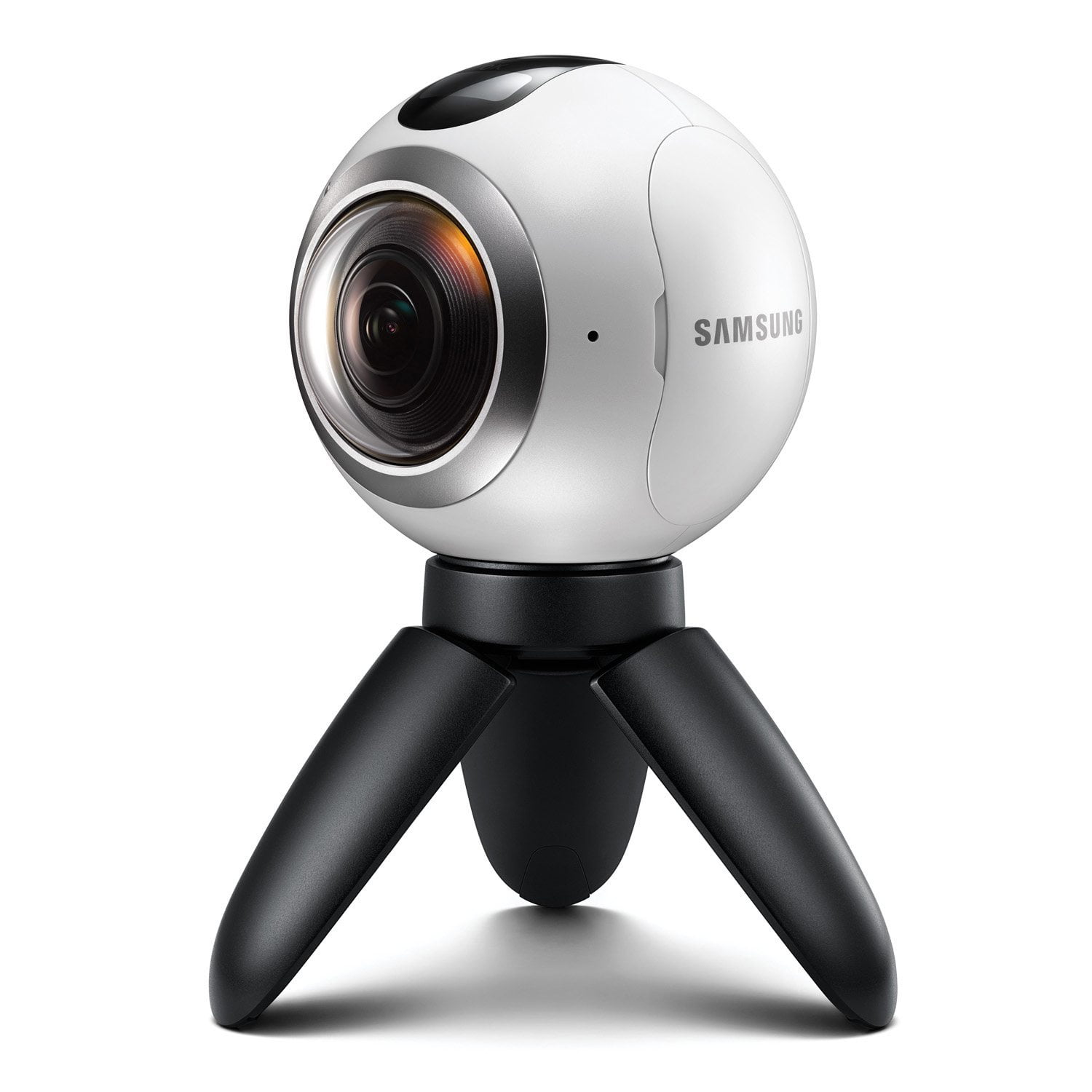
When I first saw the Samsung Gear 360 it looked like a toy but i must say it is anything but. The first thing you will realize is that it weighs more than it looks and it is very well built. I usually search for YouTube videos to learn what I don't know but was unable to find much on this camera but with a little bit of trial and error and a weeks time of playing with it i think I have finally have the skills to get decent photos and video. For what you pay for i'm totally happy with the quality of the images and video. Looking at video and pictures on Face Book and YouTube is great but I was totally blown away when I watched a video my Gear VR glasses, so if you get yourself one of these make sure to get some VR glasses to get the full effect . There are only few things that I wish were different . First I wish there was a way to be able to get further away from the camera as to make sure I am out of the shot , sometimes the object I want to hide behind are to far away. Secondly I wish there was an app for my Gear S2 that would let me trigger the shutter so I could keep my phone in my pocket. Thirdly I wish it came with a hard case, I'm always worried it will fall out of the bag.
VR In Your Hands
Ever since I got my first Gear VR headset prototype I've been yearning for a way to create the awesome pictures of MY life in VR rather than just watching everyone else's. Now I have that way with this little beauty. Within 15 minutes of opening the box I had shot the first 360, saved it to my Note 5 & was wearing my VR looking at myself standing there taking my first 360 photosphere. Simply awesome. In 6 days it's go8ng with me on a Bahamas cruise.
Works like a Charm
I been using my Gear 360 for over a month, and I love the ease of use. It takes very clear 360 pictures and is easy to connect to my Phone via WiFi. If your looking for a 360 camera, this is the one to get.
Holy wow!
What can I say the Gear 360? It's perfect in every way! I used my Gear 360 while skydiving, mountain climbing, mountain biking and it's just extremely simple, extremely straightforward and I use it now more than I use my GoPro.
Best budget 360 cam around!!!
Loving my new gear 360 cam and so are my clients! As a wedding photographer, it is a constant chore to try and stand out from all the competition and now Samsung has made it all too easy with the gear 360! Wedding couples love that they can have their weddings recorded in 360 degrees and watch it over and over as a guest! The gear 360 is so slick and unobtrusive, I can place it up right next to the couple and capture the whole ceremony! At the reception is where the real fun begins as I can pass it out to the guests (who go crazy over it) and document their well wishes in a whole new way! Of course, weddings are just one of the infinite ways this camera can be used it capture life and events in a whole new way! I've flown it on my drone, attached it to my car and motorcycle, had it on the stage while local bands play, the opportunities are endless! Sharing the videos and pics is a breeze on my Galaxy note 5 (hoping to upgrade to the Note 7 soon and see if it makes it even easier/quicker). And if I really want to get creative then I pop the sd card into the pc and use the Gear 360 Action Director software to make polished presentations complete with Titles and Transitions. The Gear 360 is easy to use, very slick looking, portable, and really draws in everyone who lays eyes on it. IMO, Samsung hit it out of the park with this first gen 360 cam and I can't wait to see what they have in store for their future versions as the media grows. I had read before purchasing that their were some issues with 3rd party sd cards, so I bought a Samsung 128gb Pro+ card to pair with the Gear 360 and it works like a dream! If you're on the fence about whether or not to get the Gear 360, hesitate no further...you won't be dissapointed.
The Samsung Gear 360 is a fantastic piece of equipment which stands up to the elements
The Samsung Gear 360 is a fantastic piece of equipment which stands up to the elements Photos and videos are rather amazing and the thought of 360 videos blew my mind when viewing back what had been recorded on Facebook, YouTube and Google Cardboard and similar VR viewers. I did feel rather self-conscious carrying the 360 around when testing it around London, Heathrow, Luxembourg and parties! Especially when attached to an extended selfie stick. However I really did not have to as everyone was amazed at what it could do and was wondering where and when they could get one and/ or if they could get a video / photo of their group! When skiing with the Gear 360 attached to my helmet with a 1/4 tripod screw, everyone wanted to know what it was and see the results. I and them were blown away at the resolution of pictures/videos taken. I was sceptical at how the Gear 360 would hold up to the cold especially when my GOPro gave up, but it soldiered on and still delivered the shots/ videos as required! Battery life is great as are the file sizes which means you can stay out all day taking pictures and videos. A definite must have! The Good: Image/Video quality Size Battery Life Social Media Integration / Wow Factor Accessories Stand alone or paired functionality Exposure settings Easy Image editing The Bad: Short tripod Temperamental mobile app Lack of easy Live streaming/ integration to social media/ loading to ftp/http
Saving your reality for virtual reality
If you want to take full 360 degree photos and video, this is a very reasonable and simple way to do it. With the on camera display and menu system you can easily take pictures, video, time lapse video, or video loops. You can change the settings of each from the device, set a timer, and snap the shot with the push of the button on top without the need of any external device to control it. As for controlling it externally, the only designed way is with one of Samsung's current phones (S6 and above). There is a modified way to control it with other phones, but that is not 100% and not supported by Samsung. Also, you can't do 4K 360 video stitching on any phone less than an S7, unless again you use the modified app. However, you can take the pictures and video off the camera to a PC and using the Action Director software provided, or any 3rd party program you can use to make 360 panoramas, you can get the stitched photos for upload to social media or Google Maps. The image quality and video quality do leave a little bit to desire. Though they are listed as 30MP pictures and 4K video, when they are stitched and zoomed to make a 360 sphere details are lost. When a 360 photo is made with multiple pictures from a regular digital camera, they are much sharper in detail, really noticeable when signs with words are present. However, this doesn't mean they aren't worth having. When uploaded to social media, I get a lot of comments on “How'd you do that” but looking at the media on a computer or on a phone does not give them full justice. If you view the media through a VR device it really brings out the true effect of having a 360 photo or video. Well worth it when you can really put people in place and let them look around. The Samsung Gear 360 phone app is simple to use and rather snappy. Compared to other devices I did not have any issues with connecting back to the phone when my screen was turned off or I stepped out of range. The app is basic in options though. You can change all the setting of the camera, control it, and save the stitched media to your device. However, there is no real editing. The biggest problem I have had is a slight shift in the image, if the camera is not perfectly level, that can't be modified using the app or the Action Director software. However, 3rd party apps designed for Ricoh Theta have worked to correct the angels and allowed other modifications. After several crashes each time I load Action Director you find that additional editing options are really limited. Hopefully as time goes there will be Samsung specific options to correct the images and provide additional editing. Another issue I have found, and I don't know if this is specific to me, but the GPS location is tagged when the media is saved to my phone. If I copy the images straight from the camera to the PC they don't have location details and if I save them to my phone at a different location, I now get the GPS tag of that location. This has become really bothersome when trying to upload images to Google Street View. I have had to use 3rd party apps to correct the Exchangeable Image File (EXIF) data of the images, just as I did with the slight angel corrections. On that note, you can fix the image correction with PC software such as Photoshop, however, Google Street View uses the Extensible Metadata Platform (XMP) data and when you correct an image visually and not the XMP data you can end up with a really crooked image. The small tripod that it comes with is cute, handy at times, but really makes for some bad angles for 360 media. If you want to give the viewer a perspective of a mouse, it's perfect. If you want to hold the tripod, you can look like some alien as your hand is merged in the blind spot of the dual lenses. The best way to make use of this camera is with a monopod. The standard tripod threading on the camera makes it easy to interchange with other equipment. There are many types out there, from the simple selfie stick to six foot expandable pole with attached tripod. I prefer the six foot option as it gets the camera high enough to be at a “normal” eye level perspective and gets the camera to a point that the merge lines blend a lot better. On the subject of merge lines, depending on how close objects are to the camera depends on how visible the merge lines are. Understanding the placement of the two cameras and trying to adjust the angle so that you can place farther objects on the sides and closer objects on the front or back can really make the difference. However, you also have to try to find a good balance on light, as you will notice a lens flare if lighting is brighter from one direction. The best option I have found for this is to try and align the bright light source to a side so that both lenses get equal lighting. Also, not as noticeable in photos, but in videos there is a distinction in where the equirectangular (the format the stitched images and videos are save in) lines come to meet. The odd thing is that the rear camera is technically the “front” camera when the stitched media is saved and half of the front is split on each side of that. So not only are there stitch lines where the 2 camera are merged, but there is a stitch line in the middle of the actual front camera. This is extremely noticeable with lots of motion and the motion control feature is enabled. As this is a new market I say this is a great start. However, due to the IP53 rating, this camera does not make for a safest action camera option, not dustproof or waterproof. Currently there are no action cases available, as of this review, like there are for other action cameras that can help change that. However, it does come with an exchangeable battery and expandable memory which is better than some other 360 camera options, so there is some benefit as to why the rating is lower than some others. Bottom line, I really like this camera. With a little tweaking of their software and maybe the firmware, this camera can be a lot better. In comparison to other 360 cameras I have used or seen, for the price this is the best. It takes a little practice to get the perfect angle, but eventually you will start making pictures and video a virtual reality to remember.
Verified Purchase
Not user friendly
I got this about a month ago and it sits in the cabinet. I tried to use it and i did use it, the problem it was difficult to understand it that it just completely turned me off about it. Maybe I'll use it in the summer months when I go boating.
It's awesome when it doesn't overheat
Let me start by saying that I love this camera... LOVE it but only when it works. I live in San Diego, CA where it's relatively mild most times of the year and gets warm in the summer on in the inland areas. I also travel every other week to Washington D.C. for work, where it gets hot & sticky during the summer. In DC on a summer evening, I'm lucky if I can get 4 decent shots in between locations if I'm leaving the camera on. Mind you, these are for locations less than 2 city blocks apart. If left on, the camera overheats and will not focus properly. Almost all of the scenes will be blurry. You'll know when you try to save an image to your phone and it tells you it's too hot to transfer an image at this time. That means that the last 30 minutes of shots were probably blurry. This even occurs in San Diego when the weather's about 82 degrees outside. If I'm shooting for more than 20 minutes straight without turning off the camera, it overheats and somehow some internal elements get expanded and move out of focus somehow. Clearly it's a design issue and a quality control issue as I'm surprised Samsung didn't catch it before release. Google this problem and you'll see plenty written about it and even some tests. I can tell you that it's real. When you're taking a series of shots and walking a short distance between them, say 3 minutes by foot as a tourist may do, you'd expect not to have to turn the camera off. So, like I said, it's awesome when it doesn't overheat and having to turn it off between quick shots over a period of time is a pain. Caveat emptor!