Customer reviews for LG 77" Class OLED evo C6 Series 4K Smart TV forMember photos


+274 images
From 1080P 55 to 4K C5 77
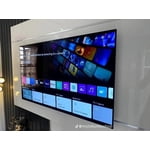
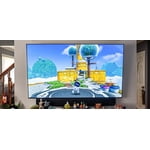
[This review was collected as part of a promotion.] I decided to upgrade my 10-year-old TV setup to catch up on 4K and get more size. My room dimensions are 14x22ft and we sit about 10 feet from the TV. The 77-inch size is perfect for that configuration. Setup was easy. The Ethernet port was nice for hooking the TV directly into the network, although wifi would have also been fine. The smart apps and home setup work well and the processor seems sufficiently quick that app launches and updates are smooth and don't feel underpowered in any way. Depending on your firewall you may need to allow access to some sites to get app and firmware updates to work, otherwise you will run into -102 (connectivity) and -202 (certificate) errors. The default settings had the classic soap opera effect which I was quick to update. Once that was resolved the TV was exceptional. We don't deal with a lot of glare in our room setup so I can't comment on that, but the picture was fantastic for our purposes. ARC setup worked well to drive audio back into our receiver. TV sound quality seemed fine, although I think for a TV like this you will get the most out of it with a receiver+speaker setup. I saw some concerns about the remote but honestly it worked very well for us. I will be ditching our universal remote and Roku as the TV covers both well. I do wish the buttons were backlit. That feels like a miss for a TV at this price point. All in all I was very happy with the TV. Unboxing through setup were smooth and movies shine on this display. Highly Recommended.
Hi there, thank you for sharing your detailed experience with the LG OLED77C5PUA. It’s great to hear the 77‑inch size fits your room perfectly and that setup was smooth. If you encounter connectivity errors like -102 or -202, try these steps first: • Ensure the TV is connected directly to your router via Ethernet or a strong Wi‑Fi signal. • Restart both your TV and router to refresh the connection. • Check that your firewall allows access for LG apps and firmware updates. For more guidance, visit our LG USA Internet Connection Troubleshooting page here: https://www.lg.com/us/support/help-library/lg-tv-troubleshooting-your-tvs-internet-connection--1426626051711. If the issue remains unresolved, please email us at lgdigitalcare@lg.sprinklrsupport.com. #LifesGood ❤️ LG Digital Care Team ^Rich
⭐️⭐️⭐️⭐️⭐️ LG 83” C5 OLED AMAZING
[This review was collected as part of a promotion.] The LG 83” C5 OLED is an absolute monster of a TV and one of the best displays you can get in 2025 for the money. The picture quality is exactly what you'd expect from LG's latest OLED panel—deep blacks, perfect contrast, zero blooming, and extremely smooth motion. HDR looks incredible thanks to its higher brightness this year, and Dolby Vision content really pops. Even in a brighter room with windows, the C5 holds up better than older OLEDs. Reflection handling is improved, and the extra brightness is enough to keep the picture from looking washed out during the day (though Mini-LED sets still get brighter overall). Gaming performance is flawless: 4K 120Hz/144Hz support, extremely low input lag, VRR, ALLM, and excellent HDR gaming. It's basically a top-tier gaming display if you have an Xbox Series X, PS5, or a PC. The 83” size is where this TV really shines—massive, cinematic, and totally immersive. If you sit 10–14 feet away, this size is perfect.
Hi there, thank you for sharing your review of the LG OLED83C5PUA. We’re thrilled to hear the massive 83” display has delivered such a cinematic and immersive experience, with deep blacks, perfect contrast, and smooth motion making movies and gaming truly shine. It’s great knowing the improved brightness and reflection handling have enhanced daytime viewing, while the flawless gaming performance has impressed across consoles and PC. #LifesGood ❤️ For any further assistance, feel free to DM us at @LGUSSupport. LG Digital Care Team ^Rich
Fantastic TV
[This review was collected as part of a promotion.] This is why you buy an OLED, and the C5 delivers. The perfect blacks and infinite contrast are still stunning to see, even if you're used to the technology. Where the C5 really shines, and where I agree with the expert consensus, is in its brightness and color. Watching 4K HDR content (especially in Dolby Vision) is a transformative experience. Highlights pop with incredible vibrancy without washing out the rest of the image, and the color volume is outstanding. In my moderately bright living room, the C5's brightness is more than enough to provide a punchy, gorgeous image during the day, which is a huge step up from older OLEDs.
Hi Dom, thank you for sharing your feedback on the LG OLED77C5PUA. ❤️ We’re thrilled to hear the perfect blacks, infinite contrast, and vibrant HDR brightness have impressed you, making 4K Dolby Vision content a truly transformative experience. It’s wonderful knowing the C5 has elevated your living room setup with stunning color and clarity. #LifesGood If you ever need support, please DM us at @LGUSSupport. LG Digital Care Team ^Rich
Terrible interface
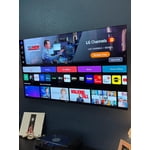
We just bought the TV. Physical installation wasn't bad. But the interface is extremely confusing. I never got the mobile app to work. With difficulty, I downloaded the app for Spectrum (our cable). It doesn't appear on the main screen and is hard to find. We don't use any of the apps on the main screen (Disney, HBO, etc.) We like to stream PBS (Passport) and found out that it is not available on LGs. That weird floating cursor won't go away. CC is hard to access. If we ever find a channel to watch, the picture is fine. All of my complaints are about how difficult it is to use. The AI seems useless. Why are there all those ads for movies or streaming services in the way?
Congrats on your new OLED55C5PUA TV, the WebOS interface can take some getting used to and the floating cursor comes from the Magic Remote’s motion sensor, which you could use the arrow keys to navigate instead. Your Closed Captions can be turned on/off quickly by pressing the settings gear button on the remote, then scrolling down to “Accessibility.” We'd love to lend a helping hand if needed, be sure to reach us @LGUSSupport. We're happy to help! ^Jose
Great TV
[This review was collected as part of a promotion.] After spending a lot of time comparing different TVs, I was overwhelmed by all the options. This one kept catching my eye every time I walked past it—it just looked better than the rest. I finally decided to take it home, and I couldn't be happier with my choice! Upgrading from a 10-year-old 1080p 75" TV to this 77" OLED was the best decision I've made for home entertainment. The picture quality is stunning—deep blacks, vibrant colors, and incredible clarity. Gaming on my Xbox Series X feels like a whole new experience; I'm noticing details I never saw before. Watching Dolby Vision content on Disney+ is equally impressive. Everything looks cinematic and immersive. If you're on the fence, this TV is absolutely worth it!
Hello. Thank you for sharing your thoughts about your LG TV! We’re thrilled to hear that upgrading to the 77" OLED has been such a game-changer for your home entertainment. It’s wonderful that the stunning picture quality, vibrant colors, and Dolby Vision content have elevated your viewing experience, and that gaming on your Xbox Series X feels brand new with the responsiveness and clarity. We appreciate you highlighting how much value this TV has brought to your setup and your strong recommendation means a lot to us. ^James
Not worth the money
Not worth the money for sure. Nothing is intuitive or plug and play. Doing anything in the settings is difficult and finding simple, basic features (like inputs?) is much more complicated than it should be. My last tv, you plug the PC/laptop into the HDMI and you get video. Not at all on this overpriced thing. The picture is fine, sound is okay but I use a sound bar so no a factor. I cannot stand the voice remote or "SMART" TV garbage. Useless to me, I will never talk to any electronics, but there are no decent options that aren't "SMART". This one had the best reviews, I don't get it though, especially not for the price. It takes a ton of research to figure out basic settings. There's no manual, not even online that I have found, so you have to search random posts. Terrible
Hi. Thank you for taking the time to share your detailed experience with your LG TV. We appreciate how clearly you described what’s been difficult for you, especially when it comes to navigating inputs, using the remote, and locating a proper manual. It’s great that the picture and sound quality are working well for you, even if the setup and interface haven’t felt as straightforward as you expected. To allow us to properly investigate the details of your specific product model and to see how we can assist with the setup and input‑related issue you’re encountering, please send us an email at lgdigitalcare@lg.sprinklrsupport.com if you need further assistance. You can also refer to this helpful link for guides, and feature explanations: https://www.lg.com/us/support/help-library/lg-tv-how-to-troubleshoot-your-lg-magic-remote--1427121727809OLT ^James
Rough start great result
Out of the box, my TV was buggy. Sound would stop working (even the sound test was silent), it would disconnect from ARC, apps would crash (no remote function, except to change volume, settings, go to home screen). I downloaded the firmware from the website (which did nothing at first) then did the factory reset and viola, everything fixed. Why didn't LG support ever suggest this? (they only had me ungplug the TV which only temporarily fixes these issues). Why would I need to do this out of the box? Also, the mute button being on the volume down is really dumb-to lower my volume 20% I now have to individually hit volume down 20 times because I can't hold it for 2 seconds? Also, please attach the light sensor function to individual picture modes, I want full eye searing HDR when I want it and a nice dark picture when I want it, but the light sensor limits HDR brightness by default-really dumb-it's not just for power savings. Also setting all picture modes to +20 cold and color saturation to 60 is made everything look neon and the AI settings mode used tiny blurry images. The sound AI audio clips where so compressed and muddy that through the terrible built in speakers I just got a headache. Guys, please offer a better range of picture presets so we can have a good out of the box experience. Please fix the software updates. Please fix the mute button fiasco. I was 1 day away from a return.
Hello, Wrigley! We appreciate you sharing your experience with your LG TV, and it’s great to hear that after the reset everything is now running smoothly. We’re glad the LG unit is delivering the performance you expected once fully set up. Your thoughts on the mute button layout, picture presets, and light‑sensor behavior are genuinely helpful—feedback like this plays a big role in shaping future improvements. For more feedback or questions, please send us an email at lgdigitalcare@lg.sprinklrsupport.com. Thanks for choosing LG! #LifesGood ^James
Great OLED Option
[This review was collected as part of a promotion.] A huge fantastic TV that truly makes the home experience feel just like a theater. Highly recommend for dark viewing and the onboard app store and many available streaming apps make it easier than ever to enjoy a wide variety of options.
Hi Divizen, thank you for sharing your review of the LG OLED83C5PUA. It’s great to hear how much you’re enjoying the theater-like experience, especially with the vibrant OLED picture quality and the convenience of the onboard app store for streaming. This TV is designed to make home entertainment effortless and immersive. For any further assistance, feel free to DM us at @LGUSSupport. – LG Digital Care Team ^Rich
Amazing upgrade from my 55" LED tv
[This review was collected as part of a promotion.] Jumping from an old LED to this massive 77-inch LG C5 OLED has completely spoiled me—and I mean that in the best way. If you're questioning the OLED premium, stop. It's absolutely worth the investment. The picture quality is flawless. The self-lit pixels deliver perfect black levels (no light bleed, ever), creating stunning, infinite contrast that makes 4K HDR content truly cinematic. Colors are vibrant, rich, and the detail is phenomenal. While it's not the brightest TV for a sun-drenched room, it delivers incredible HDR highlights and is more than adequate for most viewing environments. For serious gamers, this TV is unbeatable. It's fully equipped for PS5 and Xbox Series X with 4K@120Hz, VRR, and a near-instant response time, making competitive gameplay incredibly smooth. The design is sleek with virtually no bezel, despite the huge 77-inch screen. The webOS smart platform is fast, but a quick note: the built-in audio is just passable. You will absolutely want a dedicated sound system to match this incredible display. The LG OLED77C5PUA is a significant investment, but it is the ultimate, reference-level display for home theater and gaming. Highly recommended.
Hello. Thank you for sharing your thoughts about your LG TV. We’re delighted to hear that the picture quality has impressed you and is even better than your previous LG TV. It’s wonderful to know the upgrade has made such a positive difference for you. For more feedback or questions, please send us an email at lgdigitalcare@lg.sprinklrsupport.com. Thanks for choosing LG! #LifesGood ^James
Excellent picture quality and webOS
[This review was collected as part of a promotion.] If you're looking for a large-screen (77″) TV and want one that delivers top-tier visual performance, modern gaming features, and a smart TV experience with solid upscaling and future-proofing, the LG C5 is a very strong choice. Just make sure your room conditions support it (i.e., controllable light and viewing distance suitable for 77″)
Hi. Thank you for sharing your thoughts about your LG TV. We’re delighted to hear that the LG C5 OLED has impressed you with its top-tier visual performance, modern gaming features, and smart TV experience with solid upscaling. It’s wonderful to know you find it future-proof and that it fits well when room conditions support it. For more feedback or questions, please send us an email at lgdigitalcare@lg.sprinklrsupport.com. Thanks for choosing LG! #LifesGood ^James