Skip to Main Content
Sam's Club
Sam's Club
All Departments
All Services
Customer reviews for SAMSUNG 75” Class M70H Series Mini LED 4K UHD Vision AI Companion Smart Tizen TV for
SAMSUNG 75” Class M70H Series Mini LED 4K UHD Vision AI Companion Smart Tizen TV
4.5 out of 5 stars
stars
324 ratings314 reviews
  1. 5 stars70% (227)
  2. 4 stars15% (50)
  3. 3 stars7% (23)
  4. 2 stars5% (17)
  5. 1 star2% (7)

Member photos

  • +81 images
Sort by |
Showing 81-90 of 314 reviews
Sep 20, 2026
Reviewer name: Samsung All The Way
5 out of 5 stars
5 out of 5 stars review

Brilliant Features

[This review was collected as part of a promotion.] I am enjoying the easy of downloading my favorite apps. The color contrast is amazing and seems to adjust automatically when needed. My favorite brand for televisions.

Review from Samsung US
Helpful?5O410ST4GD5019920056303
Oct 5, 2026
Reviewer name: Anonymous
2 out of 5 stars
2 out of 5 stars review

Poor sound quality

[This review was collected as part of a promotion.] The sound quality of the 75” is absolutely terrible. Picture is fine but I'm going to have to purchase a sound bar to improve the quality.

Review from Samsung US
Helpful?5O410ST4GD5019920056303
reply from Samsung Advisor

Hi John, Thank you for purchasing Samsung’s M70HD TV and for sharing your feedback on the sound quality. To ensure you’re experiencing the best possible audio, we first recommend checking that your TV is running the latest firmware. To do this, navigate to: Home > left directional key > Settings > Support > Software Update If the sound still doesn’t meet your expectations, there are a few settings you can try adjusting: Go to: Settings > All Settings > Sound > Sound Mode • Standard: Balanced sound without emphasis on any one range • Optimized: Enhanced effects and spacious sound • Amplify: Boosts mid and high tones to make dialogue clearer You can also explore Expert Settings to fine-tune options such as Balance, Equalizer, Auto Volume, and more to match your personal preferences. For further help adjusting your sound settings or finding the right soundbar for your space, feel free to reach Samsung Support at 1-800-SAMSUNG (8AM – 9PM EST Mon – Fri, 8AM – 6PM Sat) or visit the Support link on our website. ~ Samsung Advisor

Sep 21, 2026
Reviewer name: VTshopper420
5 out of 5 stars
5 out of 5 stars review

Amazing

[This review was collected as part of a promotion.] Best product ive ever owned. Clear vibrant contrast on point,responsive brightness uniformity buy it

Review from Samsung US
Helpful?5O410ST4GD5019920056303
Sep 20, 2026
Reviewer name: Curl
5 out of 5 stars
5 out of 5 stars review

Does everthing
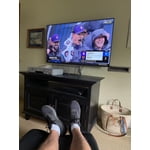
[This review was collected as part of a promotion.] So far so good -I felt the price was great for what I got. I use the TV to watch sports and the size works great in the area I use it.

Review from Samsung US
Helpful?5O410ST4GD5019920056303
Sep 21, 2026
Reviewer name: o341marine
5 out of 5 stars
5 out of 5 stars review

Great TV

[This review was collected as part of a promotion.] Picture quality and motion are impeccable. It was affordable and is great quality. I would recommend this TV to anyone.

Review from Samsung US
Helpful?5O410ST4GD5019920056303
Sep 21, 2026
Reviewer name: Higden
4 out of 5 stars
4 out of 5 stars review

Affordable

[This review was collected as part of a promotion.] Good tv affordable, decent colors, decent for gaming, good for movies or tv series, ok for sport,.

Review from Samsung US
Helpful?5O410ST4GD5019920056303
Sep 20, 2026
Reviewer name: Timmy
5 out of 5 stars
5 out of 5 stars review

Great tv

[This review was collected as part of a promotion.] This tv has been golden exceeds my expectations very price friendly for a newer tv with the responsiveness it has it's a great bang

Review from Samsung US
Helpful?5O410ST4GD5019920056303
Sep 16, 2026
Reviewer name: LeeAnn
2 out of 5 stars
2 out of 5 stars review

we did have a lg before we bought this Samsung. just wanted a bigger tv. we have a outdoor antenna that is on a tower 90ft. can only get 28 channels and before we were getting 80 to 90. same antenna. very disappointed.

Helpful?5O410ST4GD5019920056303
reply from Samsung

Hi LeeAnn, Thank you for sharing your experience. If your TV isn’t finding a signal or channels, please try the following steps: 1. First, make sure the external device (such as a cable box or antenna) is securely connected to your TV and powered on. 2. On your remote, press the left directional button to access the Connected Devices menu, then navigate to Sources to switch between input sources and confirm your TV is on the correct one. 3. If you're using a set-top box or cable box, double-check the broadcast signal or the network connection to that external device, as signal issues may be coming from the source itself. If the issue continues or you need additional help with input settings or channel scanning, please don’t hesitate to reach out to Samsung Support at 1-800-SAMSUNG (8AM – 9PM EST Mon – Fri, 8AM – 6PM Sat – Sun). Our LiveChat agents are also available at the ‘Support’ link on our website. ~ Samsung Advisor

Oct 5, 2026
Reviewer name: Willis
5 out of 5 stars
5 out of 5 stars review

Beautiful picture
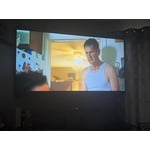
[This review was collected as part of a promotion.] Everything about this TV is great I think it's the best DVR or picture sound clarity everything is great.

Review from Samsung US
Helpful?5O410ST4GD5019920056303
Sep 22, 2026
Reviewer name: HREllis
5 out of 5 stars
5 out of 5 stars review

Love the TV

[This review was collected as part of a promotion.] My new TV is everything I wanted..Very clear picture and very good contrast.I am very satisfied.Ibeould highly recommend this TV.

Review from Samsung US
Helpful?5O410ST4GD5019920056303