
Skip to Main Content
Sam's Club
Sam's Club
All Departments
All Services
Customer reviews for SAMSUNG 75” Class M70H Series Mini LED 4K UHD Vision AI Companion Smart Tizen TV for
SAMSUNG 75” Class M70H Series Mini LED 4K UHD Vision AI Companion Smart Tizen TV
4.5 out of 5 stars
stars
324 ratings314 reviews
  1. 5 stars70% (227)
  2. 4 stars15% (50)
  3. 3 stars7% (23)
  4. 2 stars5% (17)
  5. 1 star2% (7)

Member photos

  • +81 images
Sort by |
Showing 91-100 of 314 reviews
Sep 21, 2026
Reviewer name: Mathtchr
4 out of 5 stars
4 out of 5 stars review

Volume

[This review was collected as part of a promotion.] Volume control needs numbers so that one can see the exact volume setting. We had that on our prior TV and miss that feature on our Samsung.

Review from Samsung US
Helpful?5O410ST4GD5019920056303
Sep 20, 2026
Reviewer name: Kurt
5 out of 5 stars
5 out of 5 stars review

Great upgrade from 55 to 75 inches
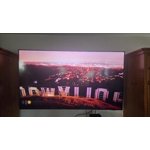
[This review was collected as part of a promotion.] This Samsung is very clean & clear in its picture and brightness. I have a movie theater screen in my living room! Love this TV👍

Review from Samsung US
Helpful?5O410ST4GD5019920056303
Sep 21, 2026
Reviewer name: Wchgouk
5 out of 5 stars
5 out of 5 stars review

Samsung 75" TV
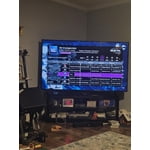
[This review was collected as part of a promotion.] Still learning about this TV but the picture is fabulous! It was set perfectly from the factory! Love watching sports on it!

Review from Samsung US
Helpful?5O410ST4GD5019920056303
Oct 5, 2026
Reviewer name: Cmom
5 out of 5 stars
5 out of 5 stars review

Enjoy

[This review was collected as part of a promotion.] Nice clear picture and sound. Great tv for the price. Does exactly what we need it to do. Not much else to say.

Review from Samsung US
Helpful?5O410ST4GD5019920056303
Oct 5, 2026
Reviewer name: Watcher
4 out of 5 stars
4 out of 5 stars review

A bit frustrated

[This review was collected as part of a promotion.] Very frustrating that it doesn't go back to the last viewing source so we have to reselect each time. Might be a setting we don't know about.

Review from Samsung US
Helpful?5O410ST4GD5019920056303
Sep 20, 2026
Reviewer name: Curl
5 out of 5 stars
5 out of 5 stars review

Does everthing
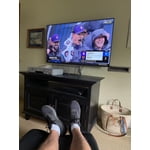
[This review was collected as part of a promotion.] So far so good -I felt the price was great for what I got. I use the TV to watch sports and the size works great in the area I use it.

Review from Samsung US
Helpful?5O410ST4GD5019920056303
Sep 20, 2026
Reviewer name: bmerman
5 out of 5 stars
5 out of 5 stars review

Beautiful Picture

[This review was collected as part of a promotion.] Have always owned Samsung products wouldn't purchase anything else. Quality and Longevity very reliable.

Review from Samsung US
Helpful?5O410ST4GD5019920056303
Sep 13, 2026
Reviewer name: Tv man
5 out of 5 stars
5 out of 5 stars review

Great picture

[This review was collected as part of a promotion.] Very good picture. Bright, clear. Would buy again. Really like the color contrast. The remote is easy and simple. Uniformity and responsiveness are just great

Review from Samsung US
Helpful?5O410ST4GD5019920056303
Sep 20, 2026
Reviewer name: Debby
3 out of 5 stars
3 out of 5 stars review

Hate this remote

[This review was collected as part of a promotion.] The tv is fine but the remote is aweful. Adding an app is the most difficult thing. So very confusing sorry we have always had Samsung. This one does not stand for us

Review from Samsung US
Helpful?5O410ST4GD5019920056303
reply from Samsung Advisor

Hi Debby, We appreciate your thoughts on the M70HD TV’s remote. While it may appear minimal at first glance, many of the buttons are designed with dual or long-press functions to help reduce clutter without sacrificing functionality. For example: • Volume rocker: Push UP/DOWN to adjust volume; press and release quickly to MUTE. • Long-press Volume button: Hold for more than 1 second to access Accessibility Shortcuts. • RETURN button: Press to go back to the previous screen or menu; when watching TV, it takes you back to the previous channel. These combined functions help create a cleaner design while keeping everything you need just a button away. If you ever need help with your remote or want to learn more shortcuts, we’re here to assist. You can reach us at 1-800-SAMSUNG (8AM – 9PM EST Mon – Fri, 8AM – 6PM Sat – Sun), or reach us via text anytime. You can also visit ‘Support’ on our website for: • Live Chat • Manuals, Software, & Warranty Info ~ Samsung Advisor

Sep 20, 2026
Reviewer name: Samsung All The Way
5 out of 5 stars
5 out of 5 stars review

Brilliant Features

[This review was collected as part of a promotion.] I am enjoying the easy of downloading my favorite apps. The color contrast is amazing and seems to adjust automatically when needed. My favorite brand for televisions.

Review from Samsung US
Helpful?5O410ST4GD5019920056303









