Skip to Main Content
Sam's Club
Sam's Club
All Departments
All Services
Customer reviews for SAMSUNG 75” Class M70H Series Mini LED 4K UHD Vision AI Companion Smart Tizen TV for
SAMSUNG 75” Class M70H Series Mini LED 4K UHD Vision AI Companion Smart Tizen TV
4.5 out of 5 stars
stars
324 ratings314 reviews
  1. 5 stars70% (227)
  2. 4 stars15% (50)
  3. 3 stars7% (23)
  4. 2 stars5% (17)
  5. 1 star2% (7)

Member photos

  • +81 images
Sort by |
Showing 71-80 of 314 reviews
Oct 5, 2026
Reviewer name: Beach girl
5 out of 5 stars
5 out of 5 stars review

New TV

[This review was collected as part of a promotion.] Picture is very clear and bright. Wish there was a remote for voice activated. Friends also like it. Would recommend.

Review from Samsung US
Helpful?5O410ST4GD5019920056303
Oct 5, 2026
Reviewer name: Watcher
4 out of 5 stars
4 out of 5 stars review

A bit frustrated

[This review was collected as part of a promotion.] Very frustrating that it doesn't go back to the last viewing source so we have to reselect each time. Might be a setting we don't know about.

Review from Samsung US
Helpful?5O410ST4GD5019920056303
Sep 21, 2026
Reviewer name: Gma657
4 out of 5 stars
4 out of 5 stars review

You will enjoy this tv

[This review was collected as part of a promotion.] It's a great tv. The remote control is small but that can add a complication when one button has multiple functions. Good picture.

Review from Samsung US
Helpful?5O410ST4GD5019920056303
Sep 20, 2026
Reviewer name: Debby
3 out of 5 stars
3 out of 5 stars review

Hate this remote

[This review was collected as part of a promotion.] The tv is fine but the remote is aweful. Adding an app is the most difficult thing. So very confusing sorry we have always had Samsung. This one does not stand for us

Review from Samsung US
Helpful?5O410ST4GD5019920056303
reply from Samsung Advisor

Hi Debby, We appreciate your thoughts on the M70HD TV’s remote. While it may appear minimal at first glance, many of the buttons are designed with dual or long-press functions to help reduce clutter without sacrificing functionality. For example: • Volume rocker: Push UP/DOWN to adjust volume; press and release quickly to MUTE. • Long-press Volume button: Hold for more than 1 second to access Accessibility Shortcuts. • RETURN button: Press to go back to the previous screen or menu; when watching TV, it takes you back to the previous channel. These combined functions help create a cleaner design while keeping everything you need just a button away. If you ever need help with your remote or want to learn more shortcuts, we’re here to assist. You can reach us at 1-800-SAMSUNG (8AM – 9PM EST Mon – Fri, 8AM – 6PM Sat – Sun), or reach us via text anytime. You can also visit ‘Support’ on our website for: • Live Chat • Manuals, Software, & Warranty Info ~ Samsung Advisor

Sep 22, 2026
Reviewer name: beach find
5 out of 5 stars
5 out of 5 stars review

perfect choice

[This review was collected as part of a promotion.] excellent choice for family entertainment- we researched multiple TV's in this size range and found the Samsung to be the best choice overall. Excellent reliable quality and dependability

Review from Samsung US
Helpful?5O410ST4GD5019920056303
Sep 21, 2026
Reviewer name: Wchgouk
5 out of 5 stars
5 out of 5 stars review

Samsung 75" TV
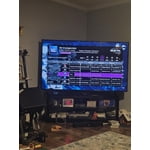
[This review was collected as part of a promotion.] Still learning about this TV but the picture is fabulous! It was set perfectly from the factory! Love watching sports on it!

Review from Samsung US
Helpful?5O410ST4GD5019920056303
Sep 21, 2026
Reviewer name: Mathtchr
4 out of 5 stars
4 out of 5 stars review

Volume

[This review was collected as part of a promotion.] Volume control needs numbers so that one can see the exact volume setting. We had that on our prior TV and miss that feature on our Samsung.

Review from Samsung US
Helpful?5O410ST4GD5019920056303
Sep 20, 2026
Reviewer name: Ladybug
1 out of 5 stars
1 out of 5 stars review

Poor sound

[This review was collected as part of a promotion.] The sound is not working properly. Hasn't been since about 1 week after purchase. I've reset and removed and reinstalled apps with out anything working to fix it.

Review from Samsung US
Helpful?5O410ST4GD5019920056303
reply from Samsung Advisor

Hi Ladybug, Thank you for sharing your experience with your M70HD TV. If you're not hearing sound or if the sound cuts out and you're using only the TV’s built-in speakers (no soundbar or external device), try the following steps: 1. Check volume and mute settings, and make sure the Sound Output is set to TV Speaker: Settings > All Settings > Sound > Sound Output > TV Speaker 2. Run a Sound Test to help diagnose the issue: Settings > Support > Device Care > Self Diagnosis > Sound Test 3. Cold boot your TV by holding the power button on the remote until the TV turns off and back on (Or unplug the TV from power for 30 seconds, then plug it back in) 4. Reset sound settings to default: Settings > All Settings > Sound > Expert Settings > Reset Sound 5. Update your TV’s software in case a firmware issue is affecting audio: Settings > Support > Software Update > Update Now If none of these steps restore your sound, please contact us for further assistance. You can reach Samsung Support at 1-800-SAMSUNG (8AM – 9PM EST Mon – Fri, 8AM – 6PM Sat – Sun). LiveChat is also available via the ‘Support’ link on our website. ~ Samsung Advisor

Sep 12, 2026
Reviewer name: Poppy
5 out of 5 stars
5 out of 5 stars review

Opens up a lot more television

[This review was collected as part of a promotion.] Who knew all the opportunities for tv entertainment . We are still learning to navigate the many different options!!

Review from Samsung US
Helpful?5O410ST4GD5019920056303
Sep 20, 2026
Reviewer name: Pattie
4 out of 5 stars
4 out of 5 stars review

Terrible remote

[This review was collected as part of a promotion.] The TV is great. The remote, however was terrible - the display was hard to read and it was easy to press the wrong button. I had to order a universal remote in order to enjoy my new TV!

Review from Samsung US
Helpful?5O410ST4GD5019920056303