Skip to Main Content
Sam's Club
Sam's Club
All Departments
All Services
Customer reviews for Samsung 4.1 Channel Soundbar w/Subwoofer - HW C47M for
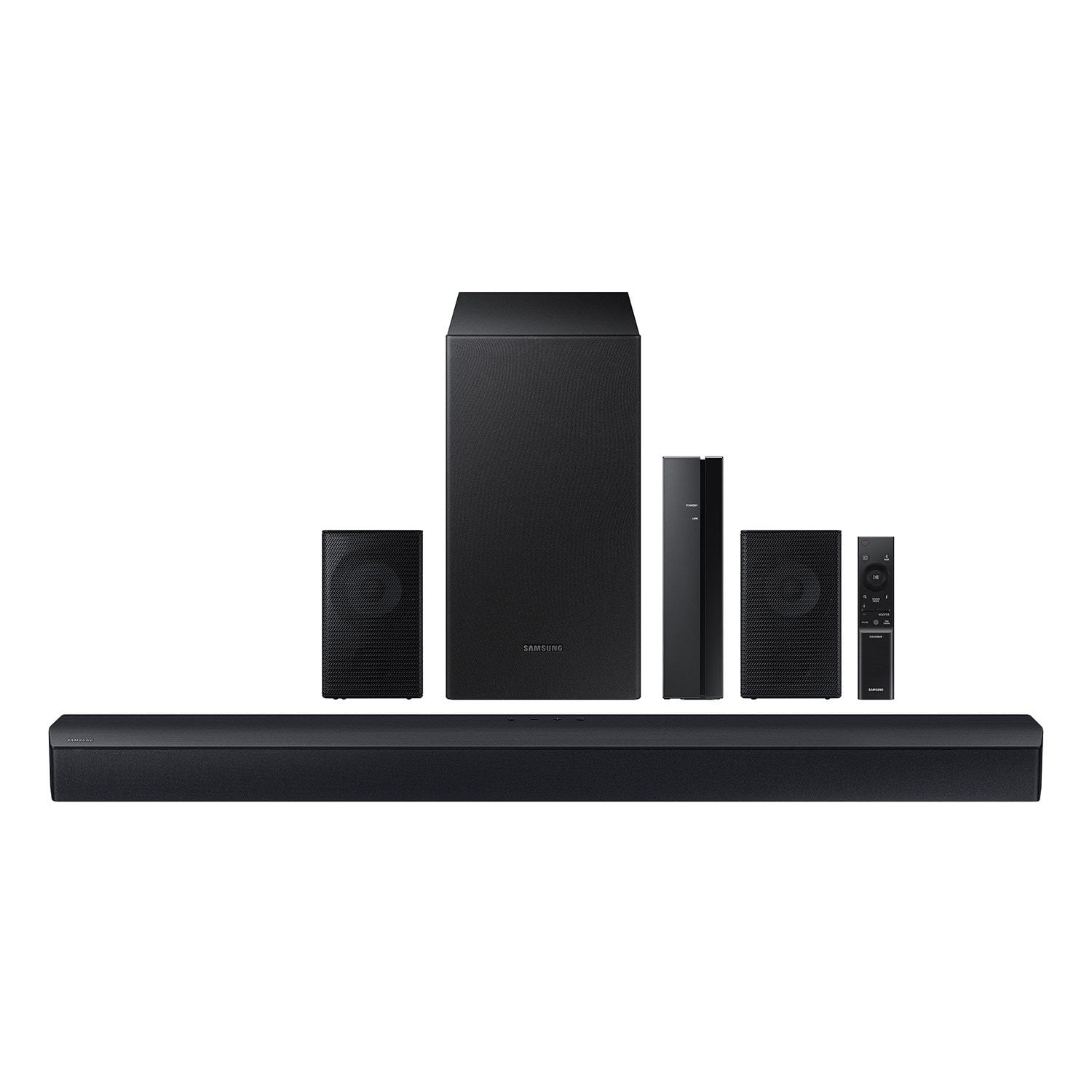
Samsung 4.1 Channel Soundbar w/Subwoofer - HW C47M
4.2 out of 5 stars
stars
800 ratings790 reviews
  1. 5 stars66% (531)
  2. 4 stars12% (98)
  3. 3 stars6% (48)
  4. 2 stars5% (38)
  5. 1 star11% (85)
Sort by |
Showing 51-60 of 790 reviews
Oct 14, 2025
Reviewer name: April
5 out of 5 stars
5 out of 5 stars review

Verified Purchase

Bang for your buck

Not gonna lie I thought the small speakers didn’t connect but I didn’t put the wire in far enough. Everything works fine, the bass is immaculate and so is the sound. It’s so crisp and clear

Review from walmart.com
Helpful?6U2SK3AEJBKZ19585623078
Jan 2, 2026
Reviewer name: AJSmith
3 out of 5 stars
3 out of 5 stars review

Verified Purchase

Low quality surround system. Do not recommend!

Low level system. Sound not very loud. Cannot hear subwoofer speaker. Subwoofer is bluetooth but other speakers wired only. You can get much better quality system for the price this one cost!

Review from walmart.com
Helpful?6U2SK3AEJBKZ19585623078
reply from Samsung

Hello Allison, We appreciate you taking a moment to review the Samsung HW-C47M Soundbar. By pressing the TONE CONTROL button, you can adjust the volume of the treble or bass sound between -6~+6 by using the Up/Down buttons. Additionally, using the WOOFER button on the remote, you can adjust the subwoofer’s volume between -6 to +6 by toggling the button up or down. To set the subwoofer volume level to 0, press the button down. When you press the CH LEVEL button, you can adjust the volume of the VIRTUAL CENTER LEVEL. This will allow you to adjust the overall dialogue between -6 to +6 using the UP/DOWN button on the provided Soundbar remote. When you press the CH LEVEL button when the Wireless Rear Speaker Kit connected to the Soundbar, you can adjust the rear speakers between -6 to +6 using the UP/DOWN buttons. Press and hold the SOUND CONTROL button for about 5 seconds to adjust the sound for each frequency band. 150Hz, 300Hz, 600Hz, 1.2kHz, 2.5kHz, 5kHz, and 10kHz are selectable using the Left/Right buttons and each can be adjusted to a setting between -6 to +6 using the Up/Down buttons. (Make sure the Sound mode is set to “STANDARD”. If we can help with anything else, please call us at 1-800-SAMSUNG (Ask for Soundbars), 8 AM – 12 AM EST, 7 days a week. LiveChat with an agent as well as manuals, software, and warranty info can be found at the ‘Support’ link on our Samsung website. ~ Samsung Solutions

Nov 8, 2025
Reviewer name: Gordon
1 out of 5 stars
1 out of 5 stars review

Verified Purchase

too much trouble to connect/install small speakers has around 5 ft. of speaker wire each, it has this small box didn't bother to hook it up. it was too much. i returned the system...

Review from walmart.com
Helpful?6U2SK3AEJBKZ19585623078
reply from Samsung

Hello Gordon, Thank you for sharing your review of the HW-C47M Soundbar. We value your feedback and will share it with our teams. If there is anything we can do to improve your enjoyment, such as helping to optimize settings for your specific sound scenario, please contact Samsung Customer Support. Just give us a call at 1-800-SAMSUNG (Ask for Soundbars), 8AM - 12AM EST, 7 days a week. Our Live Chat agents are also available by clicking on the ‘Support’ link on our website. ~ Samsung Solutions

Dec 27, 2025
Reviewer name: Melissa
5 out of 5 stars
5 out of 5 stars review

Verified Purchase

Sound is great and the value for the money is outstanding. It was a little challenging to hook up because we had an older tv. I can imagine if it were a newer model it would have been easier.

Review from walmart.com
Helpful?6U2SK3AEJBKZ19585623078
Dec 6, 2025
Reviewer name: Coranette
5 out of 5 stars
5 out of 5 stars review

Verified Purchase

Soundbar set.

Setup was fairly easy, however the instructing were not user friendly. I had to have my cousin come take a look at it because the soundbar worked but speakers would not connect. He was able to fix it and it sounds good.

Review from walmart.com
Helpful?6U2SK3AEJBKZ19585623078
Dec 2, 2025
Reviewer name: stephen
5 out of 5 stars
5 out of 5 stars review

Verified Purchase

Very happy with the sound

Easy to install on the soundbar end. The problem was connecting the optical cable to the back of my Vizio television. I had to dismount the television to find the hidden port on the back to connect. Poor design on Vizio's part

Review from walmart.com
Helpful?6U2SK3AEJBKZ19585623078
Jul 19, 2026
Reviewer name: ester
3 out of 5 stars
3 out of 5 stars review

Verified Purchase

The base don’t work the way I want

Review from walmart.com
Helpful?6U2SK3AEJBKZ19585623078
reply from Samsung

Hi ester, Thank you for taking a moment to review the HW-C47M Samsung Soundbar. You can optimize your audio performance to your liking by pressing the SOUND MODE button on your soundbar remote and then selecting the desired sound effect by choosing SURROUND SOUND, GAME, or STANDARD. By pressing the TONE CONTROL button, you can adjust the volume of the treble or bass sound between -6~+6 by using the Up/Down buttons. Additionally, using the WOOFER button on the remote, you can adjust the subwoofer’s volume between -6 to +6 by toggling the button up or down. To set the subwoofer volume level to 0, press the button down. When you press the CH LEVEL button, you can adjust the volume of the VIRTUAL CENTER LEVEL. This will allow you to adjust the overall dialogue between -6 to +6 using the UP/DOWN button on the provided Soundbar remote. When you press the CH LEVEL button when the Wireless Rear Speaker Kit connected to the Soundbar, you can adjust the rear speakers between -6 to +6 using the UP/DOWN buttons. Press and hold the SOUND CONTROL button for about 5 seconds to adjust the sound for each frequency band. 150Hz, 300Hz, 600Hz, 1.2kHz, 2.5kHz, 5kHz, and 10kHz are selectable using the Left/Right buttons and each can be adjusted to a setting between -6 to +6 using the Up/Down buttons. (Make sure the Sound mode is set to “STANDARD”. I hope these tips help you enjoy your new product. You can always contact us for further help at 1-800-SAMSUNG (Ask for Soundbars), Mon – Fri 8 AM – 9 PM EST, Sat & Sun 8 AM – 6 PM EST. Our Live Chat agents are also available by clicking on the ‘Support’ link on our website. ~ Samsung Solutions

Jul 31, 2026
Reviewer name: Happycustomer
5 out of 5 stars
5 out of 5 stars review

Verified Purchase

Great sound even on low volume

Review from walmart.com
Helpful?6U2SK3AEJBKZ19585623078
Jun 17, 2026
Reviewer name: Autumn
5 out of 5 stars
5 out of 5 stars review

Verified Purchase

Great soundbar! Very loud and was easy to set up!

Review from walmart.com
Helpful?6U2SK3AEJBKZ19585623078
May 10, 2026
Reviewer name: SUZANNE
1 out of 5 stars
1 out of 5 stars review

2016 tv speakers are better- don't buy this

It's really bad. I have a Samsung from 2016 and the speakers on the actual tv itself sound way better than this sound bar which is just sad. Great that my TVs speakers are really good in case my current sound system take a hit but sad a modern sound bar sounds like crap. It's a great price but just save your money and get something better.

Helpful?6U2SK3AEJBKZ19585623078
reply from Samsung

Hello SUZANNE, We appreciate you taking a few moments to review the Samsung HW-C47M Soundbar. You can optimize your audio performance to your liking by pressing the SOUND MODE button on your soundbar remote and then selecting the desired sound effect by choosing SURROUND SOUND, GAME, or STANDARD. By pressing the TONE CONTROL button, you can adjust the volume of the treble or bass sound between -6~+6 by using the Up/Down buttons. Additionally, using the WOOFER button on the remote, you can adjust the subwoofer’s volume between -6 to +6 by toggling the button up or down. To set the subwoofer volume level to 0, press the button down. When you press the CH LEVEL button, you can adjust the volume of the VIRTUAL CENTER LEVEL. This will allow you to adjust the overall dialogue between -6 to +6 using the UP/DOWN button on the provided Soundbar remote. When you press the CH LEVEL button when the Wireless Rear Speaker Kit connected to the Soundbar, you can adjust the rear speakers between -6 to +6 using the UP/DOWN buttons. Press and hold the SOUND CONTROL button for about 5 seconds to adjust the sound for each frequency band. 150Hz, 300Hz, 600Hz, 1.2kHz, 2.5kHz, 5kHz, and 10kHz are selectable using the Left/Right buttons and each can be adjusted to a setting between -6 to +6 using the Up/Down buttons. (Make sure the Sound mode is set to “STANDARD”. If you need more help, Samsung is here for you. Please call us at 1-800-SAMSUNG, Mon – Fri 8 AM – 9 PM EST, Sat & Sun 8 AM – 6 PM EST. Live Chat with an agent as well as manuals, software, creating a service ticket, and warranty info can be found at the ‘Support’ link on our Samsung website. ~ Samsung Solutions