
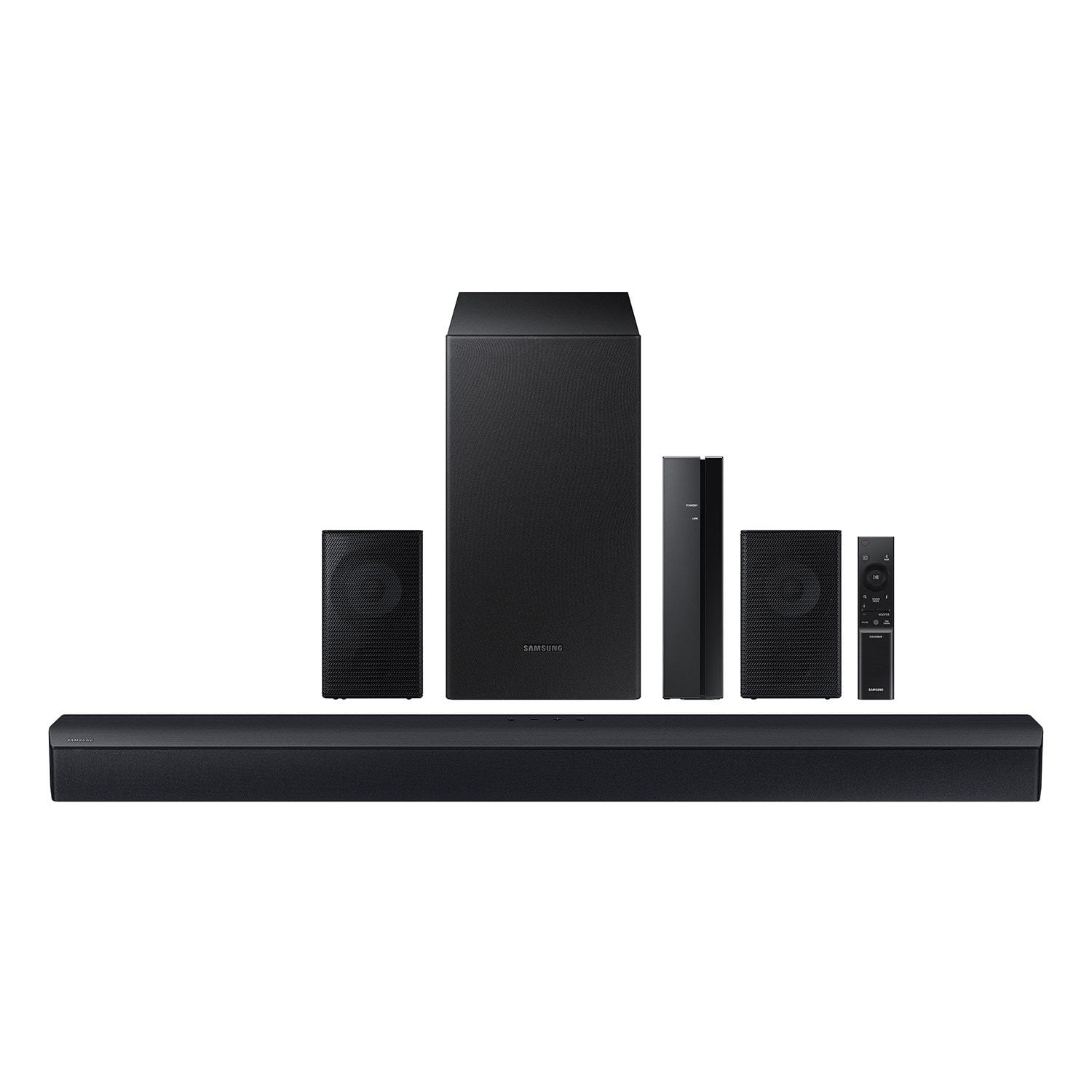
 Customer reviews for Samsung 4.1 Channel Soundbar w/Subwoofer - HW C47M for
Gets loud but 4.1 isn't what I was expecting.
I bought this from my local Walmart. Set up is simple but instructions are rough. This thing will get very loud which is cool. The rear speakers are pointless to me, every setting and every position I tried which where many, you can not hear them they make no difference in the sound to be honest. 95 percent of the sound I get is from the bar itself and that is even with center on -6 and rears on 6. They just don't match the price point I paid for this thing. Having said all that. It does work but just not amazing quality in sound distribution.
Thatguy, Thank you for taking a moment to review the HW-C47M Soundbar. Please know, there are various settings you can adjust to improve your experience with the rear speakers. You can adjust the volume of the rear speakers by using the remote included with the connected soundbar. Press the CH LEVEL button on the soundbar remote, then select REAR LEVEL and use the Up/Down buttons to adjust the volume within a -6 to +6 range. Additionally, make sure that the source (e.g. TV output) is sending surround channels to the Soundbar. If you are using a format such as PCM, you may experience decreased volume to the rear speakers. Select Bitstream, Auto, or Pass-Through as these settings will allow the TV to send the correct channels to the rear speakers. If you need more help, Samsung is here for you. Please call us at 1-800-SAMSUNG, 8AM - 12AM EST (Ask for Soundbars), 7 days a week. Our Live Chat agents are also available by clicking on the ‘Support’ link on our website. ~ Samsung Solutions
honestly thought it was worth the money especially the current deal they have going but even full price worth the money its very easy to set up instructions are a bit basic but you can Google the model and find much more detailed instructions. so definitely worth doing
Works as advertised and is simple to install.
[This review was collected as part of a promotion.] This is actually a very good system for the price. Connecting the system was very simple and straightforward. My only grips I have with this system that the bass isn't as full as other system I've owned at this price range.
Hi M1Willz, We appreciate you taking a moment to review the Samsung HW-C47M Soundbar. By using the WOOFER button on the remote, you can adjust the subwoofer’s volume between -6 to +6 by toggling the button up or down. To set the subwoofer volume level to 0, press the button down. When you press the CH LEVEL button, you can adjust the volume of the VIRTUAL CENTER LEVEL. This will allow you to adjust the overall dialogue between -6 to +6 using the UP/DOWN button on the provided Soundbar remote. When you press the CH LEVEL button when the Wireless Rear Speaker Kit connected to the Soundbar, you can adjust the rear speakers between -6 to +6 using the UP/DOWN buttons. Press and hold the SOUND CONTROL button for about 5 seconds to adjust the sound for each frequency band. 150Hz, 300Hz, 600Hz, 1.2kHz, 2.5kHz, 5kHz, and 10kHz are selectable using the Left/Right buttons and each can be adjusted to a setting between -6 to +6 using the Up/Down buttons. (Make sure the Sound mode is set to “STANDARD”. If we can help with anything else, please call us at 1-800-SAMSUNG (Ask for Soundbars), 8 AM – 12 AM EST, 7 days a week. LiveChat with an agent as well as manuals, software, and warranty info can be found at the ‘Support’ link on our Samsung website. ~ Samsung Solutions
VERY GOOD FOR A BUDGET UNIT
You're suppose to get a better sound quality using an HDMI (ARC) connection and I did't realized this system has NO HDMI (ARC) connection. I though that would be pretty much standard in this day and age, although, the sound quality is still very good using an optical connection, especially for the budget price of the system. I'm only using this in the bedroom. I didn't try connecting to the TV using bluetooth since I have so many bluetooth devices already operating. When connecting to my ALEXA, Alexa had no problem finding or connecting to the sound system, even though another reviewer mentioned she couldn't. The bluetooth connection has to be done on the app using your phone though. Maybe she didn't try that or her app is out of date. You do LOOSE THE ABILITY to play on the "EVERYWHERE GROUP" though.
Pretty Good. Not Perfect.
Without question I would not have bought this soundbar if I’d realized it didn’t have HDMI ARC or any sort of HDMI pass through. It only has optical. That being said I was pleasantly surprised at the sound output and bass. And the value’s not bad considering it comes with rear speakers. Build quality is a little dinky compared to my other soundbars but they also cost double, so it is what it is.
Features
The sound quality is solid, with clear highs and decent bass, but it lacks some key settings that would improve the experience. There’s no dedicated mode for watching movies, which would have been useful for enhancing dialogue and immersive effects. Another issue is the occasional lip-sync delay on certain shows, and unfortunately, there’s no built-in setting to correct it. Overall, it’s a decent system, but the lack of these adjustments can be frustrating.
Hi Aronjay1, We appreciate you taking a few moments to review the Samsung HW-C47M Soundbar. You can optimize your audio performance to your liking by pressing the SOUND MODE button on your soundbar remote and then selecting the desired sound effect by choosing SURROUND SOUND, GAME, or STANDARD. By pressing the TONE CONTROL button, you can adjust the volume of the treble or bass sound between -6~+6 by using the Up/Down buttons. Additionally, using the WOOFER button on the remote, you can adjust the subwoofer’s volume between -6 to +6 by toggling the button up or down. To set the subwoofer volume level to 0, press the button down. When you press the CH LEVEL button, you can adjust the volume of the VIRTUAL CENTER LEVEL. This will allow you to adjust the overall dialogue between -6 to +6 using the UP/DOWN button on the provided Soundbar remote. When you press the CH LEVEL button when the Wireless Rear Speaker Kit connected to the Soundbar, you can adjust the rear speakers between -6 to +6 using the UP/DOWN buttons. Press and hold the SOUND CONTROL button for about 5 seconds to adjust the sound for each frequency band. 150Hz, 300Hz, 600Hz, 1.2kHz, 2.5kHz, 5kHz, and 10kHz are selectable using the Left/Right buttons and each can be adjusted to a setting between -6 to +6 using the Up/Down buttons. (Make sure the Sound mode is set to “STANDARD”. By also pressing the SOUND CONTROL button until you see VOICE ENHANCE you can turn it on and off or until you see AUDIO SYNC on the display. You can then set the audio delay between 0~300 milliseconds by using the Up/Down buttons. If we can help with anything else, please call us at 1-800-SAMSUNG (Ask for Soundbars), 8 AM – 12 AM EST, 7 days a week. LiveChat with an agent as well as manuals, software, and warranty info can be found at the ‘Support’ link on our Samsung website. ~ Samsung Solutions
Great sound, no HDMI input, won't work with Alexa
I'm not an audiophile, but I think the sound quality is excellent. I can finally understand what people are saying on TV, and the bass is very full. I didn't realize when I bought it that it doesn't support HDMI connection, so be aware of that. Your TV must either support Bluetooth or optical connection. This may not matter to most, but some may want to know you won't be able to connect it to your Alexa/Echo device. Not even with Bluetooth. I suspect other voice assistants won't see it, either. I only wanted to use it as a speaker connected to my living room Echo, since the Echo Show 8's speaker is sub-par, and didn't care if Alexa could actually control it, but they simply cannot see each other. So, instead of simply asking Alexa to play music - like I do in the rest of my house - I'll have to connect my phone and do it through there, which doesn't allow me to use the multi-room music capability of Alexa.
Not good
This soundbar is awful. I gave it two stars because it is better than basic TV sound but if you want real quality surround sound this is not it. The sub is so quiet you can’t even hear it even turned up all the way. The rear speakers just give you the same sound as the center speakers not the background sounds like rear speakers are supposed to. The Bluetooth connection causes horrible sound delays between the tv and the soundbar. Connecting it via optical does fix that but the optical doesn’t sound as good. The lack of HDMI is a major flaw. It’s the best connection option these days. This soundbar is not worth the price. My cheap $150 Hisense in my garage sounds better than this.
Hi Toni, Thank you for sharing your review of the HW-C47M Soundbar. We value your feedback and will share it with our teams. If there is anything we can do to improve your enjoyment such as helping to optimize settings for your specific sound scenario, please contact Samsung Customer Support. Just give us a call at 1-800-SAMSUNG (Ask for Soundbars), 8AM - 12AM EST, 7 days a week. Our Live Chat agents are also available by clicking on the ‘Support’ link on our website. ~ Samsung Solutions
not really surround sound
okay. after buying i notice this sound bar set is about 5 years behind . no dolby atoms. no hdmi . no hdr. also its not truly "surround sound " . surround sound is when playing a movie the rear speakers send out background noise or left to right noice for instance like a crash or a bomb. special effect action sounds.. this set sends out just regular sound for the movie the same sound in the soundbar speaker. . it was little weired. . its good for music but lacking sound quality. or its good to put rear speakers in differnt room for like a party or something. i will be returning because its not true surround sound and doesnt have the main features of other soundbars in todays world. but it you basically want a regular speaker blutooth set with no new features it will be fine for the $139 price.. this is a honest review thank you
Hello tony, Thank you for your review of the Samsung HW-C47M Soundbar and for sharing your experiences with the issues that have caused you to consider returning your soundbar. Your experience is very important to us and will be shared with our product team. If you have not yet returned your unit, please give us the opportunity to troubleshoot your issue and work toward a solution. You can reach Samsung Support at 1-800-SAMSUNG (ask for Soundbars) 8 AM – 12 AM EST, 7 days a week. We hope to hear from you soon. ~Samsung Solutions
Verified Purchase
Sounds great, everything i needed