Skip to Main Content
Sams Club
Sams Club
Customer reviews for Samsung 4.1 Channel Soundbar w/Subwoofer - HW C47M for
Samsung 4.1 Channel Soundbar w/Subwoofer - HW C47M
4.2 out of 5 stars
stars776 ratings776 reviews
  1. 5 stars67% (520)
  2. 4 stars12% (90)
  3. 3 stars6% (46)
  4. 2 stars5% (38)
  5. 1 star11% (82)
Write a review
Sort by |
Showing 361-370 of 776 reviews
Jan 31, 2025
christine
1 out of 5 stars review

Verified Purchase

the subwoofer but the rear speakers do not work at all even when i hooked them up to the Bluetooth still don't work 😑

Review from walmart.com
Helpful?6U2SK3AEJBKZ19585623078
reply from Samsung

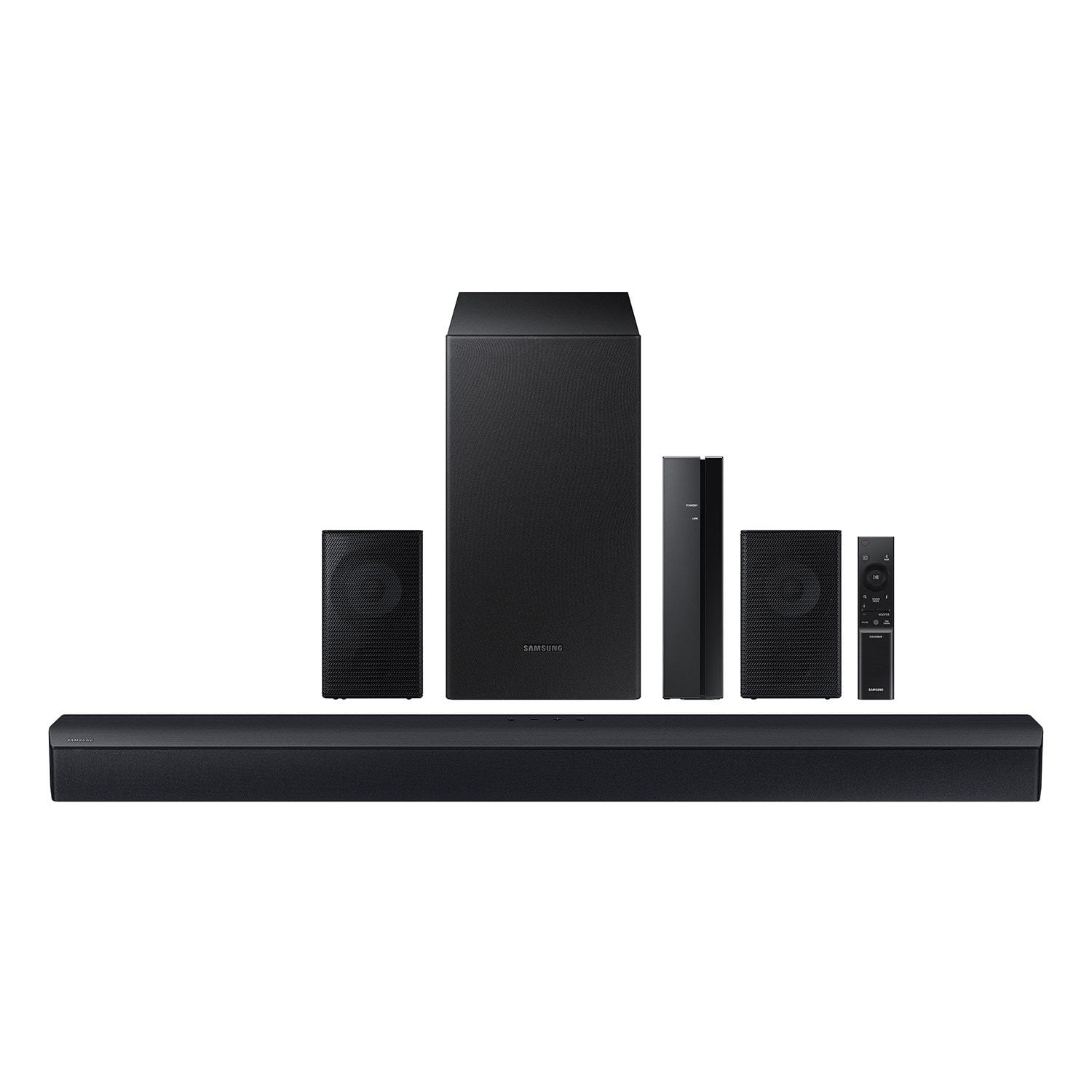
Hello christine,<br /><br />We appreciate you taking a few moments to review the Samsung HW-C47M<br /><br />When powered on for the first time, the rear speakers and subwoofer should automatically connect wirelessly. If the auto-connection process fails, you can try manually connecting the sub and rears to the soundbar.<br /><br />Before performing the manual connection procedure, check whether the power cables for the Soundbar and subwoofer are connected properly and make sure that the Soundbar is turned off.<br /><br />Press and hold ID SET on the rear of the subwoofer for at least 5 seconds. The red indicator on the rear of the subwoofer turns off and the blue indicator blinks. Press and hold the Up button on the remote control for at least 5 seconds. The ID SET message appears on the display of the Soundbar for a moment, and then it disappears. The Soundbar will automatically power on when ID SET is complete. The LINK LED indicator stops blinking and glows a solid blue when a connection is established between the Soundbar and the Wireless Subwoofer.<br /><br />To setup the wireless rear speaker kit included with the soundbar, first use the color-coded speaker wires to connect the rear speakers to its wireless module and place these three in the back of your room. Plug the wireless receiver module power cord into an electrical outlet and into the wireless receiver module to turn on the wireless receiver module. <br /><br />Press and hold the ID SET button on the back of the wireless module for at least 5 seconds or until the blue light starts blinking. Turn off your soundbar and press the Up button on the remote for 5 seconds. The ID SET message will appear on the soundbar for a short time and then disappear. After the ID SET process, the soundbar power is automatically turned on. The LINK LED indicator stops blinking and glows a solid blue when a connection is established between the soundbar and the wireless receiver module.<br /><br />If you need more help, Samsung is here for you. Please call us at 1-800-SAMSUNG, 8AM - 12AM EST (Ask for Soundbars), 7 days a week. Our Live Chat agents are also available by clicking on the ‘Support’ link on our website.<br /><br />~ Samsung Solutions

Dec 22, 2023
Al
5 out of 5 stars review

Verified Purchase

best gift to myself

great sound and volume. have to be careful no action movies after 7. had 32" ONN before and it was ok. have it in the bedroom.

Review from walmart.com
Helpful?6U2SK3AEJBKZ19585623078
Nov 17, 2023
Anonymous
5 out of 5 stars review

Verified Purchase

kicks butt

this thing is loud and clear with adjystable sub woofer. i BT my phone to it and use it as a stereo. its that good. deffinatly buy it.

Review from walmart.com
Helpful?6U2SK3AEJBKZ19585623078
Dec 24, 2023
Garret
2 out of 5 stars review

Verified Purchase

Sounded ok when you could hear the rear speakers

Not the best for surround sound. If you’re just getting something to play music on this is decent, won’t do anything else well though.

Review from walmart.com
Helpful?6U2SK3AEJBKZ19585623078
reply from Samsung

Hello Garret,<br /><br />Thank you for sharing your thoughts regarding the HW-C47M Soundbar.<br /><br />You can optimize your audio performance to your liking by pressing the SOUND MODE button on your soundbar remote and then selecting the desired sound effect by choosing SURROUND SOUND, GAME, or STANDARD. <br /><br />By pressing the TONE CONTROL button, you can adjust the volume of the treble or bass sound between -6~&#43;6 by using the Up/Down buttons. <br /><br />Additionally, using the WOOFER button on the remote, you can adjust the subwoofer’s volume between -6 to &#43;6 by toggling the button up or down. To set the subwoofer volume level to 0, press the button down. <br /><br />When you press the CH LEVEL button, you can adjust the volume of the VIRTUAL CENTER LEVEL. This will allow you to adjust the overall dialogue between -6 to &#43;6 using the UP/DOWN button on the provided Soundbar remote. When you press the CH LEVEL button when the Wireless Rear Speaker Kit connected to the Soundbar, you can adjust the rear speakers between -6 to &#43;6 using the UP/DOWN buttons. <br /><br />Press and hold the SOUND CONTROL button for about 5 seconds to adjust the sound for each frequency band. 150Hz, 300Hz, 600Hz, 1.2kHz, 2.5kHz, 5kHz, and 10kHz are selectable using the Left/Right buttons and each can be adjusted to a setting between -6 to &#43;6 using the Up/Down buttons. (Make sure the Sound mode is set to “STANDARD”. <br /><br />If we can help with anything else, please call us at 1-800-SAMSUNG (Ask for Soundbars), 8 AM – 12 AM EST, 7 days a week. LiveChat with an agent as well as manuals, software, and warranty info can be found at the ‘Support’ link on our Samsung website. <br />~ Samsung Solutions

Feb 10, 2025
WalmartCustomer
1 out of 5 stars review

Verified Purchase

If you are expecting the rear speakers to be wireless, they are not. I am returning my system 41 that actually has wireless rear speakers.

Review from walmart.com
Helpful?6U2SK3AEJBKZ19585623078
reply from Samsung

Hi Thomas,<br /><br />We appreciate you taking a few moments to review the Samsung HW-C47M Soundbar.<br /><br />Occasionally, customers have trouble hiding and running speaker wires from the front of the room (where their soundbar is) to the back of their room (where they have their rear speakers). The Rear Speaker Kit eliminates that hassle. Connect the rear speakers to its wireless module and place these three in the back of your room. One wire is required to connect each rear speaker to the wireless module. Then plug in the power cable to the module. The “wireless” convenience is in connecting your soundbar and any other speakers at the front of the room to the rear speakers through the wireless module, eliminating any clutter of long wires running the length of your room.<br /><br />If you need more help, Samsung is here for you. Please call us at 1-800-SAMSUNG, 8AM - 12AM EST (Ask for Soundbars), 7 days a week. Our Live Chat agents are also available by clicking on the ‘Support’ link on our website.<br /><br />~ Samsung Solutions

Dec 28, 2023
Christopher
5 out of 5 stars review

Verified Purchase

Samsung Surround sound system

It is wonderful. i now feel like I am at the Games or Race's when i am watching them. it is really LOUD. LOL

Review from walmart.com
Helpful?6U2SK3AEJBKZ19585623078
Nov 22, 2023
dashon
5 out of 5 stars review

Verified Purchase

Love it

Just what I needed I’m definitely a bass head and it’s the power I’ve been looking for great price as well

Review from walmart.com
Helpful?6U2SK3AEJBKZ19585623078
Dec 16, 2024
Bryce
5 out of 5 stars review

Verified Purchase

Anyone who doesn’t like this sound system is either on a high horse or doesn’t have it set up correctly.

Review from walmart.com
Helpful?6U2SK3AEJBKZ19585623078
Jan 21, 2024
Erica
5 out of 5 stars review

Verified Purchase

Hands down the best purchase I could’ve made!!

Top notch quality sound system! It’s better than going to the movie theater. You have the theater in your own home.

Review from walmart.com
Helpful?6U2SK3AEJBKZ19585623078
Nov 26, 2023
LaQuira
5 out of 5 stars review

Verified Purchase

Super Bass

when I tell you, I love these speakers 🔊❤️ if I put it on full volume the whole block could hear it

Review from walmart.com
Helpful?6U2SK3AEJBKZ19585623078