Skip to Main Content
Sams Club
Sams Club
Customer reviews for Samsung 4.1 Channel Soundbar w/Subwoofer - HW C47M for
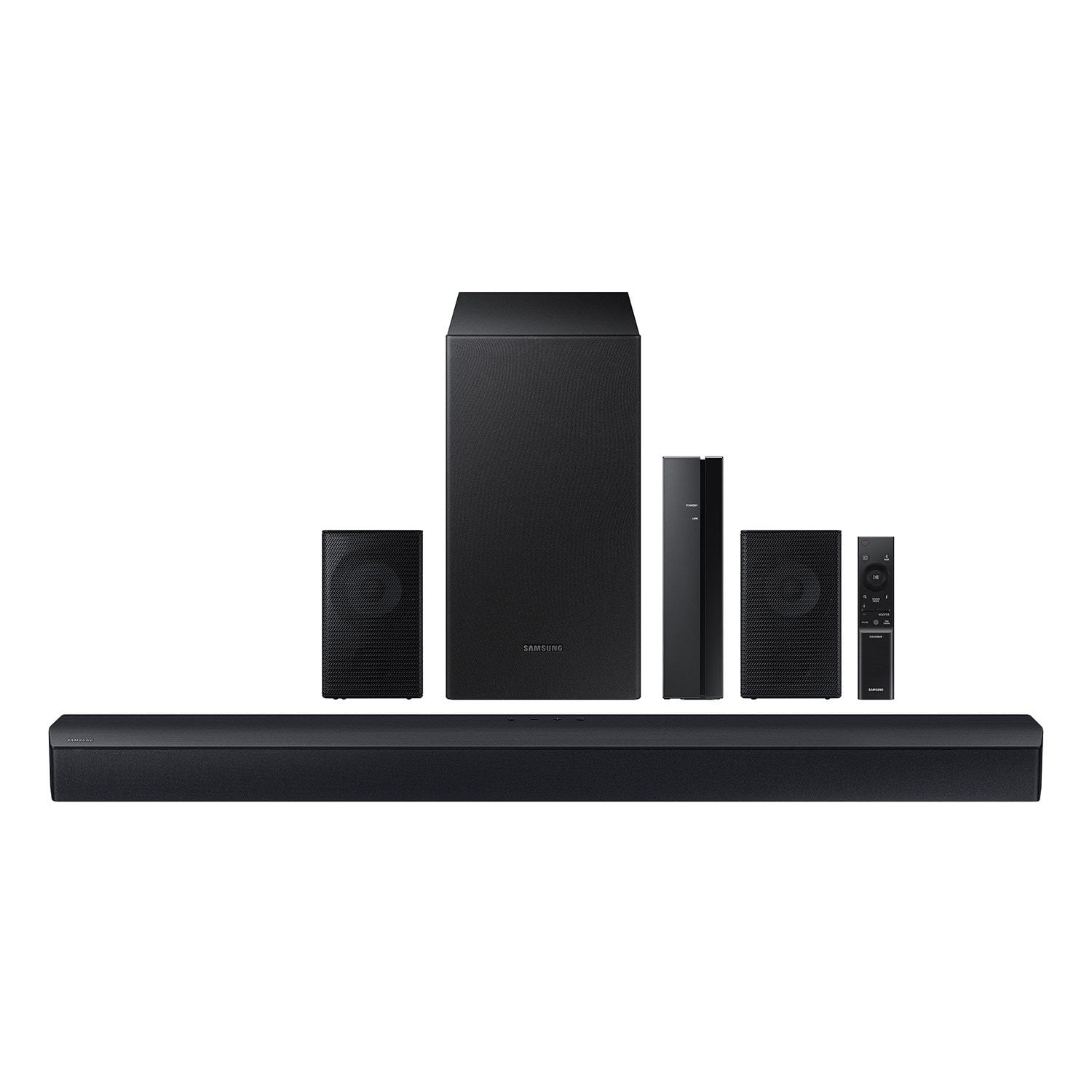
Samsung 4.1 Channel Soundbar w/Subwoofer - HW C47M
4.2 out of 5 stars
stars780 ratings780 reviews
  1. 5 stars67% (521)
  2. 4 stars12% (92)
  3. 3 stars6% (46)
  4. 2 stars5% (38)
  5. 1 star11% (83)
Sort by |
Showing 111-120 of 780 reviews
Oct 21, 2025
Michael
5 out of 5 stars review

Verified Purchase

Easy set up and sounds great!

Review from walmart.com
Helpful?6U2SK3AEJBKZ19585623078
Jan 6, 2026
Brandon
5 out of 5 stars review

Verified Purchase

Lovely

This is a really good in house surround soun system

Review from walmart.com
Helpful?6U2SK3AEJBKZ19585623078
Oct 5, 2025
Joanne
5 out of 5 stars review

Verified Purchase

Great sound bar

Simple set up great audio

Review from walmart.com
Helpful?6U2SK3AEJBKZ19585623078
Jan 2, 2026
Jeffry
5 out of 5 stars review

Verified Purchase

This is a beautiful device. I cant speak towards longevitt, but its great so far few months in.

Review from walmart.com
Helpful?6U2SK3AEJBKZ19585623078
Mar 24, 2026
Audrey
5 out of 5 stars review

Verified Purchase

it has great sound

Review from walmart.com
Helpful?6U2SK3AEJBKZ19585623078
Mar 21, 2026
aimee
1 out of 5 stars review

Verified Purchase

stolen of my porch

Review from walmart.com
Helpful?6U2SK3AEJBKZ19585623078
reply from Samsung

Hello aimee,<br /><br />I&#39;m sorry you have not received your HW-C47M yet. Please follow up directly with Walmart for further assistance. We hope your issue is resolved in a timely manner. Should you have questions regarding the usage or setup of your product once you&#39;ve received it, please contact Samsung Support at 1-800-SAMSUNG, 8AM - 12AM EST, 7 days a week. Our LiveChat agents are also available by clicking on the ‘Support’ link on our website. <br /><br />~ Samsung Solutions

Mar 30, 2026
Rachel
4 out of 5 stars review

Verified Purchase

easy setup. great sound

Review from walmart.com
Helpful?6U2SK3AEJBKZ19585623078
Sep 8, 2025
chris
1 out of 5 stars review

Verified Purchase

the sound is crap should send it back but i can give it to a kid to play some music or whatever they watch but it is really a piece of crap.

Review from walmart.com
Helpful?6U2SK3AEJBKZ19585623078
reply from Samsung

Hello chris,<br /><br />Thank you for sharing your review of the HW-C47M Soundbar. We value your feedback and will share it with our teams. <br /><br />If there is anything we can do to improve your enjoyment such as helping to optimize settings for your specific sound scenario, please contact Samsung Customer Support. Just give us a call at 1-800-SAMSUNG (Ask for Soundbars), 8AM - 12AM EST, 7 days a week. Our Live Chat agents are also available by clicking on the ‘Support’ link on our website.<br /><br />~ Samsung Solutions

Sep 17, 2025
Lance
3 out of 5 stars review

Verified Purchase

Weak bass

It had very weak bass, even after turning up the subwoofer and bass all the way. Much less than my Vizio that is priced similarly.

Review from walmart.com
Helpful?6U2SK3AEJBKZ19585623078
reply from Samsung

Hello Lance,<br /><br />Thank you for sharing your review of the HW-C47M Soundbar. We value your feedback and will share it with our teams. <br /><br />You can optimize your audio performance to your liking by pressing the SOUND MODE button on your soundbar remote and then selecting the desired sound effect by choosing SURROUND SOUND, GAME, or STANDARD. <br /><br />By pressing the TONE CONTROL button, you can adjust the volume of the treble or bass sound between -6~&#43;6 by using the Up/Down buttons. <br /><br />Additionally, using the WOOFER button on the remote, you can adjust the subwoofer’s volume between -6 to &#43;6 by toggling the button up or down. To set the subwoofer volume level to 0, press the button down. <br /><br />When you press the CH LEVEL button, you can adjust the volume of the VIRTUAL CENTER LEVEL. This will allow you to adjust the overall dialogue between -6 to &#43;6 using the UP/DOWN button on the provided Soundbar remote. When you press the CH LEVEL button when the Wireless Rear Speaker Kit connected to the Soundbar, you can adjust the rear speakers between -6 to &#43;6 using the UP/DOWN buttons. <br /><br />Press and hold the SOUND CONTROL button for about 5 seconds to adjust the sound for each frequency band. 150Hz, 300Hz, 600Hz, 1.2kHz, 2.5kHz, 5kHz, and 10kHz are selectable using the Left/Right buttons and each can be adjusted to a setting between -6 to &#43;6 using the Up/Down buttons. (Make sure the Sound mode is set to “STANDARD”. <br /><br />If we can help with anything else, please call us at 1-800-SAMSUNG (Ask for Soundbars), 8 AM – 12 AM EST, 7 days a week. LiveChat with an agent as well as manuals, software, and warranty info can be found at the ‘Support’ link on our Samsung website. <br /><br />~ Samsung Solutions

Sep 11, 2025
bcgal
2 out of 5 stars review

Verified Purchase

Very Disappointed

We could hear very little difference in sound switching back and forth from tv to soundbar. I love Samsung but not this soundbar.

Review from walmart.com
Helpful?6U2SK3AEJBKZ19585623078
reply from Samsung

Hi bcgal,<br /><br />Thank you for taking a moment to review the Samsung HW-C47M Soundbar.<br /><br />You can optimize your audio performance to your liking by pressing the SOUND MODE button on your soundbar remote and then selecting the desired sound effect by choosing SURROUND SOUND, GAME, or STANDARD. <br /><br />By pressing the TONE CONTROL button, you can adjust the volume of the treble or bass sound between -6~&#43;6 by using the Up/Down buttons. <br /><br />Additionally, using the WOOFER button on the remote, you can adjust the subwoofer’s volume between -6 to &#43;6 by toggling the button up or down. To set the subwoofer volume level to 0, press the button down. <br /><br />When you press the CH LEVEL button, you can adjust the volume of the VIRTUAL CENTER LEVEL. This will allow you to adjust the overall dialogue between -6 to &#43;6 using the UP/DOWN button on the provided Soundbar remote. When you press the CH LEVEL button when the Wireless Rear Speaker Kit connected to the Soundbar, you can adjust the rear speakers between -6 to &#43;6 using the UP/DOWN buttons. <br /><br />Press and hold the SOUND CONTROL button for about 5 seconds to adjust the sound for each frequency band. 150Hz, 300Hz, 600Hz, 1.2kHz, 2.5kHz, 5kHz, and 10kHz are selectable using the Left/Right buttons and each can be adjusted to a setting between -6 to &#43;6 using the Up/Down buttons. (Make sure the Sound mode is set to “STANDARD”. <br /><br />If we can help with anything else, please call us at 1-800-SAMSUNG (Ask for Soundbars), 8 AM – 12 AM EST, 7 days a week. LiveChat with an agent as well as manuals, software, and warranty info can be found at the ‘Support’ link on our Samsung website. <br /><br />~ Samsung Solutions