Skip to Main Content
Sam's Club
Sam's Club
All Departments
All Services
Customer reviews for Philips Norelco Shaver 6900 for
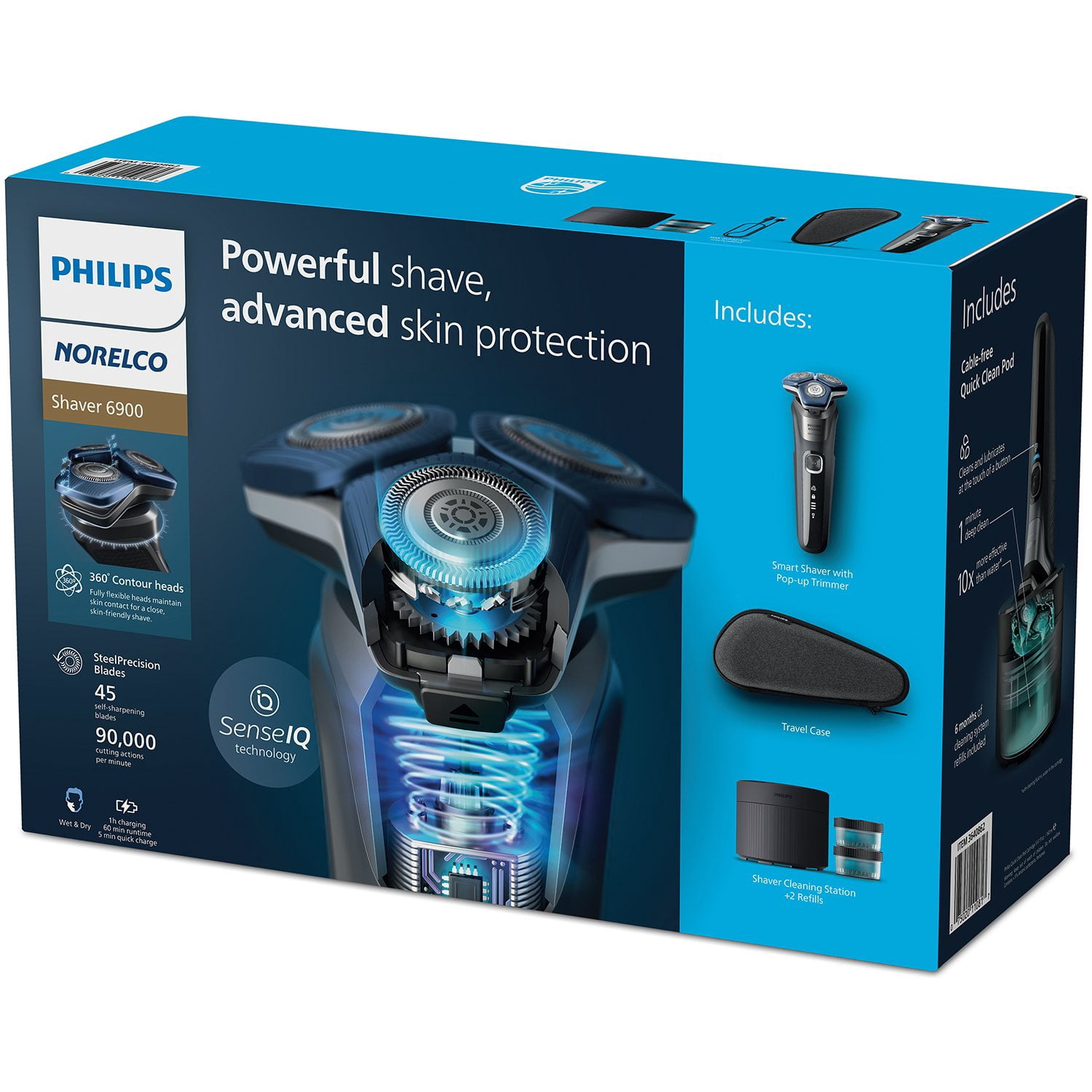
Philips Norelco Shaver 6900
4.3 out of 5 stars
stars
827 ratings821 reviews
  1. 5 stars63% (520)
  2. 4 stars21% (171)
  3. 3 stars6% (52)
  4. 2 stars5% (45)
  5. 1 star5% (39)

Member photos

  • +48 images
Sort by |
Showing 671-680 of 821 reviews
Aug 25, 2023
Reviewer name: can't think
5 out of 5 stars
5 out of 5 stars review

Verified Purchase

The product works very well and has great features

[This review was collected as part of a promotion.] Gives a close shaves with little effort. The cleaning feature works very well.

Review from philips.com
Helpful?770DNO3222ND19395157100
Oct 3, 2025
Reviewer name: Jammer Joe
5 out of 5 stars
5 out of 5 stars review

Verified Purchase

[This review was collected as part of a promotion.] Good Shave, very comfortable, easy to clean and Good Price.

Review from philips.com
Helpful?770DNO3222ND19395157100
Feb 12, 2024
Reviewer name: laay
2 out of 5 stars
2 out of 5 stars review

Verified Purchase

gives a close shave

[This review was collected as part of a promotion.] Shaves great; unable to get it to sync to my phone

Review from philips.com
Helpful?770DNO3222ND19395157100
reply from Philips Personal Care

Hi Laay, Thank you for sharing your review with us. We are sorry to hear that you are unable to connect the Philips Shaver with the GroomTribe App. We recommend you follow the troubleshooting steps to find a solution. Make sure your phone is not further than 3 meters away from the shaver. Connectivity issues will occur if your phone is not within 3 meters. GroomTribe App-compatible shavers use Bluetooth version 4.1 or higher. If you have the correct Bluetooth version, try turning it off through your phone settings, then turning it back on. Ensure the shaver is turned on, and then try pairing your phone with the shaver again. You may experience pairing issues if you have changed your phone, or if your shaver was previously connected to a different phone. We suggest you unpair your phone and try reconnecting to your shaver, as explained in the section above. If you have tried the advice above and are still unable to solve this problem, then please contact us for further support. An update to your phone’s operating system can result in connectivity issues. To resolve this issue, reset the connection between the shaver and the app by following the steps below: 1. Unpair the shaver: Press the on/off button on your shaver for 10 seconds to disconnect it from the app. When your shaver is successfully unpaired, the Bluetooth symbol on the shaver will appear. 2. Unpair the phone: Go to'settings’ on your phone and select Bluetooth. Then select the shaver S7/S9 and select ‘forget’ or ‘un-pair’. 3. For Android phones, ensure to enable location permissions or nearby device permissions. 4. If you still experience connecting issues, try a hard reset. Press the on/off button on your shaver for 30 seconds. Now you should be able to pair your shaver again with your phone. Turn your shaver on to activate Bluetooth while pairing. Open the app and follow the instructions to start the pairing process. It may take up to two minutes for the connection to establish. These instructions may differ per smartphone. Please check your phone manual for more information. As a last step, let's try to uninstall and reinstall the GroomTribe app. Follow the instructions below: Uninstall and reinstall the app. Reset the shaver by pressing the on-off button on the shaver for 30 seconds. We hope this makes your experience better. If not, please reach out to us via Social Media. We’re available on Facebook (@Philips) and X (@PhilipsCare). Don’t worry, if you don’t use Social Media, you can also reach out to us via the contact page: www.Philips.com/contact. Hope to speak to you soon! Best regards, Philips Consumer Care

May 22, 2023
Reviewer name: Fuzzyface
5 out of 5 stars
5 out of 5 stars review

Verified Purchase

Good Shaver

[This review was collected as part of a promotion.] Good close shave, easy to clean in short, I like this shaver.

Review from philips.com
Helpful?770DNO3222ND19395157100
Feb 25, 2025
Reviewer name: W8OT
5 out of 5 stars
5 out of 5 stars review

Verified Purchase

[This review was collected as part of a promotion.] Have had a stroke. It is very easy to use and clean.

Review from philips.com
Helpful?770DNO3222ND19395157100
Aug 19, 2025
Reviewer name: Shaver Mike
4 out of 5 stars
4 out of 5 stars review

Verified Purchase

Never tells me I'm using it right .

[This review was collected as part of a promotion.] Gives a close shave but wish it would have came with a cleaning pod.

Review from philips.com
Helpful?770DNO3222ND19395157100
Jan 16, 2024
Reviewer name: old duff
5 out of 5 stars
5 out of 5 stars review

Verified Purchase

good shaver

[This review was collected as part of a promotion.] nothing bad with this product dood shaver works in the shower

Review from philips.com
Helpful?770DNO3222ND19395157100
Aug 12, 2024
Reviewer name: MG 69
5 out of 5 stars
5 out of 5 stars review

Verified Purchase

This shaver works great

[This review was collected as part of a promotion.] It gives a close shave , like the way it monitors shaving technique

Review from philips.com
Helpful?770DNO3222ND19395157100
Sep 19, 2023
Reviewer name: Lovey 12
5 out of 5 stars
5 out of 5 stars review

Verified Purchase

Absolutely love this Shaver!!

[This review was collected as part of a promotion.] Very clean, smooth shave. Does not irritate my face, love it!

Review from philips.com
Helpful?770DNO3222ND19395157100
Jul 30, 2023
Reviewer name: Anonymous
4 out of 5 stars
4 out of 5 stars review

Verified Purchase

Overall shave thoroughly and quick cleaning system

[This review was collected as part of a promotion.] Sleek and compact design and nice quick clean system.

Review from philips.com
Helpful?770DNO3222ND19395157100