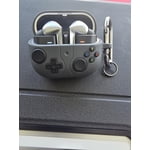
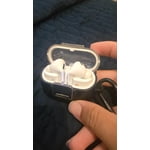
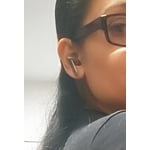
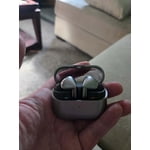
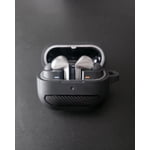
Member photos


+3767 images
Verified Purchase
Good but might not be for me
I want to like it more 😀 my issue is that they tend to fell off my ears after some time, which makes me keep refitting them in my ears continuously. There is a chance im doing something wrong, though. That said, I didn't have this problem with my Bose which i traded for these. Otherwise, good noise cancelling, good charge duration, and sound.
Hi Nick! Thank you for sharing your thoughts on the Galaxy Buds3 Pro. We're glad to see that you’re enjoying the active noise cancellation and sound quality, especially the 2-way speaker with Ultra High Quality Audio (24bit / 96kHz). Regarding the fit, you might benefit from trying different ear tip sizes. The Buds3 Pro comes with various-sized ear tips to help provide a snug fit. When you have the right size, it eliminates gaps and reduces the chances of them falling out. If you're unsure how to change the tips, we have a helpful guide just for that. Also, for the best positioning, make sure to insert the right earbud (marked with an R) in your right ear and the left (marked with an L) in your left ear. Tweaking the angle can help, too, so try pointing the microphone down towards your mouth. You can also run an earbud fit test in the Galaxy Wearable app to ensure everything is snug if needed. With proper fitting, you should be able to enjoy up to 26 hours of playtime (30 hours with the case) without interruptions! If you have any further concerns or questions, please be sure to reach out to us at Samsung Support. -Kelvin smsng.us/Samsung-Support smsng.us/Facebook-Messenger smsng.us/X-Messages smsng.us/Samsung-Community smsng.us/Warranty-Info smsng.us/Samsung-Care-Plus
Verified Purchase
Could Be Better
The sound quality is just as good as the Buds2 Pro with Ambient or ANC off. I still have significant white noise while using either mode. I actually really like the "pinch" functionality despite the airpod design. All in all, I would not suggest an upgrade if you already have the Buds2 Pro unless they are starting to fade in quality.
Thank you for sharing your thoughts on the Galaxy Buds3 Pro, Mike! We’re glad to see you enjoy the sound quality and the pinch functionality! If you’re experiencing static noise, we recommend checking for updates on both your earbuds and the connected device to ensure you’re using the latest software. Restarting or resetting your earbuds can also help clear up any minor glitches. Check out the link attached for more detailed instructions on how to resolve this. We want you to have the best possible experience with the Buds3 Pro, so we hope these suggestions enhance your experience! If you have any further questions or need assistance, feel free to reach out to us at Samsung Support! -Kelvin smsng.us/Samsung-Support smsng.us/Facebook-Messenger smsng.us/X-Messages smsng.us/Samsung-Community smsng.us/Warranty-Info smsng.us/Samsung-Care-Plus
Verified Purchase
Bad Fit for Long Term Wear
After wearing these for 2 hours, the buds made my ears sore. I also didn't like the new touch settings. The swiping up and down along the bar and applying enough pressure is nearly impossible to achieve one-handed. I immediately returned mine and continue to wear the Buds2 Pro.
Hi there RTRT, Thanks for taking the time out of your day to share your thoughts with us about your Samsung Galaxy Buds3 Pro. Your feedback allows us to continue to strive in providing the best products with superior functionality on the market to our customers. Samsung provides a 12-month warranty on our products for manufacturing defects in materials and workmanship, linked below. Wearing your Buds3 Pros improperly can cause discomfort, sound leaks, and makes them more likely to fall out. As you know, the Galaxy Buds3 Pro come with different sized ear tips. The first thing you want to do is make sure they have the right size tips for your ears. You want them to fit so that there isn't a gap between your ear and the ear tip. This helps to avoid sound leaks and ensure optimal audio. Once you have the right tips on your buds: 1. Check the bottom of the earbuds for directional marks. You will see an L and an R. 2. Insert the R bud into your right ear with the R facing you. 3. Insert the L bud into your left ear with the L facing you. 4. Angle the blade slightly so that the microphone on the bottom is pointing towards your mouth rather than straight down. 5. You can adjust the buds by rotating them forwards and backwards until the fit feels right. You can also run an earbud fit test in the Galaxy Wearable app to ensure you have the proper fit. To run an Earbud fit test, 1. Open the Galaxy Wearable app on your connected phone. 2. From the Buds3 Pro screen, tap Sound quality and effects. 3. Tap Earbud fit test. 4. The screen will display either In ear or Not in ear. Make sure both buds are in your ears, and then tap Start. 5. The buds will chime for a few seconds, and then the app will display your results. It may say Poor fit or Good fit. If the fit is poor, make small adjustments and then tap Try again. 6. Continue running the fit test and making adjustments until you get a good fit result for both buds. If you would like to learn more, feel free to review, "How to wear your Samsung Galaxy Buds3 and 3 Pro. If you would like to share any other feedback with us or if you would like further assistance, please let us know by reaching out to Samsung Support at your leisure. Thank you for choosing Samsung! - Debra Samsung Support smsng.us/Samsung-Support Warranty Info smsng.us/Warranty-Info Facebook Messenger smsng.us/Facebook-Messenger X Messages https://smsng.us/X-Messages Samsung Community smsng.us/Samsung-Community Buds3 Pro https://www.samsung.com/us/mobile-audio/galaxy-buds3-pro/ How to wear your Samsung Galaxy Buds3 and 3 Pro https://www.samsung.com/us/support/answer/ANS10003519/
Verified Purchase
Almost perfect.
I'd really give these buds a 4.5 but since I can choose that it's still more of a 5 than 4. My only comment is controlling music and calls from touching the buds. It's not as intuitive as the other version. I'm still trying to master it 4 weeks later. In any case, I find the buds 3 Pro better than all the other versions as far as sound quality, fit, and noise cancellation. They are even better than my Pixel buds which I love.
Verified Purchase
Decent sound but bad controls and case
Sound is really good, as with previous version but the new form factor with the stems just do not work well. The controls are cumbersome and do much more to interrupt seating than the previous versions. Also it makes it extremely difficult to place into the case in a dark room. Wouldn't suggest them
Thanks for sharing your honest feedback on the Galaxy Buds3 Pro. We always appreciate getting insights from our users. It's awesome to see that the sound has been great for you so far! The Buds3 Pro offers our best and most immersive audio experience, featuring an Enhanced 2-Way Speaker system. With an improved woofer and tweeter that provides a wide frequency response, you'll be able to hear the intricate details in your music. If you are experiencing challenges with the pinch controls, we recommend checking the attached link, which provides detailed information about the control functions and the best ways to use them. We also appreciate your feedback regarding the design of the buds, as we strive to provide our customers with the best experience possible. If you have any further concerns or questions, please be sure to reach out to us at Samsung Support. -Kelvin https://www.samsung.com/uk/support/mobile-devices/how-to-use-pinch-control-earbuds-control-and-troubleshoot-your-galaxy-buds3-and-buds3-pro/?srsltid=AfmBOooveMEH2lqCgwL9uziCu9eWZuLgviduj3o9XkfR4LQjKQNP5pW7 smsng.us/Samsung-Support smsng.us/Facebook-Messenger smsng.us/X-Messages smsng.us/Samsung-Community smsng.us/Warranty-Info smsng.us/Samsung-Care-Plus
Verified Purchase
Would not buy again
Pro: Sound quality Con: Fit. They fit weird and don't fit well in the ear canal like my previous Samsung ear bugs. I also get complaints from people with whom I talking on calls that I sound muffled. I find myself removing my earbuds on half of my calls so they can hear me.
Thank you for sharing your feedback on the Galaxy Buds3 Pro! We’re glad to see that you appreciate the sound quality. The Buds3 Pro features Ultra High-Quality Audio (24bit / 96kHz) along with a refreshed look. Designed for true audio lovers, these earbuds offer a comfortable new shape and improved hardware, delivering the high-resolution audio experience your ears have been craving. Regarding your concerns about fit and muffled audio, ensure your earbuds are positioned correctly for the best experience. If you’re experiencing low volume or poor sound quality in one or both of your Galaxy Buds, there could be a couple of reasons for this. It’s possible that the earbuds might have accumulated dust or debris, or you may even be wearing them incorrectly. Check out the link attached for options to help troubleshoot this. The Buds3 Pro come with different sized ear tips, so it’s essential to use the right size for your ears. A proper fit will help prevent sound leaks and ensure optimal audio performance. To achieve that ideal fit, please check the bottom of the earbuds for the directional marks: you'll see an 'L' and an 'R.' Insert the R bud into your right ear with the R facing you, and the L bud into your left ear with the L facing you. Remember to angle the earbuds slightly so that the microphone points toward your mouth rather than straight down. You can adjust them by rotating them forward and backward until they feel just right. Additionally, we recommend running an earbud fit test in the Galaxy Wearable app to confirm you have the proper fit. We hope this helps improve your experience with your Galaxy Buds3 Pro! For any further concerns or questions, please be sure to reach out to us at Samsung Support. -Kelvin https://www.samsung.com/us/support/troubleshooting/TSG01111323/ smsng.us/Samsung-Support smsng.us/Facebook-Messenger smsng.us/X-Messages smsng.us/Samsung-Community smsng.us/Warranty-Info smsng.us/Samsung-Care-Plus
Verified Purchase
Everything I Could Have Ask For
The style and fit are very nice and comfortable over all and thr sound quality is perfect for me. Have the ability to to choose between ambience or ANC is a plus. I like the ability to look at the settings in wearables and having the option to add a widget to my android phone for control. The only downside I have found is with the case, since the buds have a post now, it is sometimes difficult to place them back into the case with the small hole for the post to go into.
Verified Purchase
Best buds yet
I'm a fan.....they fit in my wonky ear that seem to reject all others and sound great. So far Ive been putting them to the test and whether cutting grass or shopping at Sam's club they have preformed flawlessly. The controls take a little getting used to but they do work and are routine now after only wearing them for a little over a week. Anyway, the sound is deep a rich, wireless charging works perfect, even in the protective case and they look cool. I primarily use these for conversations with clients as I work on their projects and so far these have been the best earbuds I have used...........ever. Hope you have the same experience and satisfaction.


+1 image
Verified Purchase
They're good
Not exactly what I was expecting. Overall great sound. They look stylish. I'm a big fan of the stems. For my first pair of noise cancelling earbuds, they blew me away. Even with that, the adaptive sound needs some work. I work in a garage around buses and by no means use them for ear protection, but when air releases from a pressure valve it creates intense LOUD feedback through the earbuds, which then proceed to adapt to get quieter. This is a frequent and normal process for public transit buses, so I could only imagine walking past one on the street or while at a bus stop peacefully listening to music trying to block out the cityscape when bam, intense haptic feedback. The medium sized tips did break off. The silicone detached from the base as I attempted to pull it off per the instructional video. The small sized tips fit well so I won't be trying again. The buds are bigger than I am used to, I feel the need to constantly adjust them because they slowly slip out of place, breaking the seal, but they haven't fallen out yet. I'll have to buy 3rd party ear tips which is a little disappointing. One last thing, I wish there was a Setting to pick up on people talking to me, then adapt to ambient, instead of me having to speak "What did you say?" Just so I can hear them. Yes I can hold the stem for a few seconds but it just feels like I shouldn't have to do this and in those seconds I already missed half of what they said anyway. Not bad buds but much to be desired. I'm just glad I didn't pay full price for them.
Hey there Renee, we appreciate your feedback on your Ssamsung Galaxy Buds3 Pro. We understand how important the audio quality of your device is to you, and we would be happy to help you maximize your experience with your earbuds. We have provided a link to an article to help you with the popping and feedback you mention experiencing. We have also included a link to the Samsung Support Team if this experience continues or you would like any assistance with features and settings of your Samsung products. Thank you for being a Samsung customer. -Elizabeth No, low, or poor audio quality on Samsung earbuds https://www.samsung.com/us/support/troubleshooting/TSG01111323/ Samsung Support smsng.us/Samsung-Support Samsung Community smsng.us/Samsung-Community Facebook smsng.us/Facebook-Messenger X https://smsng.us/X-Messages
Verified Purchase
Galaxy Buds 3 pro
I like everything about the galaxy buds 3 Pro except for one important thing. They do not stay in my ear. I have swapped out all the ear tips to try getting a better fit. So now i have wasted my money on these ear buds because i have to keep trying to adjust them when i am trying to wear them.
Hi Brandon, we appreciate you taking time out of your day to share your experience with your Samsung Galaxy Buds3 pro with us. We understand how frustrating it must be to have a brand new device that is not meeting your expectations for prolonged use. We have provided a link to an article to help you with the placement and recommend following up with a fit test you can do in the Samsung Wearables App. We have also provided a link to the Samsung Support Team if this experience continues and you would like to discuss it further. Thank you for being a Samsung customer. -Elizabeth How to wear your Samsung Galaxy Buds3 and 3 Pro https://www.samsung.com/us/support/answer/ANS10003519/ Samsung Support smsng.us/Samsung-Support Samsung Community smsng.us/Samsung-Community Facebook smsng.us/Facebook-Messenger X https://smsng.us/X-Messages