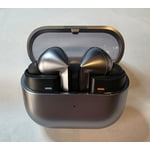
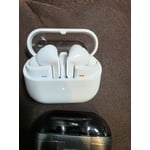
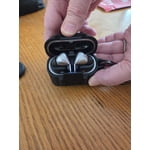
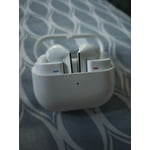
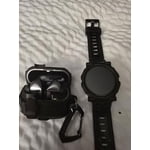
Member photos


+3765 images
Mic doesn't work with PC
MIC DOES NOT WORK WITH WINDOWS 11. It is only receiving at 3-11% microphone volume even when set to 100%. Searching finds that this is a common issue going back to other models of Buds but Samsung refuses to acknowledge it is a bug. Chatted support and they just said "have you tried it with other devices?". Tried on a 2nd Windows PC and same thing - microphone at 3% so the other end can't hear you at all. Told support that and they said "Well, did you try it with a phone?". It does work when paired to my android, but I purchased these to use VOIP on my PC. Great sound quality, but don't buy if you want to use as a headset with a PC.
Hi there Npfosse, thank you for sharing your thoughts with us about your Samsung Galaxy Buds3 Pro. We understand how important your phone calls are to you and wanting to ensure the crystal clear quality and hands free experience. We would be more than happy to help you troubleshoot this experience and recommend the following steps: Make sure that the microphone or headset is connected correctly to your computer. Make sure that the microphone is positioned correctly. Increase the volume of your microphone. Here's how to do this in Windows 11: Select Start > Settings > System > Sound. In Input, select a microphone to see its properties. In Input volume, make sure the blue bar adjusts as you speak into the microphone. If it doesn't, go to Test your microphone and Start test. This will help you troubleshoot any issues with your microphone. If this does not help you resolve this experience with your earbuds, we also recommend reaching out to the software company you are using for your VOIP calls. Thank you for being a Samsung customer. -Elizabeth Samsung Support smsng.us/Samsung-Support Samsung Community smsng.us/Samsung-Community Facebook smsng.us/Facebook-Messenger X https://smsng.us/X-Messages
Excellent sounds with some minor issues
[This review was collected as part of a promotion.] Excellent Sound with Some Minor Issues The Galaxy Buds3 Pro deliver amazing audio quality, especially if you're a Samsung user. The sound is clear, rich, and balanced, with deep bass and crisp highs. Active Noise Cancellation (ANC) works well, though not quite on the level of some competitors. The new stem design is comfortable and fits securely, making them great for workouts or long listening sessions. A cool feature is the hands-free voice control, which lets you adjust volume or playback without saying “Hey Bixby.” It’s a game-changer, especially when your hands are full. Battery life is solid, and they integrate seamlessly with Samsung devices. But there are a few odd issues. The most annoying? If you hold them in your hand, they sometimes make a weird screeching sound—it’s unsettling and unexpected. Also, no multipoint Bluetooth, so switching between devices isn’t seamless. Despite this, if you’re deep in the Samsung ecosystem, these are some of the best earbuds out there.
Great sound, but pro 2 fit better and charged...
[This review was collected as part of a promotion.] I have never had more of a frustrating experience. The buds do not charge properly too often. I clean them, and the case and too often I start a workout to find that one of the buds never charged and have to spend minutes playing with it to get the charge to start.
Thank you for sharing your experience with the Galaxy Buds3 Pro. We understand how frustrating it can be if your buds aren't charged, especially during important moments like your workouts. To ensure that your earbuds charge properly, we recommend checking a few things. First, please make sure you are using the included USB cable along with a Samsung-approved wall adapter for charging. If you are charging wirelessly, it is crucial to place the case directly in the center of your QI-compatible charging pad to ensure a proper connection. Also, if there is a cover on your charging case, that might interfere with wireless charging. Removing the cover can help, or you can choose to charge using the USB cable instead. Additionally, please double-check that the earbuds are seated correctly inside the case. They need to be snugly fit so that the charging contacts connect properly. Cleaning is key as well. Make sure the charging contacts on both the case and earbuds are free of debris. Over time, dust or wax can accumulate and cause charging issues. If you have not already, please refer to our guide on how to clean your earbuds effectively. Lastly, keep an eye on the indicator lights. If they are flashing red, it could indicate a problem that needs addressing. If you notice any damage to the case or earbuds, that could also affect charging performance. If you have gone through these steps and are still having trouble, we encourage you to reach out to us at Samsung Support. Our team is here to assist you and ensure that you get the most out of your Galaxy Buds3 Pro experience. -Kelvin smsng.us/Samsung-Support smsng.us/Facebook-Messenger smsng.us/X-Messages smsng.us/Samsung-Community smsng.us/Warranty-Info smsng.us/Samsung-Care-Plus
Not Impressed
[This review was collected as part of a promotion.] I bought them when they finally were released after a few push backs. They fit and feel awkward and seem to fall out often. They disconnect at least once per day for no apparent reason. The sound is amazing when everything else is well.
Thank you for sharing your experience with the Galaxy Buds3 Pro, Natty. We’re elated to see that you love the sound quality! We understand how it can be challenging when the fit isn’t quite right and when you notice disconnections. If your earbuds are disconnecting frequently, it might be related to a poor Bluetooth connection or how they're fitted in your ears. Ensuring they’re properly inserted can really enhance your experience, and it's also a good idea to check that your Bluetooth connection is secure. Don't forget to keep your earbuds' software updated for the best performance! To assist you further, we’re including a couple of links below to help troubleshoot the connection and achieve the right fit for your earbuds. We want to make sure you're enjoying every moment of your listening experience! If you have any other questions or need more assistance, feel free to reach out to us at Samsung Support! -Kelvin https://www.samsung.com/us/support/troubleshoot/TSG10001339/#:~:text=If%20your%20Galaxy%20Buds%2C%20Galaxy,Check%20the%20earbuds%27%20battery%20status. (Bluetooth connection) https://www.samsung.com/us/support/answer/ANS10003519/ (fitting guide for Galaxy Buds3 Pro) smsng.us/Samsung-Support smsng.us/Facebook-Messenger smsng.us/X-Messages smsng.us/Samsung-Community smsng.us/Warranty-Info smsng.us/Samsung-Care-Plus
This product is amazing!
[This review was collected as part of a promotion.] My favorite feature is how I can listen to others when I am listening to my music, before this I would have no idea that someone was talking to me. Now I can notice when someone wants to get my attention and engage in the conversation without feeling bad that I couldn't hear them.
Best noise cancelation feature and best responses.
[This review was collected as part of a promotion.] Love different modes for audio like you choose from movie, bass for music and clear for educational videos. Like the adaptive nature and easy to connect. Designed perfectly to fit my ear i would say. Water and sweat resistant.
Less good, More Trash
Amazing Sound, just a steps up from Buds 2 Pro. They stay in the ear's better than the 2. Trash battery life compared to Buds 2, even with all of the features and ANC turned off, I don't get 5 hours out of them. Trash ear tips, good luck getting these ear tips off for cleaning, and even more luck for trying to get them back on, makes my blood boil how these are designed. Worse, on Samsung support page on how to replace ear tips, it shows notches on the buds pro 3 for them to click back in, but mine don't even have notches, just a small dot.
Thank you for sharing your experience with the Galaxy Buds 3 Pro! We’re glad to know that you find the sound quality amazing and an upgrade from your previous model. Regarding battery life, while the Buds 3 Pro are designed to offer extended playback, factors such as volume levels and the use of various features can impact battery performance. To ensure optimal usage, please keep the earbuds in the charging case with the cover closed when they are not in use. Also be sure to adjust notification settings, use the Galaxy Wearable app on your connected phone. If you are using iOS, you can adjust the notification settings in the Galaxy Buds app. We understand that ear tip removal and reattachment can be tricky. To ensure a proper fit and easy cleaning, it’s best to align the ear tip with the bud and push firmly until you feel or hear a slight click. If you're finding this particularly difficult, please refer to our support page for a step-by-step guide on how to properly clean and replace the ear tips. We appreciate your feedback about the design of the ear tips. Our team is always looking for ways to improve user experience, and your insights are invaluable in that process. If you have any additional questions or need further assistance, feel free to reach out to us at Samsung Support! -Kelvin smsng.us/Samsung-Support smsng.us/Facebook-Messenger smsng.us/X-Messages smsng.us/Samsung-Community smsng.us/Warranty-Info smsng.us/Samsung-Care-Plus
Upgraded from buds 2 pro
[This review was collected as part of a promotion.] I just recieved the buds 3 pro, and I just have to say, they are absolutely stunning. Sound is crisp and clean, the new blade style stem design looks amazing, and the integration of the galaxy AI into the new generation of buds is flawless. Overall, it's is everything I had hoped for in an upgrade.
poor case design
C'mon Samsung do some more research and testing on your products before you sell them.. why do I I have to turn each bud 180 degrees before putting it in my ear? I should just be able to grab it from the case and go right in my ear. I shouldn't have to fumble around with it every time I want to use them or put them away! Oh is it so lights that don't do anything are visible from the case? Hahaha what a joke.. good quality sound but the microphone picks up a lot of ambient noise
Hey Pukebottom, we appreciate you sharing your thoughts with us about your Samsung Galaxy Buds3 Pro. We understand that the new redesign of the earbuds and the charging case can take some adjustment time with usage. We have provided a link to an article to help you with the ambient sound with your microphone at your convenience. We are happy to hear you are pleased with the other features and aspects of your new earbuds, and have provided a link to the Samsung Support Team. You can reach out to these experts if you ever have questions, or would like assistance with any of your Samsung products. Thank you for being a Samsung customer. -Elizabeth Use call features on your Samsung earbuds https://www.samsung.com/us/support/answer/ANS00078132/ Samsung Support smsng.us/Samsung-Support Samsung Community smsng.us/Samsung-Community Facebook smsng.us/Facebook-Messenger X https://smsng.us/X-Messages
No multipoint makes these useless for me.
No multipoint is an absolute travesty. My original buds pro and buds 2 pro both worked seamlessly connecting to my work desktop and phone at the same time. These are comfortable, sound good, and look good, but having no multipoint makes these useless to me. Samsung took a few steps back with the latest generation of buds and phones.
Thank you for sharing your feedback about the Galaxy Buds3 Pro with us, Peter! We noted your concern with the lack of multipoint connectivity. However, we’re excited to let you know that the Galaxy Buds3 Pro comes equipped with PC Auto Switch, allowing you to effortlessly switch between your Galaxy phone and your PC. You can enjoy your favorite playlists on your phone and then seamlessly transition to your laptop for that crucial gaming moment without missing a beat. We’re confident that the Buds3 Pro will elevate your audio experience, combining comfort, sound quality, and versatility in one package. We appreciate your support and are dedicated to continuously improving your experience with Samsung! If you have any further concerns or questions, please be sure to reach out to us at Samsung Support. -Kelvin smsng.us/Samsung-Support smsng.us/Facebook-Messenger smsng.us/X-Messages smsng.us/Samsung-Community smsng.us/Warranty-Info smsng.us/Samsung-Care-Plus