Join Now
Skip to Main Content
Sam's Club
Sam's Club
All Departments
All Services
Customer reviews for Samsung Galaxy Buds3 Pro for
Samsung Galaxy Buds3 Pro
4.4 out of 5 stars
stars
14.8K ratings14.8K reviews
  1. 5 stars69% (10.1K)
  2. 4 stars16% (2,431)
  3. 3 stars7% (1,038)
  4. 2 stars4% (564)
  5. 1 star4% (619)

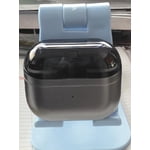
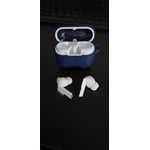
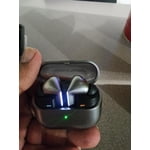
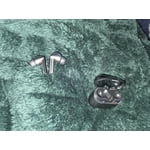
Member photos

  • +3976 images
Sort by |
Showing 8,091-8,100 of 14,844 reviews
Oct 15, 2025
Reviewer name: joeC
1 out of 5 stars
1 out of 5 stars review

sound is great but...

I wanted to love these but I have a major complaint. The sound is great, fit is great, battery life great BUT I bought these specifically for the voice command function which is terrible. It has only worked a handful of times. Would not recommend fir this feature.

Review from Samsung US
Helpful?3MTCIEJ7RGUC18797511992
reply from R&R

Greetings joeC, Thank you for reaching out and sharing your experience with your Galaxy Buds3 Pro. We're glad to hear you're enjoying them so far. Here's some information to help you fine-tune your voice command setup. Activating voice commands on your buds allows you to control music playback, adjust volume, and answer calls using your voice. If you’ve configured a voice assistant like Bixby on your phone, your buds can also utilize it. The Galaxy Buds3 and Galaxy Buds3 Pro have their own voice commands, which can be enabled through the Galaxy Wearable app. Open the app on your connected device, go to Earbuds settings, then select Voice controls. Turn on the switch at the top to activate voice commands. Once activated, you can give commands such as: “Play music,” “Stop music,” “Next song,” or “Previous song" for media control; “Volume up” or “Volume down" for adjusting volume; and “Answer call” or “Reject call" for handling calls. Ensure your microphone faces toward your mouth for optimal recognition. Additional details about voice commands for your Galaxy Buds3 Pro are linked below. We value your feedback and are happy to have you as part of the Samsung community. Use voice commands with your Galaxy Buds https://www.samsung.com/us/support/answer/ANS10003614/ -Ty Samsung Support smsng.us/Samsung-Support Samsung Community smsng.us/Samsung-Community Facebook smsng.us/Facebook-Messenger X https://smsng.us/X-Messages

Aug 12, 2024
Reviewer name: Davi11
5 out of 5 stars
5 out of 5 stars review

Best buds I've ever had.

[This review was collected as part of a promotion.] The new design is the most comfortable buds. I really like being able to turn up or down the volume by speaking volume up. The stem design is easier to control the units. Very cool using AI to do on the fly translate.

Review from Samsung US
Helpful?3MTCIEJ7RGUC18797511992
Aug 19, 2025
Reviewer name: Kiki24
3 out of 5 stars
3 out of 5 stars review

Love them, but they have flaws

[This review was collected as part of a promotion.] I really enjoy my buds, but they have a tendency to fall out. If they get nudged or if I lean over, they fall out. Which is really frustrating because I can't use them at the gym or doing anything too active. I do love them when Im just sitting or walking around, good sounds and I like the features to pause and raise/lower the volume.

Review from Samsung US
Helpful?3MTCIEJ7RGUC18797511992
reply from R&R Team

Thanks for your review of the Galaxy Buds3 Pro, Kiki! We want you to enjoy your buds in every setting, especially while you’re active and in the gym. To get the best sound, make sure you have the correct size ear tips for your ears. A good fit is really important to avoid any sound leaks. If you need help with changing the tips, be sure to check out our guide. When you’re putting them in, remember to match the R and L marked on the earbuds. The right one goes in your right ear, and the left goes in your left. Angle them a bit so the microphone is pointing towards you, and feel free to adjust them until they feel just right. You can also do an earbud fit test in the Galaxy Wearable app to make sure they fit well. We hope you love using your Galaxy Buds3 Pro during your workouts and all your activities! For any further concerns or questions, please feel free to reach out to us at Samsung Support. -Kelvin smsng.us/Samsung-Support smsng.us/Facebook-Messenger smsng.us/X-Messages smsng.us/Samsung-Community smsng.us/Warranty-Info smsng.us/Samsung-Care-Plus

Sep 28, 2024
Reviewer name: kimba
5 out of 5 stars
5 out of 5 stars review

Great ANC, Comfort, Features

Best buds I've owned. I have the Jabra 7 Elite and the Bose Quite Comfort Ultra. Honestly, these buds have the best sound quality and noise cancelling. I love the design, the magnetic hold in the case, the features and the comfort, I wear them all day for meeting days and never have problems. It took a little adjusting to find the best fit for true ANC. Once I found it, I was very impressed!   I just wish Samsung had replacement tips.

Review from Samsung US
Helpful?3MTCIEJ7RGUC18797511992
Oct 4, 2025
Reviewer name: Shady429
4 out of 5 stars
4 out of 5 stars review

Great quality bad fit

[This review was collected as part of a promotion.] I love the overall quality the earbuds but they don't fit securely in my ear. I have tried all of the tips and nothing helps with keeping them in my ear. I have not experienced the galaxy Ai but look forward to trying that out with these ear buds.

Review from Samsung US
Helpful?3MTCIEJ7RGUC18797511992
Feb 18, 2025
Reviewer name: Shloid
5 out of 5 stars
5 out of 5 stars review

Great buds, meh case

[This review was collected as part of a promotion.] I love the earbuds but I'm not a huge fan of the case. I love the shape and the opening but putting the tips of the buds into the case is a little annoying. The earbuds themselves are flawless though. I use it for music, podcasts, videos and phone calls and it functions perfectly. I love the gesture controls as well. They works quite well. A lot better than the previous gen that required me to tap my ear.

Review from Samsung US
Helpful?3MTCIEJ7RGUC18797511992
Oct 8, 2025
Reviewer name: Tramston
1 out of 5 stars
1 out of 5 stars review

Good listening, awful microphone

Every person I called while using these headphones said they couldn't hear me. The listening sound quality was great, and this was my 4th set of Samsung buds in the last 5-6 years so I'm a fan in general, but this version I had to return because the microphone(s) were awful

Review from Samsung US
Helpful?3MTCIEJ7RGUC18797511992
reply from R&R

Greetings Tramston, Thank you for your detailed feedback on the Galaxy Buds3 Pro. You praised the excellent audio quality and pointed out areas for enhancing call clarity. Samsung is always working to improve its microphone array and noise pickup technology to ensure calls are just as clear as music playback. Your insights from experienced Galaxy users help us uphold the high standards that make our Buds a leader in immersive, high-quality audio. For more tips on improving call quality by adjusting the microphone mode, please refer to the article linked below. We appreciate your review and thank you for being part of the Samsung family! Change the microphone mode on your Galaxy phone or tablet https://www.samsung.com/us/support/answer/ANS10002555/ -Ty Samsung Support smsng.us/Samsung-Support Samsung Community smsng.us/Samsung-Community Facebook smsng.us/Facebook-Messenger X https://smsng.us/X-Messages

Sep 15, 2025
Reviewer name: Jbozie
2 out of 5 stars
2 out of 5 stars review

Almost perfect

[This review was collected as part of a promotion.] I love the Galaxy AI option. However mine are not reading my notifications outload for some reason. My only buds still do. Trying to find a missing option or update that I may not have on. Great for music, audible while at work. Haven't used to watch a movie yet. Also great while talking on the phone.

Review from Samsung US
Helpful?3MTCIEJ7RGUC18797511992
reply from R&R Team

Thank you for your feedback on the Galaxy Buds3 Pro, Jbozie. We’re glad to see that you love the Galaxy AI option and appreciate how great the buds are for music and phone calls! If your notifications aren't coming through, you might want to check the settings on your paired phone or tablet. You can easily do this with the Galaxy Wearable app. Just open the app, navigate to the Home screen, tap on “Read notifications aloud,” and make sure to turn on “Read aloud while using phone.” This will enable notifications to come through on your earbuds, no matter which model you’re using. You can also select which specific apps you’d like to hear notifications from by tapping “See all” under the apps list. For the original Galaxy Buds, just go to “Manage notifications.” Also, it’s helpful to check that Do Not Disturb and Wind Down mode are disabled, as these can affect notifications. If you still need assistance with this or anything else, please don’t hesitate to reach out to us at Samsung Support. We’re here to help you make the most of your earbuds! -Kelvin smsng.us/Samsung-Support smsng.us/Facebook-Messenger smsng.us/X-Messages smsng.us/Samsung-Community smsng.us/Warranty-Info smsng.us/Samsung-Care-Plus

Feb 11, 2025
Reviewer name: Benjamin
4 out of 5 stars
4 out of 5 stars review

The audio quality of the Buds 3 Pro is amazing

[This review was collected as part of a promotion.] I upgraded from the Buds 2 Pro to the Buds 3 Pro and the difference was night and day. The Buds 2 Pro already had amazing sound quality and fit but the Buds 3 Pro took it to another level, they were improved in every aspect and I couldn't be happier with the experience and sound

Review from Samsung US
Helpful?3MTCIEJ7RGUC18797511992
Jun 10, 2025
Reviewer name: Andyx05
5 out of 5 stars
5 out of 5 stars review

Amazing sound quality

[This review was collected as part of a promotion.] My buds 3 pro have been amazing. I use them for work during zoom meeting and the quality is top notch. When watching a movie on my s25 ultra they really make me feel like im in a theater. They are greaf for any situation

Review from Samsung US
Helpful?3MTCIEJ7RGUC18797511992