

Member photos

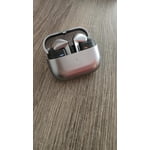



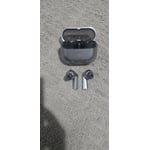
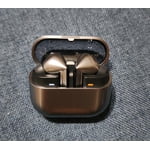
 +3895 images
Great big product in a little package.
[This review was collected as part of a promotion.] I will start out by saying Samsung always packs in great features in their products. These ear buds pack a big punch in a small product. I love music and especially music with a lot of bass and listening to my music in a regular pair of headphones of a different brand was decent but when I got these and tried my music I was blown away by the difference in the sound! There is a small app that takes up no room, that has a control for everything including making sure you have a great fit. You can go from regular sound all the way to complete noise canceling and even ambiance sounds as well, great for if you are out for a jog and want some outer sounds to come through, including emergency sirens. You can set equalizer settings to your preferences, you can control each ear bud and even find my ear buds. The settings allow you to make sure you have a good fit and if the tips are a good size. It will keep an eye on your charge for the case as well as your buds which is a great feature so you aren't wondering if you need to charge the case. And the find my buds feature is a must for any earbuds. These honestly are by far the best I've ever tried and now I can't go back to listening on anything else as it all sounds flat. The battery lasts surprisingly long while using complete noise canceling and to charge them again is extremely fast to get you back to jamming out! I can not think of anything they didn't include to make these any better.
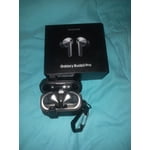
Great Choice
[This review was collected as part of a promotion.] Amazing sound and features. I do prefer a touch rather than a pinch-like button function, but I do love the ability to control the volume. Considering the connection issues with non-samsung devices, down to the amazing Noise Canceling, I'm happy with my purchase.
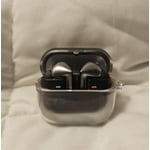
Great, comfortable, reliable = Good!!
[This review was collected as part of a promotion.] I take my buds3 pro everywhere, and I love so much how the noise cancelation works, I could be in middle of a noisy party but with these I only hear my music and is so nice. Also, they work nice when I activate the Galaxy AI, because I dont even have to take my phone out to use it.
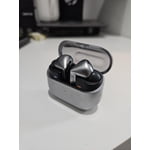
These ear buds are the best.
[This review was collected as part of a promotion.] The battery life for the Galaxy Buds3 Pro is fantastic. The audio quality is amazing. I like how I'm able to check the battery status of both the case and the ear buds by simply opening the case. The phone would automatically tell me the battery percentages for both of them. In the Samsung Wearable application, I like how I'm able to choose between the four different modes including Active Noise Cancelling, Adaptive, Ambient Sound and Off.
Very Uncomfortable
I bought these last week, because I lost my Sony XM5 earbuds. The sound quality is decent. The app works properly as does the ANC. The issue that I have is they are very uncomfortable. My ears are very sore after hours of wear. It gets worse as days go by. I don't see how the designers let these go on the market like this. They look cool, but the phrase "no pain, no gain" should not apply here.
Hi ServernOne, thank you for sharing your thoughts about your Samsung Galaxy Buds3 Pro with us. We completely understand how frustrating it is when you have a brand new device that is not meeting your expectations. We have provided a link to an article to help you with the placement for a secure and comfortable fit. We also recommend using the Samsung Wearables App to help you perform a fit test for any recommendations for this matter. We have lastly, shared a link to the Samsung Support Team to offer additional assistance if this experience continues. Thank you for being a Samsung customer. -Elizabeth How to wear your Samsung Galaxy Buds3 and 3 Pro https://www.samsung.com/us/support/answer/ANS10003519/ Samsung Support smsng.us/Samsung-Support Samsung Community smsng.us/Samsung-Community Facebook smsng.us/Facebook-Messenger X https://smsng.us/X-Messages
Earbuds s3 pro
[This review was collected as part of a promotion.] These earbuds are pretty awesome for listening to tunes. The sound quality is surprisingly good, and they fit comfortably in my ears. They're great for working out because they don't fall out easily. The battery life is decent, lasting through my whole commute. Plus, the charging case is small and convenient to carry around. The controls are easy to use, and I like the sleek design. Overall, they're a solid choice for everyday use.
I Love this product.
[This review was collected as part of a promotion.] The Galaxy Buds 3 Pro are among the best wireless earbuds for Samsung users—packed with features, great audio, and premium build. Just be cautious of firmware issues and ANC performance if you're expecting Bose-level silence.
Hi Pham! Thank you for sharing your thoughts about the Galaxy Buds3 Pro! We’re excited to hear from you and want to help ensure you're having the best experience possible. If you’re noticing sound leakage or a dip in performance, let’s take a moment to explore a few things that could enhance your listening experience. First, it’s important to make sure the earbuds are worn properly. A proper fit will really optimize their effectiveness. Also, check that you're using the right size ear tip. If the size is smaller than your ear hole, it might not give you the best seal. Lastly, be sure that the ear tips are installed correctly in the earbud groove. We want you to fully enjoy your Galaxy Buds3 Pro, so if you have any other questions or need assistance, please reach out to us at Samsung Support. -Kelvin smsng.us/Samsung-Support smsng.us/Facebook-Messenger smsng.us/X-Messages smsng.us/Samsung-Community smsng.us/Warranty-Info smsng.us/Samsung-Care-Plus
Best Earbuds I've owned
[This review was collected as part of a promotion.] I've owned all the different versions of the Galaxy Earbuds and to me the Galaxy Buds3 pro are the best Samsung has made! I tried my Daughter airpods out but I can truly say that I recommend to anyone wanting to purchase Earbuds that they should purchase the Galaxy Buds3 pro because they are top of line!!!
Not the best design
I hate this design they don't stay in your ears you also have to squeeze them very hard to change a songs and let's not forget about trying to turn the volume up another headache and when you on the phone they have the audacity to be sensitive so if you move your hair out the way and accidentally touch them they hung up your call please go back to the old design. Signed a samsung earbuds holder
We appreciate you taking the time to share your feedback about the Galaxy Buds3 Pro, Kcarter87. Your feedback is essential as we continue to make improvements. To improve the fit and make sure the earbuds stay securely in place, we recommend selecting the ear tips that fit your ears best from the provided options, ensuring a snug seal without gaps. When inserting the earbuds, align the directional marks (L for the left ear and R for the right ear) and rotate them slightly to achieve a comfortable and stable fit. Adjustments like angling the earbuds toward your mouth can also help enhance their stability. In regards to the gesture controls, the earbuds feature pinch and swipe areas that are designed for convenience. Pinching once can play or pause tracks, while swiping adjusts volume levels. To avoid unintentional gestures, it’s essential to avoid covering the touch-sensitive sensor or making contact with sharp objects. Cleaning the sensor regularly helps maintain responsiveness and minimizes unexpected actions, such as hanging up calls. We appreciate your feedback about the design, and your thoughts are valuable for improving user experience. Let us know if you need additional guidance on using the Galaxy Buds3 Pro effectively! For any questions or concerns, please reach out to us at Samsung Support. -Kelvin smsng.us/Samsung-Support smsng.us/Facebook-Messenger smsng.us/X-Messages smsng.us/Samsung-Community smsng.us/Warranty-Info smsng.us/Samsung-Care-Plus
Stylish buds
[This review was collected as part of a promotion.] I did a lot of research and the one con I had going into getting these buds was no wireless charging while the buds are in the case. Welp that was entirely wrong and they can charge on a wireless pad. So far the only thing that has me even the slightest irritated is that it's not truly nice canceling. I use my buds for everything. Work, leasure and gym. And at the gym that's the one place I really need to block out side distractions and I find myself adjusting them at times to hear less of the outside world. And even then I can still faintly hear those around me. If not for that I'd truly believe these buds would be 5/5 stars