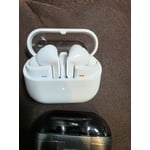
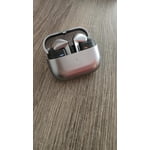
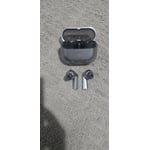
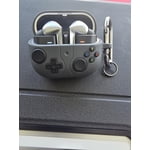
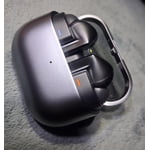
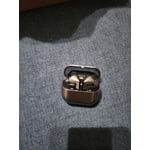
Member photos


+3767 images
Verified Purchase
Good but not great
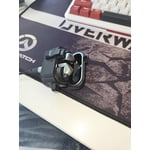
Previous buds 2 were better fit and noise cancelling. Charging is hit or miss. Sometime when putting the buds in the case they don't charge or stop charging. Frustrating when you think they'll be done charging after all night but only to find out they're still dead
Thank you for sharing your thoughts on the Galaxy Buds3 Pro, Angell! We appreciate your feedback and want to ensure you have the best possible experience with our products. We understand that fit and noise cancellation are vital for enjoying your audio. The Galaxy Buds3 Pro are designed with an ergonomic fit and enhanced active noise cancellation features, providing a more comfortable experience and allowing you to immerse yourself fully in your music without distractions. The Galaxy Buds3 Pro comes with different-sized ear tips. The first thing you want to do is make sure they have the right size tips for your ears. You want them to fit so there isn't a gap between your ear and the ear tip. This helps to avoid sound leaks and ensure optimal audio. You can also run an earbud fit test in the Galaxy Wearable app to ensure you have the proper fit. Regarding charging, we’ve introduced improvements to the charging case to help provide a more reliable experience. The Galaxy Buds3 Pro supports both wired and wireless charging, ensuring that you have flexible options to keep your buds powered up. We recommend checking that the charging contacts on both the buds and the case are clean, as this can sometimes affect the charging process. We truly value your feedback as it helps us continually enhance our products. If you have any more questions or need assistance, please feel free to reach out to us at Samsung Support. Enjoy your audio experience with the Galaxy Buds3 Pro! -Kelvin smsng.us/Samsung-Support smsng.us/Facebook-Messenger smsng.us/X-Messages smsng.us/Samsung-Community smsng.us/Warranty-Info smsng.us/Samsung-Care-Plus
Verified Purchase
Good enough theory, but the execution lacks.
Software, great. Performance, great. Integration, great. Fit, not so great. Controls, horrible. They stay in my ear but can get sore. I don't trust the squeeze controls enough to use during the day. I've had no problems with the case and charging. They're not great enough for me to move on from my Buds 2 Pros. Only silver and white colors?
Thank you for sharing your detailed feedback on the Galaxy Buds3 Pro. It is great to see that you are impressed with the software, performance, and integration of the earbuds. The Buds3 Pro are designed to deliver an advanced user experience. Concerning the fit, the Galaxy Buds3 Pro comes with replaceable ear tips that aim to provide customizable comfort. If they're still not comfortable, exploring different sizes or adjusting the positioning of the earbuds to better suit your ears may help. The pinch controls are intended to provide convenient functionality, but we understand that they might take some time to get used to. Regarding the charging and the buds case, it’s awesome to know that these aspects meet your expectations. For color options, the Galaxy Buds3 Pro are currently available in silver and white to complement their sleek design. Be sure to stay tuned, you never know if we decide to roll out some more options. We appreciate your insights! For any further concerns or questions, please be sure to reach out to us at Samsung Support. -Kelvin smsng.us/Samsung-Support smsng.us/Facebook-Messenger smsng.us/X-Messages smsng.us/Samsung-Community smsng.us/Warranty-Info smsng.us/Samsung-Care-Plus
Verified Purchase
Poor Bluetooth reliability.
I have a Samsung Smart TV, and every time I change the "source" (i.e. Netflix, Amazon Prime, UTube, External Antenna, the Samsung Galaxy Buds3 Pro Silver "looses it Bluetooth connection. I have to put the earbuds back into the charging case, inorder to re-establish the Bluetooth connection. Not Good!
Thank you so much for sharing your experience with the Galaxy Buds3 Pro! We understand how important a seamless connection is, especially when switching between different sources like your Samsung Smart TV. To enhance your experience, we recommend checking for any updates for your Buds through the Samsung Wearable app, as well as ensuring that your TV software is up to date. Keeping both devices updated can significantly improve connectivity and performance. If you continue to face challenges with this, please don’t hesitate to reach out to us at Samsung Support. -Kelvin smsng.us/Samsung-Support smsng.us/Facebook-Messenger smsng.us/X-Messages smsng.us/Samsung-Community smsng.us/Warranty-Info smsng.us/Samsung-Care-Plus
Verified Purchase
8/10
So far so good I would give 10/10 but I find the buttons on the buds to be more difficult to use from previous Galaxy buds. The AI experience should be smooth and have less stuff to work around just to use it. Looking forward to an update. Needs to be more user friendly.
Verified Purchase
Good earbuds, good sound quality, decent features.
Good earbuds and easier to put in and remove than the Buds2, as well as the swipe controls. The sound is great and the noise cancelling are good. The page advertises "auto translation", but if they do it, it's not a feature of the buds themselves so much as SPECIFIC app functions hosted by the phone, from what I can tell. I tried to test it by watching Japanese vtubers on Youtube, and it doesn't seem to do anything, and I can't find a setting to turn on to make it work. That said, they work good and have good battery life.
Verified Purchase
Galaxy Buds 3 pro
I like everything about the galaxy buds 3 Pro except for one important thing. They do not stay in my ear. I have swapped out all the ear tips to try getting a better fit. So now i have wasted my money on these ear buds because i have to keep trying to adjust them when i am trying to wear them.
Hi Brandon, we appreciate you taking time out of your day to share your experience with your Samsung Galaxy Buds3 pro with us. We understand how frustrating it must be to have a brand new device that is not meeting your expectations for prolonged use. We have provided a link to an article to help you with the placement and recommend following up with a fit test you can do in the Samsung Wearables App. We have also provided a link to the Samsung Support Team if this experience continues and you would like to discuss it further. Thank you for being a Samsung customer. -Elizabeth How to wear your Samsung Galaxy Buds3 and 3 Pro https://www.samsung.com/us/support/answer/ANS10003519/ Samsung Support smsng.us/Samsung-Support Samsung Community smsng.us/Samsung-Community Facebook smsng.us/Facebook-Messenger X https://smsng.us/X-Messages
Verified Purchase
Theyre ok
Not a very good design. Theyre constantlyfalling out becaise thebshaft part is heavier than the budso its constantly dragging down and out, battery doesnt last as long as the buds 2, but controls are easier to use. Give up comfort olfor function and give up creativity to copy another non-named companies design
Thank you for sharing your thoughts on the Galaxy Buds3 Pro. We appreciate your feedback and want to help enhance your experience. We noted your concerns about the earbuds falling out. While the design aims to provide a secure fit, it is important to find the right size of ear tips to ensure they stay in comfortably during use. We encourage you to experiment with different sizes to see what works best for you. Regarding battery life, the Galaxy Buds3 Pro offer impressive performance with up to 26 hours of playtime on a single charge and even up to 30 hours with a fully charged case. To help extend battery life even further, we recommend keeping your earbuds in the charging case with the cover closed when they are not in use. Additionally, adjusting the notification settings in the Galaxy Wearable app or the Galaxy Buds app on iOS can also help conserve battery power. We are glad to see that you find the controls easier to use. User-friendly features are a priority for us. Your feedback on comfort versus function and design is important, and we will continue to strive for a balance that meets our customers’ needs. Thank you again for your insights. We hope these tips help improve your experience with the Galaxy Buds! For any further concerns or questions, please be sure to reach out to us at Samsung Support. -Kelvin smsng.us/Samsung-Support smsng.us/Facebook-Messenger smsng.us/X-Messages smsng.us/Samsung-Community smsng.us/Warranty-Info smsng.us/Samsung-Care-Plus
Verified Purchase
Nice
The Galaxy Buds 3 Pro offer an exceptional user experience, characterized by superior comfort and audio quality. However, a recurring issue arises when utilizing specific applications, such as Line, where the left earbud malfunctions during voice communication.
Hey Lourdes! Thanks for reaching out to share your experience with the Galaxy Buds3 Pro. We appreciate your insights about comfort and audio quality, as these are key features we prioritize in our design. We continuously strive to improve user experiences, and your comments about the left earbud during voice calls are invaluable. We suggest ensuring that the app software and the earbuds are up to date with the latest software update. You can also perform a manual reset if needed. Insert the earbuds into the charging case and close the lid. Wait at least seven seconds, and then remove the earbuds. They will restart and automatically reconnect to your device. Samsung products are covered by a 12-month limited warranty against manufacturing defects in material and workmanship. You also have the option to purchase additional coverage with Samsung Care+ for eligible devices, which provides extended protection and extra support. If this persists, please be sure to reach out to us at Samsung Support so that we can further assist you. -Kelvin smsng.us/Samsung-Support smsng.us/Facebook-Messenger smsng.us/X-Messages smsng.us/Samsung-Community smsng.us/Warranty-Info smsng.us/Samsung-Care-Plus
Verified Purchase
Among the top-tier wireless earbuds for 2024
They're good. The stick style isnt my fav & Ive had to get use to them, but the sound is really good. I do wish there was a Galaxy Ear bud app like all the other brands have for their apps that you can download. A more realistic darker metalic finish would also make them look more premium.
Hi there Brandon, we appreciate you sharing your thoughts about your Samsung Galaxy Buds3 Pro with us. We are so happy to hear you are overall pleased with the features and functionality of your earbuds. The Samsung Wearables App is the app that is used to control the settings of your earbuds and adjust the ANC intensity and others. We have provided a link to the Samsung Support Team to help you directly through chat with your earbuds. We appreciate you being a Samsung customer. -Elizabeth Samsung Support smsng.us/Samsung-Support Samsung Community smsng.us/Samsung-Community Facebook smsng.us/Facebook-Messenger X https://smsng.us/X-Messages
Verified Purchase
Great Translation
The Samsung Galaxy Buds3 Pro in Silver are fantastic! The sound quality is super clear with great bass, making music and calls sound awesome. The active noise cancellation is top-notch, blocking out background noise perfectly, and the ambient mode is super handy when I need to hear what's around me. They’re also really comfortable to wear, even for hours. The silver design looks sleek, and they fit snugly without slipping. The battery lasts a long time, and the case is small and easy to carry. Plus, the touch controls are simple and responsive. Overall, these are some of the best earbuds I’ve tried – great sound, great fit.