Skip to Main Content
Sams Club
Sams Club
Customer reviews for Samsung Galaxy Buds3 Pro for
Samsung Galaxy Buds3 Pro

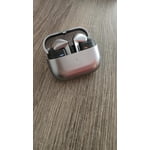
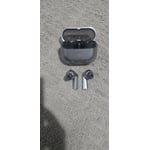
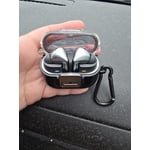
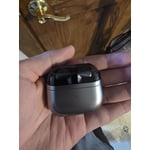
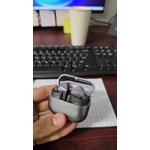
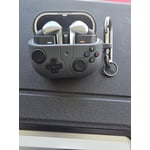
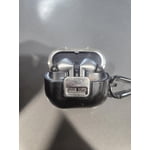
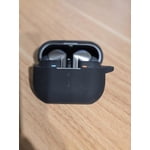
Member photos

  • +3555 images
Sort by |
Showing 6,611-6,620 of 13,598 reviews
Sep 23, 2024
Tommose
5 out of 5 stars review

Verified Purchase

Samsung galaxy

They sound real good in your ear and very good quality

Review from Samsung US
Helpful?3MTCIEJ7RGUC18797511992
Oct 4, 2024
Anonymous
4 out of 5 stars review

Verified Purchase

Blown Away

Awesome but i wish the clip case would let it wirelessly charge

Review from Samsung US
Helpful?3MTCIEJ7RGUC18797511992
Mar 5, 2025
Diego
1 out of 5 stars review

Verified Purchase

Terrible purchase

The headphones came in faulty , the cancellation of ambient noise makes horrible sounds .

Review from Samsung US
Helpful?3MTCIEJ7RGUC18797511992
reply from R&R Team

Thank you for sharing your feedback on the Galaxy Buds3 Pro, Diego. We understand how crucial it is to have a seamless audio experience, and we want to help resolve the sound quality you mentioned with the noise-canceling feature. When Active noise canceling, Adaptive, or Ambient sound is enabled, the sound coming through the sub-microphone (located on the top outer edge of your earbuds) is adjusted according to the noise control mode and delivered to the user through the speaker. However, if you touch or cover the area around the sub-microphone while putting your Galaxy Buds on, taking them off, or adjusting them, the microphone may detect sound and cause a beeping or howling noise. To prevent this, make sure the sub-microphone is not covered when you hold the earbuds, especially when Active noise canceling, Adaptive, or Ambient sound is on. If you continue to experience these sounds, we recommend reaching out to our support team via WhatsApp or LiveChat. We're here 24/7 to assist you and ensure you have the best experience with your Galaxy Buds3 Pro. You can also reach out to us at Samsung Support if you have any further concerns or questions. -Kelvin smsng.us/Samsung-Support smsng.us/Facebook-Messenger smsng.us/X-Messages smsng.us/Samsung-Community smsng.us/Warranty-Info smsng.us/Samsung-Care-Plus

Sep 12, 2024
Yaman
1 out of 5 stars review

Verified Purchase

Bad

It felt really uncomfortable to wear these buds and also my ear is bleeding after using it

Review from Samsung US
Helpful?3MTCIEJ7RGUC18797511992
reply from Social Commerce

Hi there Yaman, we appreciate your feedback on your Samsung Galaxy Buds3 Pro. We understand how important an uninterrupted listening experience is to you and the comfort of your earbuds being crucial in this experience. We have provided a link to the Samsung Support Team to help you troubleshoot your specific experience with the discomfort you mention. Thank you for being a Samsung customer. -Elizabeth Samsung Support smsng.us/Samsung-Support Samsung Community smsng.us/Samsung-Community Facebook smsng.us/Facebook-Messenger X https://smsng.us/X-Messages

Sep 24, 2024
Maldf4
5 out of 5 stars review

Verified Purchase

Best Earbuds

Best set of earbuds that I have owned. Great features and comfort.

Review from Samsung US
Helpful?3MTCIEJ7RGUC18797511992
Feb 28, 2025
Alex
1 out of 5 stars review

Verified Purchase

Fall out easily

Really bad fit, fall out easily. Sound quality is ok

Review from Samsung US
Helpful?3MTCIEJ7RGUC18797511992
reply from R&R Team

Thank you for your honest feedback about the Galaxy Buds3 Pro, Alex! We’re glad to see you like the sound quality these buds offer. The Buds3 Pro features a dual amplifier system powered by our first-ever independently controlled woofer and tweeter, allowing you to experience a wide range of sounds. Regarding the fit, we understand how crucial it is to get the perfect size for your ears. The Buds3 Pro come with multiple ear tip sizes, and using the right one can significantly improve your experience by preventing sound leaks and enhancing audio quality. If you haven’t already, I highly recommend trying out the different ear tips included with your buds to find the best fit for you. It’s also helpful to double-check that you’re inserting the earbuds correctly—make sure the “R” and “L” marks are positioned towards you when you place them in your ears. For added assistance, you can run the earbud fit test in the Galaxy Wearable app. This feature can help confirm whether you have the right fit. If you need any guidance on changing sizes, our tip replacement guide is an excellent resource! We truly appreciate your input and hope these tips enhance your experience with the Galaxy Buds3 Pro! If you have further questions or need assistance, do not hesitate to reach out to us at Samsung Support. -Kelvin smsng.us/Samsung-Support smsng.us/Facebook-Messenger smsng.us/X-Messages smsng.us/Samsung-Community smsng.us/Warranty-Info smsng.us/Samsung-Care-Plus

Sep 24, 2024
Brad
5 out of 5 stars review

Verified Purchase

Galaxy buds pro 3

They Rock! Great sound awesome hands free options.

Review from Samsung US
Helpful?3MTCIEJ7RGUC18797511992
Dec 25, 2024
Murph
5 out of 5 stars review

Verified Purchase

Earbuds

Good sound quality, very good seal, super comfortable fit, very happy with my purchase

Review from Samsung US
Helpful?3MTCIEJ7RGUC18797511992
Dec 27, 2024
bobk
2 out of 5 stars review

Verified Purchase

hard to fit

hard to make fit in ear, feels cheap. have to order aftermarket ear pieces

Review from Samsung US
Helpful?3MTCIEJ7RGUC18797511992
reply from R&R Team

Thanks for sharing your feedback on the Galaxy Buds3 Pro, Bobk! We understand that finding the right fit is essential for an optimal listening experience. The Galaxy Buds3 Pro comes with different-sized ear tips, so the first step is to ensure you are using the correct size for your ears. A proper fit helps avoid sound leaks and enhances audio quality. If you need guidance on changing the tips, our guide for the Buds3 Pro tips can assist you. Once you have the right tips, check the earbuds for directional marks—'L' for the left ear and 'R' for the right. Insert the earbuds with the markings facing you, and angle them slightly so that the microphone is pointing towards your mouth. You can adjust the fit by rotating the earbuds until they feel comfortable. Additionally, you can run an earbud fit test in the Galaxy Wearable app to ensure the best fit for your needs. We hope this helps enhance your experience with the Galaxy Buds3 Pro! If you have any other concerns or questions, please reach out to us at Samsung Support. -Kelvin smsng.us/Samsung-Support smsng.us/Facebook-Messenger smsng.us/X-Messages smsng.us/Samsung-Community smsng.us/Warranty-Info smsng.us/Samsung-Care-Plus

Sep 12, 2024
Qban
5 out of 5 stars review

Verified Purchase

Nice

Nice and sturdy looks amazing price is great love em

Review from Samsung US
Helpful?3MTCIEJ7RGUC18797511992