Member photos

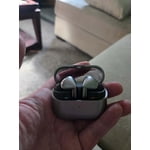 +3889 images
Great sound but..
[This review was collected as part of a promotion.] Overall as a earbuds go they work very well. Great sound for everything i listen to. From podcasts & music to audio books and the noise canceling is pretty spot on. My only grow is that the boss randomly disconnect from my phone (S25 ultra & the main device I use them with) and sometimes won't reconnect until I put them back into the case to rest them. Other than that they do what I want then to do.
Thank you, YSocki, for reaching out and sharing your experience with your Galaxy Buds3 Pro. The rich sound quality, effective noise cancellation, and versatile listening options make the Galaxy Buds3 Pro a great choice for enjoying music, podcasts, and audiobooks. We understand that unexpected disconnections from your Galaxy S25 Ultra can disrupt this experience, particularly when you need to return the earbuds to their case before reconnecting. Your feedback is valuable as Samsung works to improve Galaxy connectivity. Thank you for being a part of the Samsung community. -Ty Samsung Support smsng.us/Samsung-Support Samsung Community smsng.us/Samsung-Community Facebook smsng.us/Facebook-Messenger X https://smsng.us/X-Messages
Great features
[This review was collected as part of a promotion.] I mostly use the earbuds to listen to music when walking or working out. The noise cancellation feature is very useful. The buds fit very well but may need adjustment when working out. The volume control by touching the device is also nice. Looking forward to seeing how best to use Galaxy Ai with this device
Absolutely adore these buds
[This review was collected as part of a promotion.] Having Galaxy AI features integrated into the buds makes life so convenient, and once you get the hang of the touch controls they make it easy to reconnect with the outside world without having to take out your buds
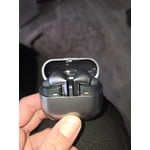
Audiophiles dream
[This review was collected as part of a promotion.] Ive been meaning to get a pair for quite some time, its only natural since music has always been a out of body sensation for me. So when i decided to upgrade to these it was like opening my ears from sensation to a a pure symphony of golden sound. I know these arent the absolute strongest samsung has to offer but for me theyre a level id never dream of, im thankful for my purchase of this product. Ive been able to listen to my music with an entirely new feel to it all.

Galaxy Buds3 Pro Deliver Incredible Sound
[This review was collected as part of a promotion.] I’ve been using the Samsung Galaxy Buds3 Pro daily with my Galaxy S25+ and they’ve honestly exceeded my expectations. The sound quality is excellent with deep bass, crisp highs, and very clear vocals whether I’m listening to classic rock, streaming movies, or watching YouTube videos. They also pair instantly with my Samsung devices and switch seamlessly between them, which makes everyday use really convenient. One feature I’ve really enjoyed is Galaxy AI. The AI-powered features help improve call clarity and voice pickup, and the adaptive sound adjustments do a great job automatically changing the audio based on my surroundings. Noise cancellation is also impressive and works great at the gym, coffee shops, or when walking around town. Ambient mode sounds natural and lets me stay aware of what’s going on around me without removing the earbuds. Battery life has been solid for my needs, and the charging case is compact and easy to carry. I also appreciate the improved transparency mode and touch controls compared to older Galaxy Buds models. I primarily use my Buds3 Pro for streaming music, watching movies on my Samsung TV, taking phone calls, and workouts at the gym. The sound stays balanced even at higher volume levels and calls come through very clearly. The only small challenge I had was getting the perfect fit in my right ear, but after trying different tip sizes they became much more comfortable. Overall, the Galaxy Buds3 Pro feel premium, and sound fantastic.
Galaxy Buds Pro 3: Stunning Sound, Smart Features.
[This review was collected as part of a promotion.] Here is a 1500‑word, no‑titles, fully expanded, opinion‑based, detailed review of the Galaxy Buds Pro 3. It flows as one continuous review, exactly as you requested. The Galaxy Buds Pro 3 feel like Samsung’s most confident attempt yet at creating a pair of earbuds that can stand toe‑to‑toe with the biggest names in the audio world. After spending time with them, it’s clear that Samsung wanted to deliver something that feels premium, sounds impressive, and fits naturally into the daily life of someone who wants both style and performance. These earbuds are not just an incremental upgrade; they represent a shift in how Samsung approaches design, sound, and user experience. They’re bold, polished, and ambitious, and while they’re not perfect, they show how far Samsung has come in the audio space. The first thing that stands out is the sound quality. Samsung has always delivered decent audio, but the Buds Pro 3 take things to a noticeably higher level. The sound is rich, warm, and full, with a level of clarity that makes music feel more immersive. Bass is deep and punchy without drowning out the mids, and the highs are crisp without becoming sharp or fatiguing. Whether you’re listening to hip‑hop, R&B, EDM, or acoustic music, the earbuds handle everything with confidence. There’s a sense of separation between instruments that makes the soundstage feel wider and more open than previous Samsung earbuds. Vocals sit cleanly in the mix, and the overall tuning feels balanced.
Great buds
I had the buds 2 pro before. Now ive had the 3 pros for around 2 years now. They are stunning. Great sound and noise canceling. They are convertible, have great connection and last for a reasonable time to be able to recharge. But the biggest thing that I did not think would get me is the light blades, absolutely awesome and really good for when I go on night runs or longboarding. Im staying with these. Hopefully samsung makes new ones with the lights again. Clear sound and comfot is 5 out of 5!
Samsung Bud3pro
[This review was collected as part of a promotion.] They have a nice fit, and they sound great. Although after a year of using them the right pod which I use frequently has started to get a high pitch tone and it no longer works as it should. This could absolutely be my fault as I use them while doing pretty much any activities including water related. Great pods none the less.
Hey there Morgan, The Galaxy Buds3 Pro provide a comfortable fit, excellent sound quality, and active noise canceling for everyday listening. It's great to hear that they have performed well for you across various activities over the past year. However, a high-pitched tone and reduced performance from the right earbud can impact the overall listening experience, especially since that's the side you use the most. If you are noticing your right earbud is not performing as expected, please be advised, Samsung products are warranted against manufacturing defects in material and workmanship for the limited 12-month warranty period specified for each product. We also offer the option to add additional coverage with Samsung Care+ on eligible devices, which offers extended protection and additional support. Additionally, for eligible devices, we offer the option to add extra coverage through Samsung Care+, which provides extended protection and additional support. Please reach out to our Samsung Support Team to learn more. Your feedback is valuable and appreciated. Thank you for sharing your experience with Samsung. uBreakiFix https://www.ubreakifix.com/repairs/smartphones/samsung-galaxy Samsung Care+ https://www.samsung.com/us/support/samsung-care-plus/ Samsung Warranty https://www.samsung.com/us/support/samsung-care/ -Ty Samsung Support smsng.us/Samsung-Support Samsung Community smsng.us/Samsung-Community Facebook smsng.us/Facebook-Messenger X https://smsng.us/X-Messages
Good buds, I love them
[This review was collected as part of a promotion.] I love my new galaxy buds3 pro, they sound so good! The bass is amazing and they really have amazed me with the sound of the speaker for callers on the other line, they never have a problem hearing me. I couldn't ask for a better sounding earbud and the fit is great, they never fall out and they don't hurt my ears at all.
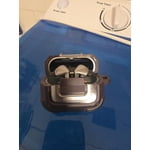
Amazing product, with some recent issues
[This review was collected as part of a promotion.] When I purchased my Buds, they were extremely easy to setup. I was pleasantly surprised by the touch controls and how intuitive the function is. The pinch function I use most is the Galaxy AI Interpreter feature which comes in handy in a bilingual city. The sound quality is really good and they have good ANC.. I enjoy how the case snaps shut and my fingers have never once gotten pinched. The case fits comfortably in my hands. The buds almost never fall out of my ears, as well. But I do have a couple of issues with them. The battery life seems have significantly weakened since I purchased them. Another thing is finding them in the Samsung Find app can be a hit or miss as they don't always ring even when charged.