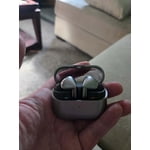
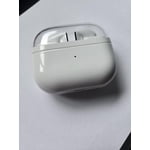
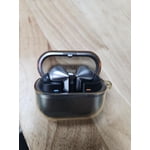
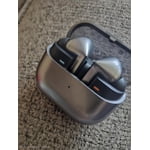
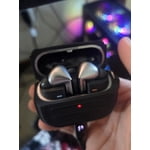
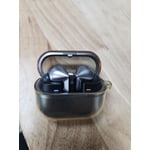
Member photos


+3765 images
Verified Purchase
Best sound and noise cancelling
Galaxy Buds2 Pro sound perfect and have a great noise cancelling feature I was looking for. They have other additional features to customize use and preference which makes them even more desirable. They are easy to pair, and the LEDs provide an added touch! Highly recommended.
Verified Purchase
Poor design and feedback ruins them for me
I get feedback every time I out them in my ears. I will likely replace them with something else before too long to avoid damaging my ear drums. The buds themselves go into the case "backwards" which i am surprised the design team couldn't avoid. You have to rotate them when you take them out and out them in, its really awkward.
Hi Facelessman, thank you for sharing your feedback on your Samsung Galaxy Buds3 Pro. We understand how important your earbuds are to you every day, and we would love to help you troubleshoot any frustration you are experiencing. We have provided a link to an article to help you with the audio quality, and recommend ensuring the microphones are not covered during placement and adjustment of your earbuds as this can cause the feedback on you mention. We have also provided a link to the Samsung Support Team if you have questions or continue to experience anything out of the ordinary with your Samsung products. Thank you for being a Samsung customer. -Elizabeth No, low, or poor audio quality on Samsung earbuds https://www.samsung.com/us/support/troubleshooting/TSG01111323/ Samsung Support smsng.us/Samsung-Support Samsung Community smsng.us/Samsung-Community Facebook smsng.us/Facebook-Messenger X https://smsng.us/X-Messages
Verified Purchase
Meh - About destroyed my eardrum
I accidentally dropped the right earbud from about 2 feet, and it immediately started emitting a high-pitched ringing sound — loud enough that I was genuinely worried it might damage my eardrum. After checking Reddit, I found that others have had similar issues. Thankfully, after about 20 minutes of gently shaking the earbud, the ringing stopped and it returned to normal. Since then, both earbuds have worked fine, and the sound quality is actually pretty good. But that initial issue definitely shook my confidence in the build quality.
Thank you for sharing your experience with the Galaxy Buds3 Pro, Sully. We're glad to see that after some gentle shaking, the matter resolved itself, and both earbuds are working well. Regarding the loud ringing sound you encountered, this can sometimes happen due to microphone feedback, especially when using Active Noise Cancelling (ANC), Adaptive, or Ambient Sound modes. When the microphone picks up sound from the speaker, it can create a feedback loop, resulting in that high-pitched noise you experienced. This could be triggered if the sub-microphone on the outer edge of the earbuds is touched or covered while adjusting them or putting them in. We appreciate your feedback, as it helps us understand and improve our products. If you have any more questions or concerns, please feel free to reach out to us at Samsung Support. -Kelvin smsng.us/Samsung-Support smsng.us/Facebook-Messenger smsng.us/X-Messages smsng.us/Samsung-Community smsng.us/Warranty-Info smsng.us/Samsung-Care-Plus
Verified Purchase
They're a disgrace for being top of the line
Besides the sound quality, they are not a premium headset as they should be for being the top of the line buds. Having small defects like occasional syncing issues, odd noise whining noise from one bud when you put them in, high pitched noise when you happen to touch the mic when readjusting them in ear.
Thank you for sharing your feedback about the Galaxy Buds3, Jess. The sound quality is a standout feature, and we understand the concerns you’ve mentioned. When Active Noise Canceling, Adaptive, or Ambient sound modes are enabled, the sub-microphone adjusts sound based on the noise control mode. If the area around the sub-microphone is touched or covered while putting the earbuds on, taking them off, or adjusting them, it may cause a beeping or howling noise. To avoid this, ensure the sub-microphone is not covered during these actions. For syncing concerns, ensure the earbuds are within the maximum Bluetooth connection range of 10 meters and that there are no obstacles like walls or corners between the earbuds and the connected device. If syncing still doesn’t work, store the buds in the charging case and press the Connect button for more than three seconds to manually enter Bluetooth pairing mode. Regarding the high-pitched noise when touching the mic, it’s important to avoid covering the microphone area while adjusting the earbuds. This can help prevent feedback or unwanted sounds. Thank you for sharing your experience! If any of this persists, please be sure to reach out to us at Samsung Support. -Kelvin smsng.us/Samsung-Support smsng.us/Facebook-Messenger smsng.us/X-Messages smsng.us/Samsung-Community smsng.us/Warranty-Info smsng.us/Samsung-Care-Plus
Verified Purchase
Totally worth the buy
These are exactly what I needed. After years of buying earplugs every 3 months I could have saved to much by buying these. I love the look and that when I talk the volume goes down. I can actually hear better with the different settings. Sound is incredible. You can zone out the world around you. My only thing is I have to keep adjusting them. They fall out if I don't. I have to do that often, especially when I'm working or moving around. Other wise they would get a 5 star
Verified Purchase
Good sound quality
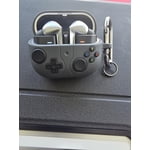
Good sound quality, and fits inside of my ears pretty good with stock silicone earpiece. Came with a free case, but down side of it is that I can't do wireless charging while the case is on, and button at the bottom is covered while it's on, other than that it's a cool case to get for free
Verified Purchase
I like them just fine but there are has issues
I like it but the buds themselves dont feel premium. Pro 2 were so much better in that regard. Another star is lost because the removal of ear tips is very hard and you have a very high chance of damaging them. It just seems like Samsung did not test this product thoroughly.
Hey there HLFT, thank you for sharing your thoughts about your new Samsung Galaxy Buds3 Pro with us. We understand how important your earbuds are to you every day, and we are always happy to assist our customers with any frustrations they are experiencing and provide the best possible usage of your devices. We have provided a link to a video to help you change the ear tips without damage or difficulty. We have also provided links to the full device manual and the Samsung Support Team to help you best align the features and settings of your earbuds to your preferences. Thank you for being a Samsung customer. -Elizabeth Replacing the ear tips on your Galaxy Buds3 Pro for a perfect fit https://www.youtube.com/watch?v=i3SBh9ySfgA Product Manuals https://www.samsung.com/us/support/downloads/ Samsung Support smsng.us/Samsung-Support Samsung Community smsng.us/Samsung-Community Facebook smsng.us/Facebook-Messenger X https://smsng.us/X-Messages
Verified Purchase
Awesome Sound and Extremely Comfortable to wear!
I have alwa6s preferred Samsung Ear Buds and even more so now with the new Ear Bud 3 Pro from Samsung. Sound quality is exceptional - pairing with Samsung and non Samsung peripherals is easy and convenient and best of all, the comfort and fit of the new Ear Buds are better than ever before! Keep up the great work Samsung!!!
Verified Purchase
Great news features but misses the mark.
So I want to love these but I feel they fall short. I love the previous versions. The water resistance seems not great. Any time they get a little wet they have a low beeping sound, I mean a bit wet. I love the LED bar and the volume control slide so many features that are great but the fit and finish is lacking. I also kinda hate the iPod knock off look stick with the in ear buds. Still find my self using my probud 2 over these most days.
Thank you for sharing your thoughts about the Galaxy Buds3 Pro, Dave! We genuinely appreciate your feedback. We see you've highlighted some key aspects that truly resonate with the user experience. We understand you have a strong connection to the previous versions, and we’re glad to hear you loved them. When it comes to water resistance, the Galaxy Buds3 Pro are rated as IP57, meaning they can withstand submersion in water up to 3 feet for up to 30 minutes. If you’re experiencing beeping sounds when they get a bit wet, it might be helpful to ensure that the earbuds are properly dried before using them again. We’re thrilled that you enjoy features like the LED bar and the volume control slider. These enhancements are designed to provide a more intuitive user interface. For the best fit, consider adjusting the ear tips to find the perfect size for your ears, which can significantly improve comfort and sound isolation. Regarding the design, we’re always looking for ways to innovate while maintaining a sleek, modern aesthetic. If you prefer the in-ear bud style, we recommend trying out different ear tips that can create a better seal and enhance your overall experience. Thanks again for your valuable insights, and we hope these suggestions help you enjoy your Galaxy Buds3 Pro even more! If you have any questions or concerns, please reach out to us at Samsung Support. -Kelvin smsng.us/Samsung-Support smsng.us/Facebook-Messenger smsng.us/X-Messages smsng.us/Samsung-Community smsng.us/Warranty-Info smsng.us/Samsung-Care-Plus
Verified Purchase
Fit
Fit. These appear to be great earbuds i just could not get them to fit my ears (seal) to help with noise canceling. Their app confirmed this no matter what tips i tried. Just not made for me which is unfortunate as I'm deep in the samsung eco system.
Hi there Neil, we appreciate you sharing your thoughts about your Samsung Galaxy Buds3 Pro with us. We completely understand how important the ideal fit of your earbuds is to you for the optimal audio quality. You mention performing the fit test and not being able to find that fit you are seeking. We have provided a link to the Samsung Support Team to offer additional assistance to you if you would like, and a link to the full device manual to highlight the adaptive nature of the ANC setting and how to increase the intensity with the Samsung Wearables App. Thank you for being a Samsung customer. -Elizabeth Product Manuals https://www.samsung.com/us/support/downloads/ Samsung Support smsng.us/Samsung-Support Samsung Community smsng.us/Samsung-Community Facebook smsng.us/Facebook-Messenger X https://smsng.us/X-Messages