Join Now
Skip to Main Content
Sam's Club
Sam's Club
All Departments
All Services
Customer reviews for Samsung Galaxy Buds3 Pro for
Samsung Galaxy Buds3 Pro
4.4 out of 5 stars
stars
14.8K ratings14.8K reviews
  1. 5 stars69% (10.1K)
  2. 4 stars16% (2,431)
  3. 3 stars7% (1,038)
  4. 2 stars4% (564)
  5. 1 star4% (619)

Member photos

  • +3978 images
Sort by |
Showing 4,761-4,770 of 14,848 reviews
Feb 13, 2025
Reviewer name: Benjamin Maier
2 out of 5 stars
2 out of 5 stars review

Verified Purchase

Constantly pushing back into my ear.

I have had multiple buds over the years, and these will not stay in my ears. First set of galaxy buds I haven't liked.

Review from Samsung US
Helpful?3MTCIEJ7RGUC18797511992
reply from R&R Team

Hey Benjamin! Thank you for sharing your experience with the Galaxy Buds3 Pro! We understand how important a snug fit is for both comfort and sound quality. We recommend starting with the various sized ear tips that come with the Buds3 Pro. Finding the right size is essential. A proper fit ensures there's no gap between your ears and the tips, which minimizes sound leaks and maximizes your audio experience. To get the best fit, here’s a quick reminder: check for the directional marks at the bottom of the earbuds. Make sure you insert the right bud (R) into your right ear and the left bud (L) into your left ear, with the letters facing you. Slightly angling the buds can help position the microphones towards your mouth for clearer calls. If needed, you can also try running the earbud fit test in the Galaxy Wearable app. This interactive feature will help you confirm that you've achieved the best possible fit. We’re here to ensure you enjoy your experience with our Galaxy Buds3 Pro to the fullest! If you need any more assistance or tips, feel free to reach out to us at Samsung Support. -Kelvin smsng.us/Samsung-Support smsng.us/Facebook-Messenger smsng.us/X-Messages smsng.us/Samsung-Community smsng.us/Warranty-Info smsng.us/Samsung-Care-Plus

Feb 21, 2025
Reviewer name: PaulB
3 out of 5 stars
3 out of 5 stars review

Verified Purchase

Great if they fit

Would be 5 stars paired with my S25 Ultra if I could get a proper fit in my left ear. The provided ear tips do not fit me.

Review from Samsung US
Helpful?3MTCIEJ7RGUC18797511992
reply from R&R Team

Thank you so much for sharing your experience with the Galaxy Buds3 Pro, Paul! We're thrilled to see you’re enjoying them, especially in combination with your S25 Ultra. We completely understand how crucial a perfect fit is for an optimal sound experience, and we hate to see that the ear tips didn’t work well for you. You can also run an earbud fit test in the Galaxy Wearable app to ensure you have the proper fit. Be sure to check out the link for additional fitting tips. If you need any further assistance or have any specific questions, please reach out to us at Samsung Support. We’re here to help you get the most out of your Galaxy Buds3 Pro! -Kelvin smsng.us/Samsung-Support smsng.us/Facebook-Messenger smsng.us/X-Messages smsng.us/Samsung-Community smsng.us/Warranty-Info smsng.us/Samsung-Care-Plus

Sep 30, 2024
Reviewer name: Kjula
5 out of 5 stars
5 out of 5 stars review

Verified Purchase

Galaxy bud3 pro

After shopping around for so long for buds, finally found my heart loving galaxy buds3.This is what your money is worth for

Review from Samsung US
Helpful?3MTCIEJ7RGUC18797511992
Sep 9, 2024
Reviewer name: Anonymous
4 out of 5 stars
4 out of 5 stars review

Verified Purchase

Moisture problem

Do not listen in the bath. Got a very loud squelching sound that hurt my ears. Due to moisture I assume. I wasn't warned about this in the reviews

Review from Samsung US
Helpful?3MTCIEJ7RGUC18797511992
Dec 17, 2024
Reviewer name: Chelsea
4 out of 5 stars
4 out of 5 stars review

Verified Purchase

Nice sound

So gar so good. They fall out of my ears easily so I changed sizes but still experiencing same issue.

Review from Samsung US
Helpful?3MTCIEJ7RGUC18797511992
reply from R&R Team

Thanks for sharing your experience with the Galaxy Buds3 Pro, Chelsea! The Buds3 Pro allows you to hear every detail on your TV to the fullest with 360-degree immersive sound that feels like it’s all around you. We understand how important it is to find the perfect fit for comfortable listening. The Galaxy Buds3 Pro comes with a selection of ear tips in different sizes, so start by ensuring you have the correct size for your ears. It’s important for the ear tips to fit snugly without any gaps, as this prevents sound leaks and ensures optimal audio quality. Once you have the appropriate tips attached, check the bottom of the earbuds for directional marks—‘L’ for left and ‘R’ for right. Insert the R bud into your right ear with the ‘R’ facing you and the L bud into your left ear with the ‘L’ facing you. Angle the earbuds slightly so the microphone is pointing toward your mouth rather than straight down, and adjust them by rotating them until they feel comfortable. Additionally, you can run an earbud fit test in the Galaxy Wearable app to confirm that you have the proper fit. We truly appreciate your feedback, and if you continue to experience issues, don't hesitate to reach out. Your comfort and satisfaction are important to us! If you have any questions or concerns, be sure to reach out to us at Samsung Support. -Kelvin smsng.us/Samsung-Support smsng.us/Facebook-Messenger smsng.us/X-Messages smsng.us/Samsung-Community smsng.us/Warranty-Info smsng.us/Samsung-Care-Plus

Nov 22, 2024
Reviewer name: B Smith
5 out of 5 stars
5 out of 5 stars review

Verified Purchase

Great upgrade

Fantastic noise cancelling for buds, seamless connection with S22 Ultra. Fast charging is great. Touch controls work perfectly

Review from Samsung US
Helpful?3MTCIEJ7RGUC18797511992
Feb 20, 2025
Reviewer name: Edgar
2 out of 5 stars
2 out of 5 stars review

Verified Purchase

Not satisfied

It is not stable to have it in the ear since it easily falls and after a period of use it emits a strange sound or disconnects automatically.

Review from Samsung US
Helpful?3MTCIEJ7RGUC18797511992
reply from R&R Team

Thank you for sharing your experience with the Galaxy Buds3 Pro, Edgar! We appreciate your feedback and understand your concern regarding the screeching sounds. One of the key factors that can affect audio quality is ensuring that you have the right-sized ear tips. The Galaxy Buds3 Pro comes with different sizes, and a proper fit is essential for preventing sound leaks and providing optimal audio performance. If you haven’t already, we encourage you to check out our guide on Samsung.com for changing the tips. Once you’re equipped with the correct ear tips, please make sure you’re inserting the earbuds properly. Check the directional marks on the bottom of the earbuds—'R' for the right and 'L' for the left. Insert the right bud into your right ear, angling it slightly so that the microphone is pointing towards your mouth. The left bud should be inserted accordingly as well. Adjusting the buds by rotating them can help achieve a more comfortable and effective fit. Additionally, if the earbuds are not fitting securely, it may lead to unwanted sounds like screeching. We recommend running the earbud fit test available in the Galaxy Wearable app, which can assist in ensuring you have the proper fit. We’re committed to helping you get the best listening experience possible. If you have further concerns or need assistance, please don’t hesitate to reach out to us at Samsung Support! -Kelvin smsng.us/Samsung-Support smsng.us/Facebook-Messenger smsng.us/X-Messages smsng.us/Samsung-Community smsng.us/Warranty-Info smsng.us/Samsung-Care-Plus

Mar 5, 2025
Reviewer name: Nathans5283
1 out of 5 stars
1 out of 5 stars review

Verified Purchase

Dont waste your money

Worst headphones will not charge i can't get these to charge at all biggest mistake ive made was buying these headphones

Review from Samsung US
Helpful?3MTCIEJ7RGUC18797511992
reply from R&R Team

Hi Nathans5283! Thank you for sharing your experience with the Galaxy Buds3 Pro. We see that you may be experiencing some challenges charging your buds. First, please ensure you are using the included USB cable along with a Samsung-approved wall adapter. If you’re trying to charge wirelessly, make sure the case is positioned directly in the center of the charging pad, as misalignment can affect charging. If your charging case has a cover, consider removing it, as this could interfere with wireless charging. Additionally, check that the earbuds are properly seated in the case. If they aren't fully in place, the charging contacts may not connect. We also recommend inspecting the charging contacts on both the earbuds and inside the case for any dirt or debris that might be blocking the connection. Regular cleaning can help maintain proper contact over time. Keep an eye on the indicator lights as well. If you see a flashing red light, that indicates something may need attention. If the lights are unresponsive, try disconnecting and reconnecting the charger for a brief period. If you find any damage to the case or earbuds that may require a replacement, we encourage you to reach out to Samsung support at 1-800-SAMSUNG for further assistance. Thank you for your feedback! If this continues to be your experience, please be sure to reach out to us at Samsung Support. -Kelvin smsng.us/Samsung-Support smsng.us/Facebook-Messenger smsng.us/X-Messages smsng.us/Samsung-Community smsng.us/Warranty-Info smsng.us/Samsung-Care-Plus

Dec 5, 2025
Reviewer name: Crisreno
5 out of 5 stars
5 out of 5 stars review

Better than the air pods
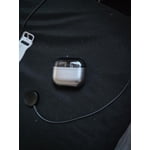
[This review was collected as part of a promotion.] Had the air pods pro and I can say without a doubt theses are better

Review from Samsung US
Helpful?3MTCIEJ7RGUC18797511992
Sep 24, 2024
Reviewer name: Litab
5 out of 5 stars
5 out of 5 stars review

Verified Purchase

Great buds

Great buds, just learning how to work them because they are slightly differently from the regular galaxy ear buds

Review from Samsung US
Helpful?3MTCIEJ7RGUC18797511992