Skip to Main Content
Sam's Club
Sam's Club
All Departments
All Services
Customer reviews for Samsung Galaxy Buds3 Pro for
Samsung Galaxy Buds3 Pro
4.4 out of 5 stars
stars
14.8K ratings14.8K reviews
  1. 5 stars69% (10.1K)
  2. 4 stars16% (2,431)
  3. 3 stars7% (1,038)
  4. 2 stars4% (564)
  5. 1 star4% (619)

Member photos

  • +3978 images
Sort by |
Showing 4,241-4,250 of 14,848 reviews
Mar 13, 2026
Reviewer name: MILO19
5 out of 5 stars
5 out of 5 stars review

Milo love it

[This review was collected as part of a promotion.] Here's a review from Milo: miaaw miaaw mm iaaw, meoow moew meoww miaw miaw MOEWWW MEOOW

Review from Samsung US
Helpful?3MTCIEJ7RGUC18797511992
Feb 26, 2025
Reviewer name: jtoledo2911
4 out of 5 stars
4 out of 5 stars review

Verified Purchase

Impressive Sound Quality

The audio quality is exceptional; however, intermittent charging problems with the left earbud prevent a five-star rating.

Review from Samsung US
Helpful?3MTCIEJ7RGUC18797511992
Jun 26, 2025
Reviewer name: XTina
5 out of 5 stars
5 out of 5 stars review

Verified Purchase

Clean and clear

Clear sound. Love all the features. Although I hate the new layout of the buds. Should've stuck with the original.

Review from Samsung US
Helpful?3MTCIEJ7RGUC18797511992
Feb 25, 2025
Reviewer name: CinD E
1 out of 5 stars
1 out of 5 stars review

Verified Purchase

Meh

1000 iterations of ear buds and yet no one can figure out how to make them stay in the ear while working out. Useless.

Review from Samsung US
Helpful?3MTCIEJ7RGUC18797511992
reply from R&R Team

Its great to hear from you, Cind. Your feedback on the Galaxy Buds3 Pro is greatly appreciated. The Buds3 Pro feature our best and most immersive audio, Wind Shield, Blade Light, Swipe, and Pinch Control. We understand that having the best fit is key to the overall experience with your buds, especially for people who are active like you. The Buds3 Pro come with different sized ear tips, so first, ensure you have the appropriate size for your ears. A proper fit will eliminate gaps between your ear and the ear tip, which helps to prevent sound leaks and ensures the best audio quality. If you need instructions for changing the tips, please refer to our guide. Once you have the correct tips on your earbuds, check the bottom for directional marks: "L" for the left ear and "R" for the right. Insert the R bud into your right ear with the "R" facing you, and the L bud into your left ear with the "L" also facing you. Angle the blade slightly so that the microphone points towards your mouth rather than straight down, and adjust them by rotating forwards and backwards until they feel comfortable. Additionally, you can run an earbud fit test using the Galaxy Wearable app to ensure you have the proper fit. We hope that these tips help enhance your experience with the Galaxy Buds3 Pro. If you have any questions or concerns, please do not hesitate to reach out to us at Samsung Support. -Kelvin smsng.us/Samsung-Support smsng.us/Facebook-Messenger smsng.us/X-Messages smsng.us/Samsung-Community smsng.us/Warranty-Info smsng.us/Samsung-Care-Plus

Dec 27, 2024
Reviewer name: pc in NM
3 out of 5 stars
3 out of 5 stars review

Verified Purchase

Don't Fit

They have good sound and options. However, they do not fit with any of the different size ear pieces. No support...

Review from Samsung US
Helpful?3MTCIEJ7RGUC18797511992
reply from R&R Team

Thank you for your feedback on the Galaxy Buds3 Pro! We're glad to hear you appreciate the sound quality and features. We understand that finding the right fit is crucial for an optimal listening experience, and the Buds3 Pro comes with multiple ear tip sizes to accommodate various ear shapes. Make sure you select the appropriate size tips for your ears, as a snug fit without gaps is essential to prevent sound leaks and maintain optimal audio quality. If you need guidance on how to change the tips, please refer to our comprehensive guide for the Buds3 Pro. After attaching the correct tips, check the earbuds for directional markings: an "L" for the left earbud and an "R" for the right. Insert the right earbud (R) into your right ear with the "R" facing you, and similarly, insert the left earbud (L) into your left ear with the "L" facing you. Slightly angle the earbud so that the microphone points towards your mouth, and adjust the fit by rotating the earbuds until they feel comfortable. Additionally, you can run an earbud fit test in the Galaxy Wearable app to ensure you have the best fit. Our goal is to provide innovative solutions and an exceptional audio experience, and we appreciate your thoughts as we strive to improve! If you have any questions or need assistance, please feel free to reach out to us at Samsung Support. -Kelvin smsng.us/Samsung-Support smsng.us/Facebook-Messenger smsng.us/X-Messages smsng.us/Samsung-Community smsng.us/Warranty-Info smsng.us/Samsung-Care-Plus

Mar 5, 2025
Reviewer name: Anonymous
5 out of 5 stars
5 out of 5 stars review

Verified Purchase

Galaxy Buds3 Pro Silver
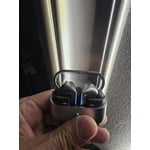
The Galaxy Buds3 Pro Silver are absolutely excellent—fantastic sound quality, top-notch noise cancellation, and a sleek design. I love it.

Review from Samsung US
Helpful?3MTCIEJ7RGUC18797511992
Feb 20, 2025
Reviewer name: Anonymous
5 out of 5 stars
5 out of 5 stars review

Verified Purchase

Buds 3 Pro Silver

Overall, my experience with the headphones is phenomenal. I love the new features, noise cancellation, and the loud volume.

Review from Samsung US
Helpful?3MTCIEJ7RGUC18797511992
Aug 28, 2025
Reviewer name: Anonymous
5 out of 5 stars
5 out of 5 stars review

Verified Purchase

Samsung Galaxy Buds 3 Pro Outstanding in Every Way

The Samsung Galaxy Buds 3 Pro excel with premium sound, smart noise cancellation, and seamless Galaxy integration—easily worth 5 stars

Review from Samsung US
Helpful?3MTCIEJ7RGUC18797511992
reply from R&R Team

Thank you for your fantastic review of the Galaxy Buds3 Pro, Cristian! We appreciate your feedback on the premium sound quality and active noise cancellation. The Buds are powered by our first-ever, independently controlled woofer and tweeter, which allows you to experience a broad spectrum of sound. It’s great to know you value their seamless integration with Galaxy devices. If you have any questions or concerns, do not hesitate to reach out to us at Samsung Support. -Kelvin smsng.us/Samsung-Support smsng.us/Facebook-Messenger smsng.us/X-Messages smsng.us/Samsung-Community smsng.us/Warranty-Info smsng.us/Samsung-Care-Plus

Mar 13, 2026
Reviewer name: Rodriguez
5 out of 5 stars
5 out of 5 stars review

Great product. Great product
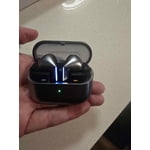
[This review was collected as part of a promotion.] "Galaxy Al" great product very satisfied. "Galaxy Al" great product very satisfied

Review from Samsung US
Helpful?3MTCIEJ7RGUC18797511992
Feb 28, 2025
Reviewer name: Doug
3 out of 5 stars
3 out of 5 stars review

Verified Purchase

Decent sound, OG buds fit better

Not a good fit for my ears, the OG Buds are still the best fitting design, I have the buds pro 2 as well.

Review from Samsung US
Helpful?3MTCIEJ7RGUC18797511992
reply from R&R Team

We appreciate you taking the time to share your thoughts on the Galaxy Buds3 Pro, Doug. We understand how crucial it is to have a comfortable fit. We are pleased to see that the original Galaxy Buds and Galaxy Buds Pro2 have been your go-to choice. The Galaxy Buds3 Pro feature a redesigned shape meant to deliver our snuggest fit ever. To ensure they fit just right, Galaxy Buds3 Pro come with different sized ear tips. The first thing you want to do is make sure you have the right size tips for your ears. You want them to fit so that there isn't a gap between your ear and the ear tip. This helps to avoid sound leaks and ensures optimal audio. If you need instructions for changing the tips, check out our guide for the Buds3 Pro tips. You can also run an earbud fit test in the Galaxy Wearable app to ensure you have the proper fit. We appreciate your feedback and hope you find the perfect fit for an amazing audio experience. If you have any further concerns or questions, please be sure to reach out to us at Samsung Support. -Kelvin smsng.us/Samsung-Support smsng.us/Facebook-Messenger smsng.us/X-Messages smsng.us/Samsung-Community smsng.us/Warranty-Info smsng.us/Samsung-Care-Plus