Skip to Main Content
Sams Club
Sams Club
Customer reviews for Samsung Galaxy Buds3 Pro for
Samsung Galaxy Buds3 Pro

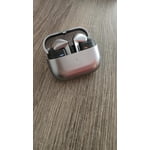
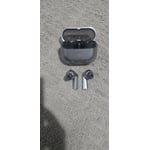
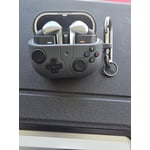
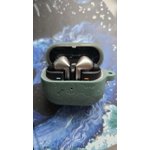
Member photos

  • +3639 images
Sort by |
Showing 4,081-4,090 of 13,685 reviews
Dec 2, 2024
Casey Fox
5 out of 5 stars review

Verified Purchase

Stellar sound

Stellar sound, the hiss issue when touching them went away after an update. Very happy with the quality and they fit great!

Review from Samsung US
Helpful?3MTCIEJ7RGUC18797511992
Jul 28, 2024
EddieL321
1 out of 5 stars review

Verified Purchase

The tips of my ear buds ripped on first try

Thr tips of my ear buds ripped on first try, and i was extra carefull pulling them off and it ripped very easily

Review from Samsung US
Helpful?3MTCIEJ7RGUC18797511992
reply from Social Commerce

Hi there EddieL321, thank you for your feedback on your Samsung Galaxy Buds3 Pro. We understand how valuable your earbuds are to you every day and needing to be able to change the ear tips to acheive the ideal fit for comfort and security. We have provided a link to a video we have available to help you change the ear tips. We have also included a link to the Samsung Support Team if you would like to discuss this matter further or have questions about your new earbuds. Thank you for being a Samsung customer. -Elizabeth Replacing the ear tips on your Galaxy Buds3 Pro for a perfect fit https://www.youtube.com/watch?v=i3SBh9ySfgA Samsung Support smsng.us/Samsung-Support Samsung Community smsng.us/Samsung-Community Facebook smsng.us/Facebook-Messenger X https://smsng.us/X-Messages

Mar 1, 2025
BRANDON
1 out of 5 stars review

Verified Purchase

THIS AIN'T IT

The Beans are way better. These fall out of your ear contact. The pinch feature is annoying and inconvenient. Ive switched back to using the Beans

Review from Samsung US
Helpful?3MTCIEJ7RGUC18797511992
reply from R&R Team

Thank you for sharing your thoughts on the Galaxy Buds3 Pro, Brandon. We truly appreciate your feedback and want to ensure you get the most out of your experience. To enhance the fit and performance, we recommend starting with the various sized ear tips that come with the Buds3 Pro. Having the right size can help avoid discomfort and sound issues, as the tips should fit snugly in your ears without gaps to eliminate sound leakage and provide optimal audio quality. If you need assistance changing the tips, you can refer to our guide on Samsung's website for detailed instructions. Once you've selected the best-fitting ear tips, please check the bottom of the earbuds for directional marks; you'll see an "L" for the left ear and an "R" for the right ear. Insert the right bud (R) into your right ear with the "R" facing you, and the left bud (L) into your left ear with the "L" facing you. Slightly angle the earbuds so that the microphone on the bottom points towards your mouth instead of straight down. You can adjust the buds by rotating them slightly forward and backward until they feel just right. Additionally, we offer an earbud fit test in the Galaxy Wearable app, which can help ensure you have a proper fit for the best possible sound experience. Regarding the pinch controls, we encourage you to check out the link attached to learn more about the pinch controls. We hope these tips help you enhance your experience with the Galaxy Buds3 Pro! If you have any further questions, please feel free to reach out to us at Samsung Support. -Kelvin https://www.samsung.com/ca/support/mobile-devices/how-to-use-pinch-control-earbuds-control-and-troubleshoot-your-galaxy-buds3-and-buds3-pro/ smsng.us/Samsung-Support smsng.us/Facebook-Messenger smsng.us/X-Messages smsng.us/Samsung-Community smsng.us/Warranty-Info smsng.us/Samsung-Care-Plus

Feb 26, 2025
jtoledo2911
4 out of 5 stars review

Verified Purchase

Impressive Sound Quality

The audio quality is exceptional; however, intermittent charging problems with the left earbud prevent a five-star rating.

Review from Samsung US
Helpful?3MTCIEJ7RGUC18797511992
Feb 28, 2025
Mario
4 out of 5 stars review

Verified Purchase

Great with flaws

Great earbuds awsome sound with not so good anc sadly. The chargeing pins suck as sometimes they get stuck and don't charge

Review from Samsung US
Helpful?3MTCIEJ7RGUC18797511992
Jul 29, 2024
Mmayhem01
4 out of 5 stars review

Verified Purchase

Good sound but not comfortable

I like the sound quality but they're not comfortable in my ears. I switched out the silicone caps and they're still uncomfortable.

Review from Samsung US
Helpful?3MTCIEJ7RGUC18797511992
Aug 3, 2024
Simon Bohorquez
1 out of 5 stars review

Verified Purchase

I don't recommend them

I have put the 3 eartip sizes on and the earphone still comes off! On one occasion it stayed inside my ear and I needed help.

Review from Samsung US
Helpful?3MTCIEJ7RGUC18797511992
reply from Social Commerce

Hi Simon Bohorquez, thank you for sharing your experience with your Samsung Galaxy Buds3 Pro with us. We understand how important the ideal fit of your earbuds is to you every day. We have provided a link to an article to help you with this matter directly at your convenience. We also suggest doing a fit test with your earbuds once you have them placed in your ears, and connected to the Samsung Wearables App. Lastly, we have provided a link to the Samsung Support Team if you have additional questions or continue to experience any frustrations with your Samsung products. Thank you for being a Samsung customer. -Elizabeth How to wear your Samsung Galaxy Buds3 and 3 Pro https://www.samsung.com/us/support/answer/ANS10003519/ Samsung Support smsng.us/Samsung-Support Samsung Community smsng.us/Samsung-Community Facebook smsng.us/Facebook-Messenger X https://smsng.us/X-Messages

Nov 23, 2024
Andy M
4 out of 5 stars review

Verified Purchase

overall great easy to use

great sound quality, easy controls and connectivity. ambient sound is great but noise cancelling could be better

Review from Samsung US
Helpful?3MTCIEJ7RGUC18797511992
reply from Social Commerce

Hi there Andy M, we appreciate you taking time out of your day to share your experience with your Samsung Galaxy Buds3 Pro. We are so pleased to hear you are enjoying the enhanced audio quality and features of your new earbuds. We would love to help you with the ANC setting specifically, and have provided a link to an article and another to the full device manual for this setting. In the full device manual you can see the usage of the Samsung Wearables App where the intensity of the ANC setting can be manuall adjusted to best suit your surroundings and preferences. We have also shared a link to the Samsung Support Team if you have any questions or would like assistance with any of your Samsung products. Thank you for being a Samsung customer. -Elizabeth Use Active noise canceling on your Samsung earbuds https://www.samsung.com/us/support/answer/ANS00087243/ Product Manuals https://www.samsung.com/us/support/downloads/ Samsung Support smsng.us/Samsung-Support Samsung Community smsng.us/Samsung-Community Facebook smsng.us/Facebook-Messenger X https://smsng.us/X-Messages

Jan 8, 2025
Br Rod
4 out of 5 stars review

Verified Purchase

They are not perfect for me

They have an unstable connection, one of the two disconnects. Sometimes I open the Galaxy Buds box and the Bluetooth does not connect.

Review from Samsung US
Helpful?3MTCIEJ7RGUC18797511992
reply from R&R Team

Thank you for sharing your experience with the Galaxy Buds3 Pro, Rod! We truly appreciate your feedback as we continue to make improvements. Redesigned for superior sound quality, the Galaxy Buds3 Pro provides a comfortable fit for an immersive listening experience. With Adaptive Active Noise Cancellation powered by Galaxy AI, you can fully immerse yourself in your audio while still being aware of your surroundings. If you're facing an unstable connection, we suggest trying a few steps to optimize your Bluetooth experience. First, consider resetting your Galaxy Buds3 Pro by placing them in the charging case and holding the touchpads on both earbuds for about 7 seconds until the indicator light flashes. This can help refresh the connection. Also, make sure that your smartphone or tablet is updated with the latest software, as this can greatly enhance performance. It’s a good idea to remove the Galaxy Buds3 Pro from your Bluetooth settings and re-pair them by simply opening the case. Lastly, keep in mind that using your Buds in an area with several Bluetooth devices might affect connectivity, so a different environment could be beneficial. We hope these tips help elevate your listening experience, and if you have any more questions, feel free to reach out to us at Samsung Support. Your satisfaction is very important to us! -Kelvin smsng.us/Samsung-Support smsng.us/Facebook-Messenger smsng.us/X-Messages smsng.us/Samsung-Community smsng.us/Warranty-Info smsng.us/Samsung-Care-Plus

Oct 9, 2024
Bob C
5 out of 5 stars review

Verified Purchase

All good now

They finally got it right. These are awesome, fit great, stay in your ear and love the auto noise cancelation.

Review from Samsung US
Helpful?3MTCIEJ7RGUC18797511992