Join Now
Skip to Main Content
Sam's Club
Sam's Club
All Departments
All Services
Customer reviews for Samsung Galaxy Buds3 Pro for
Samsung Galaxy Buds3 Pro
4.4 out of 5 stars
stars
14.8K ratings14.8K reviews
  1. 5 stars69% (10.1K)
  2. 4 stars16% (2,431)
  3. 3 stars7% (1,038)
  4. 2 stars4% (564)
  5. 1 star4% (619)

Member photos

  • +3978 images
Sort by |
Showing 3,891-3,900 of 14,848 reviews
Jul 26, 2024
Reviewer name: YGim
2 out of 5 stars
2 out of 5 stars review

Verified Purchase

Poor built quality

Poor built quality.. brightness is different for each buds and has different level when it's in the case. Also ANC isn't great when you are in the train as it doesn't filter low frequency sound..

Review from Samsung US
Helpful?3MTCIEJ7RGUC18797511992
reply from Social Commerce

Hi there YGim, thank you for sharing your thoughts with us about your Samsung Galaxy Buds3 Pro. We are always happy to assist our customers troubleshoot any aspect of their device that is not meeting your expectations. We have provided a link to an article to help you with the audio quality specifically. We also have provided a link to the full device manual and the Samsung Support Team. These resources to offer additional assistance with any aspect of your device that may be causing frustration. Thank you for being a Samsung customer. -Elizabeth No, low, or poor audio quality on Samsung earbuds https://www.samsung.com/us/support/troubleshooting/TSG01111323/ Product Manuals https://www.samsung.com/us/support/downloads/ Samsung Support smsng.us/Samsung-Support Samsung Community smsng.us/Samsung-Community Facebook smsng.us/Facebook-Messenger X https://smsng.us/X-Messages

Apr 17, 2025
Reviewer name: Joel
1 out of 5 stars
1 out of 5 stars review

Verified Purchase

Bad bad product

No zero stars, worst samsung purchase ever if I don't get my q50 tade in value for the bud pro 2 you couldn't send back I will be very upset noise canceling and battery life are a joke

Review from Samsung US
Helpful?3MTCIEJ7RGUC18797511992
reply from R&R Team

Thank you for sharing your feedback about the Galaxy Buds3 Pro, Joel. The Buds3 Pro is designed to provide an enhanced listening experience with features like Active Noise Cancelling and up to 26 hours of playtime per charge, which can be extended to 30 hours with the charging case. If you're experiencing concerns with the noise-canceling feature or battery life, Samsung recommends ensuring the earbuds are fully charged and stored in case they are not in use to optimize performance. Also, be sure to ensure that you have the right ear tips in so that the noise cancellation can function at it's best. Your feedback is valuable, and we appreciate you sharing your experience! If you have any further concerns or questions, please be sure to reach out to us at Samsung Support. -Kelvin smsng.us/Samsung-Support smsng.us/Facebook-Messenger smsng.us/X-Messages smsng.us/Samsung-Community smsng.us/Warranty-Info smsng.us/Samsung-Care-Plus

Jun 29, 2025
Reviewer name: Jeremy
2 out of 5 stars
2 out of 5 stars review

Verified Purchase

I'm not recommend at all.
Function is the worst.(Noise canceling doesn't work, sounds control makes sharp noise when I touch earbud)Shape is bad.(When I use it just one hour make me ear pain.

Review from Samsung US
Helpful?3MTCIEJ7RGUC18797511992
reply from R&R Team

Hey Jeremy! Thank you for sharing your thoughts about the Galaxy Buds3 Pro. It’s important to address the concerns you’re experiencing with the noise-cancellation feature and discomfort. To enhance the performance of the Active Noise Cancellation(ANC) and ensure a better fit, make sure to try the different sizes of earbud tips included. Finding the right fit can greatly improve comfort and sound quality. Also, be sure to check out the fit test on the Wearable app. Regarding the high-pitched sounds, this can occur when the sub-microphone is affected while adjusting or touching the area around it. When ANC, Adaptive, or Ambient sound is enabled, the sound captured by that microphone is adjusted, but if it’s covered, unexpected noises may be produced. Hopefully, these tips can help achieve a more enjoyable experience with your Galaxy Buds3 Pro! If you have any further concerns or if this continues to be your experience, please be sure to reach out to us at Samsung Support. -Kelvin smsng.us/Samsung-Support smsng.us/Facebook-Messenger smsng.us/X-Messages smsng.us/Samsung-Community smsng.us/Warranty-Info smsng.us/Samsung-Care-Plus

Dec 10, 2025
Reviewer name: Nope
3 out of 5 stars
3 out of 5 stars review

Don't last long

The battery life is horrible. My budz2 last longer then these. I start work at 6am and by 830 9ish im charging them.. I will continue to use my buds 2

Review from Samsung US
Helpful?3MTCIEJ7RGUC18797511992
reply from R&R

Hi There, Thank you for your feedback on the Galaxy Buds3 Pro. These earbuds are crafted to provide superior sound quality and dependable battery life. Whether you're exercising in the morning or studying late at night, you want your earbuds' battery to last as long as you do. We'll offer tips on charging, ways to maximize battery life, and methods to prevent damage. Extra cables or power adapters are available on our website. The Galaxy Buds3 Pro deliver up to 26 hours of playback per charge, extendable to 30 hours with a fully charged case. For additional battery-saving tips, visit the link below. Our Samsung Support Team is also ready to assist. Your feedback on playback duration helps us enhance the battery life of future Galaxy Buds. We appreciate your input and thank you for being part of the Samsung community. The battery life of your Samsung earbuds https://www.samsung.com/us/support/answer/ANS10001314/ -Ty Samsung Support smsng.us/Samsung-Support Samsung Community smsng.us/Samsung-Community Facebook smsng.us/Facebook-Messenger X https://smsng.us/X-Messages

Aug 29, 2024
Reviewer name: ImVil
5 out of 5 stars
5 out of 5 stars review

Verified Purchase

Buds3 Pro

This is another excellent buds from Samsung, but no simple another, it is the best Pro so far. I like how it fits and the quality of the sound, very cool design, and is easy to learn how to use them.

Review from Samsung US
Helpful?3MTCIEJ7RGUC18797511992
Dec 20, 2024
Reviewer name: Ryan W
3 out of 5 stars
3 out of 5 stars review

Verified Purchase

They fall out easily, replacement foam tips ok

I'd like to leave a good review but for a tech giant to release earbuds that cannot stay in your ear is absolutely unreal. Sound quality is good not great, and at this price point they are competing with the best.

Review from Samsung US
Helpful?3MTCIEJ7RGUC18797511992
reply from R&R Team

We appreciate you taking the time to share your feedback on the Galaxy Buds3 Pro, Ryan! The Galaxy Buds3 Pro offers enhanced comfort for an immersive listening experience. They feature a redesigned shape that provides our snuggest fit ever. Additionally, we’ve incorporated Blade Lights to help your buds stand out and elevate your listening experience. We understand that finding the right fit is essential for optimal performance. Please remember that the earbuds come with different-sized ear tips. It’s important to select the right size to ensure there’s no gap between your ear and the ear tip, which helps avoid sound leaks and enhances audio quality. To get the best fit, check the directional marks on the earbuds; you’ll see an “L” for the left ear and an “R” for the right. Insert the R bud in your right ear with the R facing you, and the L bud in your left ear with the L facing you. Adjust the earbuds by rotating them slightly forward or backward until they feel right. You can also run an earbud fit test in the Galaxy Wearable app to confirm that you’ve got the proper fit. If you need help with changing the ear tips, please refer to our guide for more instructions. We appreciate your input and hope you give the buds another try for the best listening experience! If you have any further concerns or questions, please be sure to reach out to us at Samsung Support. -Kelvin smsng.us/Samsung-Support smsng.us/Facebook-Messenger smsng.us/X-Messages smsng.us/Samsung-Community smsng.us/Warranty-Info smsng.us/Samsung-Care-Plus

Jul 29, 2024
Reviewer name: Atrain
5 out of 5 stars
5 out of 5 stars review

Verified Purchase

Better than the Bud2 pros
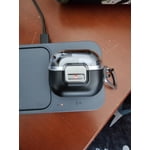
I love them, the ambient sound is much better than the buds 2 pros and the sound is awesome! I haven't had any problems with mine. I have switched ear tips and no problems at all. Samsung out did there selves with these.

Review from Samsung US
Helpful?3MTCIEJ7RGUC18797511992
May 3, 2025
Reviewer name: Clint
4 out of 5 stars
4 out of 5 stars review

Verified Purchase

Great Earbuds

Great looking earbuds. Fit on my ears and stay in place well. Easy to use and nice case. They are a little challenging to twist with your fingers to get into the case. The noise cancellation works quite well.

Review from Samsung US
Helpful?3MTCIEJ7RGUC18797511992
reply from R&R Team

Thanks for sharing your thoughts on the Galaxy Buds3 Pro, Clint. It’s great to see that you appreciate the fit and design, as we focus on creating earbuds that are both comfortable and stylish. We value your feedback regarding the twisting of the buds so that you can put them in the case. It’s always helpful to know how we can improve. We’re glad the noise cancellation is working well for you. Once again, we appreciate your feedback and hope to hear more from you in the future. For any questions or concerns, please reach out to us at Samsung Support. -Kelvin smsng.us/Samsung-Support smsng.us/Facebook-Messenger smsng.us/X-Messages smsng.us/Samsung-Community smsng.us/Warranty-Info smsng.us/Samsung-Care-Plus

Aug 23, 2025
Reviewer name: Simon
3 out of 5 stars
3 out of 5 stars review

Verified Purchase

Expected too high

Even after trying different ear tip sizes, they don’t fit snugly in my ears. The touch controls are also unresponsive, and as a result, the noise canceling is underwhelming. Overall, the sound quality feels inferior compared to version 2.

Review from Samsung US
Helpful?3MTCIEJ7RGUC18797511992
reply from R&R Team

It's great to hear from you, Simon. Thank you for sharing your experience with the Galaxy Buds3 Pro. We're glad to see that you've already tried the additional earbud tips to get a better fit. Just a quick reminder to match the markings for right and left when putting them in. The right bud goes in your right ear and the left in your left. Try angling them so the microphone points toward you, and don’t hesitate to adjust them until they feel just right. To ensure a comfortable fit, you can also use the earbud fit test available in the Galaxy Wearable app. For the unresponsive touch controls, please check out the link attached for troubleshooting tips that can help with the pinch and swipe gestures. If you have any further concerns or questions, feel free to reach out to us at Samsung Support. We’re here to help you get the best experience possible. -Kelvin https://www.samsung.com/uk/support/mobile-devices/how-to-use-pinch-control-earbuds-control-and-troubleshoot-your-galaxy-buds3-and-buds3-pro/?srsltid=AfmBOooveMEH2lqCgwL9uziCu9eWZuLgviduj3o9XkfR4LQjKQNP5pW7 smsng.us/Samsung-Support smsng.us/Facebook-Messenger smsng.us/X-Messages smsng.us/Samsung-Community smsng.us/Warranty-Info smsng.us/Samsung-Care-Plus

Dec 5, 2025
Reviewer name: Loudssss
5 out of 5 stars
5 out of 5 stars review

Listening quality is excellent.
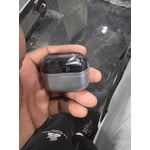
[This review was collected as part of a promotion.] I love using my earphones for music and movie quality and I love i can use my galaxy Ai on command

Review from Samsung US
Helpful?3MTCIEJ7RGUC18797511992