Skip to Main Content
Sam's Club
Sam's Club
All Departments
All Services
Customer reviews for Samsung Galaxy Buds3 Pro for
Samsung Galaxy Buds3 Pro

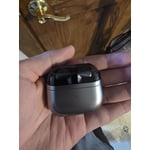
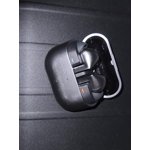
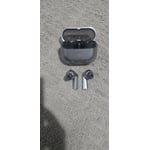
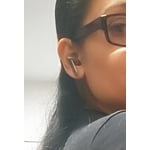
Member photos

  • +3764 images
Sort by |
Showing 361-370 of 14,097 reviews
Sep 11, 2025
Knikky
1 out of 5 stars review

Verified Purchase

Not worth the money

They do not fit in my ear correctly and constantly fall out. I ended up not using them. Wish I had my old ones back that I traded in.

Review from Samsung US
Helpful?3MTCIEJ7RGUC18797511992
reply from R&R Team

We appreciate your feedback regarding the Galaxy Buds3 Pro. The Buds3 Pro are made to provide a snug fit with the new stem design, and we want you to have the best experience possible and be able to utilize your buds. To ensure optimal audio quality and minimize sound leaks, it's important to use the correct size ear tips, making sure there’s no gap between the ear tip and your ear. You can refer to our guide for instructions on changing the tips. Once you have the appropriate tips, check the earbuds for directional marks—“R” for the right earbud and “L” for the left. Insert the right bud into your right ear with the “R” facing you, and the left bud into your left ear with the “L” facing you. Angle the earbud slightly so that the microphone points toward your mouth, and adjust the fit by rotating them until comfortable. Additionally, consider running an earbud fit test to verify that you have the proper fit. If you have any further concerns or questions, please do not hesitate to reach out to us at Samsung Support. -Kelvin smsng.us/Samsung-Support smsng.us/Facebook-Messenger smsng.us/X-Messages smsng.us/Samsung-Community smsng.us/Warranty-Info smsng.us/Samsung-Care-Plus

Aug 22, 2025
Ebin
1 out of 5 stars review

Verified Purchase

Connectivity issues

Keeps getting disconnected from the phone. Though i like the design and it fits perfectly in my ears

Review from Samsung US
Helpful?3MTCIEJ7RGUC18797511992
reply from R&R Team

Thank you for sharing your experience with the Galaxy Buds3 Pro, Ebin! We’re glad to see that you love the design and that they fit perfectly in your ears. We understand how it can be inconvenient when the connection to your phone drops. If your Galaxy Buds are disconnecting frequently, it may be due to a poor Bluetooth connection or how the earbuds are being worn. We recommend checking that the earbuds are properly inserted into your ears, ensuring your Bluetooth connection is secure, and making sure the earbuds' software is up-to-date. For more options to help troubleshoot, please check out the link below. If this continues, feel free to reach out to us at Samsung Support! We’re here to assist you! -Kelvin smsng.us/Samsung-Support smsng.us/Facebook-Messenger smsng.us/X-Messages smsng.us/Samsung-Community smsng.us/Warranty-Info smsng.us/Samsung-Care-Plus

Aug 30, 2025
Anonymous
5 out of 5 stars review

Verified Purchase

Buds Pro 3

Great earbuds and I love the ambient mode with noise cancelation. I'm buying one more for my wife.

Review from Samsung US
Helpful?3MTCIEJ7RGUC18797511992
Sep 4, 2025
Steph B
4 out of 5 stars review

Verified Purchase

Easy Process

Easy process to purchase and use my coupon code. I need time to adjust to the design change though.

Review from Samsung US
Helpful?3MTCIEJ7RGUC18797511992
reply from R&R Team

Thank you for your awesome feedback, Steph! We appreciate your insights and understand that adjusting to design changes can take some time. The refreshed look of the Galaxy Buds3 Pro is just one of the ways we aim to enhance your experience. We’re also proud of the revolutionary sound quality that the Galaxy Buds3 Pro provides. Designed for true audio lovers, the comfortable new shape and improved hardware deliver the high-resolution audio experience your ears have been craving. If you have any further questions or concerns while you get acclimated, please don’t hesitate to reach out to us at Samsung Support. -Kelvin smsng.us/Samsung-Support smsng.us/Facebook-Messenger smsng.us/X-Messages smsng.us/Samsung-Community smsng.us/Warranty-Info smsng.us/Samsung-Care-Plus

Oct 3, 2025
Migbel89
5 out of 5 stars review

Verified Purchase

Best buds ever

Most comfortable and best sounding buds. I tried my wife's airpod pros and they don't even compare to these Samsung Buds3 pro.

Review from Samsung US
Helpful?3MTCIEJ7RGUC18797511992
Aug 25, 2025
Samrat Sathe
5 out of 5 stars review

Verified Purchase

Upgraded

Definitely upgraded. Noise cancelation works so perfect even in crowded gym, outside. Music feels great.

Review from Samsung US
Helpful?3MTCIEJ7RGUC18797511992
Aug 14, 2025
Anonymous
5 out of 5 stars review

Verified Purchase

Galaxy Buds Pro Silver

It has been amazing using the Samsung Galaxy Buds3 Pro, Silver. The simple structure of the buds made it beautiful and worthwhile.

Review from Samsung US
Helpful?3MTCIEJ7RGUC18797511992
Sep 19, 2025
TMTM
2 out of 5 stars review

Verified Purchase

Not for me

The speaker starts to key and screech so loud if it falls. I've never had thos issue with other headphones.

Review from Samsung US
Helpful?3MTCIEJ7RGUC18797511992
reply from R&R

Hello to you TMTM, Thank you for reaching out and sharing your experience with your Galaxy Buds3 Pro. When Active noise canceling, Adaptive, or Ambient sound is enabled, the sound coming through the sub-microphone (located on the top outer edge of your earbuds) is adjusted according to the noise control mode and delivered to the user through the speaker. However, if you touch or cover the area around the sub-microphone while putting your Galaxy Buds on, taking them off, or adjusting them, the microphone may detect sound and cause a beeping or howling noise. It’s the position of the speaker to the microphone that creates a loopback sound when disengaged. We hope that having an understanding helps a bit. If it becomes concerning, please reach out to our Samsung Support Team for assistance. Your feedback is valuable to us, and we are grateful to have you as a part of the Samsung community. Samsung earbud has a static noise https://www.samsung.com/us/support/troubleshooting/TSG01211003/#:~:text=Reset%20your%20earbuds.,will%20automatically%20enter%20pairing%20mode. -Ty Samsung Support smsng.us/Samsung-Support Samsung Community smsng.us/Samsung-Community Facebook smsng.us/Facebook-Messenger X https://smsng.us/X-Messages

Aug 24, 2025
Anonymous
5 out of 5 stars review

Verified Purchase

Great Buds

Sound quality is great. Fits in my ear perfectly. Overall I am impressed and really glad I made the decision.

Review from Samsung US
Helpful?3MTCIEJ7RGUC18797511992
Oct 10, 2025
Minnesota Magic
1 out of 5 stars review

Verified Purchase

Mediocre Mic, Quality Speakers

People say that I sound really muffled on the phone biggest downfall. Great sounds quality though and battery life

Review from Samsung US
Helpful?3MTCIEJ7RGUC18797511992
reply from R&R

Hola Minnesota Magic, Thank you for reaching out and sharing your experience with your Galaxy Buds3 Pro. If you notice the mic on your earbuds is muffled during calls or recording, please check if the microphone hole is blocked; otherwise, sound may not be appropriately input. Clean the microphone hole, speaker, and air duct regularly to prevent debris from accumulating. Use a clean, dry, soft brush or cotton swab to remove earwax or other debris. After using the earbuds, wipe them with a smooth, dry cloth. Keep the earbuds dry. Be careful not to get the earbuds wet or let liquid enter them. Clean the microphone hole, speaker, and air duct regularly to prevent debris from accumulating. Note: When removing foreign substances, do not use a sharp razor, etc., and do not use excessive force. The microphone hole, speaker, and air duct may be damaged if they are tampered with. You may solve the microphone issue by resetting the earbuds. Tap the Galaxy Wearable app > Earbuds settings > Reset and follow the on-screen instructions to complete the factory reset process. If further assistance is needed, please do not hesitate to reach out to our Samsung Support Team. Thank you for your review. We are happy to have you as a part of the Samsung community. -Ty Samsung Support smsng.us/Samsung-Support Samsung Community smsng.us/Samsung-Community Facebook smsng.us/Facebook-Messenger X https://smsng.us/X-Messages