Skip to Main Content
Sam's Club
Sam's Club
All Departments
All Services
Customer reviews for Samsung Galaxy Buds3 Pro for
Samsung Galaxy Buds3 Pro
4.4 out of 5 stars
stars
14.6K ratings14.5K reviews
  1. 5 stars69% (10K)
  2. 4 stars16% (2,386)
  3. 3 stars7% (1,023)
  4. 2 stars4% (557)
  5. 1 star4% (615)

Member photos

  • +3896 images
Sort by |
Showing 3,161-3,170 of 14,597 reviews
Jun 29, 2026
Reviewer name: Ryanshad21
5 out of 5 stars
5 out of 5 stars review

The Buds rock!

[This review was collected as part of a promotion.] The Buds work great, and they pair well with the "Galaxy AI" features.

Review from Samsung US
Helpful?3MTCIEJ7RGUC18797511992
Jun 24, 2026
Reviewer name: Diego
2 out of 5 stars
2 out of 5 stars review

Microphone issues and it disconnects.
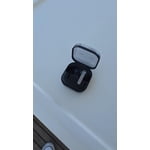
It's so frustrating that the microphone stops working or they randomly disconnect. Now. The New "update" made them worse...

Review from Samsung US
Helpful?3MTCIEJ7RGUC18797511992
reply from R&R

Hello Diego, Thank you for sharing the concerns you've been experiencing with your Galaxy Buds3 Pro. These earbuds are designed to provide immersive audio, active noise control, and seamless connectivity with Galaxy devices for music, calls, and everyday listening. We understand how difficult it can be when the microphone stops working or when the earbuds disconnect unexpectedly, especially after a recent software update. Here are a few steps you can take to resolve these behavior: 1. **Microphone Care**: Make sure to clean your earbuds regularly to maintain proper microphone functionality. 2. **Resetting the Earbuds**: To address microphone concerns, you can reset the earbuds. Open the Galaxy Wearable app, go to Earbuds settings, select Reset, and follow the on-screen instructions to complete the factory reset process. 3. **Optimal Distance**: Ensure that your earbuds are used within 30 feet of your device. Please note that this distance can vary based on your environment and phone model. 4. **Avoid Obstructions**: Keep your device away from walls, routers, electrical equipment, and any sources of electromagnetic interference that might block the Bluetooth signal. 5. **Battery Check**: If the earbuds have a low battery, they may disconnect from your phone. Charge the earbuds if necessary, and you can check their battery level in the Galaxy Wearable app. For additional information, resources are linked below. If you need further assistance, please don’t hesitate to reach out to our dedicated Samsung Support Team. What to do when the Galaxy Buds microphone is not working https://www.samsung.com/levant/support/mobile-devices/what-to-do-when-the-galaxy-buds-microphone-is-not-working/ Galaxy Buds won't stay connected to phone https://www.samsung.com/us/support/troubleshoot/TSG10001339/ -Ty Samsung Support smsng.us/Samsung-Support Samsung Community smsng.us/Samsung-Community Facebook smsng.us/Facebook-Messenger X https://smsng.us/X-Messages

Jun 29, 2026
Reviewer name: Doddgirl
5 out of 5 stars
5 out of 5 stars review

Good product

[This review was collected as part of a promotion.] They fit well and you can hear good. Other than that nothing spectacular

Review from Samsung US
Helpful?3MTCIEJ7RGUC18797511992
Jun 29, 2026
Reviewer name: SajHuss
4 out of 5 stars
4 out of 5 stars review

Great noise canceling features
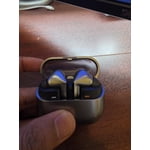
[This review was collected as part of a promotion.] Fit is not very comfortable but sound and noise canceling is great.

Review from Samsung US
Helpful?3MTCIEJ7RGUC18797511992
reply from R&R

Hello SajHuss, Thank you for sharing your experience with the Galaxy Buds3 Pro. The Galaxy Buds3 Pro offer clear sound, effective noise cancellation, and an immersive listening experience all in a compact design. We are pleased to hear that you are impressed with the audio quality and noise control. Comfort is equally important for longer listening sessions, and the Galaxy Buds3 Pro come with various ear tip sizes to ensure a comfortable fit. Start by selecting the tips that best suit your ears, making sure there is no gap between your ear and the tip. This will help avoid sound leaks and provide the best audio experience. If you need assistance changing the tips, please refer to our guide for the Buds3 Pro. Once you have attached the appropriate tips, follow these steps to ensure a proper fit: 1. Look for directional markers on the bottom of the earbuds, indicated by "L" for left and "R" for right. 2. Insert the right earbud (R) into your right ear, ensuring that the "R" faces you. 3. Place the left earbud (L) in your left ear, with the "L" facing you. 4. Slightly angle the earbud so that the microphone is directed towards your mouth instead of pointing straight down. 5. Adjust the position by rotating the earbuds back and forth until they feel comfortable. For added assurance, consider running an earbud fit test to confirm that they fit properly. We appreciate your feedback about how the earbuds feel in your ears. Thank you for choosing Samsung audio! How to wear your Samsung Galaxy Buds3, Buds3 Pro, or Buds3 FE https://www.samsung.com/us/support/answer/ANS10003519/ -Ty Samsung Support smsng.us/Samsung-Support Samsung Community smsng.us/Samsung-Community Facebook smsng.us/Facebook-Messenger X https://smsng.us/X-Messages

Jun 21, 2026
Reviewer name: Romeslick78
5 out of 5 stars
5 out of 5 stars review

Amazing earbuds

[This review was collected as part of a promotion.] Great sound. Easy use. Comfortable fit. Galaxy Ai compatible.

Review from Samsung US
Helpful?3MTCIEJ7RGUC18797511992
Jun 4, 2026
Reviewer name: Nsksbejdd27e6
4 out of 5 stars
4 out of 5 stars review

Earbuda are great

[This review was collected as part of a promotion.] They work very well okay noise canceling. Great voice controls hey Google works very well

Review from Samsung US
Helpful?3MTCIEJ7RGUC18797511992
Jun 7, 2026
Reviewer name: Galaxy42
5 out of 5 stars
5 out of 5 stars review

Great ear buds

[This review was collected as part of a promotion.] I've love all the galaxy buds ive owned the pros are always the best

Review from Samsung US
Helpful?3MTCIEJ7RGUC18797511992
May 31, 2026
Reviewer name: MyTVFAN09
5 out of 5 stars
5 out of 5 stars review

This is an amazing product

[This review was collected as part of a promotion.] This is an amazing product Keep up the awesome work I will refer a Friend

Review from Samsung US
Helpful?3MTCIEJ7RGUC18797511992
Jun 29, 2026
Reviewer name: Jennabug
5 out of 5 stars
5 out of 5 stars review

Great sound

[This review was collected as part of a promotion.] Buds have great sound. They are comfortable in the ear and do not hurt from wearing a long time.

Review from Samsung US
Helpful?3MTCIEJ7RGUC18797511992
Jun 29, 2026
Reviewer name: Animal33542
5 out of 5 stars
5 out of 5 stars review

Great buds for working out.

[This review was collected as part of a promotion.] Galaxy AI is great. The are great anytime noise reduction and comfort. Love them.

Review from Samsung US
Helpful?3MTCIEJ7RGUC18797511992