

Member photos




 +3896 images
Verified Purchase
SONY XM5 vs. BUDS PRO 3.
Buds Pro 3 aregreat. There's many things I like about them over my Sony XM5. The fit, the size, the weight, the functionality, the look, are all awesome. The only thing they don't have going for them is the smooth sound of my Sony earbuds with Sony's codecs. Other than that, noise cancellation is great. Ambient sound is better than my Sony's and you can adjust the amplitude. I use my Sony's as a benchmark. The Buds Pro 3 have become my daily earbuds. But if I want to sit back and really listen to music, then I put on the Sony's.
Verified Purchase
Bad Fit for Long Term Wear
After wearing these for 2 hours, the buds made my ears sore. I also didn't like the new touch settings. The swiping up and down along the bar and applying enough pressure is nearly impossible to achieve one-handed. I immediately returned mine and continue to wear the Buds2 Pro.
Hi there RTRT, Thanks for taking the time out of your day to share your thoughts with us about your Samsung Galaxy Buds3 Pro. Your feedback allows us to continue to strive in providing the best products with superior functionality on the market to our customers. Samsung provides a 12-month warranty on our products for manufacturing defects in materials and workmanship, linked below. Wearing your Buds3 Pros improperly can cause discomfort, sound leaks, and makes them more likely to fall out. As you know, the Galaxy Buds3 Pro come with different sized ear tips. The first thing you want to do is make sure they have the right size tips for your ears. You want them to fit so that there isn't a gap between your ear and the ear tip. This helps to avoid sound leaks and ensure optimal audio. Once you have the right tips on your buds: 1. Check the bottom of the earbuds for directional marks. You will see an L and an R. 2. Insert the R bud into your right ear with the R facing you. 3. Insert the L bud into your left ear with the L facing you. 4. Angle the blade slightly so that the microphone on the bottom is pointing towards your mouth rather than straight down. 5. You can adjust the buds by rotating them forwards and backwards until the fit feels right. You can also run an earbud fit test in the Galaxy Wearable app to ensure you have the proper fit. To run an Earbud fit test, 1. Open the Galaxy Wearable app on your connected phone. 2. From the Buds3 Pro screen, tap Sound quality and effects. 3. Tap Earbud fit test. 4. The screen will display either In ear or Not in ear. Make sure both buds are in your ears, and then tap Start. 5. The buds will chime for a few seconds, and then the app will display your results. It may say Poor fit or Good fit. If the fit is poor, make small adjustments and then tap Try again. 6. Continue running the fit test and making adjustments until you get a good fit result for both buds. If you would like to learn more, feel free to review, "How to wear your Samsung Galaxy Buds3 and 3 Pro. If you would like to share any other feedback with us or if you would like further assistance, please let us know by reaching out to Samsung Support at your leisure. Thank you for choosing Samsung! - Debra Samsung Support smsng.us/Samsung-Support Warranty Info smsng.us/Warranty-Info Facebook Messenger smsng.us/Facebook-Messenger X Messages https://smsng.us/X-Messages Samsung Community smsng.us/Samsung-Community Buds3 Pro https://www.samsung.com/us/mobile-audio/galaxy-buds3-pro/ How to wear your Samsung Galaxy Buds3 and 3 Pro https://www.samsung.com/us/support/answer/ANS10003519/
My experience with these 7/8/2025
[This review was collected as part of a promotion.] So far I love the sound and all the features with these. Still learning how to use everything. These replaced my Samsung buds pro. The fit really well and don't fall outta my ears as often as their predecessors did. I also like that they put leds on them for if you drop them you can see them when you hit you find my device. Now for the reason I'm giving them 4 stars. What I really don't like about them is charging them. Since I got them there's usually one of them that doesn't charge up all the way after put them in the case and you don't realize it until you go to wear them next time. I actually have to play with whichever one didn't charge until I see the charging icon next to the bud on the widget. Even then it might stop charging. But it still sees the devices. IDK weather it's a update they need to release or what it is.

Verified Purchase
Good not great
They are good but not amazing. The material is made of feels cheap for what these cost, the battery does not last as much as the galaxy buds pro 2. They do sound better and in calls it's better than the buds but battery performance and material quality is cheap.
Thank you for sharing your feedback about the Galaxy Buds3 Pro. The Buds3 Pro is designed with a polycarbonate (PC) body, which is lightweight and durable, while the main speaker mesh is made of aluminum and the port mesh is stainless steel. These materials are selected to balance durability and comfort, ensuring a premium feel while keeping the earbuds lightweight for extended use. In terms of battery performance, the Galaxy Buds3 Pro provides up to 26 hours of playtime per charge, which can be extended to up to 30 hours with a fully charged case. Battery life can vary depending on usage patterns and settings, such as Active Noise Canceling or Ambient Sound features. It's great to see that you found the sound quality and call performance to be better than previous models. We appreciate your feedback and hope these details provide more insight into the design and performance of the Galaxy Buds3 Pro! For any further concerns or questions, please be sure to reach out to us at Samsung Support. -Kelvin smsng.us/Samsung-Support smsng.us/Facebook-Messenger smsng.us/X-Messages smsng.us/Samsung-Community smsng.us/Warranty-Info smsng.us/Samsung-Care-Plus
Verified Purchase
Quality quality quality
I had the prior version and had issues with them staying in. These are a lot better, just need to try the differnt ear cones. The sound is very good, the noise canceling is the best ever, i love the slide volume, but want the tap to answer calls back. Pinching is not as good.
Profound sound with feature rich attributes...!
Outstanding earbuds on every level. Sound is superb particularly with throaty base without overdriving and making the base sound muddy. Solid mids and complimentary highs. Fit and function are Outstanding as well, but a subtle critic for me is I prefer the tap function over the squeezing of the earbuds when advancing to the next song, etc. My profound favorite function as somewhat a gym rat is the verbal command capabilities. The ability to tell the earbuds to advance to the next song, increase or decrease volume, etc while hands free is a gift of technology and one I hope Samsung never eliminates. Additionally, I like the LED light feature on the earbuds. Again, a feature I routinely use in the gym as it subtly communicates that my earbuds are in and I'm actively listening to music, podcasts, etc. Arguably, the best pair of earbuds Samsung has made to date and sets the bar high for the competition as well as Samsung to continue improving on the Buds Pro. I can only hope that they don't remove features from future earbuds as that would be a obtuse step backwards from these gems.
Verified Purchase
Great for gym. 💪🏋️♀️ #FitnessGoals #WorkoutAtHo
I am most grateful for the best galaxy buds I have ever used. They are utilized primarily for physical fitness, their sound quality is exceptional, and they remain within your ear. Despite being worn for 2 hours, I had no issues with adjusting them to my ears.
Verified Purchase
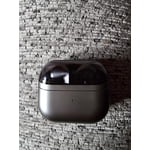
Love them so much
I love the new design. I listen to a lot of audiobooks and these stay in my ears when im laying on the side of my face. Compared to the previous Buds Pro design they seems to stay in during workouts and not hurt my ears if ive had them in for a while. The battery life is also great.
Thank you so much for sharing your thoughts on the Galaxy Buds3 Pro, Beverly! It's reassuring to see that you love the new design. It’s awesome to see that they stay securely in your ears, especially while you’re laying on your side and during workouts! Comfort is key, and it sounds like the improved fit has made a positive difference for you. We’re also happy to see that the battery life has been working well for your audiobook listening sessions. Your feedback is important to us as we strive to make our products even better. If you have any questions or need assistance with anything, please don’t hesitate to reach out to us at Samsung Support. -Kelvin smsng.us/Samsung-Support smsng.us/Facebook-Messenger smsng.us/X-Messages smsng.us/Samsung-Community smsng.us/Warranty-Info smsng.us/Samsung-Care-Plus
Truly Impressive Performance
[This review was collected as part of a promotion.] I absolutely love the Samsung Galaxy Buds Pro 3 and all the features they bring to the table. The active noise cancellation is a standout — it’s incredibly effective and makes a huge difference both at work and at the gym. Whether I’m trying to focus on tasks or stay in the zone during a workout, it blocks out loud distractions effortlessly. Call clarity is another area where these buds shine — it’s honestly the best I’ve experienced with any wireless earbuds. Voices come through crisp and clear on both ends, even in noisy environments. When it comes to sound quality, the Buds Pro 3 deliver a top-notch experience. Music sounds rich and detailed, with the bass tuned just right — deep enough to feel without overpowering the mids and highs. Overall, these earbuds check every box for me. Whether you're into music, podcasts, calls, or just need peace and quiet, the Buds Pro 3 are a fantastic choice.
They need improvement
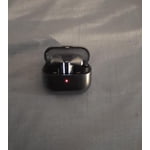
[This review was collected as part of a promotion.] So when it comes to the Galaxy Bud Pro 3 they can use a great deal of improvement. Like the battery life can definitely be improved they die way too fast if you use any of the features. And they also lose their sound quality as time goes on which I'm not sure if it's just mine but they definitely do not sound the way they sounded they were brand new
Hello there Stylishdevil, Thank you for sharing your thoughts on the Galaxy Buds3 Pro. These earbuds are designed to deliver clear sound and adaptive features powered by Galaxy AI. If you notice reduced battery life or a decline in sound quality, it might be time to check if a software update is available. When an update is ready, the Galaxy Wearable app will notify you with a popup. To manually check for updates, follow these steps based on your earbuds: insert the earbuds into the charging case with the lid open, open the Galaxy Wearable app, tap Earbud settings, then tap Earbuds software update, and choose Download and install. The update will begin if available. For more details, refer to the online guide linked below. Your feedback on battery life and performance helps us enhance durability and sound quality. We appreciate your input and thank you for choosing Samsung. How to install software updates on your Samsung earbuds https://www.samsung.com/us/support/answer/ANS10001316/ -Ty Samsung Support smsng.us/Samsung-Support Samsung Community smsng.us/Samsung-Community Facebook smsng.us/Facebook-Messenger X https://smsng.us/X-Messages