

Member photos






 +3896 images
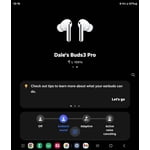
The features in the buds 3 pro
[This review was collected as part of a promotion.] The Galaxy AI in the earpuds are really great, it was my first time ever owning earpuds with ANC and I'm glad I went with these earpuds for my birthday. I've been using these for about a year now and so far there hasn't been a problem for me with them.
Verified Purchase
G Buds 3
Very good i think you get 5 hours not 6 of usage and when putting the in my ear there is some feedback initially (sometimes). Sound quality is very good, noise canceling is top notch, also ambient sound works very well. Action buttons are well placed and work well. I would recommend 🖖🏾

Great headphones plagued by a simple issue
They are awesome headphones, great sound, good features, and even more so if you stay within the samsung ecosystem. However, im on my second pair; do not buy these for exercise or the gym. If they get the slightest bit damp they refuse to charge until you wipe them down and clean the case leads with a q-tip. I do not sweat a lot. Samsung support gives some generic response about removing debris and wiping them down. The provided ear inserts are also pretty mediocre. Would suggest buying aftermarket ones. Battery life is really good as long as the high quality audio feature isn't turned on. The noise cancelling is also solid and doesnt use a ton of battery. Headphones could be a 5/5 if it weren't for them not charging every day after the gym. Samsung support was also great about the RMA when my first pair straight stopped charging after about a year. Im putting this review at one star because im frustrated and no one at Samsung will take note of a 3 star review.
Hi Jason, We appreciate you taking the time to reach out and share your thoughts on your Galaxy Buds3 Pro. Your feedback is valuable to us, and we take the time to read all reviews carefully, often making adjustments based on your suggestions. We are committed to enhancing your experience, and you have our full attention. While the Galaxy Buds3 Pro has an IP57 water resistance rating, we recommend wiping them off if they come into contact with moisture, especially the charging case. The Galaxy Buds3 Pro also offers many features, including ambient sound and active noise cancellation. With proper optimization, you can enjoy excellent sound quality throughout the day. To ensure a comfortable fit, the Galaxy Buds3 Pro comes with three sizes of ear tips, so you can find the perfect fit for your needs. We will provide additional resources below for you to explore more about your Galaxy Buds3 Pro and everything they offer. Thank you for choosing Samsung! How to wear your Samsung Galaxy Buds3, Buds3 Pro, or Buds3 FE https://www.samsung.com/us/support/answer/ANS10003519/ How to wear your Samsung Galaxy Buds3, Buds3 Pro, or Buds3 FE https://www.samsung.com/us/support/answer/ANS10003519/ How to change the tips on your Galaxy Buds3 pro or Buds3 FE https://www.samsung.com/us/support/answer/ANS10003496/ All about the Galaxy Buds3, Buds3 Pro, and Buds3 FE https://www.samsung.com/us/support/answer/ANS10003393/ -Ty Samsung Support smsng.us/Samsung-Support Samsung Community smsng.us/Samsung-Community Facebook smsng.us/Facebook-Messenger X https://smsng.us/X-Messages
Verified Purchase
Good, but question if better then Buds 2
Decent sound and function. The issue I have is when inserting them into my ears I often get a huge amount of feedback. Perhaps I am trying to hard to insert them because I don't feel like they make a great fit. The noise cancelation isn't as good as the Buds2. However they do stay in my ears better then the Buds2. Finally, it's impossible to put a shirt on/off without them falling out unlike the Buds2.
Thank you for sharing your experience with the Galaxy Buds3 Pro! We appreciate your feedback and want to ensure you have the best possible experience with our products. Regarding the discomfort you’re experiencing during insertion, it may help to adjust the ear tips for a better fit. The Galaxy Buds3 Pro comes with multiple ear tip sizes, so experimenting with these options can enhance both comfort and sound quality. A secure fit is essential for optimal audio performance, so it's great that you're considering this! As for noise cancellation, the Buds3 Pro features Active Noise Cancellation to reduce outside sounds. However, it's important to ensure that the ear tips create a good seal in your ears. You can check the fit by following the guidelines provided on our website. For even better sound isolation, remember to activate the Ambient Sound feature when you need to be aware of your surroundings. It's fantastic to see that the Galaxy Buds3 Pro stay in your ears more securely compared to the Buds2. For added stability, try adjusting the fit during high-movement activities. We truly value your insights, and if you have any further questions or need assistance, please don't hesitate to reach out to us at Samsung Support. -Kelvin smsng.us/Samsung-Support smsng.us/Facebook-Messenger smsng.us/X-Messages smsng.us/Samsung-Community smsng.us/Warranty-Info smsng.us/Samsung-Care-Plus
Verified Purchase
Ear Buds don't stay in.
The Ear Buds fall out of my ears no matter which size I use. Apparently they are too heavy or just can't fit properly. The sound is very good but any amount of head motion causes them to move and often fall out. Using them on a treadmill is impossible. I'm very disappointed. I had expected these very expensive ear pods to be much better this.
Thank you for sharing your thoughts on the Galaxy Buds3 Pro! We truly appreciate your feedback and understand how frustrating it can be when earbuds don’t fit comfortably during your activities. The Galaxy Buds3 Pro is designed with a secure fit in mind, featuring customizable ear tips to help ensure they stay in place. If you haven’t already, we recommend trying out the various sizes to find the perfect fit for your ears. It can make a significant difference in comfort and stability, especially during movement. We’re exhilarated to know that you enjoy the excellent sound quality! The Buds3 Pro delivers rich, immersive audio with powerful bass and crystal-clear highs, making your listening experience truly enjoyable. We want you to enjoy your music, podcasts, or calls without interruptions. If you're planning to use them during workouts, we encourage you to explore the Ambient Sound feature. It allows you to stay aware of your surroundings while still enjoying your audio, which can be helpful on a treadmill or in other situations. Your experience matters to us, and we’re committed to enhancing your journey with our products. We hope you can find the right setup that improves your overall experience with the Galaxy Buds3 Pro. If you have any further questions or feedback, feel free to share them with us at Samsung Support. -Kelvin smsng.us/Samsung-Support smsng.us/Facebook-Messenger smsng.us/X-Messages smsng.us/Samsung-Community smsng.us/Warranty-Info smsng.us/Samsung-Care-Plus
Verified Purchase
Great headphones, terrible touch controls
Upgrading from buds 2 the improvements in sound and fit are obvious. The one thing that stops me from giving 5 stars and something I'm not at all happy with are the touch controls. After 3 months and tons of tries thr pinch controls are recognized maybe 1 in 3 times.
Thanks for sharing your experience with the Galaxy Buds3 Pro, Andres. We're elated to see that you've noticed the improvements in sound and fit! We understand how frustrating it can be when the touch controls are not as responsive as expected. To enhance your experience, we recommend ensuring that your buds are always up to date with the latest software. This can often improve functionality. Additionally, cleaning the bud stems can help maintain the responsiveness of the touch controls. We hope these tips improve your experience with the Buds3 Pro! If you have any more questions or need assistance, feel free to reach out to us at Samsung Support. -Kelvin smsng.us/Samsung-Support smsng.us/Facebook-Messenger smsng.us/X-Messages smsng.us/Samsung-Community smsng.us/Warranty-Info smsng.us/Samsung-Care-Plus
Good sound quality
[This review was collected as part of a promotion.] The Galaxy Buds3 Pro deliver clear and balanced sound, with deep bass and crisp treble that make music and calls enjoyable. The active noise cancellation works well in busy environments, blocking out most background sounds. They are also very comfortable to wear for long periods, and the battery life lasts me through a full day with charging breaks in the case. Pairing with my Samsung phone was quick and smooth, and I like the extra features in the Galaxy Wearable app. The touch controls are responsive, though they can be a little sensitive at times. Overall, these earbuds feel premium and reliable for both daily use and entertainment.
Has awesome sound and priced fair
[This review was collected as part of a promotion.] The sound quality is fantastic and the functionality is great, the only reason I don't want to give them the fifth star is because they fall out of my ears even with the largest set of tips I could find.
Verified Purchase
Pickup a Pair
Having not used ear pods before, these fit comfortably though the self test indicates a bad fit in the right ear. When being used, sound is not disturbed by outside noises thanks to the noise reduction feature. Works good with Samsung Smart TVs and other Bluetooth compatible devices and computer games. Only downfall is wishing a pair of small and large ear pads were available at time of purchase.
GALAXY BUDS3 PRO HONEST REVIEW
[This review was collected as part of a promotion.] My Galaxy Buds 3 Pro have helped me avoid damaging wired cables so I no longer have to worry about it. I just put them on and can recharge them and not worry about having to connect them with the cable. I would recommend these earbuds if you want to be able to lay down after work or school. You can also use these earbuds with other devices not just phones. The earbuds has features that can help you get the best sound quality for your device so you can allow yourself to not be getting muffled sound quality. You can also rely on Samsung to discount these types of earbuds every year so you are really getting premium priced earbuds for a good price.