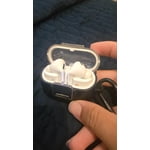
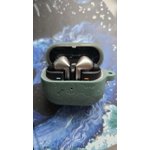
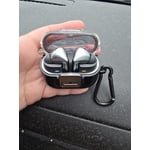
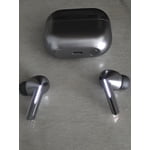
The design team need to be fired for this joke!
I've had these for three months now, and I still cannot successfully execute any of the touch capabilities of these buds except for changing the volume. Maybe they tried to do too much, but the ability to stop music by tapping the bud, is something I still cannot master. The fit test says one ear fits perfect, but that ear keeps falling out all the time. I've almost lost that bud several times now, and I'm certain it's only a matter of time before it gets lost for good. The other ear I cannot get a perfect fit for with the fit test, but at least it doesn't fall out as easily. That's not to say it never falls out, because it does, just not as often an the one that's supposed to fit perfectly. Cannot even speak as to the sound quality, as neither earbud fits good enough to get a good sound. I would say that active noise canceling must be a joke, but it worked pretty good on my old Galaxy Buds 2 (which I traded in for these crappy Buds 3). Every single time I put them in the charging case, my phone will send me a notification shortly after saying the the buds have stopped charging, except they haven't stopped. I have to assume the design team are complete morons, no other explanation makes sense. Fire them all today and send me back my Buds 2 please.
reply from R&R Team
Thank you for taking the time to share your experience with the Galaxy Buds. We appreciate your feedback as it helps us improve our products and services. It sounds like you’ve encountered some challenges with the touch controls. The Galaxy Buds are designed for ease of use, and if you’re only able to adjust the volume, consider checking the Galaxy Wearable app for the latest updates and customization options. This app allows you to personalize the touch controls, including the ability to pause music with a simple tap. Regarding the fit, we strive to provide a comfortable earbud experience. The Galaxy Buds come with multiple sizes of ear tips to help achieve the best fit. If you haven’t already, trying different sizes may enhance both comfort and stability, which in turn can improve sound quality. Speaking of sound quality, the Galaxy Buds feature advanced audio features, including active noise canceling. A proper seal with ear tips can significantly enhance the active noise-canceling performance. For any charging concerns, ensure you’re using the included USB cable along with a Samsung-approved wall adapter for optimal results. If you’re using wireless charging, make sure the earbuds are positioned correctly in the case and that there isn't any debris on the charging contacts. Regularly cleaning these contacts will help maintain charging efficiency. If you find that charging notifications persist or if there's a need for any further assistance, inspecting the condition of the earbuds and the case is important. If everything appears to be in order and challenges continue, please feel free to reach out to our support team at 1-800-SAMSUNG. We’re here to help ensure you enjoy your Galaxy Buds to their fullest potential. For any questions or concerns, please reach out to us at Samsung Support. Thank you for being a part of the Samsung family, and we hope that these tips enhance your listening experience! -Kelvin
smsng.us/Samsung-Support
smsng.us/Facebook-Messenger
smsng.us/X-Messages
smsng.us/Samsung-Community
smsng.us/Warranty-Info
smsng.us/Samsung-Care-Plus