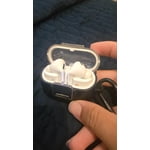
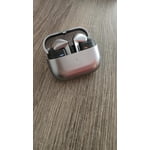
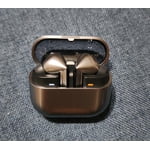
Member photos


+3765 images
Verified Purchase
Best Buds on the market 👌
They work wonderfully. Just the left bud doesn't light up much and the extra ear tips are helpful but they still fall out. I need to go online for foam tips. They charge up quickly, last a long time and pair perfectly. I love I can charge them on my phone. The style and quality is great. My ear must be too small. I already recommended them to friends and family. Keep up the good work.
Verified Purchase
Stick with the Buds2 Pro
A downgrade from Buds2 Pro. Many features including those connected to the contacts detecting whether or not the buds were in your ear are gone. The fit is much worse, they fall out while I'm at my desk whilst the buds2 I could take for a run: it feels like the stems cause them to rotate. the Stems and the case are very difficult to manage and take out / put away. the bright white light on the stems is only there to echo the usual indicator light, but makes it annoyingly bright in dark environments. Playback sound quality improvement isn't noticeable, mic is still just as bad for phone calls: there's no way for me to angle or talk such that it doesn't sound like I'm underwater.
Thank you for sharing your feedback about the Galaxy Buds3 Pro. We understand that transitioning from a previous model can come with differing experiences, and we appreciate you taking the time to share your thoughts. In terms of fit, the Galaxy Buds3 Pro include redesigned stems and ear tips to provide improved comfort and stability. To ensure they stay secure, it’s important to wear them properly. Check the directional markings (L for the left earbud and R for the right earbud), and insert them with the microphone slightly angled toward your mouth rather than pointing straight down. Adjust the earbuds by gently rotating them forward or backward until they feel stable. These adjustments can help reduce the feeling of rotation caused by the stems. The Galaxy Wearable app also offers an earbud fit test to confirm the optimal fit. For sound quality and call performance, ensuring the speaker mesh is clean and free of debris can enhance clarity. Additionally, keeping the Galaxy Wearable app up to date ensures that you benefit from any software optimizations made to the earbuds' audio and microphone capabilities. We appreciate your candid input about the usability of the case and the features compared to the Buds2 Pro. If you have any further concerns or questions, please be sure to reach out to us at Samsung Support. -Kelvin smsng.us/Samsung-Support smsng.us/Facebook-Messenger smsng.us/X-Messages smsng.us/Samsung-Community smsng.us/Warranty-Info smsng.us/Samsung-Care-Plus
Verified Purchase
Great with phone an tablet, terrible with PC.
So far, ive had a moderately good experience, but there is room for improvement. I like the fit and new style, they seem lighter in my ears, and that helps with comfort. When connected to my Fold 5 or Tab S9, they sounds great. My biggest beef is the connection to my Samsung Galaxy Book 4 Pro 360. They sound terrible. When I first got them, I had the hardest time just getting them to connect, and stay connected. The drivers are terrible. They sound like im in a tunnel. I uninstalled, reinstalled drivers several times, nothing helped. I even went as far as to reinstall Windows 11 on my PC. This helped a little, but compared to the sound when connected to phone or tablet, it is still subpar. Its really disappointing that Samsung earbuds dont work perfectly with Samsung laptop. Hopefully more attention will be paid to the drivers, and they can correct the problem.
Hi there Boomer, thank you for sharing your thoughts with us about your Samsung Galaxy Buds3 Pro. We are happy to hear how much you are enjoying the features and fit of your earbuds. We have provided a link to the Samsung Support Team to help you with the connection and functionality with your Samsung Galaxy Book4 Pro 360. Thank you for being a Samsung customer. -Elizabeth Samsung Support smsng.us/Samsung-Support Samsung Community smsng.us/Samsung-Community Facebook smsng.us/Facebook-Messenger X https://smsng.us/X-Messages
Good sound quality
[This review was collected as part of a promotion.] Samsung Galaxy Buds 3 Pro are really good overall. The sound is clear and detailed, the fit is comfortable for long use, and they work especially well with Samsung phones. The only downside is that the noise canceling and design may not be perfect for everyone, but for everyday listening, they feel like a solid premium choice
Verified Purchase
Crystal-Clear Sound & Premium Comfort!
I've been using the Galaxy Buds3 Pro Silver for a while now, and they are hands down the best earbuds I've ever owned! The sound quality is incredible—deep bass, crisp highs, and a perfectly balanced midrange make music and calls sound amazing. The active noise cancellation (ANC) is top-notch, blocking out background noise effortlessly. The fit is super comfortable, even for extended wear, and the sleek silver finish looks premium. Battery life is impressive, lasting all day with quick charging when needed. Plus, the seamless integration with my Samsung devices makes switching between them a breeze. If you're looking for high-end wireless earbuds, these are absolutely worth it! 🔥🎧
Verified Purchase
Almost perfect
Sound quality is good enough to please most. Phone calls are a very good experience. Battery life is slightly above average. The fit and finish is very good. Voice commands are superb 👌 Touch controls can sometimes be annoying if you are just trying to adjust the ear peice when working. You can not sing along because your music will turn down, just a setting thing. If you have noise canceling on and you try to use a grinder or another loud tool, the headphones dont know what do do and they make a loud crackling noise that hurts your ears. Wish it had a way of telling me I dropped an ear bud.... maybe a vibration or a chime. Wish I had a slim ear peice that fit into the phone like the S pen. Sorry I can't tell me my design for it. You can pay me for that. I wish they had live translation.
Verified Purchase
Best Ear Buds YET
I love these headphones! A tremendous step up from the buds 2. The mic is great for phone calls even in noisy areas. I use my electric shaver while on the phone and the person on the other end only hears me for the most part. The sound when playing music is amazing. It's immersive. The fact that it comes with it's own carrying case is anther great point. These galaxy buds 3 pros are well worth the price point. They remain in my ears fr the most part. The begin to slide out when you sweat or they are coated in a thin layer of ear wax. I clean mine regularly to prevent them from slipping out.
Verified Purchase
Not worth the upgrade from previous gen
These buds are okay, but I prefer my buds 2 pro. With the stems, I find myself fumbling more to put them back into the case. And the case feels less premium than my buds pro 2. The way the rubber tips clip on makes it challenging to replace sizes, leading to a higher likelihood of breaking and tearing. The tips also feel less comfortable than the 2's The wireless charging does not work well. I've yet to find a case that allows wireless charging to work when on. This includes the official one from Samsung. The sound is good, but only subtlety better than the previous generation. After I paired with my phone and was using them, they randomly paired with my sons tablet and would no longer work with my phone. If you have a previous generation, I really can't recommend these. And I would not pay retail for what you get.
Hi there JackofAll, we appreciate you sharing your thoughts about your Samsung Galaxy Buds3 Pro with us. We would be thrilled to help you maximize your experience with your earbuds and troubleshoot any aspect of the functionality that is causing you frustration. With regards to the eartips, we have provided a link to a video we have that will walk you through the steps and help you do so with ease. We have also provided a link to the full device manual to help you with the paired settings between your devices. We have also shared a link to the Samsung Support Team to offer assistance on the charging of your device, and any other aspects with which you would like one on one assistance. Thank you for being a Samsung customer. –Elizabeth Replacing the ear tips on your Galaxy Buds3 Pro for a perfect fit https://www.youtube.com/watch?v=i3SBh9ySfgA Product Manuals https://www.samsung.com/us/support/downloads/ Samsung Support smsng.us/Samsung-Support Samsung Community smsng.us/Samsung-Community Facebook smsng.us/Facebook-Messenger X https://smsng.us/X-Messages
Verified Purchase
Best buds yet
Sound is awesome. I love the voice commands, touch controls are super easy and reliable, the noise control is top notch, and they are very well made. I love how confortable and secure into the ear they are. Lot of options to tinker with. I love them!
Verified Purchase
Samsung Buds Pro 3
The sound quality of these headphones is decent, especially for music—it delivers fine audio clarity and an enjoyable listening experience. However, the overall user experience is marred by design flaws. The controls are not user-friendly, making it difficult to navigate basic functions. Additionally, the earbuds stick more than they should, which makes them prone to falling out during use. This also complicates the process of putting them back into the case, which can be quite frustrating. While the sound performance is satisfactory, the ergonomic issues significantly detract from their convenience and usability. If ease of use and fit are priorities for you, these headphones might not be the best choice.Music sounds fine but these are not easy to control and stick more and therefore falling out and harder to put back into the case.
Thank you for sharing your feedback on the Galaxy Buds3 Pro, Volod. We’re glad you enjoyed the sound quality and found it great for music, but we hate to see that the design and usability aspects didn’t meet your expectations. To enhance your experience, we recommend exploring tips for adjusting the fit and controls. Make sure to use the right-sized ear tips for your ears to prevent sound leaks and ensure optimal audio performance. For instructions on changing the tips, you can consult our guide for the Buds3 Pro. Once the correct tips are on, check that you insert the earbuds correctly—look for the directional marks (L and R) on the bottom of the earbuds and ensure that they fit comfortably in your ears. You can also run an earbud fit test in the Galaxy Wearable app to confirm that you have the proper fit. Your insights are valuable and help us make our products even better. If you have any further concerns or questions, please be sure to reach out to us at Samsung Support. -Kelvin smsng.us/Samsung-Support smsng.us/Facebook-Messenger smsng.us/X-Messages smsng.us/Samsung-Community smsng.us/Warranty-Info smsng.us/Samsung-Care-Plus