
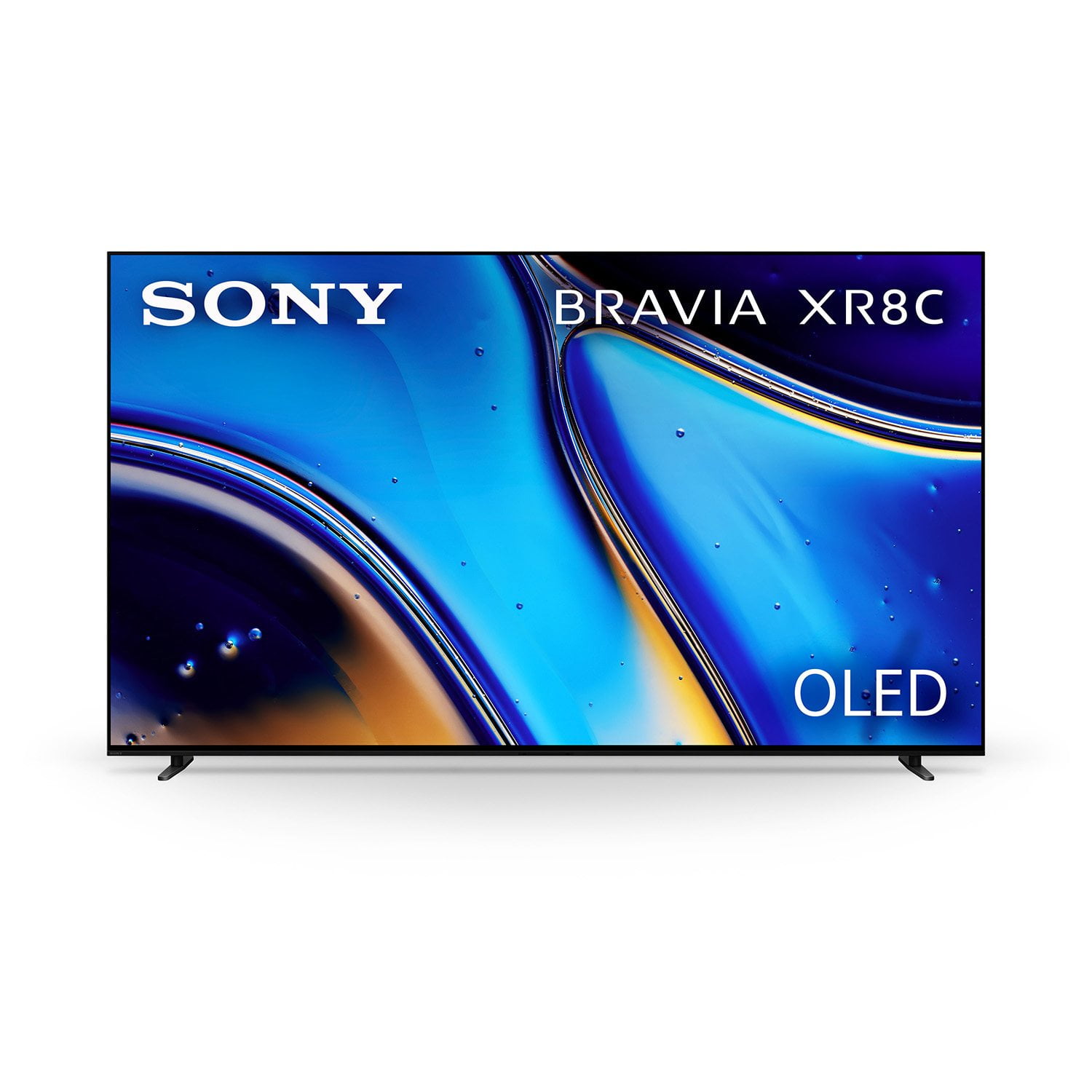
 Customer reviews for Sony 65” Class XR8C Series OLED 4K UHD HDR Google TV for
turns off on its own
Great Picture, but the tv keeps turning off on its own when on pause, I tried to adjust all the power down settings that it allows, but the power off mode is something built into the tv program that cannot be shut off
Amazing oled tv. Great sound and video experience
[This review was collected as part of a promotion.] The TV took about 20 minutes to set up and it was really easy. I absolutely love that they were two different size options for the stand so I did not need to upgrade my TV console and I was able to use my small size TV console with the smaller size TV stand. The video quality is amazing I watched two movies today and I really truly enjoyed the experience. The sound quality was beautiful and I'm really excited to continue testing my new TV
Hi calicleanbeautynerd, Amazing! We're glad that you like the sound, picture quality, design, and user-friendly functions of the TV. Thank you for choosing Sony! -Ralph
Nice picture quality, could use some work on the google tv aspect
[This review was collected as part of a promotion.] First thing I noticed, oh my gosh it's huge. Much bigger than I anticipated a 65” tv to be, but looks great on my wall. It's so thin and fragile looking, but sturdy and not too heavy. It was pretty easy to mount on the wall and set up (with two people lifting). Let's start with the negatives: I am having some issues with logging into accounts. When trying to click on login, it just clicks, but it's not actually doing anything. The other issue I have is since it is a Google TV, I am logged in with my Gmail, but the email associated with my YouTube account is a different email. So I have to create a second account on the TV just so I can log into that YouTube account, which is really stupid. The other issue I find is how busy the home screen is with all the recommendations. There is an option to do an apps only, but they're loaded with these preinstalled Sony apps that I can't seem to get rid of, which again makes the screen look busy. There is the free live TV option, but unlike the free live TV option on Freevee, you can't edit down the channels to just show the channels you're interested in. So you have to go through all 130+ channels or create favorites. I'd rather just hide the channels I have no interest in. Also really bummed that the spectrum app is not available on this TV. Big downside. Now, with that all said, none of these are dealbreakers. Just annoying inconveniences. I honestly just prefer the layout of the Amazon firestick vs the google tv. Some positives: In regards to the picture and sound….absolutely exquisite. The colors are vibrant without distortion. The sound is crisp and clear. The frame is so unbelievably thin, yet sturdy, as I previously mentioned. Honestly, except for some minor issues with the tech and the few negatives post above, it's a pretty top notch tv.
Hi Megcando, Thank you for telling us about your experience with your BRAVIA 8 OLED 4K HDR Google TV. We're sorry to learn you've been running into difficulty. If you selected Set up Google TV at the initial setup, movies and TV recommendations come from your list of streaming services. Your feedback is extremely important to us and is very much appreciated. In Apps only mode, you don't get personalized recommendations on your home screen. You’ll find a list of installed apps that you can open to find something to watch. You'll also find sponsored content and teasers for popular movies and shows. If Web & App Activity is on, Google TV will continue to improve recommendations for you, even while Apps only mode is on. In addition, apps can still show you their personalized recommendations based on your history. This includes YouTube, YouTube TV, and other Google apps. For more details about Web & App Activity, please refer to this link. https://support.google.com/websearch/answer/54068 In the YouTube app on your Google TV, you can sign in to different accounts and easily switch between these accounts. If you have an active subscription to a streaming services like YouTube, Hulu, Amazon Prime Video, Disney plus, or Netflix app, you should be able to access that service on this BRAVIA 8 TV. Please note that the video content depends on your subscriptions to the streaming apps. You can sign in to YouTube using your phone, TV, or web browser. However, if you’re having trouble signing in to YouTube with your Google Account, please refer to the YouTube app support site or contact the app support for further assistance. To select and change the displayed channel list (live TV), please refer to these helpful links: https://helpguide.sony.net/tv/lusltn1/v1/en-003/01-03_11.html https://support.google.com/googletv/answer/11167990 Lastly, it is not currently possible to install the Spectrum TV app onto this BRAVIA 8 series as of the moment. However, you can use the built-in Chromecast feature or Apple AirPlay to cast the content from the Spectrum TV app on your mobile device to the TV. Despite your concerns, we're truly happy that you love the rich, vibrant colors, incredible sound quality, as well as new slim and thin design of this TV. If you need more information or technical assistance with your product, please feel free to contact us and we'll be more than happy to assist you. You may send us an email at socialsupport@am.sony.com with the following: Name: Username: Model Number: Issue: Telephone Number: We appreciate you and thanks for sharing your feedback! Regards, Jess
TV with a lot of issues that are hard to overcome
Probably the worst TV we have had. We went from having a Phillips flat screen for 15 years that worked flawlessly. We got rid of it strictly because newer tvs had better features and also paired easier with other devices. This Sony randomly just restarts in the middle of tv shows. Frequently! No reason at all. It just powers down and back up again. Weirdest thing ever. One night it powered up at 3am when I was in bed and had been for hours. House was completely dark and silent. The TV just turned on. It was terrifying. (no kids or pets in the house that could have done it) The biggest complaint is that the sound is constantly off sync where you can see that the sound doesn't' match the lips. It's very distracting and hard to even focus on what you're watching. Tried customer service a couple of times and they removed over did a few tweaks, but nothing really stuck. We tried adding a sound bar to see if it would fix it, but that didn't help. It's unfortunate because the picture is nice.
Hi. Jvig, Thanks for reaching out to Sony. We are truly sorry to hear about the inconveniences encountered with your BRAVIA TV. We'd be more than glad to help you, as we understand that it is definitely not the experience our customers are meant to go through. We will be leaving some troubleshooting steps to try to fix the situation: 1. Make sure Timer is off You can turn the Timer off by going to Quick Settings → Timer / On Timer → Off. 2. Disable the TV auto power on setting in BRAVIA Sync Settings → Select Channels & Inputs → External inputs → BRAVIA Sync settings → BRAVIA Sync control → TV auto power on → Off. 3. Update the TV software to the latest version Settings → System → Software Update. We hope this information comes helpful! In case the problem persists even after trying the steps previously mentioned, we would highly recommend to get in contact with our Technical Support Team at: https://us.esupport.sony.com/support/s/support-contact?language=en_US&category=tv Thanks for the understanding, have a nice day. -DiegoV, Sony North America Customer Support
I’ve received this product for free in exchange of my honest review
[This review was collected as part of a promotion.] It’s an amazing TV, quality of the picture is amazing . It’s lots of smart features and the experience of watching this TV is exceptional. The sound system is great and I love watching movies on it. It’s such a huge difference with my other TV
Hi Anyaj9, Great! You definitely made the right choice. We're very happy to hear you are having an enjoyable watching experience with your Sony BRAVIA 8 and you like the smart Google TV features. We always strive to deliver the best picture and sound quality with our TVs. Thanks for choosing Sony! -Jess
Amazing!!
[This review was collected as part of a promotion.] The Sony Bravia 8 TV is amazing!! The picture quality is top tier. The features are very high quality along with the tv itself. I still need to figure out the sound performance and either unhook my sound bar or go into the settings and recalibrate. But overall this TV is incredible and highly recommended!
Hi pnae, Thank you for the awesome review! We're glad you like the superb picture quality, excellent features, and overall performance of your new Sony Bravia 8. We appreciate the recommendation and thanks for choosing Sony! -Sam
Great — if it turns on
[This review was collected as part of a promotion.] Lots of good things: great picture quality, easy to set up, integrated with Alexa and our sound bar easily HOWEVER — it only turns on with the remote button like 40% of the time. All other buttons on the remote work responsively, and I’ve been reading this is a common issue for Sony Bravia TVs. Can still easily be turned on with Alexa or by pressing a button shortcut to a streaming platform, but frustrating to have such a nice and expensive TV that doesn’t turn on or off without a workaround.
Hi brandym22, Thanks for sharing your review and experience with the BRAVIA 8 TV. We're glad that you like the picture quality, voice feature, and user-friendly functions of the TV. It's unfortunate that the remote is not working properly. These troubleshooting steps may help resolve the issue: 1. Press each button on the remote control twice to make sure none of the buttons are stuck. 2. Remove and reinstall the batteries to ensure a good connection. Note: It may be helpful to clean the battery terminals with a cotton ball, or soft cloth dipped in a small amount of rubbing alcohol before replacing the batteries. 3. Replace the batteries with new ones. -Make sure to insert the batteries with the + and - in the correct positions. -Avoid mixing new batteries and used batteries, or different brands of batteries together. -Don't use rechargeable batteries. -Check your TV Help Guide manuals for additional information. 4. Perform a power reset of your TV. Temporary and intermittent issues are often resolved by performing a power reset. Unplug the TV power cord, wait about two minutes, and then plug it back in. 5. Try performing a software update on your TV remote control (Android TV or Google TV models). You may find this link helpful: https://www.sony.com/electronics/support/articles/00243518 For more information, please refer to this link: https://www.sony.com/electronics/support/articles/00030297 Hope this helps. If still not resolved or you need further assistance, please email us at socialsupport@am.sony.com with the following details: Name: Username: Model Number: Issue: Telephone Number: Or contact our product support team via phone call or chat through this link: https://us.esupport.sony.com/support/s/support-contact?language=en_US&category=tv Sincerely, -Ralph
Incredible TV
[This review was collected as part of a promotion.] The Sony Bravia 8 OLED TV lives up to the hype! The TV consistently deliver exceptional picture quality. It’s sleek and ultra thin, with exceptional design! The Google integration also provides a great user experience with seamless app integration. I could not be more happy to have this new addition to our home! I highly recommend the TV to anyone looking to upgrade their television!
Hi laurat334, Thank you so much for sharing your great experience with us! We're delighted to hear your satisfaction with the exceptional picture quality, design, features, and overall performance of your BRAVIA 8 TV. Thanks for your highly recommendation and for choosing Sony! - Kris
The tv you never knew you needed
[This review was collected as part of a promotion.] Wow! This tv is beyond any tv I’ve ever owned. The pixel quality is way above average. The sound so much louder than Samsung and lg TVs. No need for a sound bar. It’s a smart tv and could be connected to Google. It has all the apps you need. I have the 65” that is perfect for a great living room movie night. This is definitely worth the money.
Hi alysannad, perfect! We're really thrilled to hear your satisfaction with the amazing picture and sound quality of your BRAVIA 8. Thank you very much for sharing your awesome experience with our product and for choosing the best brand, Sony! - Romeo
Regretful Purchase
I bought this TV a month ago and wish I could return it. The volume cuts out randomly with the tv speakers or using a soundbar. I can set audio output to the soundbar but it reverts back to the TV after Turing the TV off and back on. The apps through the TV are very slow to connect and respond. The TV has shut off a few times in the middle of watching a show.
Hi Hello12, thank you for reaching out and bringing this to our attention. We are truly sorry to hear that you are experiencing difficulties with the audio output on your BRAVIA 8. We are here to assist you! Please contact us at socialsupport@am.sony.com and provide your name, username, TV model number, details about the issue, and your telephone number. We look forward to hearing from you soon. Best regards, -Jenn.