Skip to Main Content
Sam's Club
Sam's Club
Customer reviews for SAMSUNG 65" Class U7900F Series 4K Crystal UHD Smart TV for
SAMSUNG 65" Class U7900F Series 4K Crystal UHD Smart TV
4.6 out of 5 stars
stars2,421 ratings2,344 reviews
  1. 5 stars76% (1,849)
  2. 4 stars14% (345)
  3. 3 stars5% (120)
  4. 2 stars2% (43)
  5. 1 star3% (64)

Member photos

  • +911 images
Sort by |
Showing 951-960 of 2,344 reviews
Feb 13, 2026
Ironman318
5 out of 5 stars review

Great features

[This review was collected as part of a promotion.] This television offers a remarkable visual experience, showcasing vibrant colors and deep contrasts. Its advanced processing engine ensures fluid motion, making fast-paced content appear exceptionally clear. The user interface is intuitive and easy to navigate, providing seamless access to a wide array of applications. Furthermore, the sound quality is surprisingly robust, adding an immersive layer to any viewing session. Overall, this display unit represents a significant advancement in home entertainment technology.It offers a vibrant viewing experience with its advanced display technology. You can expect excellent color accuracy and deep contrast ratios. The smart features integrated into the system provide a user-friendly interface for accessing various applications. Overall, it presents a compelling option for home entertainment.

Review from Samsung US
Helpful?7052JBFI9KAV17348165019
Feb 12, 2026
Carter
1 out of 5 stars review

Constant Image Twitching “Critical Flaws”

[This review was collected as part of a promotion.] I love Samsung products but this tv isn't the best Constant Image Twitching Ruins the Experience The Samsung U7900F is a disappointing TV overall. It's best suited for watching shows in a light-controlled room, yet it still struggles there. It isn't bright enough to handle glare, and its black levels are sub-par with no local dimming, so it also performs poorly in dark rooms. Color performance is limited, as it can't display a wide color gamut, though its SDR accuracy out of the box is decent. Gamers may appreciate the low input lag, which allows for responsive gameplay, but motion handling is weak, with noticeable blur behind fast-moving objects. On the plus side, its image processing is acceptable, meaning low-resolution and low-quality content is upscaled reasonably well. Unfortunately, this isn't enough to compensate for its major flaws, making the overall viewing experience underwhelming.

Review from Samsung US
Helpful?7052JBFI9KAV17348165019
reply from Samsung Advisor

Hi Carter, Thank you for your feedback regarding the twitching you're seeing on your TV. To help determine if the issue is related to the panel itself, we recommend starting with a Picture Test, which displays a high-definition image you can examine for flaws: Settings > Support > Device Care > Self Diagnosis > Picture Test If the issue appears during the test and across all sources (built-in apps, HDMI devices, etc.), it may indicate a panel-related concern. You can also try displaying solid-color test videos (red, green, blue, black, white) from a USB drive or YouTube. This can help you identify whether any pixels are stuck or not functioning properly. In some cases, unplugging the TV for a few minutes and rebooting it can help resolve stuck pixels caused by temporary display behavior. Please also ensure you are running the latest Firmware, version 1132.0. Go to Settings> Support> Software Update. If this firmware version is not yet available on your TV, you can download the update on a USB drive and manually update your TV: 1. On Samsung's website (upper right corner), go to: Support > Manual & Software > Find your TV model, and click on the Firmware – Upgrade File. 2. When the file has finished downloading, locate it and then unzip it. There is normally one folder inside but there may be multiple files. 3. Copy or move all of the files that were included in the zip file to a USB flash drive, but do not place them inside any other folders. If you place the software folders inside a folder on the USB flash drive, the TV or monitor will not find them. 4. Connect the USB drive containing the software upgrade into a USB port on your device. 5. Using your device's remote, navigate to and select Settings, then select All Settings, and then select Support. Select Software Update, select Update Now, and then select Yes if prompted. Your device will search the USB drive for update files. Follow the on-screen instructions to install the updated software. Updates usually take a few minutes; please do not turn off the TV until the update is complete. When the update is finished, it will restart automatically. If you need additional support, Samsung is here to help. Please call us at 1-800-SAMSUNG, available daily from 8AM - 12AM EST. You can also chat with a LiveChat agent by clicking the ‘Support’ link on our website. ~ Samsung Advisor

Dec 5, 2025
Littstar7
5 out of 5 stars review

Samsung Crystal UHD

[This review was collected as part of a promotion.] This product has a very good sound and good quality HD. Easy to operate and picture is so clear. It has Alexa build-in, that I really like it. It is a good product that I can recomend to my family y firends.

Review from Samsung US
Helpful?7052JBFI9KAV17348165019
Nov 14, 2025
Galaxyfanatic1
5 out of 5 stars review

Samsung Crystal UHD 55" found the perfect Home!

[This review was collected as part of a promotion.] Review of Samsung Crystal UHD 4K TV Initial Impressions and Value Proposition • I've been using a 55-inch Samsung Crystal UHD as my main living room TV for a few months now, and I think I've got a pretty good handle on what it does well and what it doesn't. • Honestly, it's a fantastic entry-level 4K TV that gives you a lot for your money. Picture Quality Highlights • For what you pay, the picture quality is seriously good. • The Crystal Display and PurColor tech make colors really vibrant and pop, especially when I'm watching nature shows or cartoons in 4K. Upscaling Performance • Samsung's Crystal Processor 4K does a great job making older 1080p stuff look way sharper than I thought it would. Ideal Use Cases and Overall Summary • This TV is perfect for a family, a main living room TV, or anyone who mostly streams movies and shows and wants a big, beautiful 4K screen without shelling out for QLED or OLED. • It's got awesome smart features and a rich, vibrant picture for its price range.

Review from Samsung US
Helpful?7052JBFI9KAV17348165019
Nov 29, 2025
LoveIt
5 out of 5 stars review

All-In-One Masterpiece

[This review was collected as part of a promotion.] Thoughts of my Samsung Neo QLED TV make me smile. Samsung 'came through' for me. It's sophisticated, simple, and eloquent. It is a composite of dynamic features that provides quality, sound, and ease of use. Navigation is effortless, with all my favorite apps and more. The viewing experience is phenomenal and incomparably provides the best Live TV experience. Samsung brilliantly mastered every feature and is a 10+.

Review from Samsung US
Helpful?7052JBFI9KAV17348165019
Nov 15, 2025
SamsungLoyal
5 out of 5 stars review

I love this television for many reasons!

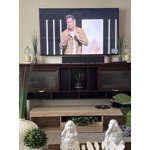
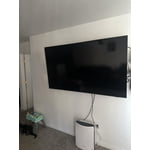
[This review was collected as part of a promotion.] I am so happy with our 50" Samsung Crystal television. It was easy to set up, the picture is beautiful, and I love all the options to create the perfect settings for your environment. We bought this for my hunny's mancave so it's nice to have the picture setting options to adjust so we get the best picture regardless of it being bright outside or darker at night...we can always make the proper adjustments and it really helps! I am able to watch programs without needing my glasses! That's a first for me! I love that I can control the settings in my Samsung Smart Things app on my phone! Plus..it's great that I can locate my phone through my TV settings when I misplace it! And...I seem to lose my phone more often than I'd like to admit! The ONLY suggestion would be to make the remote easier to understand when it comes to adjusting the volume! We both couldn't figure out that you have to push the button up and down. It wasn't clear about how to use it in the set-up details. But, that's a tiny thing to manage once you figure it out. Otherwise, we couldn't be happier! I'm including a pic...but keep in mind...it's in our mancave!

Review from Samsung US
Helpful?7052JBFI9KAV17348165019
Feb 9, 2026
NOBILITY
4 out of 5 stars review

Beautiful image

[This review was collected as part of a promotion.] this has a beautiful image great low light performance blacks look great contrast is very good ...the different features it has are great .the different channels available and the internet implementation is very good ..definitely one of my favorite TVs

Review from Samsung US
Helpful?7052JBFI9KAV17348165019
Nov 21, 2025
UzairMehboob
5 out of 5 stars review

Excellent LED TV with Amazing Picture Quality

[This review was collected as part of a promotion.] Samsung has once again delivered a fantastic LED TV. The picture quality is sharp and vibrant, the contrast is excellent, and the viewing angles are great. The built-in apps run smoothly without any lag, and the remote is easy to use. The sound quality is surprisingly good even without external speakers. For the price, this TV offers outstanding value. Highly impressed and definitely recommended!

Review from Samsung US
Helpful?7052JBFI9KAV17348165019
May 22, 2026
Stone
5 out of 5 stars review

Great Tv!!! Great picture and easy to use

[This review was collected as part of a promotion.] The Brightness and the color of this tv is excellent!!

Review from Samsung US
Helpful?7052JBFI9KAV17348165019
May 20, 2026
Emoney67
5 out of 5 stars review

Great T.V

[This review was collected as part of a promotion.] i love everything about my new samsung 65 inch T.V

Review from Samsung US
Helpful?7052JBFI9KAV17348165019