Skip to Main Content
Sam's Club
Sam's Club
Customer reviews for SAMSUNG 65" Class U7900F Series 4K Crystal UHD Smart TV for
SAMSUNG 65" Class U7900F Series 4K Crystal UHD Smart TV
4.6 out of 5 stars
stars2,421 ratings2,344 reviews
  1. 5 stars76% (1,849)
  2. 4 stars14% (345)
  3. 3 stars5% (120)
  4. 2 stars2% (43)
  5. 1 star3% (64)

Member photos

  • +911 images
Sort by |
Showing 941-950 of 2,344 reviews
Nov 8, 2025
Themightyguy11
4 out of 5 stars review

It is a great product

[This review was collected as part of a promotion.] I think this product is a really good deal. The features you get for this price is good. I do think it could be a bit better. Like I did have it lag like 5 times, but other than that I don't have any complaints. This is a great product.

Review from Samsung US
Helpful?7052JBFI9KAV17348165019
Nov 10, 2025
Myhubbyspoilsme
5 out of 5 stars review

Samsung tv

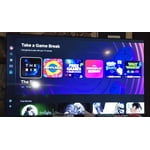
[This review was collected as part of a promotion.] Picture is crystal clear love the fact it has a gaming hub installed to allow gaming with your favorite controller without a console. Tv is very easy to setup and operate within minutes. Download mutiple apps or just watch one of there many channels available for free on Samsung tv. This TV has exceeded my expectations. So much more this TV can do i could go on and on.

Review from Samsung US
Helpful?7052JBFI9KAV17348165019
Feb 5, 2026
SNS1963
3 out of 5 stars review

Decent TV - but wish I had gone with the next up

[This review was collected as part of a promotion.] The TV is ok for a exercise room. It is nice, thin and the pic quality is bright with goo resolution. However, Ia a bit disappointed in the response time of switching between connections. It takes 5 to 7 seconds to switch from the TV to the HDMI connection and it often goes back to the TV for no reason at all.

Review from Samsung US
Helpful?7052JBFI9KAV17348165019
reply from Samsung Advisor

Hi SNS1963, Thank you for your feedback on response time. For optimal performance, please ensure your U7900F TV is running the latest firmware. You can check this by going to: Home > left directional key > Settings > Support > Software Update To further optimize performance, try running Device Care, which checks memory, clears unused cached data, and closes background apps: Home > left directional key > Settings > Support > Device Care > Start Device Care If issues continue, please reach Samsung Support at 1-800-SAMSUNG, available 8AM – 12AM EST, 7 days a week. LiveChat is also available via the ‘Support’ link on our website. ~ Samsung Advisor

Jan 20, 2026
Cristian
2 out of 5 stars review

network issues and lag on two tvs

Replaced two TCL smart tvs with these and I was disappointed to say the least. There is hardly and storage space on there (less than 2gb free space with just the default apps). But thats not what bothered me. The real issue is the network connectivity error I get every other time I start the tv. It's infuriating and happens all the time. It must be an issue with this model because it happens on both my tvs, not just one. It takes several restarts and/or network configurations in settings before it starts workingn again. I never had connectivity issues with my old TCLs and no other device in my home has network connection issues. To add to this, the button lag is super slow, and the home screen interface isnt very convient to get to your streaming apps easily. I was expecting more from Samung but after these go I probably wont stick with their brand.

Review from Samsung US
Helpful?7052JBFI9KAV17348165019
reply from Samsung Advisor

Hi Cristian, Thank you for your feedback. Please ensure you are running the latest Firmware Update 1132. To do so, go to Settings> Support> Software Update. If this firmware version is not yet available on your TV, you can download the update on a USB drive and manually update your TV: 1. On Samsung's website (upper right corner), go to: Support > Manual & Software > Find your TV model, and click on the Firmware – Upgrade File. 2. When the file has finished downloading, locate it and then unzip it. There is normally one folder inside but there may be multiple files. 3. Copy or move all of the files that were included in the zip file to a USB flash drive, but do not place them inside any other folders. If you place the software folders inside a folder on the USB flash drive, the TV or monitor will not find them. 4. Connect the USB drive containing the software upgrade into a USB port on your device. 5. Using your device's remote, navigate to and select Settings, then select All Settings, and then select Support. Select Software Update, select Update Now, and then select Yes if prompted. If you need additional support, Samsung is here to help. Please call us at 1-800-SAMSUNG, available daily from 8AM - 12AM EST. You can also chat with a LiveChat agent by clicking the ‘Support’ link on our website. ~ Samsung Advisor

Dec 24, 2025
Biggersound71
5 out of 5 stars review

Love the features

[This review was collected as part of a promotion.] I'd like to remember it.I wish there were more audio features.Available more options as far as like external speakers.You can adjust them more precisely.Good picture, good color quality, especially for a four hundred dollar tv or I want a bigger one already

Review from Samsung US
Helpful?7052JBFI9KAV17348165019
Feb 5, 2026
GiantsFan
5 out of 5 stars review

Problem with accessing original sat. programming.

[This review was collected as part of a promotion.] Having a problem getting to my original programing. When turned on goes to Samsung TV then I need to use select button on my satellite [Direct TV] remote to take me to my original programing. At times this does not work, and I need to turn off TV and then turn on again to repeat. Is there a better way?

Review from Samsung US
Helpful?7052JBFI9KAV17348165019
Feb 5, 2026
SamanthaF
1 out of 5 stars review

Terrible for streaming

We purchased this TV on a Black Friday deal and have regretted it ever since. If you are looking for a TV for streaming, this isn't the one. If the people in the show are doing any more than just sitting there, the picture gets very pixelated. I've contact samsung for help and was told the show was just old. However, it happens on even shows that are just released. So frustrating for what uses to be a great brand name.

Review from Samsung US
Helpful?7052JBFI9KAV17348165019
reply from Samsung Advisor

Hi SamanthaF, Thank you for sharing your experience. Buffering during streaming is typically related to internet speed or signal strength. This can happen when your connection isn’t able to deliver data quickly enough for smooth playback. We recommend the following steps to help improve streaming performance: 1. Use a 5GHz Wi-Fi connection, if available 2. Try a wired LAN connection for more stability 3. Reposition your router to minimize obstacles between it and the TV 4. Make sure your TV is running the latest firmware (Settings > Support > Software Update) 5. Run Device Care to optimize performance: Home > left directional key > Settings > Support > Device Care > Start Device Care If buffering continues, you may want to contact your internet service provider to check your current speed or explore upgrade options. There are also several settings you can adjust to improve motion clarity. Go to: Home > left directional key > Settings > All Settings > Picture > Expert Settings, and review these key settings: Picture Clarity Settings • Off: Disables all motion enhancement • Auto: Automatically adjusts motion clarity based on content • Custom: Enables manual control of: o Judder Reduction: Smooths motion in film-based content o LED Clear Motion: Increases sharpness during fast movement o Noise Reduction: Helps reduce distortion in lower-quality sources We hope these settings help improve your viewing experience, especially with fast-moving content. If you'd like further assistance, feel free to reach out to Samsung Support at 1-800-SAMSUNG, 8AM – 12AM EST, 7 days a week. LiveChat is also available via the ‘Support’ link on our website. ~ Samsung Advisor

Dec 20, 2025
TechLoverNY
5 out of 5 stars review

Love the quality and features!

[This review was collected as part of a promotion.] My new Samsung has exceeded my expectations with great picture quality, built in Samsung TV Plus channels for free streaming entertainment, and a modern user interface. A great choice for any entertainment setup, and the sleek, lightweight, slim design is simply amazing.

Review from Samsung US
Helpful?7052JBFI9KAV17348165019
Dec 20, 2025
SamsungLove
5 out of 5 stars review

Love This TV

[This review was collected as part of a promotion.] As a consumer, I have had a long standing love for Samsung products. Every phone and television for the past 10 years or so, has been a Samsung product. The quality offered never ceases to amaze me. The picture clarity, crisp clear sound, and software support are fantastic.

Review from Samsung US
Helpful?7052JBFI9KAV17348165019
Nov 28, 2025
musiker
5 out of 5 stars review

Great value!

Excellent tv at a real value price. Loaded with lots of great content, nice resolution and very thin design. The only little thing I would improve is switching inputs (apple tv to playstation to built in apps etc), which can seem a bit cumbersome. But overall this huge screen with amazing display and free games and content is a winner!

Review from Samsung US
Helpful?7052JBFI9KAV17348165019