Customer reviews for SAMSUNG 65" Class U7900F Series 4K Crystal UHD Smart TV forMember photos


+911 images
U7900F Crystal UHD TV
[This review was collected as part of a promotion.] This TV is just amazing. The picture is so clear. Sound is awesome. The smartness of this TV is smarter than most people. So glad I got it with the best deal ever. Wish my 55" Samsung hadn't stopped working though...
The quality is GREAT!
[This review was collected as part of a promotion.] I absolutely love my TV!! The features, the quality, and also the sound. You can connect you phone to the TV to str4am things off you Samsung phone. I love the size of it also great for movie nights with the family.
Beautiful color vibrant
[This review was collected as part of a promotion.] I love my 75 inch Samsung TV. I was debating on how big I wanted to go because I had a 60 inch but the older we get we need something bigger so I went for it and I love it. It's a picture is beautiful. Everything works beautiful from the sound to the remote to everything but the picture on it is just the colors that come out are just gorgeous. You get free live TV with it. It's definitely worth the money and it was only $440 something like that 447 whatever it was it was definitely worth every single penny I mean I know there's Q LEDs out there but this one is just a sweet as apple pie, trust me, it's 100% worth buying and if you're watching the Super Bowl, you gotta get it. It's great.
Disappointed
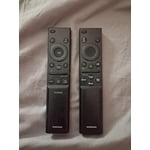
[This review was collected as part of a promotion.] Very disappointed in most aspects of the functionality of this set. I have 3 other Samsung smart tvs and this is the only one that makes me jump through hoops to get to my streaming channels plus the remote is just awful.
Hi Benji, We're sorry to hear about your experience. Please know we are available and happy to assist with any questions you may have. Call 1-800-SAMSUNG from 8AM - 12AM EST, seven days a week, or connect with a LiveChat agent anytime by selecting ‘Support’ on our website. ~ Samsung Advisor
Awesome Samsung U7900F Crystal UHD TV (2025)
[This review was collected as part of a promotion.] This Samsung U7900F Crystal UHD TV (2025) is an awesome TV. It is full of smart features, rich vibrant colors and the design is very good. It is the right size for my office and goes well with the decor and I'm able to watch my favorite shows whilst working. All of my appliances are Samsung and this TV will fit right into my Smart Things ecosystem. The experience of setting it up was a breeze and the setup walks you right thru everything and within a few minutes you're watching this brilliant TV. I am very pleased with this SamsungU7900F Crystal UHD TV (2025) and excited about upgrading my old Samsung TV to this 2025 model with Smart Features.
network issues and lag on two tvs
Replaced two TCL smart tvs with these and I was disappointed to say the least. There is hardly and storage space on there (less than 2gb free space with just the default apps). But thats not what bothered me. The real issue is the network connectivity error I get every other time I start the tv. It's infuriating and happens all the time. It must be an issue with this model because it happens on both my tvs, not just one. It takes several restarts and/or network configurations in settings before it starts workingn again. I never had connectivity issues with my old TCLs and no other device in my home has network connection issues. To add to this, the button lag is super slow, and the home screen interface isnt very convient to get to your streaming apps easily. I was expecting more from Samung but after these go I probably wont stick with their brand.
Hi Cristian, Thank you for your feedback. Please ensure you are running the latest Firmware Update 1132. To do so, go to Settings> Support> Software Update. If this firmware version is not yet available on your TV, you can download the update on a USB drive and manually update your TV: 1. On Samsung's website (upper right corner), go to: Support > Manual & Software > Find your TV model, and click on the Firmware – Upgrade File. 2. When the file has finished downloading, locate it and then unzip it. There is normally one folder inside but there may be multiple files. 3. Copy or move all of the files that were included in the zip file to a USB flash drive, but do not place them inside any other folders. If you place the software folders inside a folder on the USB flash drive, the TV or monitor will not find them. 4. Connect the USB drive containing the software upgrade into a USB port on your device. 5. Using your device's remote, navigate to and select Settings, then select All Settings, and then select Support. Select Software Update, select Update Now, and then select Yes if prompted. If you need additional support, Samsung is here to help. Please call us at 1-800-SAMSUNG, available daily from 8AM - 12AM EST. You can also chat with a LiveChat agent by clicking the ‘Support’ link on our website. ~ Samsung Advisor
55” crystal tv
[This review was collected as part of a promotion.] I've had my tv for about 4 months as of nov24, 25. So, first, the cons: only one HDMI. The feet are a trick to get on and stable, be careful. The pros: great picture!! All around a really good tv!!
El prodcuto puede mejorar
[This review was collected as part of a promotion.] Good afternoon. Before receiving this product, I had the U8000 model. The difference is remarkable in terms of image quality, the way the menu is presented in general, and the configuration. The change is very noticeable. To be honest, I don't like this 7900 product very much; I prefer the version I had. It's more user-friendly and has better quality. After turning it on, I somehow felt I should upgrade to something better because I feel it doesn't meet my expectations.
Hi Cliente, Thank you for sharing your experience on the U7900 TV's image and User Interface. If the image doesn’t quite match your preferences, there are several adjustments you can make to better suit your viewing environment and content type. First, please ensure your TV is running the latest firmware, as updates may include important picture quality enhancements. Go to: Home > Left directional button > Settings > Support > Software Update > Update Now To explore picture mode options, navigate to: Home > Left directional button > Settings > All Settings > Picture > Picture Mode. Options include: • Standard – Ideal for general viewing • Dynamic – Brighter and more vibrant for well-lit spaces • Eco – Optimized for energy efficiency • Movie – Best for viewing in low light • Filmmaker Mode – Preserves the content creator’s intent and disables motion smoothing for supported content You can further customize your image by going to: Settings > All Settings > Picture > Expert Settings, where you can adjust Brightness, Contrast, Color Tone, Sharpness, Contrast Enhancer and more. If you’d like help finding the best picture settings for your preferences, please don’t hesitate to contact Samsung Support at 1-800-SAMSUNG, available 8AM – 12AM EST, 7 days a week. You can also LiveChat with an agent or explore additional resources on our website by clicking the ‘Support’ link. ~ Samsung Advisor
Constant Image Twitching “Critical Flaws”
[This review was collected as part of a promotion.] I love Samsung products but this tv isn't the best Constant Image Twitching Ruins the Experience The Samsung U7900F is a disappointing TV overall. It's best suited for watching shows in a light-controlled room, yet it still struggles there. It isn't bright enough to handle glare, and its black levels are sub-par with no local dimming, so it also performs poorly in dark rooms. Color performance is limited, as it can't display a wide color gamut, though its SDR accuracy out of the box is decent. Gamers may appreciate the low input lag, which allows for responsive gameplay, but motion handling is weak, with noticeable blur behind fast-moving objects. On the plus side, its image processing is acceptable, meaning low-resolution and low-quality content is upscaled reasonably well. Unfortunately, this isn't enough to compensate for its major flaws, making the overall viewing experience underwhelming.
Hi Carter, Thank you for your feedback regarding the twitching you're seeing on your TV. To help determine if the issue is related to the panel itself, we recommend starting with a Picture Test, which displays a high-definition image you can examine for flaws: Settings > Support > Device Care > Self Diagnosis > Picture Test If the issue appears during the test and across all sources (built-in apps, HDMI devices, etc.), it may indicate a panel-related concern. You can also try displaying solid-color test videos (red, green, blue, black, white) from a USB drive or YouTube. This can help you identify whether any pixels are stuck or not functioning properly. In some cases, unplugging the TV for a few minutes and rebooting it can help resolve stuck pixels caused by temporary display behavior. Please also ensure you are running the latest Firmware, version 1132.0. Go to Settings> Support> Software Update. If this firmware version is not yet available on your TV, you can download the update on a USB drive and manually update your TV: 1. On Samsung's website (upper right corner), go to: Support > Manual & Software > Find your TV model, and click on the Firmware – Upgrade File. 2. When the file has finished downloading, locate it and then unzip it. There is normally one folder inside but there may be multiple files. 3. Copy or move all of the files that were included in the zip file to a USB flash drive, but do not place them inside any other folders. If you place the software folders inside a folder on the USB flash drive, the TV or monitor will not find them. 4. Connect the USB drive containing the software upgrade into a USB port on your device. 5. Using your device's remote, navigate to and select Settings, then select All Settings, and then select Support. Select Software Update, select Update Now, and then select Yes if prompted. Your device will search the USB drive for update files. Follow the on-screen instructions to install the updated software. Updates usually take a few minutes; please do not turn off the TV until the update is complete. When the update is finished, it will restart automatically. If you need additional support, Samsung is here to help. Please call us at 1-800-SAMSUNG, available daily from 8AM - 12AM EST. You can also chat with a LiveChat agent by clicking the ‘Support’ link on our website. ~ Samsung Advisor
By far the best TV I've ever owned!
[This review was collected as part of a promotion.] You never know what you're missing till you get something better. You can see the beads of sweat on an actor's face. The colors are so much more bright and vivid than my old TV. Wish I had done this two years ago!