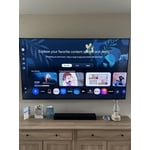
Customer reviews for SAMSUNG 65" Class U7900F Series 4K Crystal UHD Smart TV forMember photos


+906 images
Senior frustration for our viewing pleasure
[This review was collected as part of a promotion.] The screen size is great, colors are vibrant. For those older in age, having to go through all the SPPS is tedious and frustrating. Personally, we don’t like how to keep updating and the apps keep getting moved.
Hi CymtuCorgi59, Thank you for your feedback. If you have any questions or need help with your TV, please do not hesitate to reach out to us at 1-800-SAMSUNG (8AM – 9PM EST Mon – Fri, 8AM –6 PM Sat – Sun), or reach us via text 24/7. You can also visit ‘Support’ on our website for: • Live Chat • Manuals, Software, & Warranty Info ~ Samsung Advisor
5 Months later
[This review was collected as part of a promotion.] Having issues with quality of picture. Seem to lose edges of screen on video shot at night. When TV goes into Directors mode for picture quality, whites turn brown like old sepia photos. Navigating the menu for Samsung programs is not user friendly. Too many clicks. Seems like the cache needs to be emptied often compared to my last TV.
Hi TV viewer, We appreciate your feedback on the picture quality of Samsung’s U7900F TV. For the best performance, please ensure the latest firmware version is installed: Home > left directional key > Settings > Support > Software Update You can also improve responsiveness by running the built-in Device Care tool, which checks system memory, clears cached data, and closes background apps: Home > left directional key > Settings > Support > Device Care > Start Device Care If the image doesn’t quite match your preferences, there are several adjustments you can make to better suit your viewing environment and content type. First, please ensure your TV is running the latest firmware, as updates may include important picture quality enhancements. Go to: Home > Left directional button > Settings > Support > Software Update > Update Now To explore picture mode options, navigate to: Home > Left directional button > Settings > All Settings > Picture > Picture Mode. Options include: • Standard – Ideal for general viewing • Dynamic – Brighter and more vibrant for well-lit spaces • Eco – Optimized for energy efficiency • Movie – Best for viewing in low light • Filmmaker Mode – Preserves the content creator’s intent and disables motion smoothing for supported content You can further customize your image by going to: Settings > All Settings > Picture > Expert Settings, where you can adjust Brightness, Contrast, Color Tone, Sharpness, Contrast Enhancer and more. I hope these suggestions help. If you have any other questions, feel free to call us at 1-800-SAMSUNG between 8AM – 9PM EST Mon – Fri, 8AM – 6PM Sat – Sun. You can also reach our LiveChat team by selecting the ‘Support’ link on our website. ~ Samsung Advisor
Some Issues
[This review was collected as part of a promotion.] I'm having an issue with the TV - automatically turns itself on, automatically pauses, automatically unpauses, automatically unmutes itself. Samsung replaced the main board, but the issue still persists. Other than that, the picture and sound are great.
Hi Joe NWA, We're very sorry you are experiencing issues with your TV turning itself on and freezing. To best assist you, please call us at 1-800-SAMSUNG, 8AM – 9PM EST Mon – Fri, 8AM – 6PM Sat – Sun. LiveChat is also available via the ‘Support’ link on our website. ~ Samsung Advisor
I absolutely love how slender the remote is.
[This review was collected as part of a promotion.] I love this television quality and the surround sound factory speakers built in. It's easy to adjust the viewing of each show if the quality of the movie is low. Putting a passcode on certain apps helps prevents my children from seeing inappropriate things. I can set the visuals on different perspectives. The light effects are incredible.
Easy to use
[This review was collected as part of a promotion.] This makes the 3rd samsung tv all have been workhorses in my house by staying on all the time dont think they ever been off unless there was a power outage in the area....always work clear picture clear sound
The Best TVs!
[This review was collected as part of a promotion.] The 65" Crystal UHD U7900FD 4K Smart TV has exceeded my expectations in every way. From the moment it was installed, its sleek, modern design added a premium look to my living room. The slim profile and minimalist bezel create a clean, elegant aesthetic that complements any space. The picture quality is outstanding. The 4K resolution delivers exceptional sharpness and detail, while the brightness levels ensure a clear, vivid image even in well-lit rooms. Colors are incredibly vibrant and lifelike, making movies, sports, and streaming content more immersive and enjoyable. The contrast and clarity bring out details that are often missed on lower-quality displays. I also appreciate the smart features and built-in security protections, which provide peace of mind when connecting apps and streaming services. Navigation is intuitive, responsive, and easy to use. Overall, this TV offers an excellent combination of style, performance, security, and value. If you're looking for a television with stunning visuals, vibrant color reproduction, impressive brightness, and a sophisticated design, the U7900FD is an outstanding choice.
Fine but not great.
[This review was collected as part of a promotion.] It’s fine but sometimes the sound cuts out and you have to power cycle the tv to get it to work again. Also kind of annoying that only the remote that came with it can click the update buttons. Overall a decent tv, but I don’t think I’d buy it again.
Hi Daniel, For optimal performance, please ensure your TV is running the latest firmware. You can check this by going to: Home > left directional key > Settings > Support > Software Update To further optimize performance, try running Device Care, which checks memory, clears unused cached data, and closes background apps: Home > left directional key > Settings > Support > Device Care > Start Device Care If issues continue, please reach Samsung Support at 1-800-SAMSUNG (8AM – 9PM EST Mon – Fri, 8AM – 6PM Sat – Sun). LiveChat is also available via the ‘Support’ link on our website. ~ Samsung Advisor
Great choice!
[This review was collected as part of a promotion.] This tv is a huge improvement over our previous tv (another brand). The resolution is amazing and the accessibility to content for streaming is great. There is the occasional sluggish moment when accessing som apps but that is extremely rare. Definitely worth the purchase.
I like Samsung
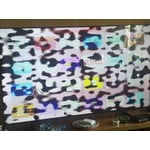
[This review was collected as part of a promotion.] I really like this brand. The only thing to mention about this TV is that one day the picture started looking strange and I thought it was going to break—I don't use it very often. It has looked fine since then, but I hope it doesn't develop any faults; otherwise, everything is good and I like it.
Stunning picture quality
[This review was collected as part of a promotion.] An Absolute Game-Changer Home Entertainment! I couldn't be happier with my **Samsung 75-inch TV**. If you are looking to bring the true theater experience right into your living room, this is exactly how you do it. ### What Makes It Stand Out: * **Stunning Picture Quality:** The clarity, vibrant colors, and deep contrasts make everything look spectacular. Whether it’s an action-packed movie, a live sporting event, or a sweeping nature documentary, the visual detail is sharp and incredibly lifelike. * **Massive, Immersive Screen:** Upgrading to the 75-inch size completely changes how you watch TV. It fills your field of view perfectly, making you feel like you're part of the action without overwhelming the room. * **User-Friendly Smart Features:** Samsung’s smart platform is fast, smooth, and incredibly intuitive. Navigating between streaming apps like Netflix, YouTube, and live TV is seamless, and the setup was an absolute breeze. * **Sleek Design:** Despite its massive size, the TV has a beautiful, slim profile and thin bezels that look great on the wall or on a media console. ### The Verdict Samsung has delivered a premium viewing experience with excellent reliability. It has turned our living room into the ultimate gathering spot for movie nights and the big game. If you’re on the fence about going big—**do it**. It is worth every single penny!