Skip to Main Content
Sam's Club
Sam's Club
Customer reviews for SAMSUNG 65" Class U7900F Series 4K Crystal UHD Smart TV for
SAMSUNG 65" Class U7900F Series 4K Crystal UHD Smart TV
4.6 out of 5 stars
stars2,400 ratings2,323 reviews
  1. 5 stars76% (1,833)
  2. 4 stars14% (344)
  3. 3 stars5% (118)
  4. 2 stars2% (43)
  5. 1 star3% (62)

Member photos

  • +898 images
Sort by |
Showing 671-680 of 2,323 reviews
May 20, 2026
Sammy
2 out of 5 stars review

Streaming

[This review was collected as part of a promotion.] Streaming on my Amazon firestick only works sometimes. Sometimes it starts and freezes up. Other times there is no sound. The only cure is to unplug the TV and plug it back in. The firestick is new with new batteries so I know its not the problem. Love to hear from you.

Review from Samsung US
Helpful?7052JBFI9KAV17348165019
reply from Samsung Advisor

Hi Sammy, We're sorry you are experiencing issues with your U7900F freezing up. 1. Check for firmware updates – Keeping your TV up to date can resolve many performance issues: Home > left directional key > Settings > Support > Software Update > Update Now 2. Run Device Care – This tool checks system memory, frees up cached data, and closes background apps that could be slowing things down: Home > left directional key > Settings > Support > Device Care > Start Device Care 3. Cold boot your TV – With the TV powered on, press and hold the Power button on your remote for 5+ seconds until the TV restarts. This helps refresh the system. If you're still noticing performance issues after these steps, please contact Samsung Support at 1-800-SAMSUNG, available daily from 8AM – 9PM EST Mon – Fri, 8AM – 6PM Sat – Sun. You can also visit the Samsung website and click on ‘Support’ for: • Live Chat • Manuals, Software, & Warranty Info ~ Samsung Advisor

Jun 5, 2026
Steve
5 out of 5 stars review

Sharp picture and good sound.

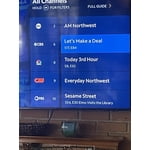
[This review was collected as part of a promotion.] I purchased and installed three Samsung televisions period I've had some difficulty in being able to bypass the Samsung app and on into Xfinity. I also had purchased a Samsung sound system that I have not been able to get to work properly.

Review from Samsung US
Helpful?7052JBFI9KAV17348165019
Jun 1, 2026
JLouis
5 out of 5 stars review

Central to entertainment and connected home.

[This review was collected as part of a promotion.] Stunning picture quality with vibrant colors and true black! 🤩 Enjoy endless entertainment with a plethora of apps and expanded device connections. The intelligent light sensor perfectly balances your picture, and the hub feature elevates your smart home experience. #picture #colors #apps #connections #sensor #hub #home

Review from Samsung US
Helpful?7052JBFI9KAV17348165019
Jun 1, 2026
NoshirtNeighborhood
5 out of 5 stars review

Light, Bright, Affordable. Buy 2.

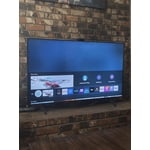
[This review was collected as part of a promotion.] This TV gives you a lot to work with. The size, stand, and screen depth allow for alot of room configurations. As someone who live with a person who continously love rearranging entire rooms, this fits the bill. Screen looks great, and has great customizable screen setting options. You can really dial it in. Having some color blindness, this helps alot. Especially for video games. The clarity, Vibrancy, and definition you receive is much needed. P.s. Its honestly a great deal most places. I got mine for much lower than my anticipated budgeting called for 😄

Review from Samsung US
Helpful?7052JBFI9KAV17348165019
May 20, 2026
Mike
5 out of 5 stars review

A Samsung TV Family

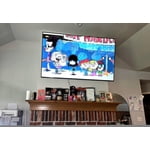
[This review was collected as part of a promotion.] We are a Samsung TV Family. Even though we have a small retirement home, we currently have 4 Samsung TV's in this tiny space. Two are 55", One 42" and the one in the garage is 24". I love the picture quality of Samsung and I find it superior to all others.

Review from Samsung US
Helpful?7052JBFI9KAV17348165019
Jun 5, 2026
CBanks818
2 out of 5 stars review

Ok

[This review was collected as part of a promotion.] Honestly not that impressed with the tv. Just can’t get the settings right on it. Everything we watch just seems super dark and half the time I can’t see what I’m watching, price was good but just not happy with the tv

Review from Samsung US
Helpful?7052JBFI9KAV17348165019
reply from Samsung Advisor

Hi CBanks818, We’re sorry to hear you’re not fully satisfied with the picture quality on your Samsung U7900F TV. If the image appears too dark, we suggest disabling certain energy-saving features, which can automatically adjust brightness and affect how the screen looks. Go to: Settings > All Settings > General & Privacy > Power and Energy Saving, then turn off Brightness Optimization, Energy Saving Solution, Motion Lighting, and/or Contrast Enhancer. You can also adjust the Picture Mode to better suit your environment: Settings > All Settings > Picture > Picture Mode • Standard – Default mode for general viewing • Dynamic – Brighter and clearer, ideal for well-lit rooms • Movie – Best for dark room viewing • Eco – Energy-saving mode • Filmmaker Mode – Preserves content as intended by creators To fine-tune brightness, go to: Home > left directional key > Settings > All Settings > Picture > Expert Settings, then adjust the Brightness level (0–50) to your preference. Lastly, please make sure your TV is running the latest firmware: Home > Home > left directional key > Settings > Support > Software Update > Update Now We hope these tips help improve your viewing experience. If you need further support, feel free to contact us at 1-800-SAMSUNG (8AM – 9PM EST Mon – Fri, 8AM – 6PM Sat – Sun). LiveChat is also available via the ‘Support’ link on our website. ~ Samsung Advisor

Jun 5, 2026
CymtuCorgi59
3 out of 5 stars review

Senior frustration for our viewing pleasure

[This review was collected as part of a promotion.] The screen size is great, colors are vibrant. For those older in age, having to go through all the SPPS is tedious and frustrating. Personally, we don’t like how to keep updating and the apps keep getting moved.

Review from Samsung US
Helpful?7052JBFI9KAV17348165019
reply from Samsung Advisor

Hi CymtuCorgi59, Thank you for your feedback. If you have any questions or need help with your TV, please do not hesitate to reach out to us at 1-800-SAMSUNG (8AM – 9PM EST Mon – Fri, 8AM –6 PM Sat – Sun), or reach us via text 24/7. You can also visit ‘Support’ on our website for: • Live Chat • Manuals, Software, & Warranty Info ~ Samsung Advisor

May 20, 2026
TV viewer
3 out of 5 stars review

5 Months later

[This review was collected as part of a promotion.] Having issues with quality of picture. Seem to lose edges of screen on video shot at night. When TV goes into Directors mode for picture quality, whites turn brown like old sepia photos. Navigating the menu for Samsung programs is not user friendly. Too many clicks. Seems like the cache needs to be emptied often compared to my last TV.

Review from Samsung US
Helpful?7052JBFI9KAV17348165019
reply from Samsung Advisor

Hi TV viewer, We appreciate your feedback on the picture quality of Samsung’s U7900F TV. For the best performance, please ensure the latest firmware version is installed: Home > left directional key > Settings > Support > Software Update You can also improve responsiveness by running the built-in Device Care tool, which checks system memory, clears cached data, and closes background apps: Home > left directional key > Settings > Support > Device Care > Start Device Care If the image doesn’t quite match your preferences, there are several adjustments you can make to better suit your viewing environment and content type. First, please ensure your TV is running the latest firmware, as updates may include important picture quality enhancements. Go to: Home > Left directional button > Settings > Support > Software Update > Update Now To explore picture mode options, navigate to: Home > Left directional button > Settings > All Settings > Picture > Picture Mode. Options include: • Standard – Ideal for general viewing • Dynamic – Brighter and more vibrant for well-lit spaces • Eco – Optimized for energy efficiency • Movie – Best for viewing in low light • Filmmaker Mode – Preserves the content creator’s intent and disables motion smoothing for supported content You can further customize your image by going to: Settings > All Settings > Picture > Expert Settings, where you can adjust Brightness, Contrast, Color Tone, Sharpness, Contrast Enhancer and more. I hope these suggestions help. If you have any other questions, feel free to call us at 1-800-SAMSUNG between 8AM – 9PM EST Mon – Fri, 8AM – 6PM Sat – Sun. You can also reach our LiveChat team by selecting the ‘Support’ link on our website. ~ Samsung Advisor

May 20, 2026
Joe NWA
2 out of 5 stars review

Some Issues

[This review was collected as part of a promotion.] I'm having an issue with the TV - automatically turns itself on, automatically pauses, automatically unpauses, automatically unmutes itself. Samsung replaced the main board, but the issue still persists. Other than that, the picture and sound are great.

Review from Samsung US
Helpful?7052JBFI9KAV17348165019
reply from Samsung Advisor

Hi Joe NWA, We're very sorry you are experiencing issues with your TV turning itself on and freezing. To best assist you, please call us at 1-800-SAMSUNG, 8AM – 9PM EST Mon – Fri, 8AM – 6PM Sat – Sun. LiveChat is also available via the ‘Support’ link on our website. ~ Samsung Advisor

May 24, 2026
BreBre
5 out of 5 stars review

I absolutely love how slender the remote is.

[This review was collected as part of a promotion.] I love this television quality and the surround sound factory speakers built in. It's easy to adjust the viewing of each show if the quality of the movie is low. Putting a passcode on certain apps helps prevents my children from seeing inappropriate things. I can set the visuals on different perspectives. The light effects are incredible.

Review from Samsung US
Helpful?7052JBFI9KAV17348165019