Skip to Main Content
Sam's Club
Sam's Club
All Departments
All Services
Customer reviews for SAMSUNG 65" Class U7900F Series 4K Crystal UHD Smart TV for
SAMSUNG 65" Class U7900F Series 4K Crystal UHD Smart TV
4.5 out of 5 stars
stars
4,281 ratings4,202 reviews
  1. 5 stars73% (3,140)
  2. 4 stars15% (643)
  3. 3 stars6% (264)
  4. 2 stars2% (104)
  5. 1 star3% (130)

Member photos

  • +1605 images
Sort by |
Showing 1,871-1,880 of 4,202 reviews
Aug 6, 2026
Reviewer name: Gandarac
5 out of 5 stars
5 out of 5 stars review

Great buy!

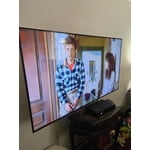
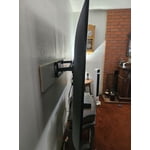
[This review was collected as part of a promotion.] Love this TV, great picture, easy to set up and we were able to use the same wall mount from our last Samsung TV. We had to upgrade since our last TV was lagging lot and was about 10 years old.

Review from Samsung US
Helpful?7052JBFI9KAV17348165019
Jul 28, 2026
Reviewer name: Debbie
3 out of 5 stars
3 out of 5 stars review

Issues went.

[This review was collected as part of a promotion.] TV is having issues of giving us a black screen while watching shows every once in a while. Mot sure what to do to get this fixed. We have a 3 year warranty on it.

Review from Samsung US
Helpful?7052JBFI9KAV17348165019
reply from Samsung Advisor

Hi Debbie, Thanks for reaching out about the intermittent black screen issue. If you're not using any external devices and the TV randomly cuts to black, it’s usually related to settings, signal, or internal software. Here are a few steps to help narrow it down and get things stable again. 1. Start with Power & Source Checks • Confirm the source: Even without external devices, it's worth confirming the TV is on the correct internal source (like TV/Live TV or a streaming app). Go to: Home > Connected Devices > Sources • Power cycle the TV: Unplug the TV from the power outlet for at least 60 seconds, then plug it back in. This can help reset any temporary glitches. • Check the power outlet: If you're using a power strip or surge protector, try plugging the TV directly into the wall to rule out inconsistent power delivery. 2. Update Your TV Software: Software updates often resolve bugs that can cause screen flickers or blackouts • Make sure the TV has the latest firmware version installed: Home > Settings > Support > Software Update 3. Run Built-In Diagnostics • Perform a Picture Test: Home > Settings > Support > Device Care > Self Diagnosis > Picture Test. This helps determine if the issue is hardware- or software-related. • Run the HDMI Test (optional): Even without HDMI devices connected, this can help verify that internal ports are functioning properly: Home > Settings > Support > Device Care > Self Diagnosis > HDMI Test 4. Review Energy & Picture Settings • Turn off Power Saving Mode or Eco Solution settings—they can dim or turn off the screen during periods of inactivity: Settings > All Settings > General & Privacy > Power & Energy Saving • Turn off Auto Power Off (if enabled): Settings > All Settings > General & Privacy > System Manager > Auto Power Off • Adjust Picture Mode settings: If the current mode is overly dynamic (like “Dynamic” or “Vivid”), try switching to “Standard” or “Movie” and observe if the screen behavior changes. 5. Factory Reset (if needed): If the problem persists after all checks, consider resetting the TV to default settings. (Heads-up: this will erase your installed apps and personal settings.) If none of these steps resolve the intermittent blackout, please reach out to Samsung Support for further troubleshooting or possible service options at 1-800-SAMSUNG (8AM – 9PM EST Mon – Fri, 8AM – 6PM Sat – Sun), or reach us via text anytime. You can also visit ‘Support’ on our website for: • Live Chat • Manuals, Software, & Warranty Info ~ Samsung Advisor

Jul 27, 2026
Reviewer name: AELBASHIR
4 out of 5 stars
4 out of 5 stars review

Perfect TV

[This review was collected as part of a promotion.] Everything about this TV is perfect! Picture quality and overall performance are great. The only downside was the difficulty in downloading and setting up my preferred IPTV app.

Review from Samsung US
Helpful?7052JBFI9KAV17348165019
Jun 22, 2026
Reviewer name: Give me a break
5 out of 5 stars
5 out of 5 stars review

Great picture

[This review was collected as part of a promotion.] brightness is great your contrast is also great responsiveness is wonderful.Uniformity is also great. Upscaling is also wonderful

Review from Samsung US
Helpful?7052JBFI9KAV17348165019
Jul 5, 2026
Reviewer name: None
1 out of 5 stars
1 out of 5 stars review

Gets confused

[This review was collected as part of a promotion.] The tv does not do what it is suppose to do. Not easy to find how to clear memory. I've done it once. I've had Samsung tvs before and they have worked much better than this one

Review from Samsung US
Helpful?7052JBFI9KAV17348165019
reply from Samsung Specialist

Thank you for your review. If there’s anything we can assist with, please don’t hesitate to call us at 1-800-SAMSUNG (8AM – 9PM EST Mon – Fri, 8AM – 6PM Sat – Sun), or reach us via text anytime. You can also visit ‘Support’ on our website for: • Live Chat • Manuals, Software, & Warranty Info ~ Samsung Specialist

Aug 5, 2026
Reviewer name: Nonnie
3 out of 5 stars
3 out of 5 stars review

Needs better sound quality

[This review was collected as part of a promotion.] The sound is not good at all. On some channels we are turning the sound up near the max it will go. That can’t be good for a tv. We live in the country so there is no outside noise.

Review from Samsung US
Helpful?7052JBFI9KAV17348165019
reply from Samsung Advisor

Hi Nonnie, Thank you for purchasing Samsung’s U7900FD TV and for sharing your feedback regarding low volume. To start, we recommend making sure your TV is running the latest firmware, as updates can include improvements to sound performance: Home > Settings > Support > Software Update If volume levels still seem too low, you can improve sound performance by adjusting a few key settings: Sound Mode: Navigate to: Settings > All Settings > Sound > Sound Mode • Standard: Balanced for everyday viewing • Optimized: Enhances effects and creates a more spacious sound • Amplify: Boosts mid and high tones, especially helpful if dialogue is difficult to hear Auto Volume: This feature helps maintain consistent volume levels across content and input sources. Turn it on under: Settings > All Settings > Sound > Expert Settings > Auto Volume = On You can also explore Expert Settings to fine-tune sound output with adjustments for Balance, Equalizer, and more. If you’re considering enhancing your setup, Samsung’s Q- and S-Series Soundbars feature Q-Symphony, which syncs your TV and soundbar speakers for a fuller, more immersive sound experience. For personalized support with these settings or selecting a soundbar to complement your setup, contact Samsung Support at 1-800-SAMSUNG (8AM – 9PM EST Mon – Fri, 8AM – 6PM Sat – Sun) or use LiveChat via the ‘Support’ link on our website. ~ Samsung Advisor

Aug 20, 2026
Reviewer name: pxm0
5 out of 5 stars
5 out of 5 stars review

Great TV

[This review was collected as part of a promotion.] The quality of the picture is great! Successfully installed the apps I wanted.

Review from Samsung US
Helpful?7052JBFI9KAV17348165019
Aug 10, 2026
Reviewer name: Work4Me
4 out of 5 stars
4 out of 5 stars review

Great features if they were correctly

[This review was collected as part of a promotion.] It doesn’t change channels like it should. Doesn’t work with my Roku like it should.

Review from Samsung US
Helpful?7052JBFI9KAV17348165019
Aug 20, 2026
Reviewer name: Lisa
2 out of 5 stars
2 out of 5 stars review

Teeny tiny remote

[This review was collected as part of a promotion.] The TV itself is wonderful but the remote is ridiculously small and not user friendly.

Review from Samsung US
Helpful?7052JBFI9KAV17348165019
reply from Samsung Specialist

Thank you for your review. If there’s anything we can assist with, please don’t hesitate to call us at 1-800-SAMSUNG (8AM – 9PM EST Mon – Fri, 8AM – 6PM Sat – Sun), or reach us via text anytime. You can also visit ‘Support’ on our website for: • Live Chat • Manuals, Software, & Warranty Info ~ Samsung Specialist

Aug 20, 2026
Reviewer name: Naggie
5 out of 5 stars
5 out of 5 stars review

Great quality tv

[This review was collected as part of a promotion.] Amazing product! I will be purchasing another tv very soon!

Review from Samsung US
Helpful?7052JBFI9KAV17348165019