Skip to Main Content
Sam's Club
Sam's Club
All Departments
All Services
Customer reviews for SAMSUNG 65" Class U7900F Series 4K Crystal UHD Smart TV for
SAMSUNG 65" Class U7900F Series 4K Crystal UHD Smart TV
4.5 out of 5 stars
stars
4,281 ratings4,202 reviews
  1. 5 stars73% (3,140)
  2. 4 stars15% (643)
  3. 3 stars6% (264)
  4. 2 stars2% (104)
  5. 1 star3% (130)

Member photos

  • +1605 images
Sort by |
Showing 1,861-1,870 of 4,202 reviews
Jun 23, 2026
Reviewer name: Susan
5 out of 5 stars
5 out of 5 stars review

Buy Samsung

[This review was collected as part of a promotion.] Love my new Samsung 4k tv. The clarity is dazzling. I recommend this brand!!! Thank you Samsung for making an affordable tv for everyone. 😊

Review from Samsung US
Helpful?7052JBFI9KAV17348165019
Jun 20, 2026
Reviewer name: Jimmy
3 out of 5 stars
3 out of 5 stars review

No paramount

[This review was collected as part of a promotion.] The TV is a good picture. But I can't get the Paramount app to come up. I pay for Paramount and can't watch it.

Review from Samsung US
Helpful?7052JBFI9KAV17348165019
reply from Samsung Advisor

Hi Jimmy, If the Paramount app on your U7900F TV is crashing, freezing, or loading slowly: 1. Update firmware – Home > left directional key > Settings > Support > Software Update > Update Now 2. Delete and reinstall the app 3. Run Device Care – Home > left directional key > Settings > Support > Device Care > Start Device Care Still need help? Call Samsung Support at 1-800-SAMSUNG (8AM – 9PM EST Mon – Fri, 8AM – 6PM Sat – Sun). LiveChat is also available under the ‘Support’ link on our website. ~ Samsung Advisor

Aug 5, 2026
Reviewer name: Khoai
5 out of 5 stars
5 out of 5 stars review

Great Smart TV
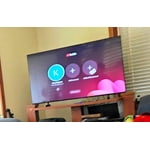
[This review was collected as part of a promotion.] My family very like this 55" Samsung Smart TV, a Samsung plus is very good with too many movies, series.

Review from Samsung US
Helpful?7052JBFI9KAV17348165019
Aug 5, 2026
Reviewer name: Tibby
5 out of 5 stars
5 out of 5 stars review

Great TV

[This review was collected as part of a promotion.] I love my TV . I bought a larger size. 55 inch and the picture is incredible. I never have to adjust the brightness on the TV. It turns on right away

Review from Samsung US
Helpful?7052JBFI9KAV17348165019
Aug 5, 2026
Reviewer name: samsungperson4ever
5 out of 5 stars
5 out of 5 stars review

awesome Upgrade

[This review was collected as part of a promotion.] Great upgrade to my previous Samsung TV. Love how easy it is to get the apps that I want on the home screen.

Review from Samsung US
Helpful?7052JBFI9KAV17348165019
Aug 5, 2026
Reviewer name: camo63
2 out of 5 stars
2 out of 5 stars review

Horrible

[This review was collected as part of a promotion.] It’s slow, and it is not user friendly! To add or delete apps is almost impossible! I will NEVER buy another Samsung tv!

Review from Samsung US
Helpful?7052JBFI9KAV17348165019
reply from Samsung Advisor

Hi camo63, Thank you for your feedback. To manage the apps on your screen, please follow the below instructions: Searching for & Installing Apps 1. Press Home on your remote > left directional key, then scroll up to the magnifying (search) icon at the top of the screen. 2. Using the search bar, enter the content or app you’d like to find. 3. Navigate to and select the app you’d like to install, then select Install. Note: Previously installed apps can be accessed on the Settings screen. Moving Apps Already on Home Screen 1. From the For You Home Screen’s App List, scroll to the end of the list and select List Edit. 2. Find the app you’d like to relocate, then press select. 3. You can now use the left or right directional keys to reposition the app, then press select. Managing & Adding Apps on Home Screen 1. Go to App Settings (these can be found at the bottom of the Apps screen) and select the app you want to move. The following options will be available: a. Add to Home: Move the app to your desired location on the Home screen. b. Delete: Delete app (applicable for manually installed apps only) c. Lock/Unlock: Lock the app with a PIN so only you can use it. When the app is selected again, you will be prompted to enter the PIN to unlock it. d. Reinstall: Reinstall the app. e. View Details: View the app’s information and details. If you need more help with app management, please don’t hesitate to reach Samsung Support at 1-800-SAMSUNG (8AM – 9PM EST Mon – Fri, 8AM – 6PM Sat – Sun). LiveChat agents are also available through the ‘Support’ link on our website. ~ Samsung Advisor

Jul 5, 2026
Reviewer name: Melinda
3 out of 5 stars
3 out of 5 stars review

I need an instruction manual.

[This review was collected as part of a promotion.] I like the picture size and clarity, but find it very difficult to navigate figuring out how to find different things to watch. There was no instruction manual.

Review from Samsung US
Helpful?7052JBFI9KAV17348165019
reply from Samsung Advisor

Hi Melinda, Thank you for sharing your feedback with us. To help you get the most from your TV, you can download the full e-Manual and more by visiting Samsung’s website, then navigating to: Support > Manual & Software > TVs & Home Theater. From there, you can search for and select your U7900F TV model to view or download the available guides. The e-Manual & User Guide are also conveniently built into your TV: Settings > Support > Tips and User Guides. Your TV includes Learn Menu Screen, an accessibility feature that provides audio guidance for on-screen menus. When enabled, your TV will announce the name and function of each menu item as you scroll, without making any changes. This feature is particularly helpful for users who are visually impaired or new to Smart TV menus. To enable, go to: Settings > All Settings > General & Privacy > Accessibility > Learn Menu Screen. To exit, press the Return key twice. If you’d like more assistance with this feature, please reach Samsung Support at 1-800-SAMSUNG (8AM – 9PM EST Mon – Fri, 8AM – 6PM Sat – Sun). LiveChat agents are also available through the ‘Support’ link on our website. ~ Samsung Advisor

Aug 5, 2026
Reviewer name: Nascarfan
5 out of 5 stars
5 out of 5 stars review

Great picture

[This review was collected as part of a promotion.] Our 65inch Samsung TV has worked out very well. The TV is quite easy to operate and has a great picture.

Review from Samsung US
Helpful?7052JBFI9KAV17348165019
Jun 20, 2026
Reviewer name: Tv Lover
5 out of 5 stars
5 out of 5 stars review

Great tv

[This review was collected as part of a promotion.] Great picture overall. Bright, sharp resolution, and vibrant colors. Best picture I've seen on any set. All future tv purchases will be Samsung.

Review from Samsung US
Helpful?7052JBFI9KAV17348165019
Jun 14, 2026
Reviewer name: Sandy
5 out of 5 stars
5 out of 5 stars review

Samsung TV

[This review was collected as part of a promotion.] Love this TV. I would highly recommend to anyone. Have had the TV for sometime now and have no negative comments. Samsung is the way to go. Very reliable and beautiful picture.

Review from Samsung US
Helpful?7052JBFI9KAV17348165019