Skip to Main Content
Sam's Club
Sam's Club
All Departments
All Services
Customer reviews for SAMSUNG 65" Class U7900F Series 4K Crystal UHD Smart TV for
SAMSUNG 65" Class U7900F Series 4K Crystal UHD Smart TV
4.5 out of 5 stars
stars
4,222 ratings4,143 reviews
  1. 5 stars74% (3,105)
  2. 4 stars15% (631)
  3. 3 stars6% (256)
  4. 2 stars2% (103)
  5. 1 star3% (127)

Member photos

  • +1590 images
Sort by |
Showing 1,511-1,520 of 4,143 reviews
Jun 22, 2026
Reviewer name: CUTTY973
5 out of 5 stars
5 out of 5 stars review

BEST TV PURCHASE EVER

[This review was collected as part of a promotion.] THIS TELEVISION WAS A STEAL...GREAT SOUND AS WELL AS VISUALS. I HAVE NOTHING NEGATIVE TO SAY ABOUT THIS TELEVISION...SALUTE TO SAMSUNG

Review from Samsung US
Helpful?7052JBFI9KAV17348165019
Jul 27, 2026
Reviewer name: Pinhead
4 out of 5 stars
4 out of 5 stars review

Err. It's ok

[This review was collected as part of a promotion.] Tv is ok. Have darker areas on the screen sometimes. But life e all the features and having the Xbox app is amazing. Save money on not needing a console or running one ie. Electricity use

Review from Samsung US
Helpful?7052JBFI9KAV17348165019
Jun 13, 2026
Reviewer name: Xxdnjxx2010
5 out of 5 stars
5 out of 5 stars review

Visual display is stunning

[This review was collected as part of a promotion.] The picture quality is stunning with incredibly vibrant colors and deep sharp contrast to make everything look incredibly lifelike would highly recommend.

Review from Samsung US
Helpful?7052JBFI9KAV17348165019
Jul 5, 2026
Reviewer name: Melinda
3 out of 5 stars
3 out of 5 stars review

I need an instruction manual.

[This review was collected as part of a promotion.] I like the picture size and clarity, but find it very difficult to navigate figuring out how to find different things to watch. There was no instruction manual.

Review from Samsung US
Helpful?7052JBFI9KAV17348165019
reply from Samsung Advisor

Hi Melinda, Thank you for sharing your feedback with us. To help you get the most from your TV, you can download the full e-Manual and more by visiting Samsung’s website, then navigating to: Support > Manual & Software > TVs & Home Theater. From there, you can search for and select your U7900F TV model to view or download the available guides. The e-Manual & User Guide are also conveniently built into your TV: Settings > Support > Tips and User Guides. Your TV includes Learn Menu Screen, an accessibility feature that provides audio guidance for on-screen menus. When enabled, your TV will announce the name and function of each menu item as you scroll, without making any changes. This feature is particularly helpful for users who are visually impaired or new to Smart TV menus. To enable, go to: Settings > All Settings > General & Privacy > Accessibility > Learn Menu Screen. To exit, press the Return key twice. If you’d like more assistance with this feature, please reach Samsung Support at 1-800-SAMSUNG (8AM – 9PM EST Mon – Fri, 8AM – 6PM Sat – Sun). LiveChat agents are also available through the ‘Support’ link on our website. ~ Samsung Advisor

Aug 5, 2026
Reviewer name: Carter96
2 out of 5 stars
2 out of 5 stars review

Super disappointed

[This review was collected as part of a promotion.] After purchasing it and mounting it it’s had nothing but pixelation issues and constantly exiting out of streaming applications, as if someone is constantly pushing the home button????

Review from Samsung US
Helpful?7052JBFI9KAV17348165019
reply from Samsung Advisor

Hi Carter96, We appreciate your feedback regarding your U7900F TV’s performance. If you're experiencing freezing or lag in general response time, please try the following steps: 1. Check for firmware updates – Keeping your TV up to date can resolve many performance issues: Home > left directional key > Settings > Support > Software Update > Update Now 2. Run Device Care – This tool checks system memory, frees up cached data, and closes background apps that could be slowing things down: Home > left directional key > Settings > Support > Device Care > Start Device Care 3. Cold boot your TV – With the TV powered on, press and hold the Power button on your remote for 5+ seconds until the TV restarts. This helps refresh the system. If you're still noticing performance snags after these steps, please contact Samsung Support at 1-800-SAMSUNG (8AM – 9PM EST Mon – Fri, 8AM – 6PM Sat – Sun). You can also connect with a LiveChat agent via the ‘Support’ link on our website. ~ Samsung Advisor

Jul 6, 2026
Reviewer name: TurkeyD
4 out of 5 stars
4 out of 5 stars review

Great quality for price with minimal menu issues.

[This review was collected as part of a promotion.] The picture and sound quality are top notch! The only reasons that I rated 4 out of 5 stars is that the responsiveness and UI could use a little bit of fine tuning.

Review from Samsung US
Helpful?7052JBFI9KAV17348165019
Jul 20, 2026
Reviewer name: sunny
5 out of 5 stars
5 out of 5 stars review

great features

[This review was collected as part of a promotion.] I got my tv for a house warming present and it has been wonderful the graphics, color, and contrast and apps and just the overall responsiveness of everything has been awesome so far.

Review from Samsung US
Helpful?7052JBFI9KAV17348165019
Jun 20, 2026
Reviewer name: RatTrap
5 out of 5 stars
5 out of 5 stars review

VERY nice for the cost
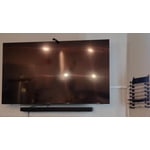
[This review was collected as part of a promotion.] Amazing TV with a great look. I also believe the back is metal and though you don't see the back when people go to move the TV with my swivel mount they always comment on it.

Review from Samsung US
Helpful?7052JBFI9KAV17348165019
Jul 27, 2026
Reviewer name: Mama B
5 out of 5 stars
5 out of 5 stars review

Great tv even better price

[This review was collected as part of a promotion.] Bright picture easy to set up lightwieght for easy hanging on the wall. Great price for the quality of picture your getting. 2nd Samsung tv and will buy samsung in the furture

Review from Samsung US
Helpful?7052JBFI9KAV17348165019
Jul 27, 2026
Reviewer name: AELBASHIR
4 out of 5 stars
4 out of 5 stars review

Perfect TV

[This review was collected as part of a promotion.] Everything about this TV is perfect! Picture quality and overall performance are great. The only downside was the difficulty in downloading and setting up my preferred IPTV app.

Review from Samsung US
Helpful?7052JBFI9KAV17348165019