Skip to Main Content
Sam's Club
Sam's Club
All Departments
All Services
Customer reviews for SAMSUNG 65" Class U7900F Series 4K Crystal UHD Smart TV for
SAMSUNG 65" Class U7900F Series 4K Crystal UHD Smart TV
4.5 out of 5 stars
stars
4,222 ratings4,143 reviews
  1. 5 stars74% (3,105)
  2. 4 stars15% (631)
  3. 3 stars6% (256)
  4. 2 stars2% (103)
  5. 1 star3% (127)

Member photos

  • +1590 images
Sort by |
Showing 1,501-1,510 of 4,143 reviews
Jul 27, 2026
Reviewer name: MikeFrost55
4 out of 5 stars
4 out of 5 stars review

Samsung TV

[This review was collected as part of a promotion.] TV was on sale. Great price! Bought to replace a Toshiba 65 inch. Picture quality is good. Lags just a little bit. Colors are bright.

Review from Samsung US
Helpful?7052JBFI9KAV17348165019
Aug 5, 2026
Reviewer name: Mrmike79
4 out of 5 stars
4 out of 5 stars review

Hreat tv

[This review was collected as part of a promotion.] The tv is great in every way except wireless connectivity. 5g and 6g router has trouble with live buffering. If wired to a lan network works flawlessly

Review from Samsung US
Helpful?7052JBFI9KAV17348165019
Jul 5, 2026
Reviewer name: Anonymous
4 out of 5 stars
4 out of 5 stars review

65

[This review was collected as part of a promotion.] The remote is very poor. We have a hard time changing Chanel’s. Maybe that’s because we’re old T

Review from Samsung US
Helpful?7052JBFI9KAV17348165019
Jul 27, 2026
Reviewer name: Smhhhhhhh
3 out of 5 stars
3 out of 5 stars review

It's ok

[This review was collected as part of a promotion.] The picture quality is not that great, not really clear when watch shows and movies in 4k. There needs to be an option on the tv setting to control picture quality.

Review from Samsung US
Helpful?7052JBFI9KAV17348165019
reply from Samsung Advisor

Hi Smhhhhhhh, We appreciate your feedback on the picture quality of Samsung’s U7900FD TV. If the image doesn’t quite match your preferences, there are several adjustments you can make to better suit your viewing environment and content type. First, please ensure your TV is running the latest firmware, as updates may include important picture quality enhancements. Go to: Home > Left directional button > Settings > Support > Software Update > Update Now To explore picture mode options, navigate to: Home > Left directional button > Settings > All Settings > Picture > Picture Mode. Options include: • Standard – Ideal for general viewing • Dynamic – Brighter and more vibrant for well-lit spaces • Eco – Optimized for energy efficiency • Movie – Best for viewing in low light • Filmmaker Mode – Preserves the content creator’s intent and disables motion smoothing for supported content You can further customize your image by going to: Settings > All Settings > Picture > Expert Settings, where you can adjust Brightness, Contrast, Color Tone, Sharpness, Contrast Enhancer and more. If you’d like help finding the best picture settings for your preferences, please don’t hesitate to contact Samsung Support at 1-800-SAMSUNG (8AM – 9PM EST Mon – Fri, 8AM – 6PM Sat – Sun). You can also LiveChat with an agent or explore additional resources on our website by clicking the ‘Support’ link. ~ Samsung Advisor

Aug 5, 2026
Reviewer name: Carter96
2 out of 5 stars
2 out of 5 stars review

Super disappointed

[This review was collected as part of a promotion.] After purchasing it and mounting it it’s had nothing but pixelation issues and constantly exiting out of streaming applications, as if someone is constantly pushing the home button????

Review from Samsung US
Helpful?7052JBFI9KAV17348165019
reply from Samsung Advisor

Hi Carter96, We appreciate your feedback regarding your U7900F TV’s performance. If you're experiencing freezing or lag in general response time, please try the following steps: 1. Check for firmware updates – Keeping your TV up to date can resolve many performance issues: Home > left directional key > Settings > Support > Software Update > Update Now 2. Run Device Care – This tool checks system memory, frees up cached data, and closes background apps that could be slowing things down: Home > left directional key > Settings > Support > Device Care > Start Device Care 3. Cold boot your TV – With the TV powered on, press and hold the Power button on your remote for 5+ seconds until the TV restarts. This helps refresh the system. If you're still noticing performance snags after these steps, please contact Samsung Support at 1-800-SAMSUNG (8AM – 9PM EST Mon – Fri, 8AM – 6PM Sat – Sun). You can also connect with a LiveChat agent via the ‘Support’ link on our website. ~ Samsung Advisor

Jul 24, 2026
Reviewer name: MAKZ
4 out of 5 stars
4 out of 5 stars review

Picture & Sound

[This review was collected as part of a promotion.] Sound, particularly dialogue, is difficult to understand/hear. We are purchasing a sound bar to hopefully alleviate this problem.

Review from Samsung US
Helpful?7052JBFI9KAV17348165019
Jul 21, 2026
Reviewer name: Angel
5 out of 5 stars
5 out of 5 stars review

Large tv

[This review was collected as part of a promotion.] I love how big the screen is color is great. , just one problem when I switch to regular cable tv I have to unplug the tv

Review from Samsung US
Helpful?7052JBFI9KAV17348165019
Jul 6, 2026
Reviewer name: TripleD
5 out of 5 stars
5 out of 5 stars review

Amazing Tv Quality
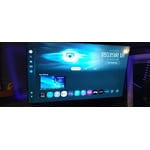
[This review was collected as part of a promotion.] Great TV it's pretty much a huge computer. Highly recommend this product we have 2 Samsung tv 75" & 86". Thank you Samsung

Review from Samsung US
Helpful?7052JBFI9KAV17348165019
Jul 27, 2026
Reviewer name: Bandyandy
5 out of 5 stars
5 out of 5 stars review

Everything about it is great

[This review was collected as part of a promotion.] the brightness is really good for at night time I like the contrast on it it's vibrancy I hate can't complain about nothing

Review from Samsung US
Helpful?7052JBFI9KAV17348165019
Aug 6, 2026
Reviewer name: TV watcher
4 out of 5 stars
4 out of 5 stars review

Great Tv

[This review was collected as part of a promotion.] Great TV. Great size and value for the price. I would suggest using a sound bar. It has a very good picture.

Review from Samsung US
Helpful?7052JBFI9KAV17348165019