Skip to Main Content
Sam's Club
Sam's Club
All Departments
All Services
Customer reviews for SAMSUNG 65" Class U7900F Series 4K Crystal UHD Smart TV for
SAMSUNG 65" Class U7900F Series 4K Crystal UHD Smart TV
4.5 out of 5 stars
stars
4,239 ratings4,160 reviews
  1. 5 stars74% (3,117)
  2. 4 stars15% (632)
  3. 3 stars6% (258)
  4. 2 stars2% (102)
  5. 1 star3% (130)

Member photos

  • +1610 images
Sort by |
Showing 141-150 of 4,160 reviews
Sep 5, 2026
Reviewer name: AvoidScams McGee
4 out of 5 stars
4 out of 5 stars review

TV POPUPS

[This review was collected as part of a promotion.] I hate the popups that the "Smart TV" generates, otherwise everything else is fantastic. Oh and the fact that my review has to be "in progress" and to be reviewed. I can't enter a contest without perfect scores for a company, nice job finger blasters.

Review from Samsung US
Helpful?7052JBFI9KAV17348165019
Sep 5, 2026
Reviewer name: DonnaD
5 out of 5 stars
5 out of 5 stars review

Love My Frame TV

[This review was collected as part of a promotion.] Love my 75” frame TV!! I purchased it last year and highly recommend it for the vibrancy and brightness. The real show is when I have it displaying art when I'm not watching. It looks like and expensive piece of art in my room. I get so many compliments on it.

Review from Samsung US
Helpful?7052JBFI9KAV17348165019
Sep 23, 2026
Reviewer name: Anonymous
5 out of 5 stars
5 out of 5 stars review

Very fast

[This review was collected as part of a promotion.] It's an all around good TV pretty responsive most of the time and I do have a good internet connection but sometimes it will take like 10 minutes to load an app but there isn't any patterns so I'll still give it 5 stars

Review from Samsung US
Helpful?7052JBFI9KAV17348165019
Sep 20, 2026
Reviewer name: Cjay
3 out of 5 stars
3 out of 5 stars review

Eeh

[This review was collected as part of a promotion.] The color on this TV is fantastic. The response to Wi-Fi is horrible. It's the only TV in the house that constantly constantly is delayed constantly interrupting our shows. It is very annoying and we turn it off sometimes and don't watch it for days.

Review from Samsung US
Helpful?7052JBFI9KAV17348165019
reply from Samsung Advisor

Hi Cjay, Thank you for sharing your experience with Wi-Fi connectivity. If your TV is having trouble connecting to the network, the following steps may help resolve the issue: Signal & Setup Tips: 1. Check TV-to-router distance – Your TV should be within 50 feet of the modem or access point for reliable signal strength. 2. Minimize interference – Turn off nearby wireless devices and make sure there are no physical barriers (stone walls, fireplaces, appliances) between the TV and router. Power Cycle Devices: 3. Restart both your TV and router – Unplug both devices for at least 30 seconds, then plug them back in and allow them to reboot fully. Connection Type: 4. Evaluate your connection method – o If using Wi-Fi, move your router closer to the TV and eliminate any obstructions. o For a more stable connection, we strongly recommend using a wired Ethernet cable. o If already using Ethernet, verify the cable is working by testing it with another device. Run Built-In Diagnostic Tools: 5. Network Test: Settings > Support > Device Care > Self Diagnosis > Smart Hub Connection Test 6. Wi-Fi Check: Settings > Support > Device Care > Self Diagnosis > Wi-Fi Last Resort: 7. Perform a Factory Reset (if issues persist): Settings > All Settings > General & Privacy > Reset > Factory Data Reset. Note that this will return all settings to their original defaults. If these steps don’t resolve the issue, please reach out to Samsung Support at 1-800-SAMSUNG (8AM – 9PM EST Mon – Fri, 8AM – 6PM Sat – Sun). LiveChat support and additional help are available at the ‘Support’ link on our website. ~ Samsung Advisor

Sep 6, 2026
Reviewer name: Mary
5 out of 5 stars
5 out of 5 stars review

The pictures, contrast, brightness etc everything

[This review was collected as part of a promotion.] Everything about my Samsung TV is super, I love it..... I dnt have any regrets buying it. Good job to Samsung company because I use Samsung phone also and I love all my Samsung products. They're perfect for me

Review from Samsung US
Helpful?7052JBFI9KAV17348165019
Sep 29, 2026
Reviewer name: SMSNG_user10110329
5 out of 5 stars
5 out of 5 stars review

Overall a great TV!

[This review was collected as part of a promotion.] Setting up the TV was quick, fast and easy. The overall responsiveness is quick with no lagging. In the settings it is easy to set up how you want your brightness and contrast and it also gives you recommendations.

Review from Samsung US
Helpful?7052JBFI9KAV17348165019
Sep 28, 2026
Reviewer name: Wolf
5 out of 5 stars
5 out of 5 stars review

Great Features built in
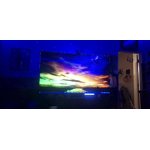
[This review was collected as part of a promotion.] I love my TV, packed with awesome features like a built in X-box, Samsung DEX which turns it into a giant PC moniter when paired with a compatible Samsung phone that also has DEX built in, the size of the TV and picture clarity are awesome, just a total awesome TV!

Review from Samsung US
Helpful?7052JBFI9KAV17348165019
Jan 16, 2026
Reviewer name: Ginat
2 out of 5 stars
2 out of 5 stars review

Horrible remote

Bought this TV. It came with no user manual. The remote is horrible. They took away most of the functions. Can't figure out how to use it. Can't put in a specific channel, no previous channel button. Trying to find a user manual here. Not too easy. We are using a remote from another Samsung TV. Only way we can make it work. Very hard to navigate once you are in.

Review from Samsung US
Helpful?7052JBFI9KAV17348165019
reply from Samsung Specialist

Hi Ginat, We appreciate you sharing your experience. To help you get the most from your TV and remote functions, you can download the full e-Manual and more by visiting Samsung’s website then navigating to: Support > Manual & Software > TVs & Home Theater. From there, you can search for and select your U7900F TV model to view or download the available guides. The e-Manual & Remote Control Guide are also conveniently built into your TV: Settings > Support > Tips and User Guides. For additional guidance, your TV also includes Accessibility features designed to assist with navigation and remote use. • Learn Menu Screen provides audio guidance for on-screen menus by announcing the name and function of each item as you scroll – without making any changes. This is especially helpful for users who are visually impaired or new to Smart TV menus. Enable via: Settings > All Settings > General & Privacy > Accessibility > Learn Menu Screen. To exit, press the Return key twice. • Learn TV Remote helps users become familiar with the layout and function of each button on the Samsung remote. Pressing a button (other than Power) will prompt the TV to announce its name and purpose, again without affecting TV operation. Enable via: Settings > All Settings > General & Privacy > Accessibility > Learn TV Remote. To exit, press the Return key twice. If you’d like more assistance with these features, please reach Samsung Support at 1-800-SAMSUNG, available 8AM – 12AM EST, 7 days a week. LiveChat agents are also available through the ‘Support’ link on our website. ~ Samsung Specialist

Jan 15, 2026
Reviewer name: Apollo11guy
3 out of 5 stars
3 out of 5 stars review

Missing a very important feature

This 50" was a birthday gift from our son to my wife. It replaces our 44-yr old 600 lb set that just would not die. While we love the improved picture, the big drawback is that it doesn't automatically jump to the HD channel when you input the SD channel number that we have used forever. I needed to make a conversion chart we have to refer to whenever we turn it on or change the channel. Even our old cheapo sets can do this useful task automatically.

Review from Samsung US
Helpful?7052JBFI9KAV17348165019
reply from Samsung Advisor

Hi Apollo11guy, We appreciate your purchase and for sharing your experience with us. Please know your feedback will be shared with our internal teams. If you have any questions or need help, we’re always here. Call 1-800-SAMSUNG from 8AM - 12AM EST, seven days a week, or connect with a LiveChat agent anytime by selecting ‘Support’ on our website. ~Samsung Advisor

Aug 25, 2026
Reviewer name: Baby
5 out of 5 stars
5 out of 5 stars review

Love it

[This review was collected as part of a promotion.] super sweet picture brightness is awesome everything works correctly really like the 4D it's better than most TVs on the market

Review from Samsung US
Helpful?7052JBFI9KAV17348165019