Skip to Main Content
Sam's Club
Sam's Club
Customer reviews for SAMSUNG 65" Class U7900F Series 4K Crystal UHD Smart TV for
SAMSUNG 65" Class U7900F Series 4K Crystal UHD Smart TV
4.6 out of 5 stars
stars2,422 ratings2,345 reviews
  1. 5 stars76% (1,849)
  2. 4 stars14% (349)
  3. 3 stars5% (118)
  4. 2 stars2% (44)
  5. 1 star3% (62)

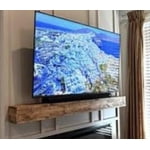
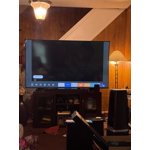
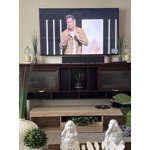
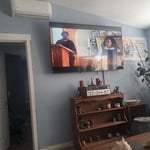
Member photos

  • +900 images
Sort by |
Showing 1,381-1,390 of 2,345 reviews
May 20, 2026
Topito
5 out of 5 stars review

Great features!

[This review was collected as part of a promotion.] Excellent resolution and quality. Color looks so natural and bright.

Review from Samsung US
Helpful?7052JBFI9KAV17348165019
Jun 1, 2026
Toney
5 out of 5 stars review

Awesome Tv

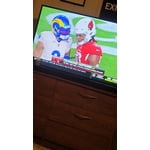
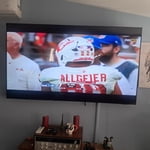
[This review was collected as part of a promotion.] Awesome Tv bright and vibrant picture, looks as though im on the field

Review from Samsung US
Helpful?7052JBFI9KAV17348165019
Jun 1, 2026
Carebearrycrum
5 out of 5 stars review

Great features

[This review was collected as part of a promotion.] Its almost like the people are right in front of you

Review from Samsung US
Helpful?7052JBFI9KAV17348165019
Jun 5, 2026
Dray
3 out of 5 stars review

Aight

[This review was collected as part of a promotion.] I wish my tv came with Alexa and it’s not even an option to dowoad

Review from Samsung US
Helpful?7052JBFI9KAV17348165019
reply from Samsung Advisor

Hi Dray, Thank you for sharing your review. Your TV Works With Alexa, meaning you’ll need to connect a standalone Alexa device such as an Echo speaker, to control compatible smart home devices and some experiences on your TV. Here are the steps: 1. Download both the Amazon Alexa and Samsung SmartThings apps, if you don't already have them. Both are available for iOS or Android devices. 2. Make sure your Alexa device and TV are both connected to the same Wi-Fi network. 3. Your TV must be enabled within the SmartThings app. If not, make sure you are signed in with your Samsung account on the TV: Settings > All Settings > Samsung Account 4. Log in to the SmartThings app with the same Samsung account. Tap Devices, and if your TV isn’t already shown, tap + to add it to the app. 5. In the Alexa app, enable the SmartThings skill and sign into your Samsung account. This will automatically connect your Samsung TV to Alexa and let you use voice commands to control your television. If you need more help, we’re here. Give us a call at 1-800-SAMSUNG (8AM – 9PM EST Mon – Fri, 8AM – 6PM Sat – Sun). You can also connect with a LiveChat agent through the Support link on our website. ~ Samsung Advisor

Jun 5, 2026
Kimmie
5 out of 5 stars review

Great color and features

[This review was collected as part of a promotion.] Ok thanks. No problem with television . I don't have any issues at this time

Review from Samsung US
Helpful?7052JBFI9KAV17348165019
Jun 6, 2026
Deedee
5 out of 5 stars review

Number 1

[This review was collected as part of a promotion.] I love my new tv. All I can say is WOW!! The brightness and resolution with vibrancy

Review from Samsung US
Helpful?7052JBFI9KAV17348165019
Jun 5, 2026
Do better
3 out of 5 stars review

Could be better I've had better samsung products

[This review was collected as part of a promotion.] It could use better responsive software. Runs slow and constantly disconnecting from wifi

Review from Samsung US
Helpful?7052JBFI9KAV17348165019
reply from Samsung Advisor

Hi, We appreciate your feedback regarding your U7900F TV’s performance. If you're experiencing freezing or lag in general response time, please try the following steps: 1. Check for firmware updates – Keeping your TV up to date can resolve many performance issues: Home > left directional key > Settings > Support > Software Update > Update Now 2. Run Device Care – This tool checks system memory, frees up cached data, and closes background apps that could be slowing things down: Home > left directional key > Settings > Support > Device Care > Start Device Care 3. Cold boot your TV – With the TV powered on, press and hold the Power button on your remote for 5+ seconds until the TV restarts. This helps refresh the system. If you're still noticing performance snags after these steps, please contact Samsung Support at 1-800-SAMSUNG (8AM – 9PM EST Mon – Fri, 8AM – 6PM Sat – Sun). You can also connect with a LiveChat agent via the ‘Support’ link on our website. ~ Samsung Advisor

May 20, 2026
Captain Kirk
3 out of 5 stars review

Good TV

[This review was collected as part of a promotion.] Picture quality is good. The sound is far from good.

Review from Samsung US
Helpful?7052JBFI9KAV17348165019
reply from Samsung Advisor

Hi Captain Kirk, Thank you for your feedback on the sound quality of your Samsung U7900F TV. First, ensure your TV is running the latest firmware: Home > Settings > Support > Software Update To improve your sound, try different Sound Modes (Standard, Optimized, Amplify), or fine-tune your setup in Expert Settings under: Settings > All Settings > Sound Samsung Q- and S-Series Soundbars with Q-Symphony can also pair with your TV for enhanced audio. For further help adjusting your sound settings or finding the right soundbar for your space, feel free to reach Samsung Support at 1-800-SAMSUNG, 8AM – 9PM EST Mon – Fri, 8AM – 6PM Sat – Sun. You can also visit the Samsung website and click on ‘Support’ for: • Live Chat • Manuals, Software, & Warranty Info ~ Samsung Advisor

May 21, 2026
Richard
5 out of 5 stars review

Amazing tv

[This review was collected as part of a promotion.] Amazing, the contrast resolution and aesthetics are the best for my little home

Review from Samsung US
Helpful?7052JBFI9KAV17348165019
May 20, 2026
Applicant
4 out of 5 stars review

Satisfied

[This review was collected as part of a promotion.] A good value for the money I’m satisfied with this tv

Review from Samsung US
Helpful?7052JBFI9KAV17348165019