Skip to Main Content
Sam's Club
Sam's Club
All Departments
All Services
Customer reviews for SAMSUNG 65" Class U7900F Series 4K Crystal UHD Smart TV for
SAMSUNG 65" Class U7900F Series 4K Crystal UHD Smart TV
4.5 out of 5 stars
stars
4,222 ratings4,143 reviews
  1. 5 stars74% (3,105)
  2. 4 stars15% (631)
  3. 3 stars6% (256)
  4. 2 stars2% (103)
  5. 1 star3% (127)

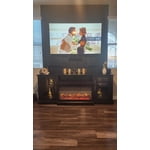
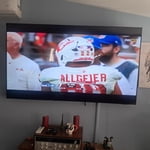
Member photos

  • +1590 images
Sort by |
Showing 1,371-1,380 of 4,143 reviews
Sep 11, 2026
Reviewer name: Malik
5 out of 5 stars
5 out of 5 stars review

They get better

[This review was collected as part of a promotion.] The clarity is a constant upgrade. The responsiveness seems to be much quicker than older models. ..

Review from Samsung US
Helpful?7052JBFI9KAV17348165019
Sep 21, 2026
Reviewer name: Fuzzyalex13
5 out of 5 stars
5 out of 5 stars review

Tv/gaming

[This review was collected as part of a promotion.] Clear picture great tv love the view and futures my nieces and nephew love it specially for gaming .

Review from Samsung US
Helpful?7052JBFI9KAV17348165019
Sep 5, 2026
Reviewer name: harold
3 out of 5 stars
3 out of 5 stars review

sound

[This review was collected as part of a promotion.] The sound is bad on this tv. You have to turn it up to 100 to hear it.I don't like samsung putting up messages on the screen. This is my tv and you should have no control over it.

Review from Samsung US
Helpful?7052JBFI9KAV17348165019
reply from Samsung Advisor

Hi Harold, Thank you for purchasing Samsung’s U7900F TV and for sharing your feedback regarding low volume. To start, we recommend making sure your TV is running the latest firmware, as updates can include improvements to sound performance: Home > Settings > Support > Software Update If volume levels still seem too low, you can improve sound performance by adjusting a few key settings: Sound Mode: Navigate to: Settings > All Settings > Sound > Sound Mode • Standard: Balanced for everyday viewing • Optimized: Enhances effects and creates a more spacious sound • Amplify: Boosts mid and high tones, especially helpful if dialogue is difficult to hear Auto Volume: This feature helps maintain consistent volume levels across content and input sources. Turn it on under: Settings > All Settings > Sound > Expert Settings > Auto Volume = On You can also explore Expert Settings to fine-tune sound output with adjustments for Balance, Equalizer, and more. If you’re considering enhancing your setup, Samsung’s Q- and S-Series Soundbars feature Q-Symphony, which syncs your TV and soundbar speakers for a fuller, more immersive sound experience. For personalized support with these settings or selecting a soundbar to complement your setup, contact Samsung Support at 1-800-SAMSUNG (8AM – 9PM EST Mon – Fri, 8AM – 6PM Sat – Sun) or use LiveChat via the ‘Support’ link on our website. ~ Samsung Advisor

Sep 20, 2026
Reviewer name: Chan
5 out of 5 stars
5 out of 5 stars review

It’s a really great

[This review was collected as part of a promotion.] Its rally really great to view as with sound model and has easy to operate and remote is super super the best

Review from Samsung US
Helpful?7052JBFI9KAV17348165019
Sep 21, 2026
Reviewer name: Wanda
5 out of 5 stars
5 out of 5 stars review

Super

[This review was collected as part of a promotion.] I've actually lost the remote to my television and would like to re-order one if you can give me instructions on how to do that I will be eternally grateful

Review from Samsung US
Helpful?7052JBFI9KAV17348165019
reply from Samsung Advisor

Hi Wanda, Thank you for your review. Your U7900FD TV uses the BN59-01484A model remote. You can find more information on ordering a replacement on our website: https://www.samsung.com/us/support/answer/ANS10006956/ Should you need more help, we're here for you. You can reach us at 1-800-SAMSUNG (8AM – 9PM EST Mon – Fri, 8AM – 6 PM Sat – Sun) or reach us via text 24/7. You can also visit ‘Support’ on our website for: • Live Chat • Manuals, Software, & Warranty Info ~ Samsung Advisor

Sep 20, 2026
Reviewer name: AMKs Mom
5 out of 5 stars
5 out of 5 stars review

Great Images

[This review was collected as part of a promotion.] The picture is so clear and the images are very sharp. Great TV for sports viewing and nature shows. The thin black frame around the screen makes the image even better.

Review from Samsung US
Helpful?7052JBFI9KAV17348165019
Sep 7, 2026
Reviewer name: Pmill
3 out of 5 stars
3 out of 5 stars review

Frustrated

[This review was collected as part of a promotion.] Tv itself is wonderful, but there is a continuous problem connecting to livestream apps and programs

Review from Samsung US
Helpful?7052JBFI9KAV17348165019
reply from Samsung Advisor

Hi Pmill, Thank you for your feedback. To best assist you, please call us at 1-800-SAMSUNG (8AM – 9PM EST Mon – Fri, 8AM – 6PM Sat – Sun). LiveChat agents are also available by clicking on the ‘Support’ link on our website. ~ Samsung Advisor

Sep 21, 2026
Reviewer name: Hulu
5 out of 5 stars
5 out of 5 stars review

Great product, I love it . Very clear screen

[This review was collected as part of a promotion.] I. don't have any problem right now. Everything perfect . The only remote

Review from Samsung US
Helpful?7052JBFI9KAV17348165019
Sep 20, 2026
Reviewer name: Pansie49
5 out of 5 stars
5 out of 5 stars review

Great features.

[This review was collected as part of a promotion.] This Samsung is a big upgrade from the last Samsung that we had . Like how it hooks up to Bluetooth. The sound quality is so much better.

Review from Samsung US
Helpful?7052JBFI9KAV17348165019
Sep 18, 2026
Reviewer name: Unicorn
3 out of 5 stars
3 out of 5 stars review

Good for the cost

[This review was collected as part of a promotion.] The brightness and contrast are good. Easy to navigate however the speakers are not great very low volume you have to connect the TV to an external speaker for better sound quality

Review from Samsung US
Helpful?7052JBFI9KAV17348165019
reply from Samsung Advisor

Hi Unicorn, Thank you for your review. If the volume on your Samsung U7900F TV seems too low, we recommend checking for firmware updates: Settings > Support > Software Update > Update Now Then, go to: Settings > All Settings > Sound > Sound Mode and try Amplify to boost dialogue and upper tones. To maintain consistent volume across channels and apps, enable Auto Volume under: Settings > All Settings > Sound > Expert Settings > Auto Volume = On Samsung Q- and S-Series Soundbars with Q-Symphony can also enhance your sound experience. For further help, please contact Samsung Support at 1-800-SAMSUNG (8AM – 9PM EST Mon – Fri, 8AM – 6PM Sat – Sun) or use LiveChat via the ‘Support’ link on our website. ~ Samsung Advisor