Skip to Main Content
Sam's Club
Sam's Club
All Departments
All Services
Customer reviews for SAMSUNG 75” Class U7900F Series 4K Crystal UHD Smart TV for
SAMSUNG 75” Class U7900F Series 4K Crystal UHD Smart TV
4.6 out of 5 stars
stars
3,260 ratings3,233 reviews
  1. 5 stars74% (2,428)
  2. 4 stars15% (497)
  3. 3 stars5% (176)
  4. 2 stars2% (66)
  5. 1 star3% (93)

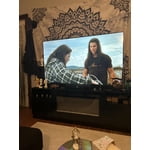
Member photos

  • +1310 images
Sort by |
Showing 601-610 of 3,233 reviews
Apr 20, 2026
Juju
5 out of 5 stars review

More Than a Display—It's an Aesthetic Experience

[This review was collected as part of a promotion.] ​When I decided to upgrade my home entertainment setup, I wasn't just looking for a screen; I was looking for a centerpiece. The Samsung 65" Crystal UHD 4K Smart TV hasn't just filled the space on my wall—it has completely redefined how I engage with visual storytelling. ​Visual Brilliance meets Tailored Design The first thing that strikes you is the MetalStream design. In a world of bulky plastic, this TV feels like an intentional piece of architecture. It's sleek, minimal, and blends seamlessly with my home decor, proving that technology can be as beautiful as the art it displays. The Crystal Processor 4K is the true workhorse here; the 4K upscaling is genuinely transformative, pulling detail out of older classics that I've seen a dozen times but never truly seen until now. ​Intuitive Intelligence What truly elevates this experience is the Tizen-powered interface. It's snappy, intuitive, and doesn't get in the way of what matters. Whether I am jumping from a high-stakes gaming session using the Auto Game Mode or settling in for a cinematic night with HDR-enhanced content, the transition is effortless. The adaptive brightness is a standout feature—it respects the lighting in my room, ensuring that whether it's high noon or late evening, the picture remains perfectly balanced without me ever having to touch a setting. ​The Bottom Line This TV is the rare intersection of luxury aesthetics and high-performance engineering. It provides an immersive, vivid experience that makes every frame feel deliberate. For anyone looking to invest in a television that treats their content—and their living space—with the respect it deserves, the 65" Crystal UHD is the gold standard.

Review from Samsung US
Helpful?5E42PT4DC65117304274207
May 20, 2026
caesarc6
3 out of 5 stars review

Terrible response remote to TV

[This review was collected as part of a promotion.] The remote is not responding fast enough/ I have to tap on the remote 3-5 times before it responds / ALSO I can be in the middle of a show and the TV blacks out and reboots and these 2 problems are daily ALSO I have other type TVs and no problems si it's not the service or the internet

Review from Samsung US
Helpful?5E42PT4DC65117304274207
reply from Samsung Advisor

Hi caesarc6, Thank you for reaching out to us. If your remote isn’t responding, here are a few quick steps to help determine if it’s working correctly: 1. Check the batteries: Remove the back cover of your remote and replace the batteries with a fresh set, ensuring they are inserted in the correct direction. 2. Test for infrared signal: Point the front of the remote at your smartphone camera. While holding down any button, you should see a flashing light through the camera screen. (For iPhone users, the front-facing camera works best.) If you see the light, your remote is working and may need to be re-paired with your TV. 3. Point the remote correctly: Try pointing the remote directly at the TV from about 5-6 feet away. This can help ensure a clearer signal between the remote and the TV. Finally, please ensure your TV is running the latest Firmware. Go to Home > left directional key > Settings > Support > Software Update > Update Now. Should you need more help, we're here for you. You can reach us at 1-800-SAMSUNG (8AM – 9PM EST Mon – Fri, 8AM – 6PM Sat – Sun), or connect with a LiveChat agent by selecting ‘Support’ on our website. ~ Samsung Advisor

May 20, 2026
FrancisEM
5 out of 5 stars review

Good Value

[This review was collected as part of a promotion.] Our Samsung 65-inch TV has been amazing so far. The picture quality is super clear and vibrant, especially when watching movies and sports. The sound is decent, and the smart TV features are easy to use. Definitely a great upgrade for our living room and worth the purchase.

Review from Samsung US
Helpful?5E42PT4DC65117304274207
Apr 20, 2026
VampyreMan
2 out of 5 stars review

retains high quality picture. Updated normally

[This review was collected as part of a promotion.] Firstly, graphics have always been great. But pretty much everything else has been a rapid decline. There was a recent update that helped it alot though, so that's a good thing. Still turns off randomly (not due to updates) though. But im a Samsung only kind of man, so I'll deal with it until I can get my AU8000 repaired that was under warranty but they refused to do the simple fix.

Review from Samsung US
Helpful?5E42PT4DC65117304274207
reply from Samsung Advisor

Hi VampyreMan, We’re sorry to hear your U7900F TV is turning off on its own. Please try the following troubleshooting steps which may help resolve the issue: 1. Unplug the TV from the wall outlet or surge protector for at least 30 seconds. 2. Inspect the power cord for any visible damage. If damaged, the cord may need to be replaced. 3. Plug the TV directly into a wall outlet, bypassing any power strip or surge protector for now. 4. If the TV remains on long enough, try updating the TV’s software: Home > left directional key > Settings > Support > Software Update > Update Now. Note: If your TV powers off during the update, it could result in damage, so only proceed if the TV is stable. Next, check the TV’s Power and Energy Saving settings to ensure no timers or auto-off features are enabled: • Sleep Timer: Settings > All Settings > General & Privacy > Power and Energy Saving > Sleep Timer • Auto Power Off and Off Timer: Settings > All Settings > General & Privacy > Power and Energy Saving > Auto Power Off/Off Timer Also, if you have devices connected via HDMI, check if Anynet+ (HDMI-CEC) is enabled, as this can allow external devices to control the TV and may cause it to turn off: Settings > All Settings > General & Privacy > External Device Manager > Anynet+ (HDMI-CEC) = Off If your TV continues to power off unexpectedly, please call us at 1-800-SAMSUNG, 8AM – 9PM EST Mon – Fri, 8AM – 6PM Sat – Sun. Our LiveChat agents are also available through the ‘Support’ link on our website. ~ Samsung Advisor

Jun 1, 2026
49erfanjqc
5 out of 5 stars review

all round greatness

[This review was collected as part of a promotion.] So far tv has been working out great easy to get connected with my phone and tablet which is also Samsung and they have made it an easy transition for control of my devices, resolution is amazing especially for the value, color is vibrant and brightness is good, plus it has knox security

Review from Samsung US
Helpful?5E42PT4DC65117304274207
May 11, 2026
Meechiee
5 out of 5 stars review

Wonderful, Amazing Features

[This review was collected as part of a promotion.] I love everything about this television. I started replacing all the tv's one by one w/ samsung televisions. I also like how my phone connects and I can customize it with pictures of my family. It shows so brightly like we are in a movie theater in my living room. We love everything about this television.

Review from Samsung US
Helpful?5E42PT4DC65117304274207
May 23, 2026
Rbrown225
5 out of 5 stars review

Great TV picture and perfect size

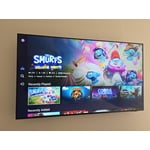
[This review was collected as part of a promotion.] Perfect TV for our outdoor patio. Looks good mounted on the wall and has a great picture. Smart TV with plenty of apps. With internet access, you can scrap cable TV and stream loads of shows, channels, and networks.

Review from Samsung US
Helpful?5E42PT4DC65117304274207
May 20, 2026
Joe NWA
2 out of 5 stars review

Some Issues

[This review was collected as part of a promotion.] I'm having an issue with the TV - automatically turns itself on, automatically pauses, automatically unpauses, automatically unmutes itself. Samsung replaced the main board, but the issue still persists. Other than that, the picture and sound are great.

Review from Samsung US
Helpful?5E42PT4DC65117304274207
reply from Samsung Advisor

Hi Joe NWA, We're very sorry you are experiencing issues with your TV turning itself on and freezing. To best assist you, please call us at 1-800-SAMSUNG, 8AM – 9PM EST Mon – Fri, 8AM – 6PM Sat – Sun. LiveChat is also available via the ‘Support’ link on our website. ~ Samsung Advisor

May 20, 2026
Ready to watch
5 out of 5 stars review

Enjoy TV again

[This review was collected as part of a promotion.] As a person with limited vision my new Samsung 65” Crystal TV allows me to enjoy watching tv again. I had a smaller Samsung, 40”, before and the picture was not as clear to me. I had a hard time reading what scrolled across the screen and what was happening on screen. For people with low vision l would recommend this tv for more enjoyable watching.

Review from Samsung US
Helpful?5E42PT4DC65117304274207
Jun 1, 2026
JLouis
5 out of 5 stars review

Central to entertainment and connected home.

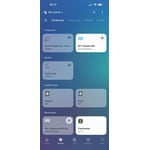
[This review was collected as part of a promotion.] Stunning picture quality with vibrant colors and true black! 🤩 Enjoy endless entertainment with a plethora of apps and expanded device connections. The intelligent light sensor perfectly balances your picture, and the hub feature elevates your smart home experience. #picture #colors #apps #connections #sensor #hub #home

Review from Samsung US
Helpful?5E42PT4DC65117304274207