Skip to Main Content
Sams Club
Sams Club
Customer reviews for SAMSUNG 75” Class U7900F Series 4K Crystal UHD Smart TV for
SAMSUNG 75” Class U7900F Series 4K Crystal UHD Smart TV
4.6 out of 5 stars
stars1,588 ratings1,563 reviews
  1. 5 stars78% (1,238)
  2. 4 stars14% (224)
  3. 3 stars4% (65)
  4. 2 stars2% (25)
  5. 1 star2% (36)

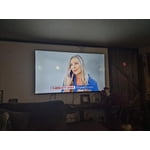
Member photos

  • +599 images
Sort by |
Showing 1-10 of 1,563 reviews
Mar 9, 2026
Real Deal Camille
5 out of 5 stars review

Verified Purchase

Quality Deal

Excellent price for such a good size TV with a crystal clear picture. Having one remote to handle all our apps and features is a bonus.

Helpful?5E42PT4DC65117304274207
Feb 24, 2026
DrT
5 out of 5 stars review

Verified Purchase

Good for the price!

Pretty good for the price. With the 5 year warrantee it should at least last that long!

Helpful?5E42PT4DC65117304274207
Dec 6, 2025
CarmenC
5 out of 5 stars review

Verified Purchase

Great buy

Amazing quality and excellent price

Helpful?5E42PT4DC65117304274207
May 1, 2026
Ninaluv
5 out of 5 stars review

Amazing product!

[This review was collected as part of a promotion.] This TV has amazing colors and clarity, with sharp graphics. Stellar streaming capabilities with many downloadable apps. Amazing security as well.

Review from Samsung US
Helpful?5E42PT4DC65117304274207
Feb 23, 2026
Holycowgirl
4 out of 5 stars review

Verified Purchase

I would give 5 if speakers were better

TV is the perfect size, color and picture are good. The only negative is the speakers aren't good enough and I don't believe you should have to buy additional speakers unless you specifically want surround sound. I am use to my Emerson TV that has perfect speakers. Also feel bad because the newer TVs, animals hate. My cat won't even come in the room. I read on internet that it is all newer TVs. That makes me wonder how safe TVs are nowadays.

Helpful?5E42PT4DC65117304274207
Jan 1, 2026
Tammy
4 out of 5 stars review

Verified Purchase

Nice TV

Nice TV remote not user friendly

Helpful?5E42PT4DC65117304274207
Mar 13, 2026
Steven
4 out of 5 stars review

Verified Purchase

Tv

Love it

Helpful?5E42PT4DC65117304274207
Apr 16, 2026
Jespina
4 out of 5 stars review

Great TV but...

[This review was collected as part of a promotion.] To be honest the tv works well in the colors, screen and sound, butt i feel it is tooooo sloooww when i moving between apps and settings, the rest is good.

Review from Samsung US
Helpful?5E42PT4DC65117304274207
Jan 15, 2026
Apollo11guy
3 out of 5 stars review

Missing a very important feature

This 50" was a birthday gift from our son to my wife. It replaces our 44-yr old 600 lb set that just would not die. While we love the improved picture, the big drawback is that it doesn't automatically jump to the HD channel when you input the SD channel number that we have used forever. I needed to make a conversion chart we have to refer to whenever we turn it on or change the channel. Even our old cheapo sets can do this useful task automatically.

Review from Samsung US
Helpful?5E42PT4DC65117304274207
reply from Samsung Advisor

Hi Apollo11guy, We appreciate your purchase and for sharing your experience with us. Please know your feedback will be shared with our internal teams. If you have any questions or need help, we’re always here. Call 1-800-SAMSUNG from 8AM - 12AM EST, seven days a week, or connect with a LiveChat agent anytime by selecting ‘Support’ on our website. ~Samsung Advisor

Jan 16, 2026
Ginat
2 out of 5 stars review

Horrible remote

Bought this TV. It came with no user manual. The remote is horrible. They took away most of the functions. Can't figure out how to use it. Can't put in a specific channel, no previous channel button. Trying to find a user manual here. Not too easy. We are using a remote from another Samsung TV. Only way we can make it work. Very hard to navigate once you are in.

Review from Samsung US
Helpful?5E42PT4DC65117304274207
reply from Samsung Specialist

Hi Ginat, We appreciate you sharing your experience. To help you get the most from your TV and remote functions, you can download the full e-Manual and more by visiting Samsung’s website then navigating to: Support > Manual & Software > TVs & Home Theater. From there, you can search for and select your U7900F TV model to view or download the available guides. The e-Manual & Remote Control Guide are also conveniently built into your TV: Settings > Support > Tips and User Guides. For additional guidance, your TV also includes Accessibility features designed to assist with navigation and remote use. • Learn Menu Screen provides audio guidance for on-screen menus by announcing the name and function of each item as you scroll – without making any changes. This is especially helpful for users who are visually impaired or new to Smart TV menus. Enable via: Settings > All Settings > General & Privacy > Accessibility > Learn Menu Screen. To exit, press the Return key twice. • Learn TV Remote helps users become familiar with the layout and function of each button on the Samsung remote. Pressing a button (other than Power) will prompt the TV to announce its name and purpose, again without affecting TV operation. Enable via: Settings > All Settings > General & Privacy > Accessibility > Learn TV Remote. To exit, press the Return key twice. If you’d like more assistance with these features, please reach Samsung Support at 1-800-SAMSUNG, available 8AM – 12AM EST, 7 days a week. LiveChat agents are also available through the ‘Support’ link on our website. ~ Samsung Specialist