Skip to Main Content
Sam's Club
Sam's Club
Customer reviews for SAMSUNG 75” Class U7900F Series 4K Crystal UHD Smart TV for
SAMSUNG 75” Class U7900F Series 4K Crystal UHD Smart TV
4.6 out of 5 stars
stars1,967 ratings1,941 reviews
  1. 5 stars77% (1,513)
  2. 4 stars14% (285)
  3. 3 stars5% (89)
  4. 2 stars2% (34)
  5. 1 star2% (46)

Member photos

  • +759 images
Sort by |
Showing 561-570 of 1,941 reviews
May 20, 2026
Mike
5 out of 5 stars review

A Samsung TV Family

[This review was collected as part of a promotion.] We are a Samsung TV Family. Even though we have a small retirement home, we currently have 4 Samsung TV's in this tiny space. Two are 55", One 42" and the one in the garage is 24". I love the picture quality of Samsung and I find it superior to all others.

Review from Samsung US
Helpful?5E42PT4DC65117304274207
May 20, 2026
TV viewer
3 out of 5 stars review

5 Months later

[This review was collected as part of a promotion.] Having issues with quality of picture. Seem to lose edges of screen on video shot at night. When TV goes into Directors mode for picture quality, whites turn brown like old sepia photos. Navigating the menu for Samsung programs is not user friendly. Too many clicks. Seems like the cache needs to be emptied often compared to my last TV.

Review from Samsung US
Helpful?5E42PT4DC65117304274207
reply from Samsung Advisor

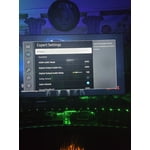
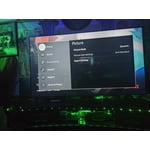
Hi TV viewer, We appreciate your feedback on the picture quality of Samsung’s U7900F TV. For the best performance, please ensure the latest firmware version is installed: Home > left directional key > Settings > Support > Software Update You can also improve responsiveness by running the built-in Device Care tool, which checks system memory, clears cached data, and closes background apps: Home > left directional key > Settings > Support > Device Care > Start Device Care If the image doesn’t quite match your preferences, there are several adjustments you can make to better suit your viewing environment and content type. First, please ensure your TV is running the latest firmware, as updates may include important picture quality enhancements. Go to: Home > Left directional button > Settings > Support > Software Update > Update Now To explore picture mode options, navigate to: Home > Left directional button > Settings > All Settings > Picture > Picture Mode. Options include: • Standard – Ideal for general viewing • Dynamic – Brighter and more vibrant for well-lit spaces • Eco – Optimized for energy efficiency • Movie – Best for viewing in low light • Filmmaker Mode – Preserves the content creator’s intent and disables motion smoothing for supported content You can further customize your image by going to: Settings > All Settings > Picture > Expert Settings, where you can adjust Brightness, Contrast, Color Tone, Sharpness, Contrast Enhancer and more. I hope these suggestions help. If you have any other questions, feel free to call us at 1-800-SAMSUNG between 8AM – 9PM EST Mon – Fri, 8AM – 6PM Sat – Sun. You can also reach our LiveChat team by selecting the ‘Support’ link on our website. ~ Samsung Advisor

May 20, 2026
Joe NWA
2 out of 5 stars review

Some Issues

[This review was collected as part of a promotion.] I'm having an issue with the TV - automatically turns itself on, automatically pauses, automatically unpauses, automatically unmutes itself. Samsung replaced the main board, but the issue still persists. Other than that, the picture and sound are great.

Review from Samsung US
Helpful?5E42PT4DC65117304274207
reply from Samsung Advisor

Hi Joe NWA, We're very sorry you are experiencing issues with your TV turning itself on and freezing. To best assist you, please call us at 1-800-SAMSUNG, 8AM – 9PM EST Mon – Fri, 8AM – 6PM Sat – Sun. LiveChat is also available via the ‘Support’ link on our website. ~ Samsung Advisor

May 11, 2026
Romerojo
3 out of 5 stars review

Pros and cons

[This review was collected as part of a promotion.] my product unfortunately is starting to lag very bad is getting more consistent on having to reset the TV I have hard drive update as the TV not have and over the air date for it and even following And even following the hard drive reset it does still lag as if the processor is out of date picture quality and functionality when it works is perfectly fine

Review from Samsung US
Helpful?5E42PT4DC65117304274207
reply from Samsung Advisor

Hi Romerojo, Thank you for your feedback regarding response time on your U7900F TV. To best assist you, please call us at 1-800-SAMSUNG from 8AM – 9PM EST Mon – Fri, 8AM – 6PM Sat – Sun, or connect with a LiveChat agent anytime by selecting ‘Support’ on our website. ~ Samsung Advisor

May 20, 2026
John
5 out of 5 stars review

Love the versatility of all the stations

[This review was collected as part of a promotion.] Who loves the T? V? The only problem I've had is A soundbar that it said was compatible to the Samsung. It was not. It was always off by a second or 2 called support. They did what they could do on the end still did not work. I'm still looking to get a soundbar for it. Don't know what else I'm gonna. I guess I might buy or look at an actual Samsung soundbar. The soundbar I have right now is called acoustical audio, which is always a couple seconds off. I never had a problem with it. When I linked it up to my couch, we had speakers and a couple, you know, linked it up to that bluetooth.But then was bluetooth i hope this helps

Review from Samsung US
Helpful?5E42PT4DC65117304274207
May 11, 2026
Samsunglover99
5 out of 5 stars review

Best Tv i have purchaed

[This review was collected as part of a promotion.] I will say this nothing more nothing less i love this tv its simple fills the room exact not to much and for a 75 in very worth it not my last purchase thats for sure the resolution is very great bring color to the room and the brightness on this tv is very detailed with color and contrast when it comes to the movies i watch i also like it because it allows me to connect to my samsung 26 ultra btw in ways more then one even down to the smart things app i will be honest i went from having 4 roku tvs to 3 samsung so be sure that this was not my last purchase

Review from Samsung US
Helpful?5E42PT4DC65117304274207
May 24, 2026
BreBre
5 out of 5 stars review

I absolutely love how slender the remote is.

[This review was collected as part of a promotion.] I love this television quality and the surround sound factory speakers built in. It's easy to adjust the viewing of each show if the quality of the movie is low. Putting a passcode on certain apps helps prevents my children from seeing inappropriate things. I can set the visuals on different perspectives. The light effects are incredible.

Review from Samsung US
Helpful?5E42PT4DC65117304274207
May 11, 2026
JLK7
4 out of 5 stars review

My 70 inch.... TV!

[This review was collected as part of a promotion.] yeah I'm in 70-in Samsung Series 7 body back in 2020 it's now 2026 all day long pretty much here in the family room great picture contrast is really good wish that they included Rumble and in the wish that they included Rumble in the apps on the series 7 and I have my bedroom but not on the near the 70 in great television yeah all the way around that's just a really nice television set

Review from Samsung US
Helpful?5E42PT4DC65117304274207
May 20, 2026
Adam
4 out of 5 stars review

Happy

[This review was collected as part of a promotion.] Our tv works perfectly fine. Great picture and a super good price. The volume is the only thing that could have used a little work. Some things are too quiet, some are too loud and sometimes you strain to hear characters voices but have to turn it down during action scenes.

Review from Samsung US
Helpful?5E42PT4DC65117304274207
May 8, 2026
Techfan
5 out of 5 stars review

Great Picture Quality and Easy to Use

[This review was collected as part of a promotion.] Samsung Smart TV is a really solid TV for anyone who wants a clean, modern setup without spending a crazy amount of money. The 4K picture looks sharp and detailed, colors feel vibrant thanks to Samsung’s Crystal Processor 4K and HDR10+ support, and streaming apps run smoothly through the Tizen smart system. It’s also great for everyday use because the menu is simple to navigate, the design looks sleek in almost any room, and motion stays smooth while watching sports, movies, or gaming. Overall, it feels like one of those TVs that gives you a premium experience for a much more affordable price, which is why so many people like it as an all-around home TV.

Review from Samsung US
Helpful?5E42PT4DC65117304274207