Skip to Main Content
Sam's Club
Sam's Club
All Departments
All Services
Customer reviews for SAMSUNG 58” Class U7900F Series 4K Crystal UHD Smart TV for
SAMSUNG 58” Class U7900F Series 4K Crystal UHD Smart TV
4.5 out of 5 stars
stars
4,268 ratings4,210 reviews
  1. 5 stars73% (3,134)
  2. 4 stars15% (643)
  3. 3 stars6% (262)
  4. 2 stars2% (102)
  5. 1 star3% (127)

Member photos

  • +1627 images
Sort by |
Showing 81-90 of 4,210 reviews
Sep 22, 2026
Reviewer name: MistaMike1
5 out of 5 stars
5 out of 5 stars review

Awesome TV

[This review was collected as part of a promotion.] My Samsung 65" Crystal UHD 4K Smart TV ​is an exceptional choice if you want big-screen movie, sports and other entertainment without breaking the bank. The vibrancy powered by Samsung's Crystal Processor 4K, the color reproduction pops off the screen. From vivid animated films to intense action sequences, the colors feel punchy, natural, and full of life. The upscaling of older 1080p content and live broadcast channels look surprisingly sharp. The built-in 4K upscaling cleans up lower-resolution signals smoothly, making legacy media look crisp on a massive 65-inch display. With the brightness of the panel it deliverys solid bright levels that perform admirably in well-lit living rooms, handling daytime viewing without washing out key details. And the contrast, while it doesn't match high-end OLED black levels, the TV's contrast is well-balanced. Deep shadows remain clear and dark scenes retain enough subtle detail to make movie nights thoroughly enjoyable. The Responsiveness of the TV will have a gamer like me enthusiasts and appreciate the display's low input lag and fast interface responsiveness. Navigating through Tizen OS menus or swapping between consoles feels quick and effortless. Overall, it delivers impressive visual quality and smooth performance, making it one of the best valued 65-inch displays on the market.

Review from Samsung US
Helpful?18J4E5E7OZVG16422722568
Sep 20, 2026
Reviewer name: Margaret
3 out of 5 stars
3 out of 5 stars review

Tv

[This review was collected as part of a promotion.] I have had several Samsung tv's I haven't had any problems with them till now my latest purchase was a 75 inch tv and sound bar we set it up we had problems with it which we thought was our cable so we called our provider installed a new box it worked but now our tv freezes or it shuts down which I think is the tv

Review from Samsung US
Helpful?18J4E5E7OZVG16422722568
reply from Samsung Advisor

Hi Margaret, Thank you for your feedback. If your U7900F TV’s Smart Hub is freezing, lagging, or not loading properly: 1. Reset Smart Hub – Home > left directional key > Settings > Support > Device Care > Self Diagnosis > Reset Smart Hub (This will sign you out of apps and reset Smart Hub to factory default.) 2. Update firmware – Home > left directional key > Settings > Support > Software Update > Update Now 3. Run Device Care – Home > left directional key > Settings > Support > Device Care > Start Device Care If the issue persists, contact Samsung Support at 1-800-SAMSUNG (8AM – 9PM EST Mon – Fri, 8AM – 6PM Sat – Sun). LiveChat is available under the ‘Support’ link on our website. ~ Samsung Advisor

Oct 6, 2026
Reviewer name: dmtz
5 out of 5 stars
5 out of 5 stars review

Great display

[This review was collected as part of a promotion.] Good screen display and vibrant colors, thought it would be laggy like other samsung tvs but actually works really good and is very responsive aswell as upscaling the bezels and frame rate helps for a better tv watching time

Review from Samsung US
Helpful?18J4E5E7OZVG16422722568
Oct 5, 2026
Reviewer name: Cheryl
3 out of 5 stars
3 out of 5 stars review

Too smart for me

[This review was collected as part of a promotion.] The TV itself is wonderful. Picture & sound are great. The remote and navigating the settings is annoying. I still use my cable connection. The icon moved ( I did not change anything) and it's several clicks to connect. Also, I use to be able to quickly put on the sleep timer. Now it's at least 4 clicks and then a few more to get back to what I was watching. HBO doesn't show with the other icons and I have to search for it. This is not my main TV, it is in my bedroom so I just want to put it on and watch without all the fuss.

Review from Samsung US
Helpful?18J4E5E7OZVG16422722568
reply from Samsung Advisor

Hi Cheryl, Thank you for sharing your experience. Please know that you can customize your Home screens by installing, removing or adding your favorite apps to Apps Home and/or For You Home screen. Here's how: Searching for & Installing Apps 1. From the Home screen, press left on the remote’s directional pad. 2. Navigate to and select Search. 3. Using the search bar, enter the content or app you’d like to find. 4. Navigate to and select the app you’d like to install, then select Install. Note: Previously installed apps can be accessed on the Settings screen. Adding & Managing Apps on Home Screen 1. Go to App Settings (these can be found at the bottom of the Apps screen) and select the app you want to move. The following options will be available: a. Add to Home: Move the app to your desired location on the Home screen. b. Delete: Delete app. c. Lock/Unlock: Lock the app with a PIN so only you can use it. When the app is selected again, you will be prompted to enter the PIN to unlock it. d. Reinstall: Reinstall the app. e. View Details: View the app’s information and details. If you need more help with app management, please don’t hesitate to reach Samsung Support at 1-800-SAMSUNG (8AM – 9PM EST Mon – Fri, 8AM – 6PM Sat). Or visit the Samsung website and click on ‘Support’ to access: • LiveChat with an agent • Manuals, Software, and Warranty Info • Creating a Service ticket ~ Samsung Advisor

Sep 28, 2026
Reviewer name: Wolf
5 out of 5 stars
5 out of 5 stars review

Great Features built in
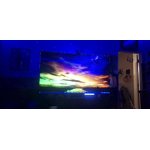
[This review was collected as part of a promotion.] I love my TV, packed with awesome features like a built in X-box, Samsung DEX which turns it into a giant PC moniter when paired with a compatible Samsung phone that also has DEX built in, the size of the TV and picture clarity are awesome, just a total awesome TV!

Review from Samsung US
Helpful?18J4E5E7OZVG16422722568
Sep 22, 2026
Reviewer name: Dad2dad
5 out of 5 stars
5 out of 5 stars review

Great game features
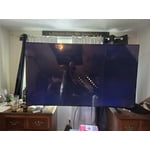
[This review was collected as part of a promotion.] The reason we chose this television was its capability of having family game night straight from the TV without the need of a console picture. Quality's great. It took us about twenty to thirty minutes to learn how to use the remote. But other than that, we love this t v recommend it for any family

Review from Samsung US
Helpful?18J4E5E7OZVG16422722568
Sep 17, 2026
Reviewer name: Galaxyman
5 out of 5 stars
5 out of 5 stars review

SOLID TV

[This review was collected as part of a promotion.] overall really good TV the brightness is good the upscaling is fantastic and the contrast is on point same with color accuracy I do like it for watching movies and playing games because the responsiveness is really good for this price in range TV

Review from Samsung US
Helpful?18J4E5E7OZVG16422722568
Sep 23, 2026
Reviewer name: rastacrystal
5 out of 5 stars
5 out of 5 stars review

Love that is connects to my phone

[This review was collected as part of a promotion.] The picture is outstanding, and all the features are updated. This TV was a good value to me. You pay a little extra for the Samsung brand, but I prefer Samsung. I like that it comes with its own channels. It was a little bit difficult to figure out how to find the local antenna channels that I like to see when bad weather comes in or when the internet goes out, but I did figure it out, and it has become easy to navigate. i enjoy that the TV connects easily to my phone because my kids are always losing the remote, so I can control the TV from my phone even from another room when someone forgets to turn it off, or when I feel like it's too loud, I can turn it down from my room. I was able to download all the apps my family uses.

Review from Samsung US
Helpful?18J4E5E7OZVG16422722568
Sep 22, 2026
Reviewer name: ThaJoker
5 out of 5 stars
5 out of 5 stars review

Amazing auto adjusting features and presets.

[This review was collected as part of a promotion.] Great tv for the living room, perfect picture dark or shine with auto adjusting video quality modes. Very quick on wifi and I'm sure it's even more responsive hard wired. Vibrant game mode with one of my favorites Fortnite, with the game mode its a night and day difference upscaling through frames. Sounds quality is also great with multiple presets.

Review from Samsung US
Helpful?18J4E5E7OZVG16422722568
Sep 21, 2026
Reviewer name: Daggerhpbrs
5 out of 5 stars
5 out of 5 stars review

Awesome videos

[This review was collected as part of a promotion.] Love the graphics and the upscaling and the HDR used for my computer and my PlayStation and Nintendo switch gaming. The display has a very good vibrancy the brightness and contrast work excellent and the remote has great responsiveness

Review from Samsung US
Helpful?18J4E5E7OZVG16422722568