Skip to Main Content
Sam's Club
Sam's Club
All Departments
All Services
Customer reviews for SAMSUNG 58” Class U7900F Series 4K Crystal UHD Smart TV for
SAMSUNG 58” Class U7900F Series 4K Crystal UHD Smart TV
4.6 out of 5 stars
stars
3,620 ratings3,562 reviews
  1. 5 stars74% (2,676)
  2. 4 stars15% (555)
  3. 3 stars6% (208)
  4. 2 stars2% (83)
  5. 1 star3% (98)

Member photos

  • +1396 images
Sort by |
Showing 91-100 of 3,562 reviews
Aug 6, 2026
Reviewer name: Mike
1 out of 5 stars
1 out of 5 stars review

Garbage

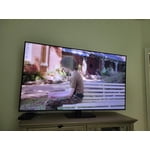
This Samsung 65” U7900F is JUNK. The tv lasted 30 days at most. Theres an issue with the video display, its non-functional. I have a 47 inch Damsung that’s 15 years old, and it works perfectly. Attached is the picture of my 2 TV’s; the new busted set, and my reliable 15 year old set.

Review from Samsung US
Helpful?18J4E5E7OZVG16422722568
reply from Samsung Advisor

Hi Mike, I’m sorry to hear of the issues you’re experiencing with Samsung’s U7900F TV. If your TV is outside of the 1-year Manufacturer's Warranty, you can find a service center near you by visiting: https://www.samsung.com/us/support/service/locations/ If you have any questions during the process, Samsung Support is available at 1-800-SAMSUNG (8AM – 9PM EST Mon – Fri, 8AM – 6PM Sat – Sun). Or visit us on the Samsung website and click on the ‘Support’ link for: • LiveChat • Manuals, Software, & Warranty Info ~ Samsung Advisor

Jul 27, 2026
Reviewer name: Deveon
4 out of 5 stars
4 out of 5 stars review

The New Personal Televison

[This review was collected as part of a promotion.] This television is smart, reliable and quite easy to utilize. The color contrast gives geeat definition to all images and graphics. Finally, the user ability has distinct features that are classic Samsung reliable products

Review from Samsung US
Helpful?18J4E5E7OZVG16422722568
Jul 23, 2026
Reviewer name: J Simmons
1 out of 5 stars
1 out of 5 stars review

Less than happy

[This review was collected as part of a promotion.] We have had this TV for less than a year. It is in our bedroom so it has maybe 30hrs of use on it. Now when I turn it on, it works for a couple minutes then the picture freezes with some green lines and pixels throughout it and make a god awful static and screeching noise. I had the previous model that work amazingly until it was knocked over by a contractor. They replaced it with this less than desirable unit. Now I have a tv that can’t be watched and no receipt to get it replaced.

Review from Samsung US
Helpful?18J4E5E7OZVG16422722568
reply from Samsung Advisor

Hi J Simmons, It’s unfortunate to hear about your experience with Samsung’s U7900F TV. We’re committed to delivering quality, value, and the best possible product experience. This TV is backed by a 1-year limited manufacturer’s warranty, which includes authorized repair for eligible defects when purchased brand-new from an authorized retailer. To review full warranty terms, you can enter your model number here: https://www.samsung.com/us/support/warranty/ If you do not have your receipt, we recommend reaching out to the retailer you purchased from, as they may have access to your receipt through your email address or payment method. To set up a warranty appointment, please contact Samsung Customer Support at 1-800-SAMSUNG (8AM – 9PM EST Mon – Fri, 8AM – 6PM Sat – Sun)or connect with a LiveChat agent by clicking the ‘Support’ link on our website. ~ Samsung Advisor

Aug 5, 2026
Reviewer name: Minkismom
5 out of 5 stars
5 out of 5 stars review

Samsung still the Top Brand

Years ago we would buy a different brand of TV, then Samsung came out with their first one. Was hesitate to buy, but was pleasantly surprised how good the picture was, sound, and quality. Been buying Samsung ever since!! Just wish it was easier to know how each one performs because we do not understand all the lettering that they are given. Please make it simpler to understand. Am very pleased with the one we have now. Very clear picture, sound is great, and still has the best quality out there to choose from.

Review from Samsung US
Helpful?18J4E5E7OZVG16422722568
Jul 28, 2026
Reviewer name: Gloriouslyrobedlights
5 out of 5 stars
5 out of 5 stars review

All around well balanced

[This review was collected as part of a promotion.] The brightness of this TV is insane; thankfully, it has settings to turn it down at night if needed. One of the best things about this TV is how smoothly it transitions from picture to picture and the vibrancy within the pixels. It's super colorful. From now on, I will only own a Samsung TV or projector due to how its resolution compares to others. Plus, the contrast is on point and very balanced.

Review from Samsung US
Helpful?18J4E5E7OZVG16422722568
Aug 5, 2026
Reviewer name: Steven
5 out of 5 stars
5 out of 5 stars review

The QLED 65" Crystal SmartTV.

[This review was collected as part of a promotion.] The Samsung QLED 65" Crystal SmartTV is Outstanding! The Smart Things( Interface/wetwear/Bluetooth-whoknowsanymore)) will reach out. It will let you set up and integrated Cammand and Control station of your digital world.

Review from Samsung US
Helpful?18J4E5E7OZVG16422722568
Aug 7, 2026
Reviewer name: Kark
5 out of 5 stars
5 out of 5 stars review

Worth the money.

I have always loved Samsung TV'S. I find this TV is pretty close to an OLED. Not fully but close. Some scenes on screen just make you saw wow.for the value of this TV. Very happy with my purchase. Sometimes the response can be slow but it's doable.

Review from Samsung US
Helpful?18J4E5E7OZVG16422722568
Aug 5, 2026
Reviewer name: Mel92
5 out of 5 stars
5 out of 5 stars review

Great products

100 % satisfied with my tv. This is the 2nd samsung ive bought. Still have 1st that i bought 24 yrs ago and still holding on. Got a new one cause wanted a 65". I would recommend samsung to anyone they are a company that really lives up to their name. Thank you for you great products. I will continue to be a big supporter.

Review from Samsung US
Helpful?18J4E5E7OZVG16422722568
Jul 27, 2026
Reviewer name: SHERIE
5 out of 5 stars
5 out of 5 stars review

Love it!

[This review was collected as part of a promotion.] I am highly satisfied with this product. My mother also owns the 65-inch model and shares the same positive sentiment. While a larger remote control would be a minor improvement, it does not diminish the exceptional quality of the television itself.

Review from Samsung US
Helpful?18J4E5E7OZVG16422722568
Aug 5, 2026
Reviewer name: JBK16
2 out of 5 stars
2 out of 5 stars review

Poor resolution and response time.

TV is not great. Resolution is bad. Whenever something on TV is dark in color, the TV can't provide the correct resolution, so it shows up like black blob. The TV and remote have extremely delayed reactions at times. Sometimes it take up to 30 seconds for the TV to respond to the remote command. Samsung TV interface, not related to the TV, is also poorly designed. I'd love to be able to put my most used apps on the home screen, rather than scrolling over to a screen where I've saved my favorites. Would likely not purchase a Samsung TV again.

Review from Samsung US
Helpful?18J4E5E7OZVG16422722568
reply from Samsung Advisor

Hi JBK16, We appreciate your feedback regarding the picture quality, remote performance, and user interface on Samsung's U7900FD TV. If the image doesn't quite match your preferences, there are several adjustments you can make to better suit your viewing environment and content type. First, please ensure your TV is running the latest firmware, as updates may include important picture quality and performance enhancements. Go to: Home > Left directional button > Settings > Support > Software Update > Update Now To explore picture mode options, navigate to: Home > Left directional button > Settings > All Settings > Picture > Picture Mode. Options include: -Standard – Ideal for general viewing -Dynamic – Brighter and more vibrant for well-lit spaces -Eco – Optimized for energy efficiency -Movie – Best for viewing in low light -Filmmaker Mode – Preserves the content creator's intent and disables motion smoothing for supported content You can further customize the image by going to Settings > All Settings > Picture > Expert Settings, where you can adjust Brightness, Contrast, Color Tone, Sharpness, Contrast Enhancer, and more. If your TV is responding slowly or inconsistently to the remote, please try the following: -Re-pair the remote by standing within 1 foot of the TV and pressing -Return and Play/Pause simultaneously for at least 5 seconds. A confirmation message should appear once it's connected. -Replace the remote batteries. -Run Device Care to clear memory and close background apps that may slow performance: Settings > Support > Device Care > Start Device Care. Regarding the Smart TV interface, you can add your favorite apps directly to the Home screen. Go to Apps > App Settings (located at the bottom of the Apps screen), select the app you want, and choose Add to Home to place it in your preferred location. From this menu, you can also delete, lock, reinstall, or view details for installed apps. We hope these suggestions help improve your experience. Thank you for taking the time to share your feedback. For further assistance with settings adjustments, please contact Samsung Customer Support at 1-800-SAMSUNG (8AM – 9PM EST Mon – Fri, 8AM – 6PM Sat – Sun). LiveChat agents are also available on the ‘Support’ link at samsung.com. ~Samsung Advisor