Skip to Main Content
Sam's Club
Sam's Club
All Departments
All Services
Customer reviews for SAMSUNG 58” Class U7900F Series 4K Crystal UHD Smart TV for
SAMSUNG 58” Class U7900F Series 4K Crystal UHD Smart TV
4.5 out of 5 stars
stars
3,758 ratings3,700 reviews
  1. 5 stars74% (2,766)
  2. 4 stars15% (576)
  3. 3 stars6% (219)
  4. 2 stars2% (89)
  5. 1 star3% (108)

Member photos

  • +1455 images
Sort by |
Showing 611-620 of 3,700 reviews
Jun 5, 2026
Reviewer name: Liv rm
4 out of 5 stars
4 out of 5 stars review

Take your home boxes that you have inadvertently a

[This review was collected as part of a promotion.] I have just recently became aware that you had snuck into my Samsung TV your choice and give me boxes is called home where do you wanna go what do you wanna do what do you wanna talk about what kind of movie would you like to see get it off my Private TV I don't like it I wanna be able to go to the home Stadium From Take your home boxes that you have recently jammed on my TV

Review from Samsung US
Helpful?18J4E5E7OZVG16422722568
Jun 1, 2026
Reviewer name: Delow85
5 out of 5 stars
5 out of 5 stars review

Great features I don't know

[This review was collected as part of a promotion.] it's working great best ones I've had . hope it lasts a long time I like the high colors the brightness and then I like how it dims down at night great resolution followed by strong security the vibrations are okay An An tics good aes

Review from Samsung US
Helpful?18J4E5E7OZVG16422722568
May 11, 2026
Reviewer name: Romerojo
3 out of 5 stars
3 out of 5 stars review

Pros and cons

[This review was collected as part of a promotion.] my product unfortunately is starting to lag very bad is getting more consistent on having to reset the TV I have hard drive update as the TV not have and over the air date for it and even following And even following the hard drive reset it does still lag as if the processor is out of date picture quality and functionality when it works is perfectly fine

Review from Samsung US
Helpful?18J4E5E7OZVG16422722568
reply from Samsung Advisor

Hi Romerojo, Thank you for your feedback regarding response time on your U7900F TV. To best assist you, please call us at 1-800-SAMSUNG from 8AM – 9PM EST Mon – Fri, 8AM – 6PM Sat – Sun, or connect with a LiveChat agent anytime by selecting ‘Support’ on our website. ~ Samsung Advisor

Jun 1, 2026
Reviewer name: Sidd
5 out of 5 stars
5 out of 5 stars review

Great features with SmartThings
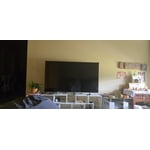
[This review was collected as part of a promotion.] The product offers intuitive navigation and an automatic brightness sensor, complemented by superior audio quality. The 360° audio technology significantly enhances the viewing experience, providing a theater-like ambiance. I endorse this model for users seeking a high-quality, feature-rich product at a competitive price point. Its seamless integration with my Samsung Galaxy device further simplifies the setup process.

Review from Samsung US
Helpful?18J4E5E7OZVG16422722568
Jun 20, 2026
Reviewer name: Anonymous
5 out of 5 stars
5 out of 5 stars review

Great features and works amazing

[This review was collected as part of a promotion.] Really love the quality of the tv picture is the best I’ve seen I have five other tv’s and none of them compare to this and the sound on it is like a movie theater I would give this tv 10 stars if it had the option, the color is amazing and the. Streaming apps and options are top notch and I believe the best in my experience. Thank you so much for this amazing experience.

Review from Samsung US
Helpful?18J4E5E7OZVG16422722568
Jun 6, 2026
Reviewer name: ILoveMySamsungTV
5 out of 5 stars
5 out of 5 stars review

Excellent choice, excellent features!
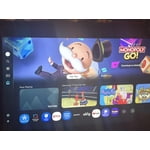
[This review was collected as part of a promotion.] I really love my Samsung TV. It came with Samsung TV (which is just like cable tv) I can download apps, I can connect my phone, my portable speaker can connect.. it’s just an awesome tv. It has lots of settings to change the brightness, the resolution, the vibrancy, also. It has a setting for gaming which makes the graphics clearer, and the security features are great. Really glad I bought it.

Review from Samsung US
Helpful?18J4E5E7OZVG16422722568
Jun 22, 2026
Reviewer name: Living room TV
5 out of 5 stars
5 out of 5 stars review

Great features
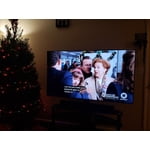
[This review was collected as part of a promotion.] Great product, i can mirror my phone or connect my phone, I can cast my laptop, blue tooth larger speakers even though the sound quality is great. I can also down load apps. The clarityis great and has great resolution. Its been a few years and I still need to explore all the great stuff the TV has to offer.

Review from Samsung US
Helpful?18J4E5E7OZVG16422722568
Jun 15, 2026
Reviewer name: Upsettvbuyer
2 out of 5 stars
2 out of 5 stars review

Won't link to any wifi
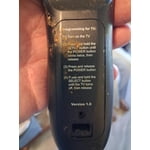
[This review was collected as part of a promotion.] I've been buying Samsung TVS for a long time. Enjoy the quality picture and everything about them. I recently purchased this new TV replacement that had broken on my outside patio I was a little taken back by the new style remote but being I have a roku TV I was able to figure it out quite easily. The problem I have is my tv will not pick up any Wi-Fi anywhere so as it stands, the only thing my TV picks up is digital TV from the antenna will not pick up any internet so I can't get any of my Samsung channels, my Netflix or any other apps that I have set up for my other televisions and it's very discouraging, and I can't figure out why I've done every steps. That I've seen to get remedy of this situation, but nothing seems to happen.I just wish someone could give me a hand with this.So I could get this t v working like I wanted to.

Review from Samsung US
Helpful?18J4E5E7OZVG16422722568
reply from Samsung Advisor

Hi Upsettvbuyer, Thank you for sharing your experience with Wi-Fi connectivity. If your TV is having trouble connecting to the network, the following steps may help resolve the issue: Signal & Setup Tips: 1. Check TV-to-router distance – Your TV should be within 50 feet of the modem or access point for reliable signal strength. 2. Minimize interference – Turn off nearby wireless devices and make sure there are no physical barriers (stone walls, fireplaces, appliances) between the TV and router. Power Cycle Devices: 3. Restart both your TV and router – Unplug both devices for at least 30 seconds, then plug them back in and allow them to reboot fully. Connection Type: 4. Evaluate your connection method – o If using Wi-Fi, move your router closer to the TV and eliminate any obstructions. o For a more stable connection, we strongly recommend using a wired Ethernet cable. o If already using Ethernet, verify the cable is working by testing it with another device. Run Built-In Diagnostic Tools: 5. Network Test: Settings > Support > Device Care > Self Diagnosis > Smart Hub Connection Test 6. Wi-Fi Check: Settings > Support > Device Care > Self Diagnosis > Wi-Fi 7. Please ensure you are running the latest Firmware. Go to Settings> Support> Software Update. Last Resort: 8. Perform a Factory Reset (if issues persist): Settings > All Settings > General & Privacy > Reset > Factory Data Reset. Note that this will return all settings to their original defaults. If these steps don’t resolve the issue, please reach out to Samsung Support at 1-800-SAMSUNG, available 8AM – 12AM EST, 7 days a week. LiveChat support and additional help are available at the ‘Support’ link on our website. ~Samsung Advisor

May 20, 2026
Reviewer name: sgarbar
2 out of 5 stars
2 out of 5 stars review

difficult to use

[This review was collected as part of a promotion.] This is the first time purchasing a Samsung TV I must say I'm very disappointed in it I always use Vizio in the past and willl go back. Every app we download quits and have to reinstall it 2 to 3 times a day it's very frustrating so I can say I will not be buying another Samsung TV again .

Review from Samsung US
Helpful?18J4E5E7OZVG16422722568
reply from Samsung Advisor

Hi sgarbar, Thank you for your feedback. Please try the below troubleshooting steps: 1. Try a Cold Boot (Power Reset): With the Samsung remote: • While the TV is on, press and hold the Power button on the remote. • Keep holding until the TV turns off and back on. Without the Samsung remote: • While the TV is on, unplug the power cord from the wall outlet. • Wait 30 seconds, then plug it back in and turn the TV on. 2. Check for Software Updates: Outdated software can affect performance. Go to: Home > left directional key > Settings > Support > Software Update > Update Now 3. Run Device Care: This tool frees up memory, closes background apps, and can improve speed: Settings > Support > Device Care > Start Device Care If you’ve tried these steps and your TV is still slow to respond, feel free to contact Samsung Support for further assistance at 1-800-SAMSUNG (8AM – 9PM EST Mon – Fri, 8AM – 6PM Sat – Sun). LiveChat and additional support resources are also available through the Support link on our website. ~Samsung Advisor

Jun 22, 2026
Reviewer name: Vzavala93
5 out of 5 stars
5 out of 5 stars review

Picture quality and colors are all vibrant

[This review was collected as part of a promotion.] Im very found of the TVs size slim but still has very vibrant colors and beautiful picture quality. I use it primarily for gaming on my PS5 and its definitely an upgrade from using my previous monitor. The contrast settings are definitely an improvement from my previous TV as well, the TV is plenty bright and the resolution settings for my ps5 are used to their full potential. Im quite impressed with the security of the TV as well as my previous samsung tv would often get people trying to connect to it I don't have that issue with the new one. I highly recommend this model as an entry level UHD TV perfect for small rooms and living rooms

Review from Samsung US
Helpful?18J4E5E7OZVG16422722568